


RELATED LINKS
RELATED LINKS
RELATES LINKS
RELATES LINKS
Services
Related Links

Use and Management of Cookies
We use cookies and other similar technologies on our website to enhance your browsing experience. For more information, please visit our Cookies Notice.
- Personal Banking
- Cards
- Prepaid Cards
- SCB PLANET Card
- Personal Banking
- ...
- SCB PLANET Card
Prepaid Card
SCB PLANET
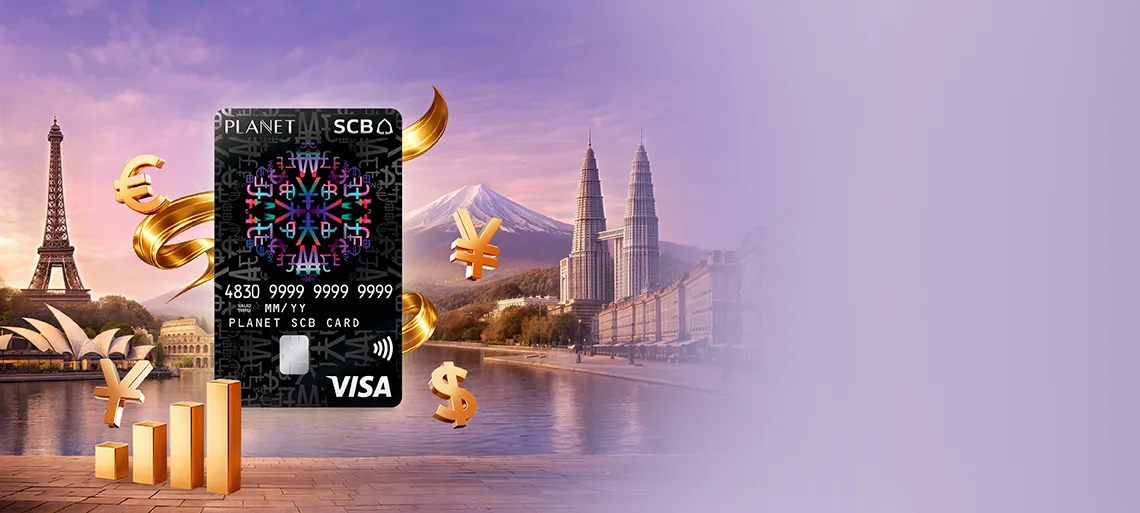
Exchange currencies at great rates anytime, anywhere via the SCB EASY App. Spend worldwide with your card.
 Share
Share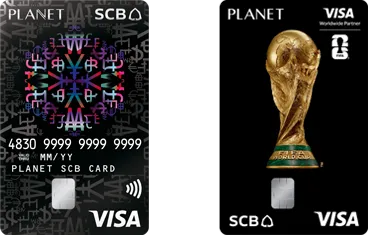
- Privileges
- Product Information
- Application Process
- FAQ
Benefits & Privileges

Conveniently exchange currencies anytime, anywhere via the SCB EASY App.
Withdraw cash from overseas ATMs up to THB 300,000 equivalent per day. Make purchases at merchants or shop online at any VISA-accepting store worldwide, up to THB 500,000 equivalent per day.

Travel with peace of mind without carrying large amounts of cash. In case your card is lost, you can instantly block it by yourself via the SCB EASY App.

No annual fee throughout the card validity

Earn 1% Credit Back Up to THB 4,000
Enjoy up to THB 4,000 * in credit back throughout the year when accumulating spending via the SCB PLANET Card in foreign currencies or for payments in the Online Travel Agency category (MCC Code 4722).
Earn 1% Credit Back Up to THB 4,000
Enjoy up to THB 4,000 * in credit back throughout the year when accumulating spending via the SCB PLANET Card in foreign currencies or for payments in the Online Travel Agency category (MCC Code 4722).
Top-Up and Transfer Back to e-FCD / FCD Accounts
Manage your funds seamlessly via the SCB EASY App.
Top-Up and Transfer Back to e-FCD / FCD Accounts
Manage your funds seamlessly via the SCB EASY App:
- Top up your SCB PLANET Card from your e-FCD / FCD account
- Transfer remaining balance from your SCB PLANET Card back to your e-FCD / FCD account
Note: For more details on e-FCD account, please visit: https://www.scb.co.th/th/personal-banking/deposits/foreign-currency-deposit/e-fcd

Free! 10-Day Travel Insurance Privilege for VISA Cardholders
Enjoy complimentary travel insurance coverage up to THB 1.5 million, provided by AXA Insurance for up to 10 days.
Free! 10-Day Travel Insurance Privilege for VISA Cardholders
10-Day Travel Insurance Privilege for VISA Cardholders
Enjoy complimentary travel insurance coverage from AXA for up to 10 days.
- Accidental coverage limit: THB 1,500,000
- Medical expenses coverage for illness and accidents, including both Outpatient (OPD) and Inpatient (IPD) treatments
- Cashless hospitalization for Inpatient (IPD) treatment at AXA’s worldwide network hospitals
- Eligible for Schengen visa application (excluding Visa Debit, Visa Classic, and Visa Gold cards)
- Cardholders are advised to carefully review coverage details and terms and conditions prior to making any insurance decision.
- Cardholders must have accumulated overseas spending of at least THB 20,000 using the registered VISA card to maintain eligibility for subsequent usage.
- Underwritten by AXA Insurance Public Company Limited; underwriting approval is subject to the insurer’s terms and conditions.
- Validity period: January 1, 2026 – December 31, 2026
How to Redeem:
- Register at least 1 business day in advance via: https://www.axa.co.th/visa
- The insurance policy will be delivered via email. Eligibility can be checked prior to registration at: https://www.axa.co.th/visa
- Receive the insurance policy via the registered email address.
- The company reserves the right to provide travel insurance coverage for a maximum of 2 trips per year, limited to 1 trip per month. Cardholders must provide the VISA card number used for redemption, along with their national ID/passport number and travel details. In cases where a customer holds multiple VISA cards, the customer may redeem only one privilege.
For inquiries or insurance advice, please contact AXA Insurance:
- Website: https://www.axa.co.th/new-axa-call-center-number
- Tel: 02-118-8111
- Business hours:
- Monday to Friday: 08:30 – 18:30
- Saturday: 09:30 – 18:00
- Except Sundays and public holidays
Terms and Conditions for Eligibility
- Customers are entitled to receive overseas travel insurance coverage from AXA Insurance Public Company Limited (“the Company”) for up to 10 days per trip.
- The Company reserves the right to provide coverage only to Thai nationals or foreign nationals legally residing in Thailand, aged 1–74 years.
- This insurance policy does not provide coverage for individuals traveling to, transiting through, or traveling within the following countries/regions: North Korea, Cuba, Belarus, Afghanistan, Crimea (including Sevastopol), Syria, Nepal (only areas at or above 1,500 meters above sea level), Venezuela, Russia, Myanmar, Iran, Ukraine (specifically the regions of Donetsk, Luhansk, Kherson, and Zaporizhzhia), and any countries subject to sanctions imposed by the United Nations or to trade or economic sanctions, laws, or regulations of the European Union, the United Kingdom, or the United States.
- The Company reserves the right to provide coverage for a maximum of 2 trips per year, limited to 1 trip per month. Customers must provide the VISA card number used for redemption, along with their national ID/passport number and travel details. In cases where a customer holds multiple VISA cards, the customer may redeem only one privilege.
- To maintain eligibility for subsequent travel insurance coverage: For the first trip, customers who redeem this benefit must have accumulated overseas spending using the VISA card (as specified for redemption) during the travel period, defined as the period from departure from Thailand to return to Thailand (subject to the terms specified by the credit card issuer/bank).
a. For VISA Platinum cards, a minimum spending of THB 20,000 is required.
- The Company reserves the right to deny claims if the name on the VISA card does not match the name on the national ID card or passport.
- The Company reserves the sole right to cancel the policy or amend any policy details.
- The insured must commence and conclude their trip in Thailand only.
- Customers must register for this privilege at least 1 day in advance and no more than 180 days prior to departure. The Company will not cover any losses that are foreseeable or known at the time of insurance application.
- The Company recognizes the importance of handling personal data in compliance with applicable data protection laws and related regulations. Customers may review the Company’s Privacy Policy at: https://www.axa.co.th/th/legal-and-privacy-statement
- Please review the coverage details of the Smart Traveler Plus Insurance Policy.
- Underwriting terms and coverage details are subject to the Company’s policies. Customers are advised to thoroughly review and understand the coverage details and terms and conditions before making any insurance decision.
- The Company reserves the right to amend these terms and conditions without prior notice to VISA cardholders.

Free! Personal Accident Insurance
Coverage for both domestic and international travel Maximum coverage up to THB 8,000,000, provided by Deves Insurance.
Free! Personal Accident Insurance
SCB PLANET Prepaid Card: Travel Insurance Coverage up to THB 8,000,000
Provided by Deves Insurance Public Company Limited
________________________________________
Promotion Terms and Conditions
- This privilege is available to SCB PLANET Prepaid Cardholders of Siam Commercial Bank Public Company Limited (“Cardholder”) who have successfully activated their card. Cardholders are entitled to complimentary travel insurance for both international and domestic travel, with coverage up to THB 8,000,000, underwritten by Deves Insurance Public Company Limited, when purchasing their own airline tickets using the SCB PLANET Prepaid Card exclusively for such travel purposes.
- Promotion period, eligibility, and coverage period: January 1, 2026 – January 1, 2027.
- Eligible cardholders must be between 15 and 75 years old.
- Coverage will be automatically effective immediately when the cardholder pays in full for their own airline ticket using the SCB PLANET Prepaid Card for either domestic or international travel, in accordance with the specified terms and conditions.
- For claims and submission of supporting documents, the policyholder, insured, beneficiary, or their representative (as applicable) must notify the company and submit relevant documents within 30 days. Failure to submit within the specified timeframe will not invalidate the claim, provided there is reasonable justification for the delay and the documents are submitted as soon as reasonably practicable.
- This privilege is non-transferable and cannot be exchanged, converted into cash, or substituted for other items. It cannot be combined with other discounts or promotions.
- The Bank is not involved in the production, provision, distribution, importation, or delivery of goods and/or services and shall not be liable for any loss, damage, defects, or other issues arising from such goods or services, or any damages incurred by consumers. For inquiries or issues, please contact Deves Insurance Customer Service at 1291 (press 2) or 02-670-4444 (24 hours), or LINE: @devesinsurance.
- The Bank and Deves Insurance Public Company Limited reserve the right to amend, change, suspend, or cancel these terms and conditions, benefits, or any related details in accordance with applicable laws and/or regulatory requirements, or at the Bank’s discretion, with at least 7 days’ prior notice unless prevented by force majeure or other unavoidable circumstances, in which case notice will be given as soon as practicable.
- In the event of any dispute, the decision of the Bank and Deves Insurance Public Company Limited shall be final.
- The Bank and Deves Insurance Public Company Limited (“the Company”) will collect, use, and disclose the cardholder’s personal data for the purposes of administering the promotion, publicity, and other purposes as set out in their respective privacy policies. Cardholders may review details regarding data collection, use, disclosure, and their rights under applicable data protection laws at www.scb.co.th (for the Bank) and through the Company’s specified channels.
- For further information regarding this promotion, please contact the SCB Call Center at 02-777-7777.
- Benefits, terms, and coverage are subject to the insurance policy and conditions specified by Deves Insurance Public Company Limited.
- Customers should carefully study the details, coverage, and conditions before making any insurance decision.
- The Bank acts solely as an insurance broker.
- Underwritten by Deves Insurance Public Company Limited. For inquiries regarding coverage and claims, please contact Deves Insurance Customer Service at 1291 (daily, 08:00 – 18:00) or visit www.deves.co.th.
________________________________________
Coverage Conditions
Eligibility Criteria:
- Must be an SCB PLANET Prepaid Cardholder of Siam Commercial Bank Public Company Limited with an activated card.
- Must be between 15 and 75 years old.
- Must use the SCB PLANET Prepaid Card to pay in full for their own airline ticket for domestic or international travel.
Scope of Coverage:
- International Travel: Coverage applies worldwide, in accordance with the coverage period, with a maximum coverage duration of up to 90 days per trip; or
- Domestic Travel: Coverage applies within Thailand only, in accordance with the coverage period, with a maximum coverage duration of up to 30 days per trip.

Seamless Global Spending: No 2.5% Conversion Fee
Wherever you travel, spend with confidence. Get better value worldwide with no 2.5% conversion fee. Tap, swipe, or shop online — great rates in every currency, every time.
Seamless Global Spending: No 2.5% Conversion Fee
Store Thai Baht for your everyday local spending, and tap into global currencies without the 2.5% conversion fee when you travel or shop online.
From local THB transactions to global checkouts, enjoy maximum value wherever you swipe, tap, or click.

Lock in Exchange Rates Instantly
Exchange up to 13 popular currencies at preferential rates competitive with leading money changers—or simply spend your Thai Baht globally.
Lock in Exchange Rates Instantly
Smart Exchange: Convert up to 13 popular currencies 24/7 via the SCB EASY app. Great Rates: Enjoy preferential rates competitive with leading money changers. Ultimate Flexibility: Hold foreign currencies or simply spend your Thai Baht globally. Supported currencies: USD, EUR, GBP, JPY, AUD, CHF, SGD, HKD, NZD, CAD, CNY, KRW, and TWD.

Overseas Cash Withdrawal
Withdraw foreign currencies at ATMs worldwide displaying the Visa logo.
Overseas Cash Withdrawal
- Overseas Cash Withdrawal Fee: THB 100 per transaction. Additional fees may be charged by the local ATM operator at your destination.
- Maximum Daily Limit: Up to THB 300,000 equivalent per day.
Important Note: Cash withdrawal is not available within Thailand.
SCB PLANET Card
Overseas ATM Cash Withdrawal Guide
1. Insert your SCB PLANET card into the ATM with the chip facing inward. | |
2. Select “WITHDRAWAL” | 3. Select “CREDIT CARD” If the ATM does not provide this option, select “SKIP” to proceed. |
4. The ATM will display a withdrawal fee charged in the local currency by the foreign bank. To continue, select “PRESS IF YES” | 5. Enter the amount you wish to withdraw and collect your cash in the local currency from the ATM.
|
Notes
- SCB Fee: An additional THB 100 per transaction will be automatically deducted from your SCB PLANET card. (More details below)
- ATM screens and steps may vary depending on the bank and country.
How Cash Withdrawal Fees Are Calculated
When you withdraw cash overseas, there are two types of fees involved:
- Overseas ATM Fees Charged by Foreign Banks
These fees are set by the bank that operates the ATM in the country where you make the withdrawal.- The fee amount will be clearly displayed on the ATM screen during the transaction.
- You will have the option to review and accept the fee before proceeding.
- Fees Charged by SCB
SCB charges a fee of THB 100 per transaction,with the calculation depending on the currency of your withdrawal:- If you withdraw in Thai Baht (THB)
- The fee will be converted from the transaction currency into Thai Baht using the exchange rate at the time of the transaction.
- If your THB balance is not sufficient, the system will automatically convert funds from other currencies in your card (Auto Conversion) to complete the transaction.
- If the total balance is still insufficient, the transaction will be declined and the withdrawal will not be processed.
- If you withdraw in a foreign currency
- The fee is charged at THB 100 per transaction.
- You must have enough THB balance to cover the fee.
- If your THB balance is insufficient, the transaction will be declined and no cash will be dispensed.
How the Fee Appears in Your Statement: The SCB fee will appear on the SCB EASY app on the following day under the description “CASH WITHDRAWAL FEE.”
Example of Transaction Display
| CASH WITHDRAWAL FEE -3.87 SGD | “CASH WITHDRAWAL FEE” shows the fee charged by SCB. |
| CIC42CHPCSHAWN -105.00 SGD | The ATM operator’s fee is already included in the total withdrawal amount. |
Note: The final fee amount may vary depending on exchange rate fluctuations at the time of the transaction.

Instant Card Issuance at 13 Designated SCB Branches
Apply and receive your SCB PLANET Card instantly at any of the following 13 designated SCB branches.
Instant Card Issuance at 13 Designated SCB Branches
Apply and receive your SCB PLANET Card instantly at any of the following 13 designated SCB branches:
|
|
Conditions
- Applicants must be at least 15 years old and must be Thai nationals only.
- Applicants must have an SCB savings or current account (individual account). This card will not be linked to any account.
- Applicants must have the SCB EASY application.
- Each cardholder is limited to one card only.
- Required document for application: National ID card.
- An initial issuance fee of THB 200 applies for the card application.
- Applicable for new card applications only; replacement cards cannot be issued.
- Card approval is subject to the Bank’s terms and conditions.
- The Bank reserves the right to amend these terms and conditions and/or benefits and/or any details, and/or suspend or cancel this promotion in accordance with directives from relevant authorities and/or as deemed appropriate by the Bank. The Bank will provide at least 7 days’ prior notice before such changes take effect, except in cases of force majeure or other unavoidable circumstances, in which case the Bank will notify as soon as reasonably possible. In case of any dispute, the Bank’s decision shall be final.
- For more information, please contact the SCB Call Center at 02-777-7777.
Product Information
Eligibility & Required Documents
Who Can Apply
- Thai or foreign nationals aged 15 years and above
- Must hold an SCB individual savings or current account
- Must have the SCB EASY App
Fees
- Card issuance fee: THB 200
- Annual fee: None
- Card replacement: THB 200
- Lost card reissuance: THB 200 (Fee waived from Jan 1, 2020 – Dec 31, 2026)
Required Documents
- Thai nationals: National ID card
- Foreign nationals: Passport
How to Apply
If you already have an SCB savings or current account
- Apply via the SCB EASY App, or
- Visit any SCB branch
If you don’t have an SCB savings or current account yet
- Visit an SCB branch
- Open a savings or current account
- Register for the SCB EASY App
- Apply for the card
Additional
Application Process
SCB PLANET Card: FAQ
What is PLANET SCB Card?
- SCB PLANET is a prepaid card that can be used as a cash alternative. It supports 14 currencies (including Thai Baht) and allows you to hold up to 13 popular foreign currencies on a single card: USD, EUR, GBP, JPY, AUD, CHF, SGD, HKD, NZD, CAD, CNY, KRW, and TWD (maximum 5 exchange transactions per day).
- Foreign currency exchange is available 24 hours a day at special exchange rates, and you can check the rates in advance via the SCB EASY application.
Benefits of the SCB PLANET Card
- Special exchange rates
- Reduced risk associated with carrying cash while traveling
- In case the card is lost or needs to be temporarily blocked, you can easily manage it yourself via the SCB EASY application.
- No currency conversion fee; you can exchange and store currencies in advance.
- No exchange rate risk fee for transactions in supported currencies.
- Seamless spending with Auto Conversion: If you make a payment in a supported currency but have insufficient balance in that currency, the system will automatically convert your available Thai Baht balance into the required currency at the prevailing special exchange rate at that time.
Are there any fees for issuing the SCB PLANET card?
- Issuance fee: THB 200
- Annual fee: None
- Card replacement fee: THB 200
- Lost card replacement fee: THB 200 (fee waived from January 1, 2020 – December 31, 2026)
What is the validity period of the SCB PLANET card?
- The card is valid for 5 years from the month of issuance.
Is there a minimum balance requirement to activate the SCB PLANET card?
- No minimum balance requirement
What should I do if I encounter issues while overseas?
- You can contact the SCB Call Center at +66 2777 7777 (call charges are subject to your telecom provider’s rates).
- You can seek assistance via LINE: SCB Connect or email [email protected].
What should I do if I lose my card overseas?
- You can temporarily block your card via the SCB EASY application 24/7.steps: Click.
Will I get the same card number or a new one when replacing a lost or damaged card?
- You will get a new card number.
When the card expires (5-year validity), will the bank automatically renew and deliver a new card, and will there be a fee?
- Card renewal: The bank will automatically issue a replacement card with no issuance fee. The remaining balance will be automatically transferred to the new card, provided that the old card still has a balance during the renewal process.
- The cardholder must have used the card (e.g., top-up, exchange, or spending) within the card validity period.
The bank will deliver the renewed card 30 days in advance. Customers are advised to verify their delivery address on the SCB EASY application, and notifications will be sent via SCB Easy Notification and LINE: SCB Connect.
If the card expires and is not renewed, will the card balance be automatically transferred to the customer’s account?
- Customers must perform the process themselves via the SCB EASY application. First, convert the balance into Thai Baht. Then, transfer it to the savings or current account linked to the SCB EASY application. The transfer will be processed immediately. Steps: Click.
How can I apply for the card?
- Via the SCB EASY application: Steps: Click.
- At any SCB branch
Can I update my delivery address if it is incorrect?
- Yes, you can update the delivery address yourself via the SCB EASY application (before confirming the application).
What are the eligibility requirements for the SCB PLANET card?
- Be 15 years of age or older
- Hold an individual savings or current account with SCB (If you don’t have one yet, you can open a new account at any SCB branch nationwide.)
- Be a user of the SCB EASY mobile application (If not, you must first register for the service.)
If I have multiple SCB accounts, how many SCB PLANET cards can I apply for?
- Each customer is allowed only 1 SCB PLANET card, regardless of the number of SCB accounts held.
Can joint accounts apply for the card?
- No, only individual accounts are eligible.
After applying via the SCB EASY application, how long will it take to receive the card?
- The card will be delivered within 7 business days (delivery time may vary, depending on the courier service).
Can I use the card immediately after receiving it?
- No. You must activate the card via the SCB EASY application before use. Steps: Click.
Note:Please activate the card within 180 days. Otherwise, the card will be automatically cancelled.
Will the PIN be delivered together with the card?
- No. You can set your own 6-digit PIN via the SCB EASY application after activation. Steps: Click.
What should I do if I forget my 6-digit PIN?
- You can reset your PIN via the SCB EASY application 24/7. Steps: Click.
What should I do if I enter the wrong PIN too many times (4 times in a row) and the card is locked?
- Please contact the Call Center at 02-777-7777 to unlock the card.
Why does my card display only part of my name?
- The card supports up to 19 characters (including spaces). If your name exceeds this limit, it will display the first initial of your first name followed by your full last name instead.
How can I top up my SCB PLANET card?
Top-up channels (you must top up the Thai Baht wallet first) are as follows:
- The SCB EASY application.
- Transfer from a deposit account to the card via the “Top Up Wallet” menu. Steps: Click.
Are there any top-up limits?
- Minimum top-up amount: THB 100
- Maximum top-up amount: THB 500,000
- The total daily top-up amount across all channels must not exceed THB 500,000 per card per day (including all currencies at the time of top-up).
- The maximum total balance across all currencies on the card at any time must not exceed THB 500,000 (except in cases where exchange rate fluctuations cause the balance to exceed this limit).
Can I top up another person’s card?
- Yes, via the SCB EASY application through the “Top Up Wallet” menu.
Can I exchange foreign currencies and store them in advance?
- Yes. You can exchange foreign currencies in advance before traveling abroad. Special rates can be checked via the SCB EASY application, and exchanges are available 24 hours a day.Steps: Click.
Are there any limits on currency exchange?
- You can make up to 5 exchange transactions per card per day, with a combined limit of THB 500,000 across all currencies (each purchase of foreign currency counts as one transaction, and each sale counts as another).
- Exchanges can be made from Thai Baht wallet to foreign currencies, or from foreign currencies back to Thai Baht within the card.
- Direct exchange between two foreign currencies is not supported. You must first convert to Thai Baht.
Can I top up the SCB PLANET card while overseas?
- Yes, but only via the SCB EASY application. Top-ups via other banks’ mobile applications are not supported.
How can I check my card balance?
- You can check your card balance via the SCB EASY application.
- Go to the SCB PLANET card page and select the “Wallet” tab. The system will display both “Wallet Balance (THB)” and “Wallet Balance (Other Currencies)”.
If I have remaining foreign currency in the card, can I transfer it back to my bank account?
- Yes, via the SCB EASY application. You must first convert the foreign currency into Thai Baht, then transfer the THB balance to an SCB savings or current account linked to the SCB EASY application. The transfer will be processed immediately. Steps: Click.
How can I view my transaction history?
- You can view your transaction history via the SCB EASY application. Steps: Click.
If I travel abroad and change my SIM card (e.g., use SIM2Fly or a foreign SIM with internet), can I still use the SCB EASY application?
- Yes, the application can be used as usual.
How can I use the SCB PLANET card for spending?
- You can use the card at merchants with the VISA logo worldwide, both in-store and online, as well as in Thailand.
- You can withdraw cash at overseas ATMs displaying the VISA logo by selecting the “Credit Card” option (cash withdrawal in Thailand is not supported).
What is the daily spending limit?
- You can top up and spend up to THB 500,000 per day (combined across all currencies on the card).
Are there any limits on overseas ATM withdrawals?
- You can withdraw up to THB 300,000 per day (unlimited number of transactions, but the total daily withdrawal must not exceed THB 300,000).
- Overseas ATM withdrawal fee: THB 100 per transaction (additional fees may be charged by the overseas ATM provider).
For a transaction made after exchanging currency, which exchange rate is applied?
- On the transaction date (purchase or withdrawal), funds are deducted using the exchange rate applied when the currency was exchanged and stored on the card—not the rate at the time of the transaction.
If the balance in that currency is insufficient (e.g., JPY 50,000 balance but spending JPY 60,000), how will the deduction be calculated?
- If the balance in that foreign currency is insufficient, the system will automatically convert funds from the Thai Baht balance (Auto Conversion) to complete the transaction, using the exchange rate applicable at the time of the transaction.
- If the Thai Baht balance is insufficient or unavailable, the transaction will be declined.
Example:
- A customer has JPY 50,000 stored in the card and spends JPY 60,000. The system will deduct JPY 50,000 and convert Thai Baht available in the card to cover the remaining JPY 10,000.
If I top up only Thai Baht without exchanging foreign currency and use the card overseas, which exchange rate will apply, SCB PLANET or VISA?
- For transactions in the 13 supported currencies, the SCB PLANET special exchange rate will apply.
- For other currencies, the VISA exchange rate will apply.
Why is the Auto Conversion exchange rate different from the rate shown on the SCB EASY application at the transaction time?
- The Auto Conversion rate is a special bank rate, which may be higher or lower than the rate shown on the SCB EASY application at the time of the transaction. This is because there may be differences between the transaction time and the time the merchant processes and converts the transaction with the bank.
If a transaction is voided or refunded, which currency and exchange rate will be applied?
- For the 14 supported currencies (including Thai Baht), refunds will be made in the original currency without exchange rate changes.
- For unsupported currencies, refunds will be made in Thai Baht using the exchange rate on the date the merchant processes the transaction with the bank.
Examples:
Void transactions
- Example 1: A purchase of USD 100 fully paid with USD → refund of USD 100 to the USD wallet on the same day.
- Example 2: A purchase of USD 100 with only USD 80 available → deducted USD 80 + THB 600 (*1 USD = THB 30). Refund: USD 80 and THB 600 returned to respective wallets on the same day.
Refund transactions
- Example 1: A purchase of USD 100 fully paid with USD → refund of USD 100 to the USD wallet.
- Example 2: A purchase of USD 100 with only USD 80 available → deducted USD 80 + THB 600 (*1 USD = THB 30). Refund: USD 100 to the USD wallet only.
Why does the charged amount differ from the receipt? What should I do?
- The bank processes transactions in the currency charged by the merchant. Some merchants may apply their own exchange rates, which can cause differences in the final amount.
- If you notice a discrepancy, please contact the bank for assistance to coordinate with the merchant.
- To avoid unfavorable rates, customers are advised to always choose to pay in the local currency of the country (e.g., KRW when in South Korea).
Do I need to register “Verified by VISA” before using the card for online purchases?
- No. The SCB PLANET card is already registered, and you can use it for online purchases immediately.
For online purchases, should I select debit card or credit card?
- Select credit card.
Can I use the SCB PLANET card for VAT refunds for tourists?
- Yes. You can have VAT refunds credited to the card up to THB 500,000 per transaction. Please inform the merchant to process the Tax Refund transaction for you.