


RELATED LINKS
RELATED LINKS
RELATES LINKS
RELATES LINKS
Services
Related Links

Use and Management of Cookies
We use cookies and other similar technologies on our website to enhance your browsing experience. For more information, please visit our Cookies Notice.
How to withdraw a gold in SCB Gold Marketplace
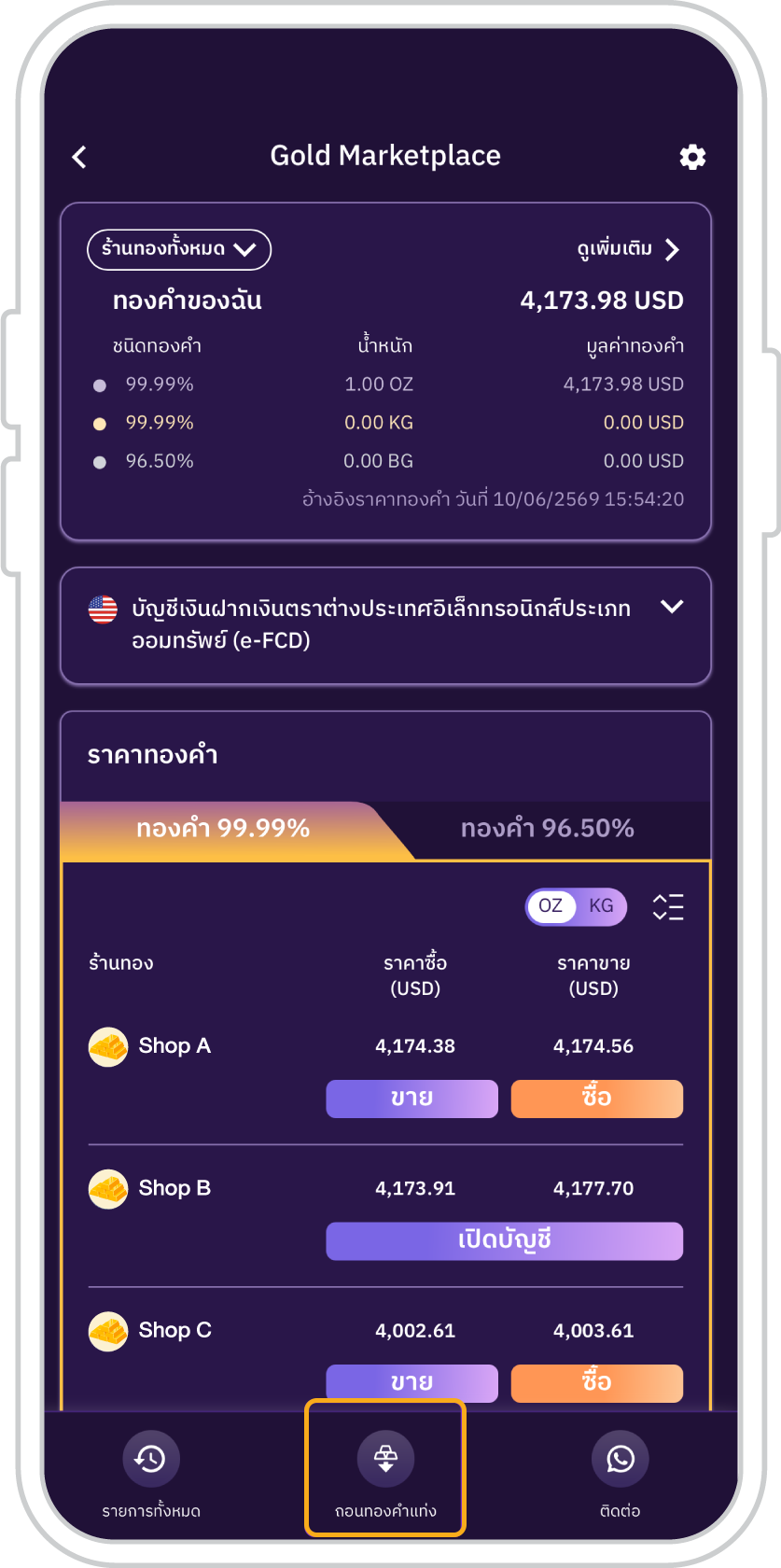
1. On the SCB Gold Marketplace Main Page, tap “Redeem physical gold”.
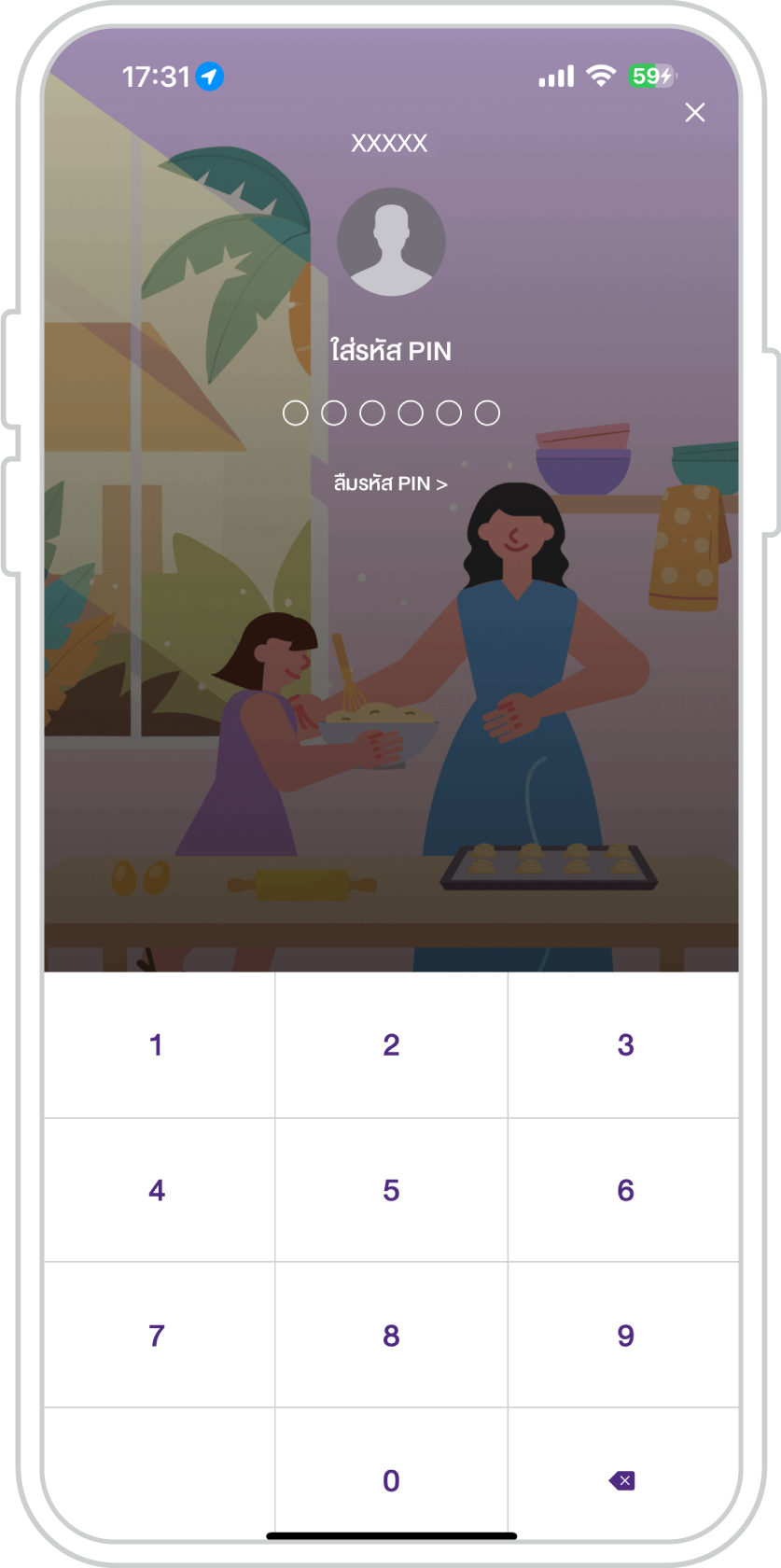
2. Enter your PIN for the SCB EASY app.
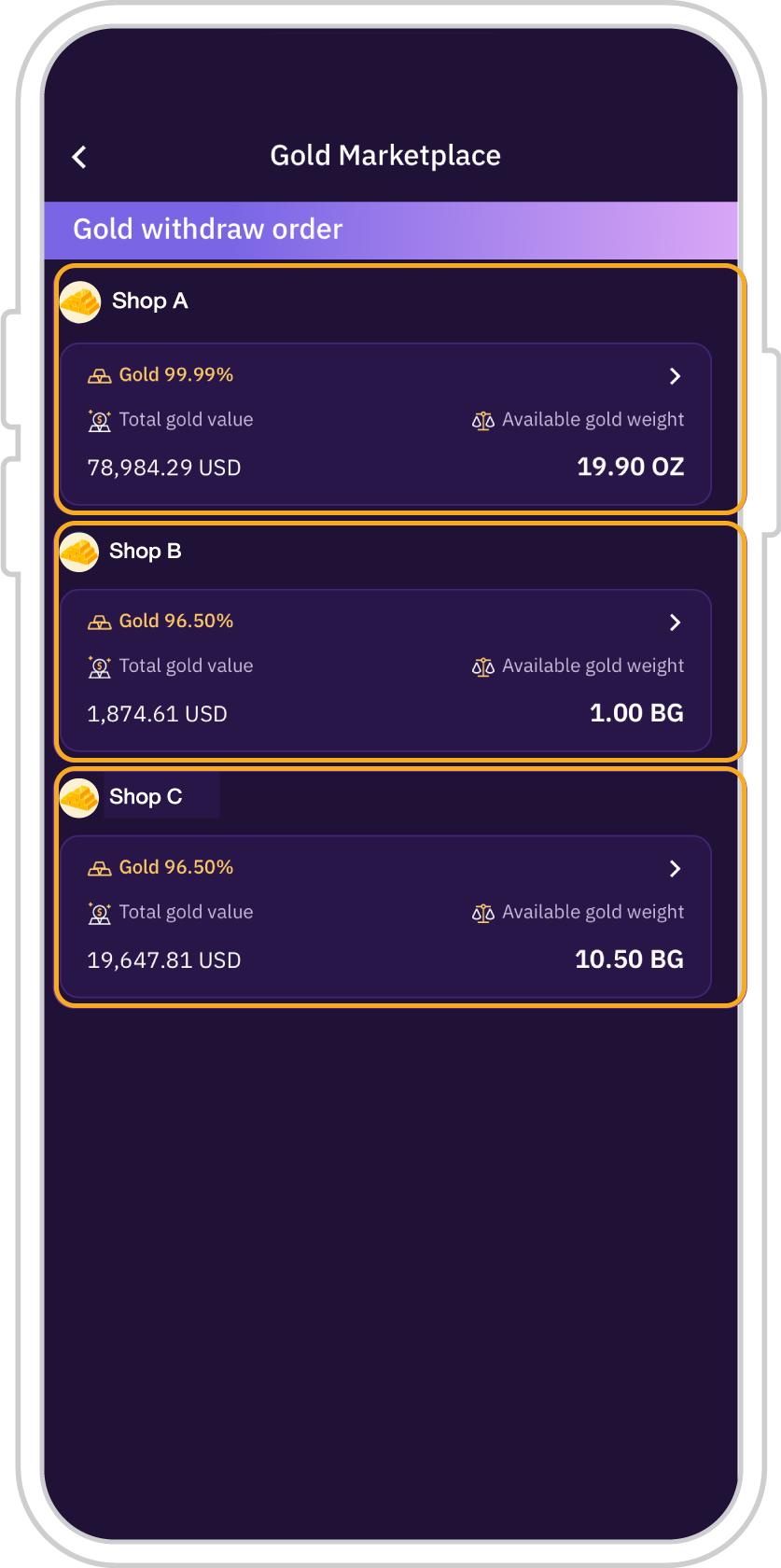
3. Select the gold type from your preferred gold merchant.
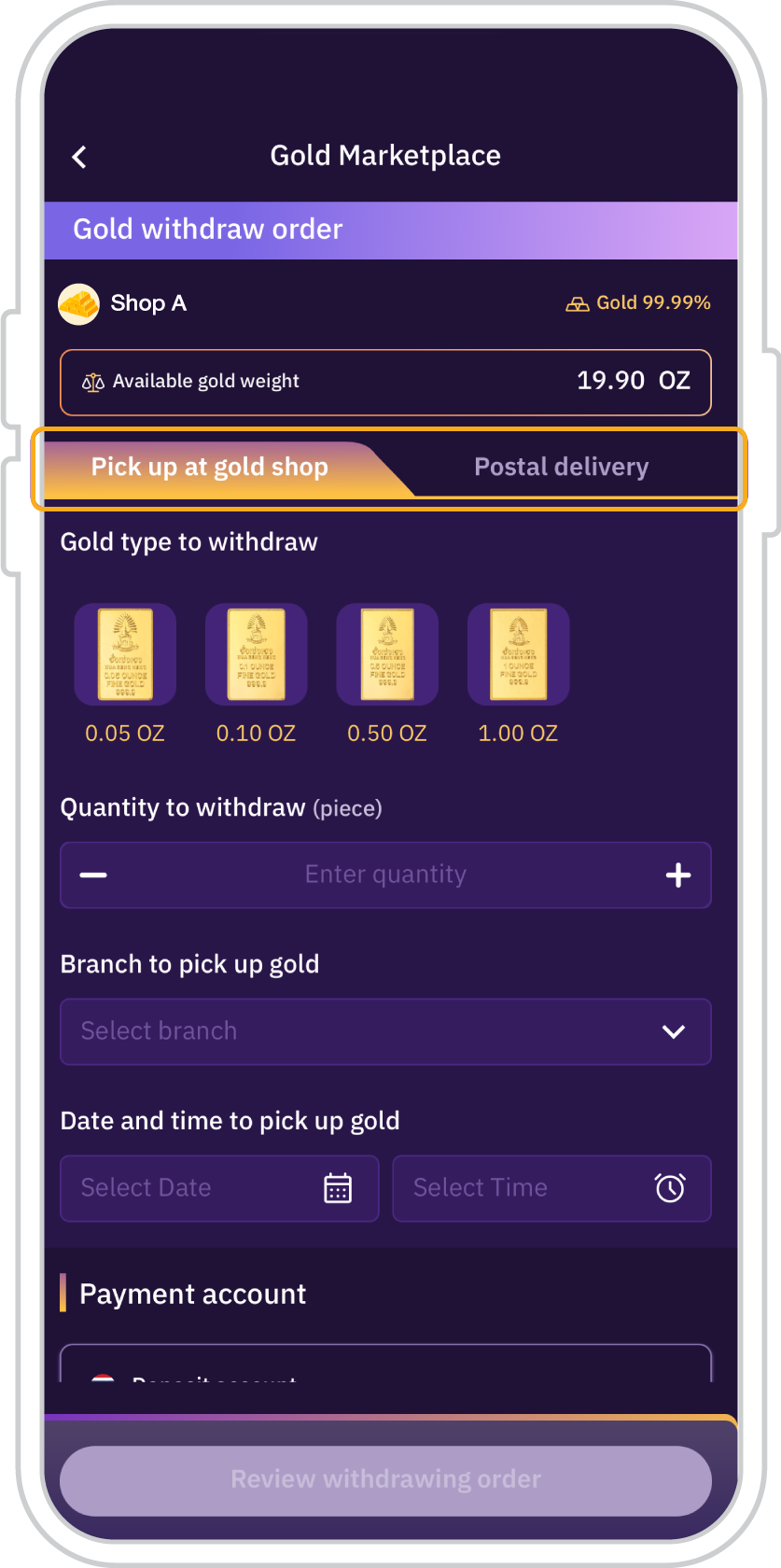
4. Select your preferred redemption method: collect the gold at a participating gold merchant or choose insured postal delivery.
To collect the gold at a participating gold merchant
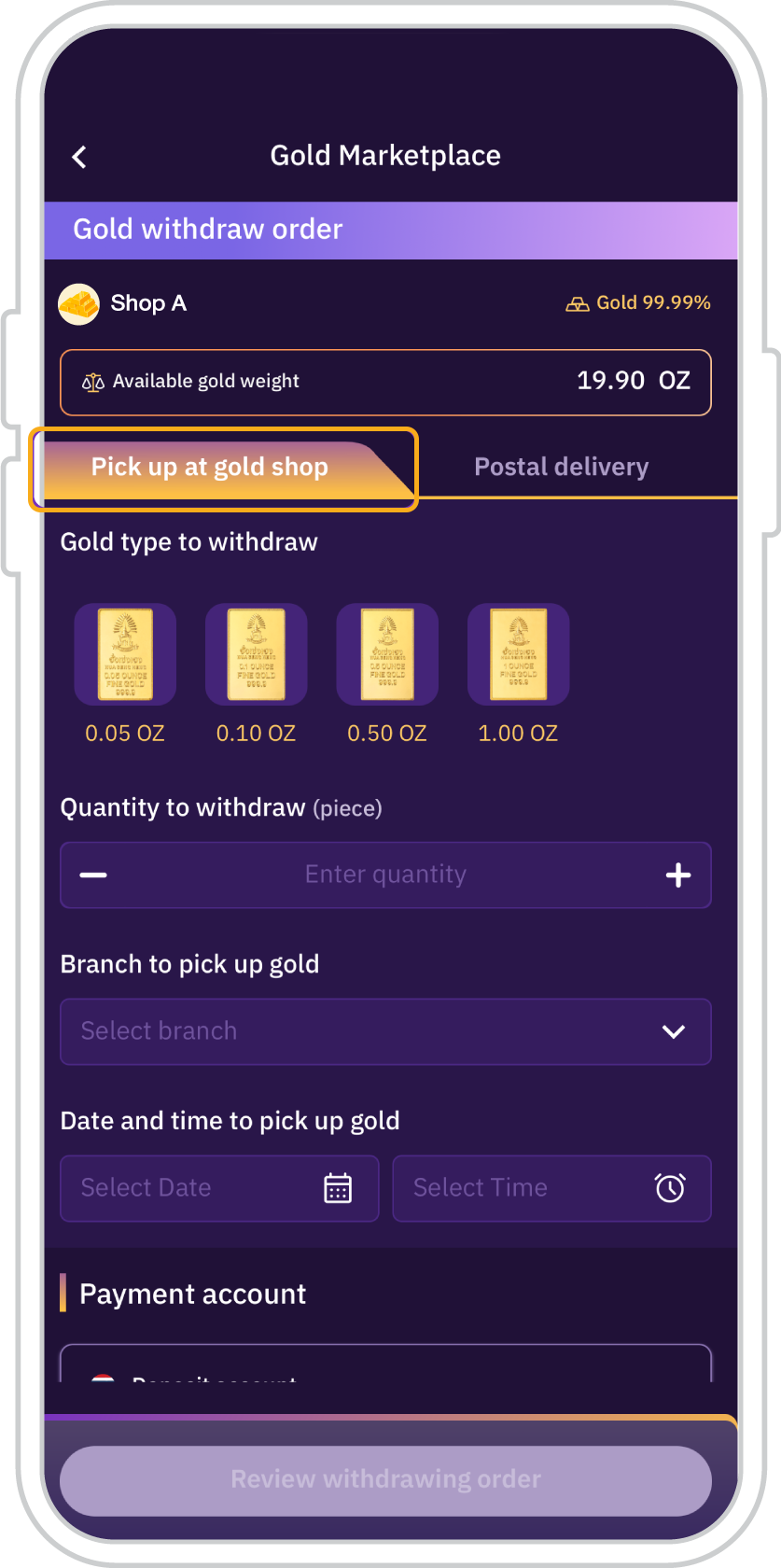
5. To collect the gold at a participating gold merchant: Select the gold type for redemption, and specify the quantity, branch, and preferred date and time for gold collection.
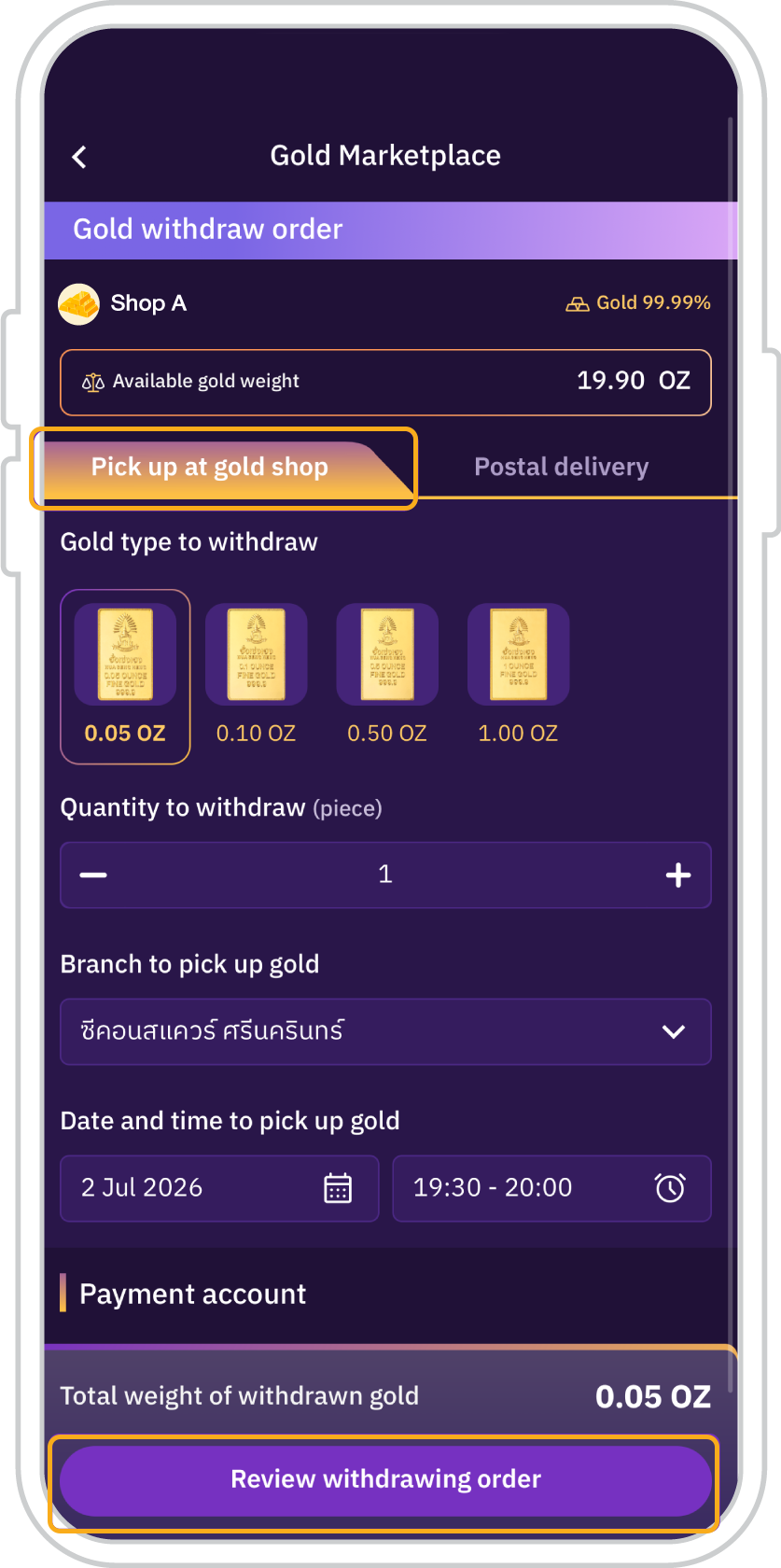
6. Tap “Review redemption order”.
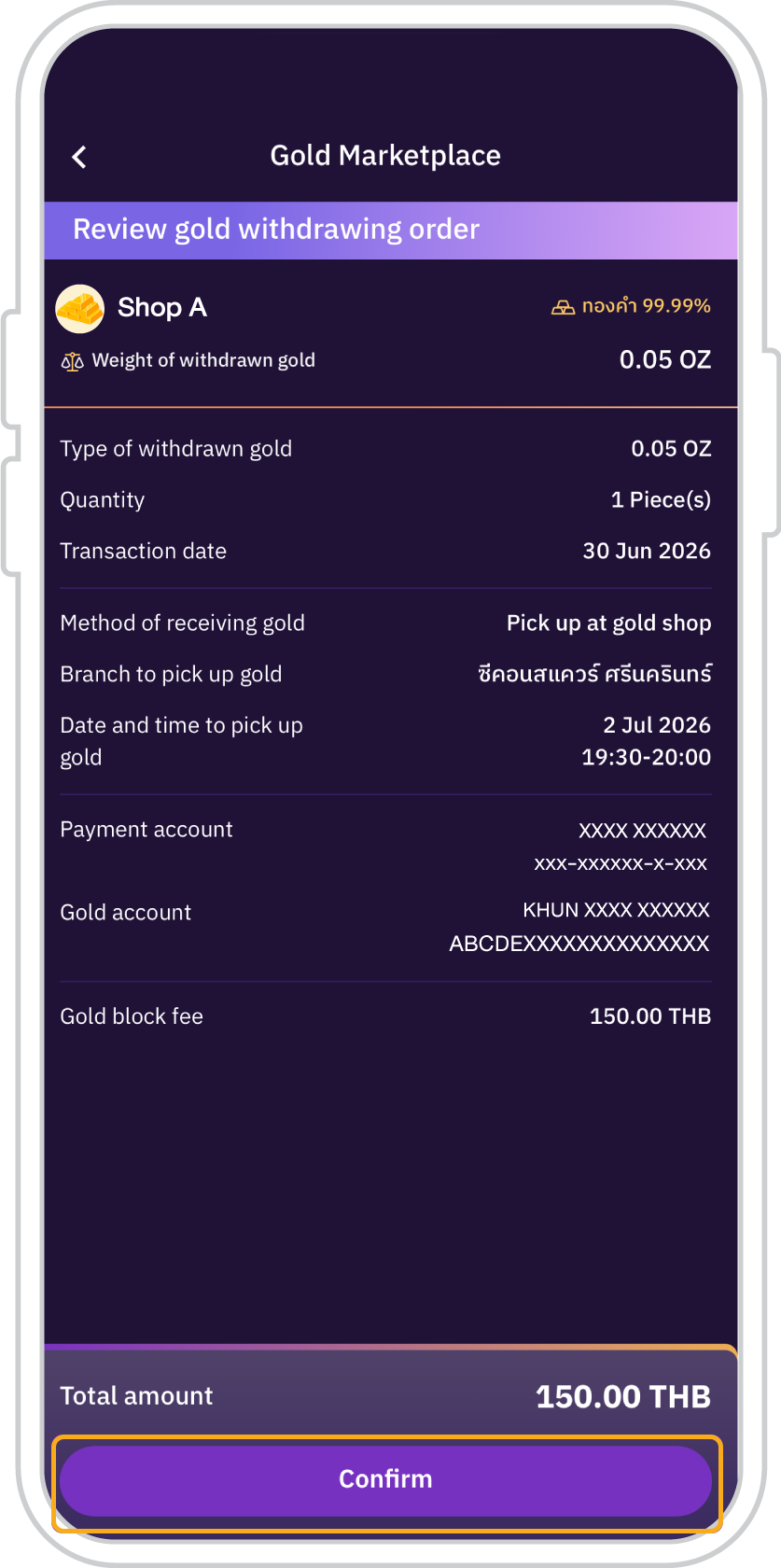
7. Review the gold redemption order, including the applicable gold-blocking fee (payable in Thai Baht), then tap “Confirm”.
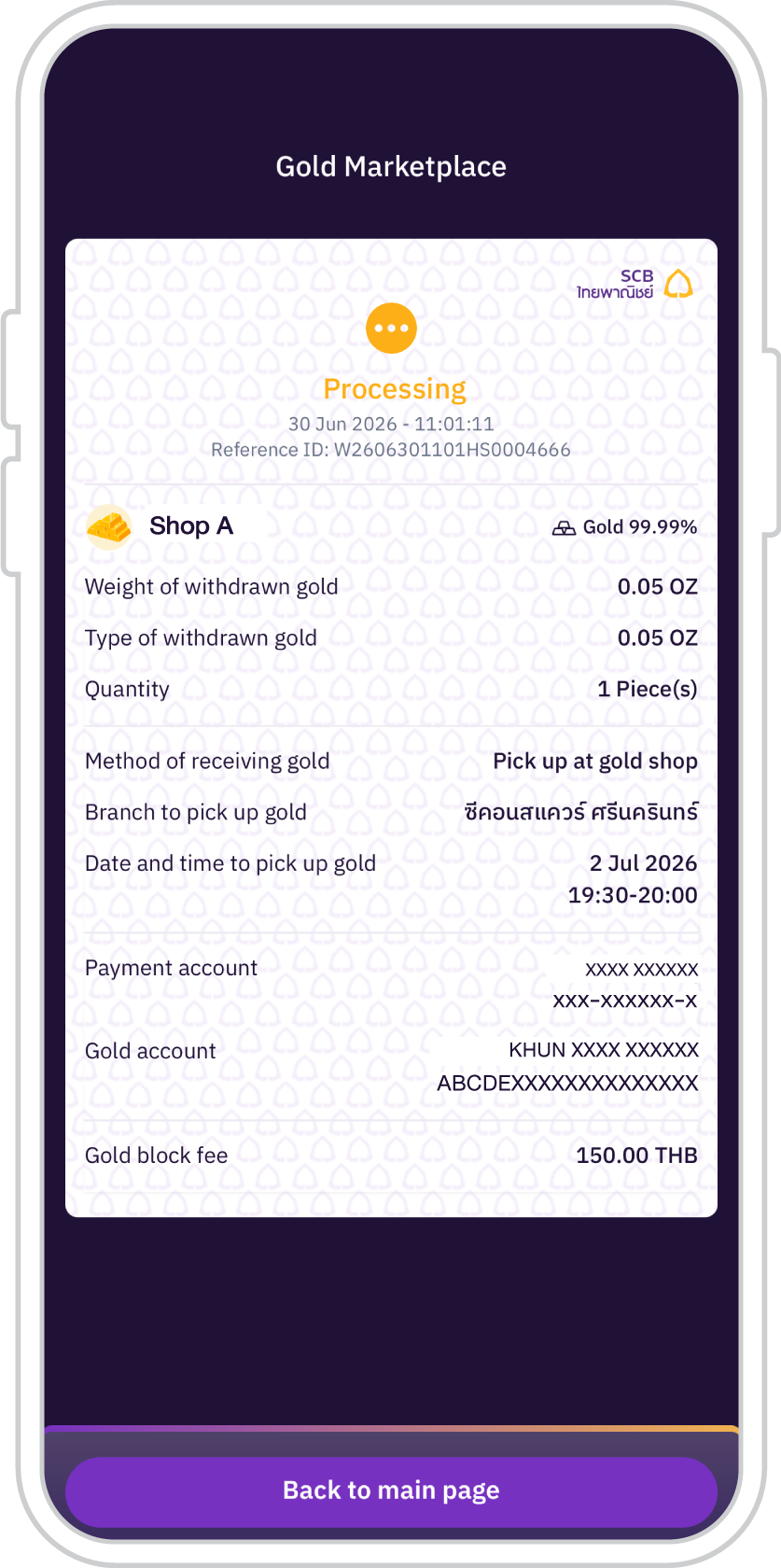
8. The status will be displayed as “Processing” and will change to “Gold redemption successful” once the redemption is completed successfully.
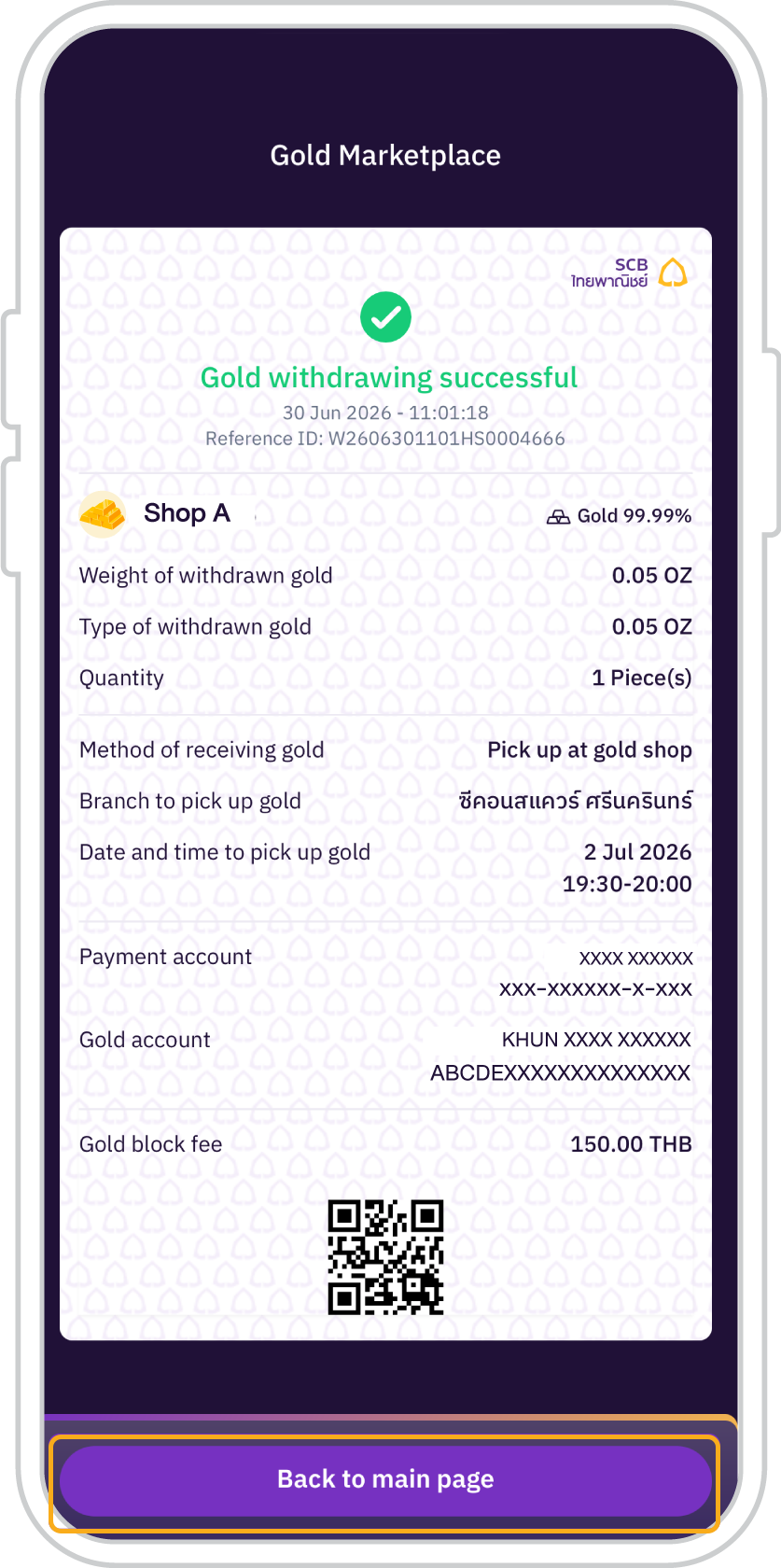
9. Gold redeemed successfully.
For insured postal delivery
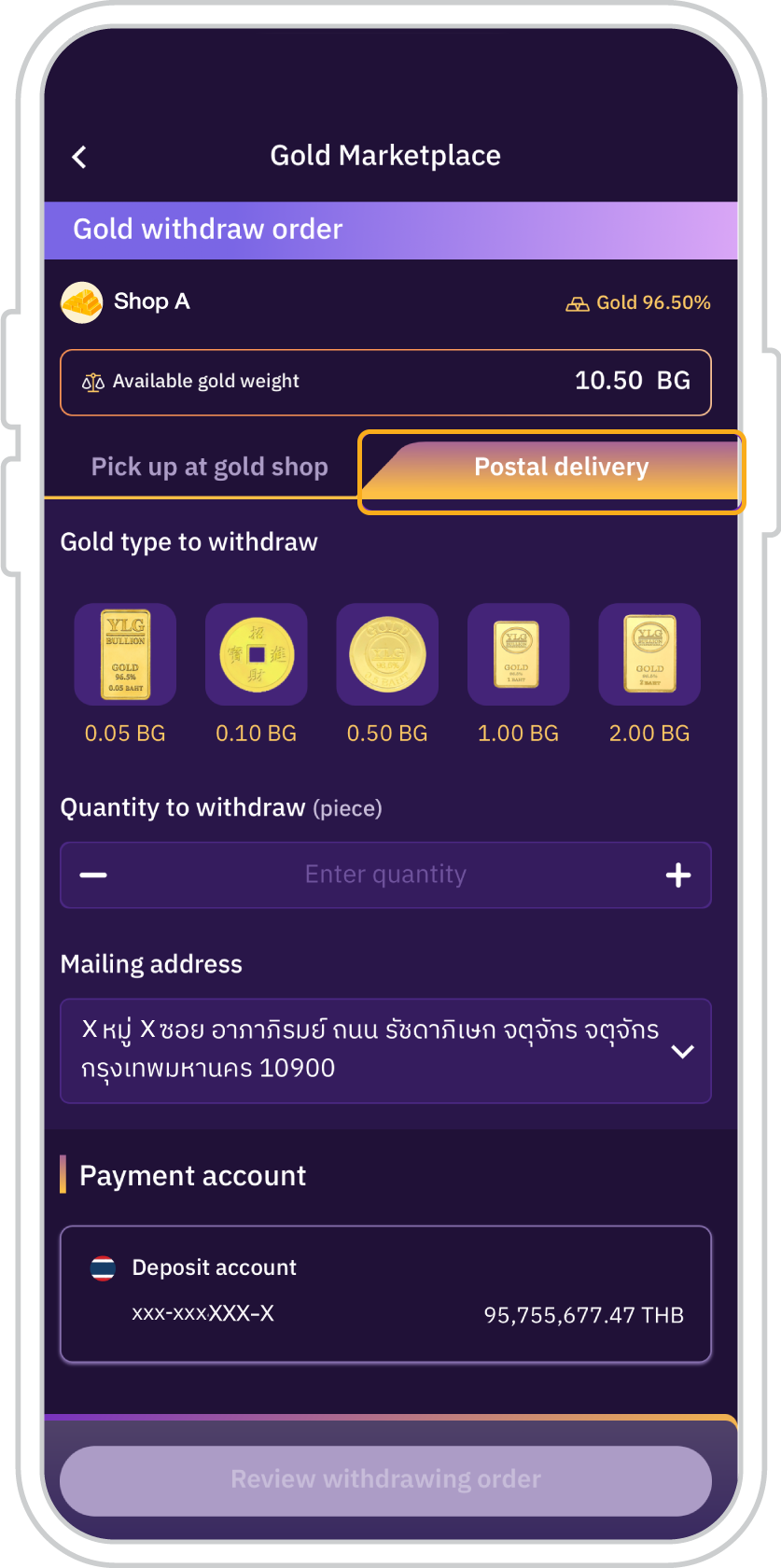
10. Select the gold for insured postal delivered type to redeem, specify the quantity, and provide the delivery address.
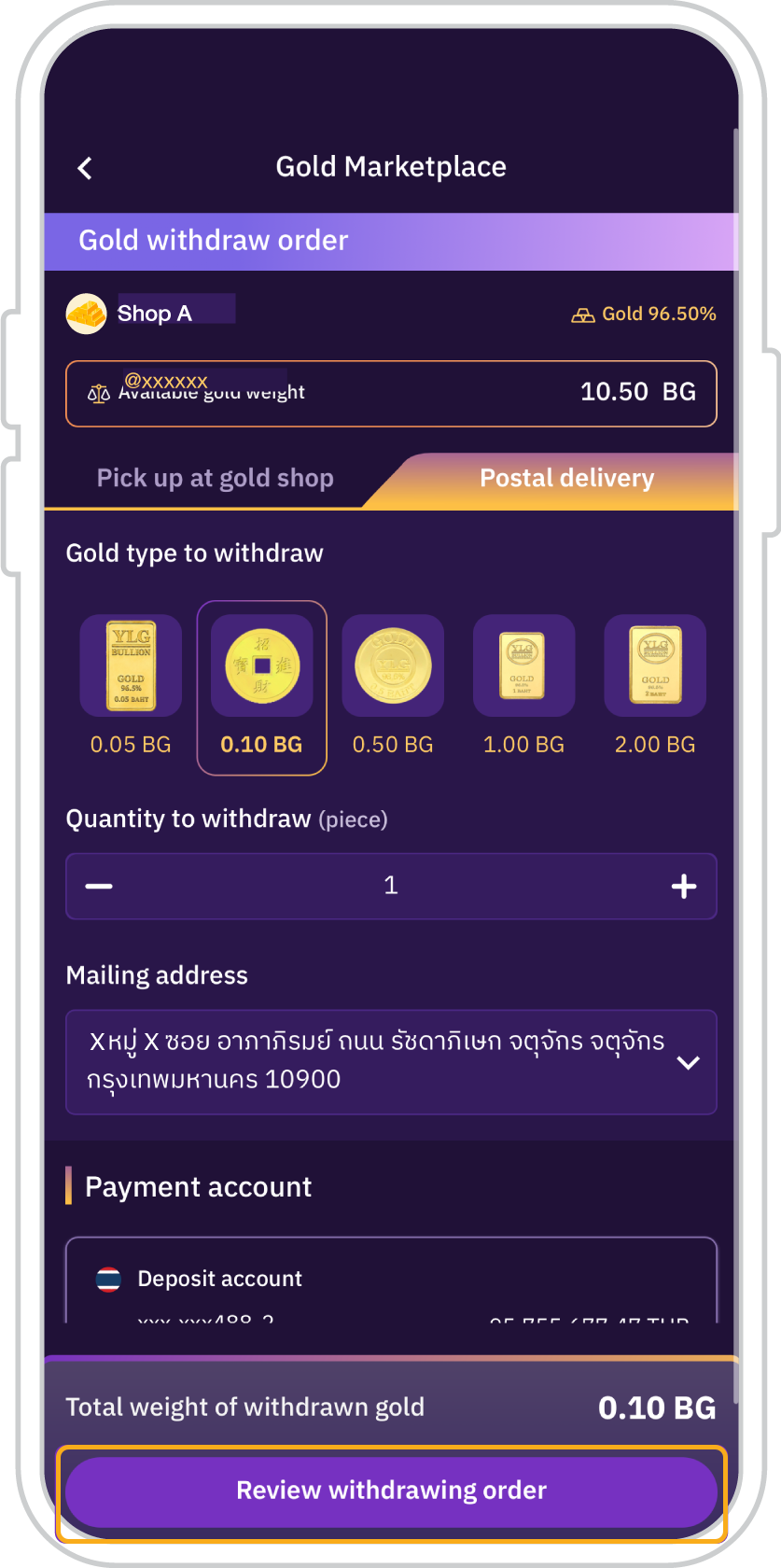
11. Press “Review
withdrawing order”
(for postal delivery)
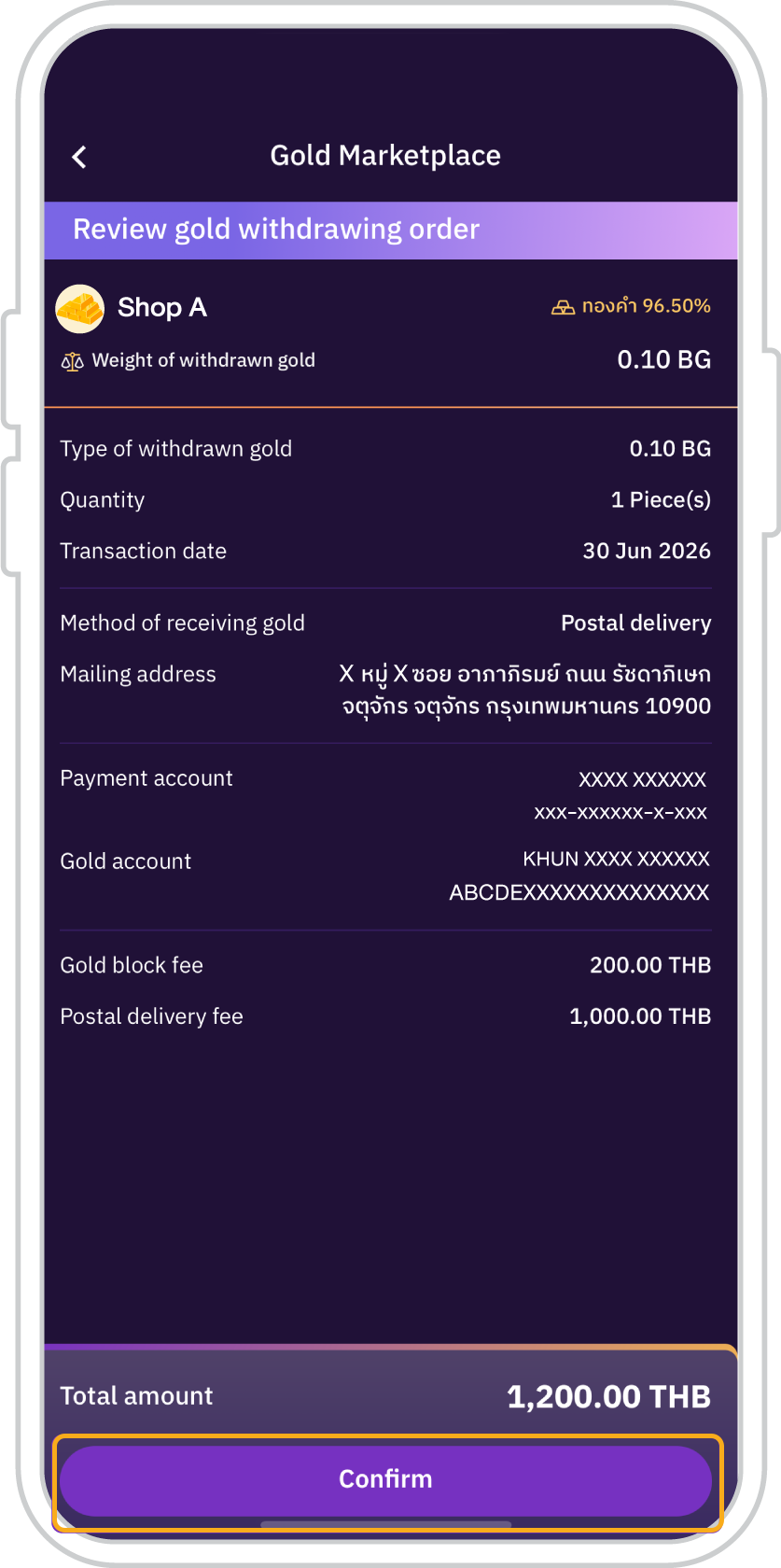
12. Review the gold redemption order, including the gold-blocking fee and insured delivery fee (payable in Thai Baht), then tap “Confirm”.
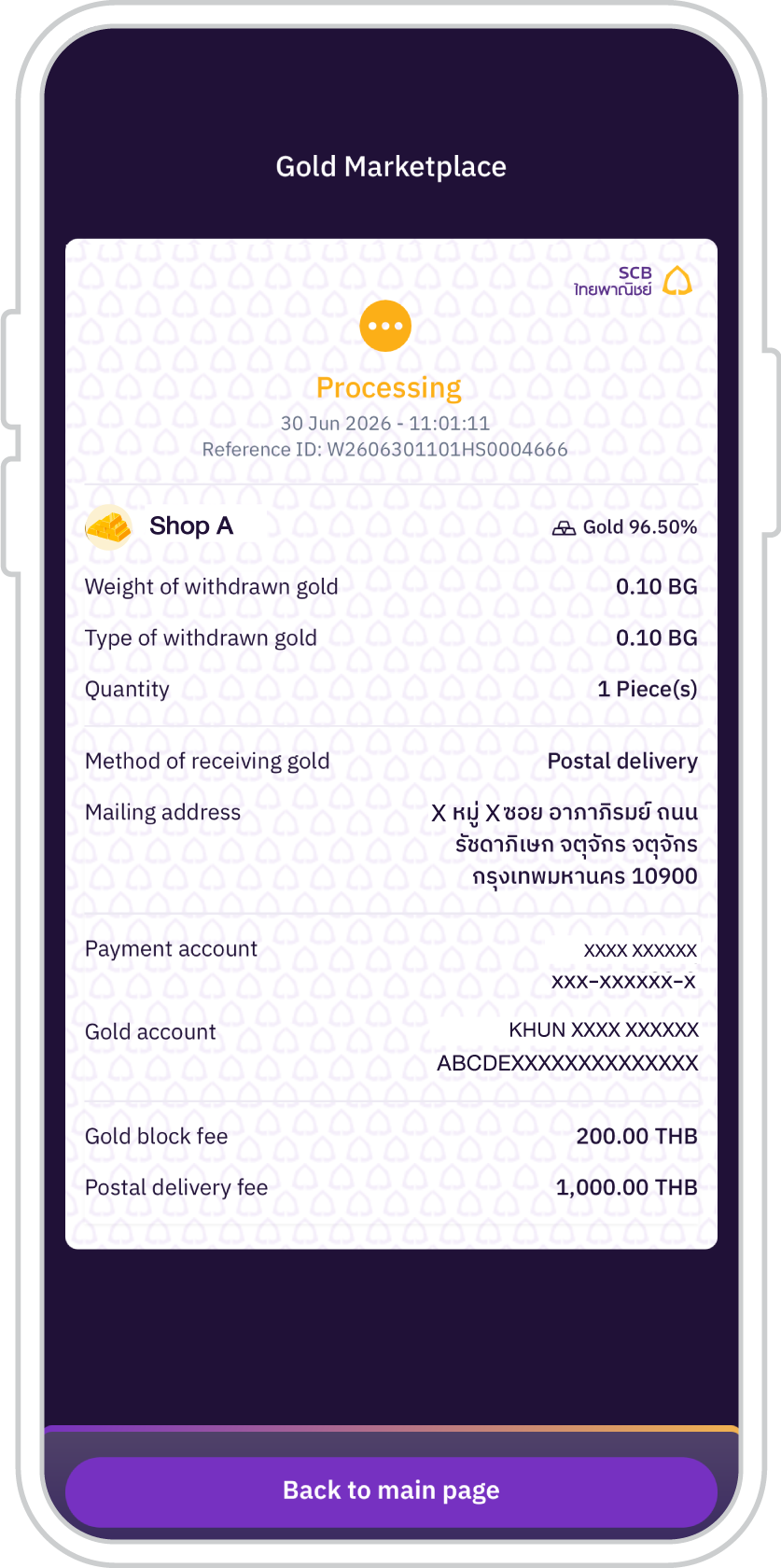
13. The system will display a
“Processing” status and will
update to “Gold withdrawing
successful” upon completion
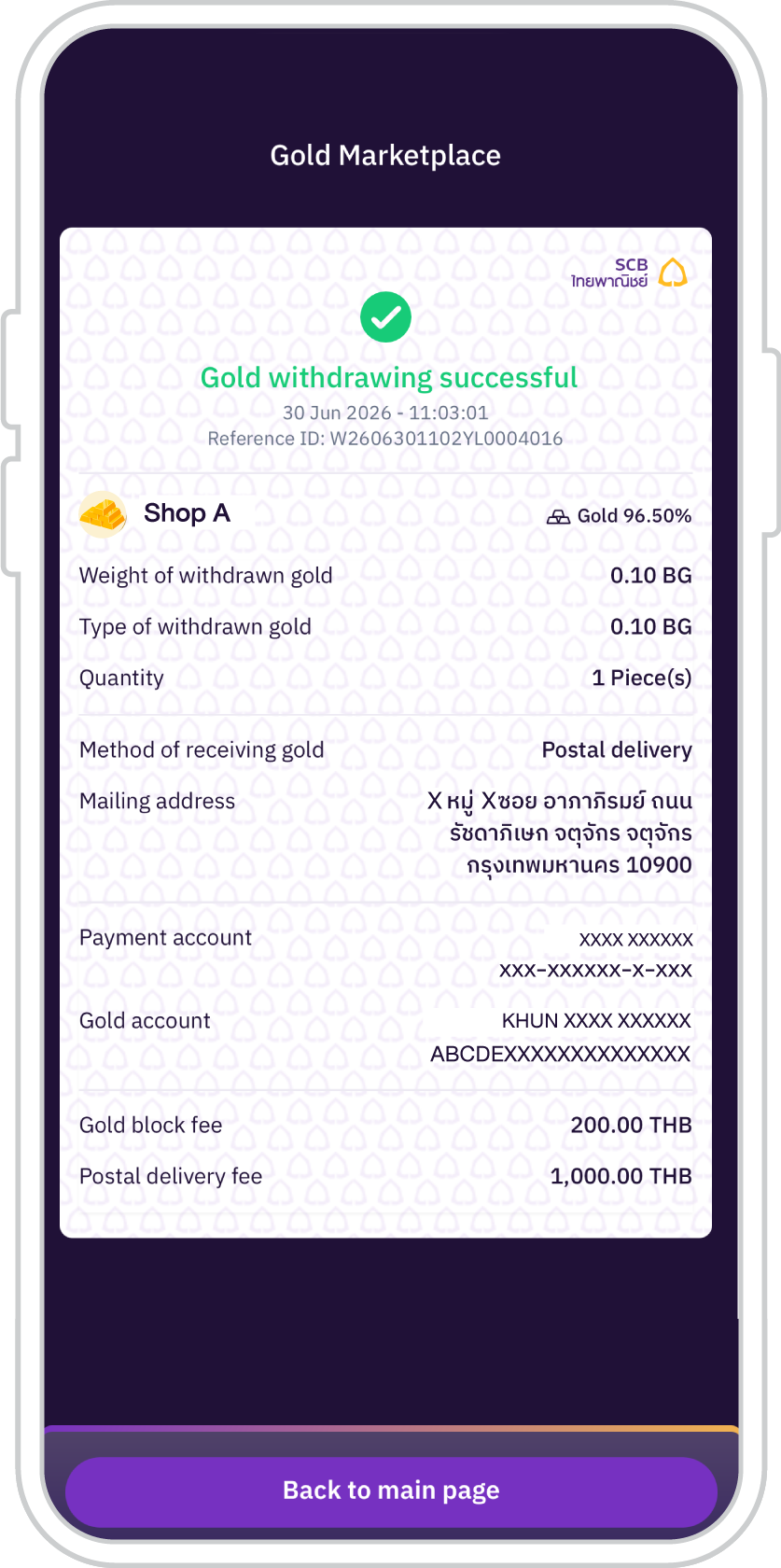
14. Gold redeemed successfully.
Remarks:
- Each gold merchant may set different fees for gold block fee, depending on factors such as the size of the gold bar, design specifications, and other requirements. These fees are subject to change. If customers require additional information, please contact the respective gold merchant through the channels designated by that merchant.
- Gold delivery fees via postal service depend on the weight of the gold and the delivery distance, in accordance with the rates specified by each gold merchant.


Get started
You can register for the SCB EASY app through any of the following options