


RELATED LINKS
RELATED LINKS
RELATES LINKS
RELATES LINKS
Services
Related Links

Use and Management of Cookies
We use cookies and other similar technologies on our website to enhance your browsing experience. For more information, please visit our Cookies Notice.
- Personal Banking
- Digital Banking
- SCB Easy App
- How to
- How to sell a gold in SCB Gold Marketplace
- Personal Banking
- ...
- How to sell a gold in SCB Gold Marketplace

How to sell a gold in SCB Gold Marketplace
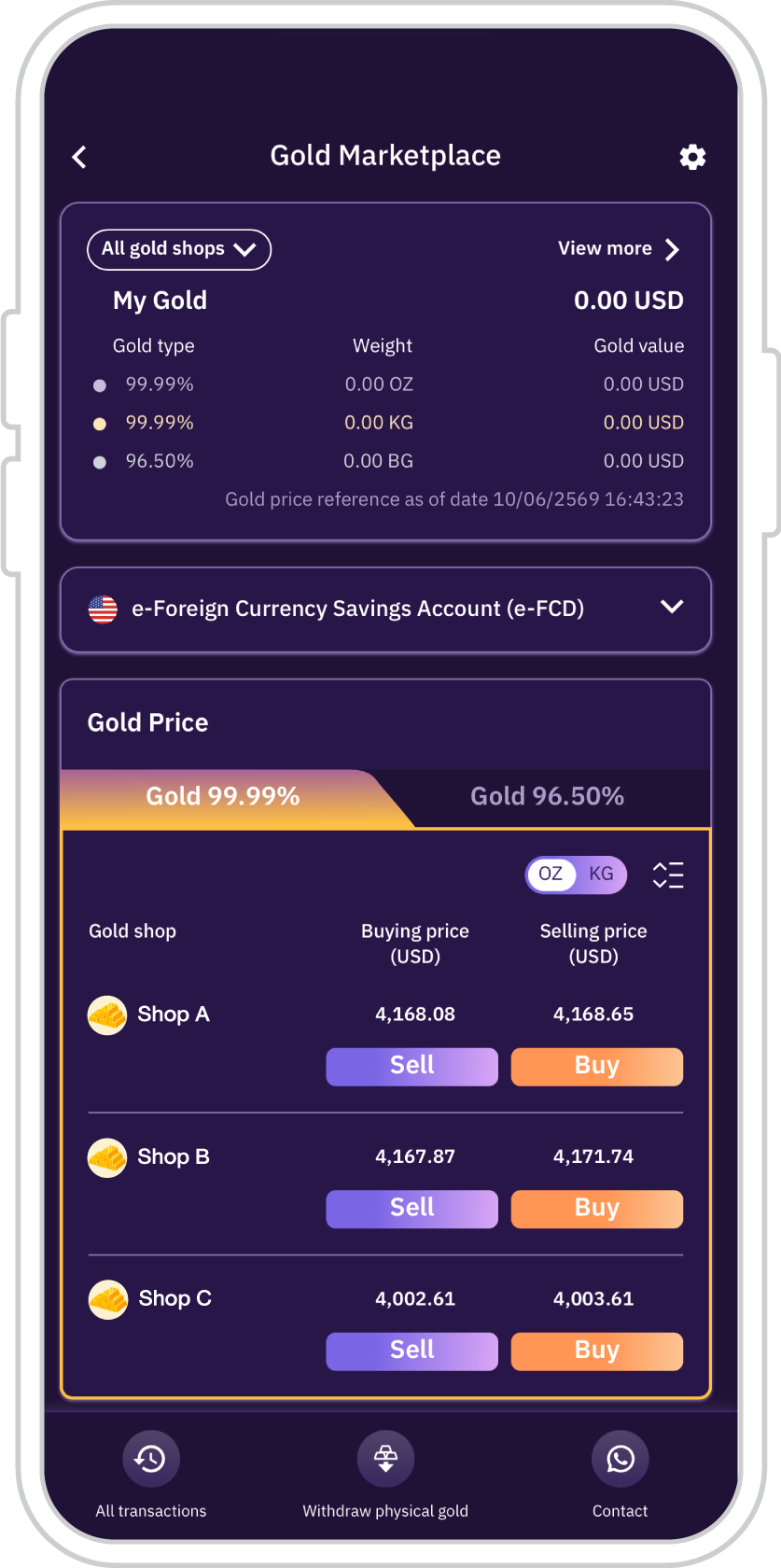
1. On the SCB Gold Marketplace Main Page, select the gold type and weight unit from your preferred gold merchant, then tap “Sell”.
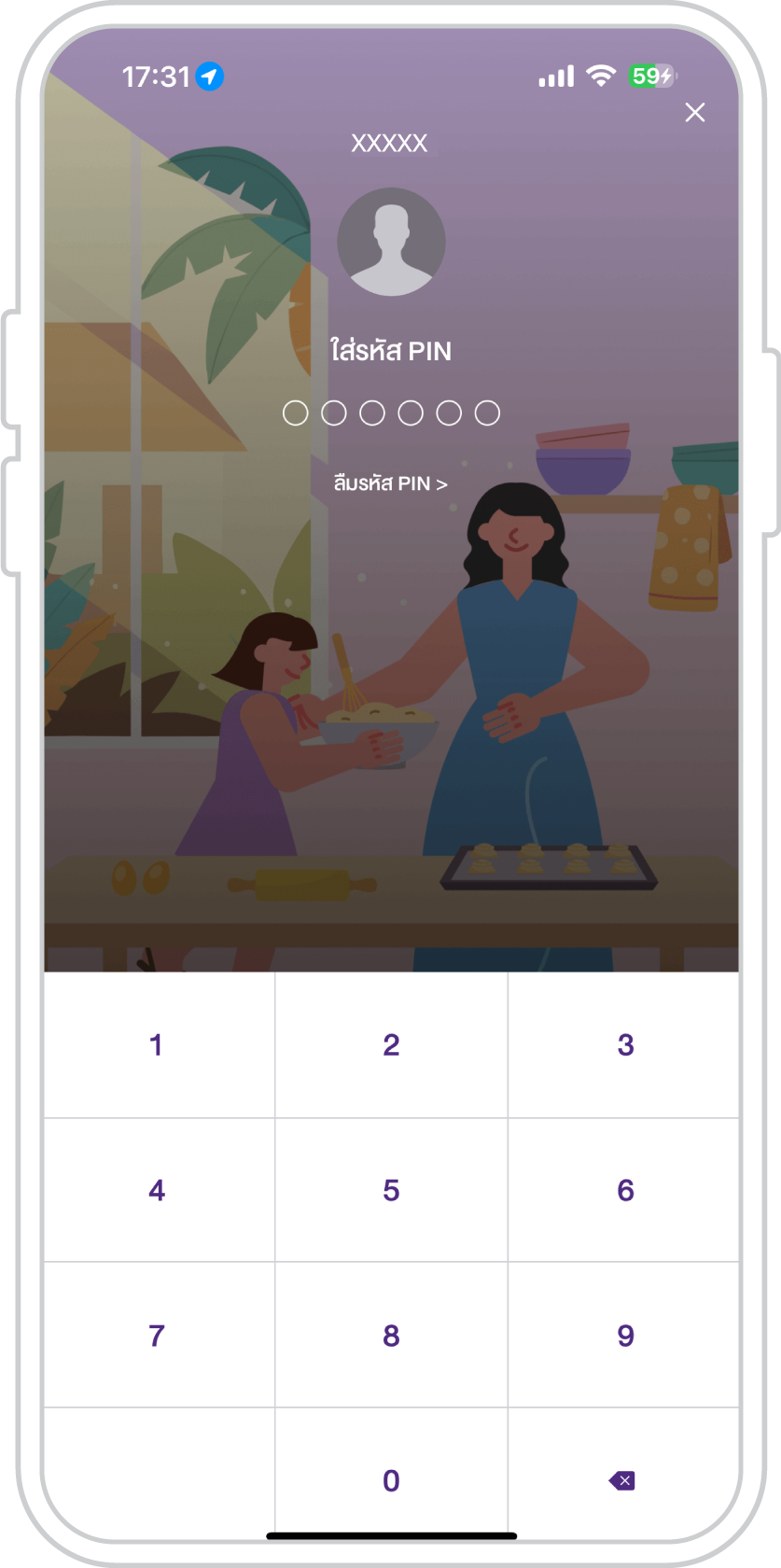
2. Enter your PIN for the SCB EASY app.
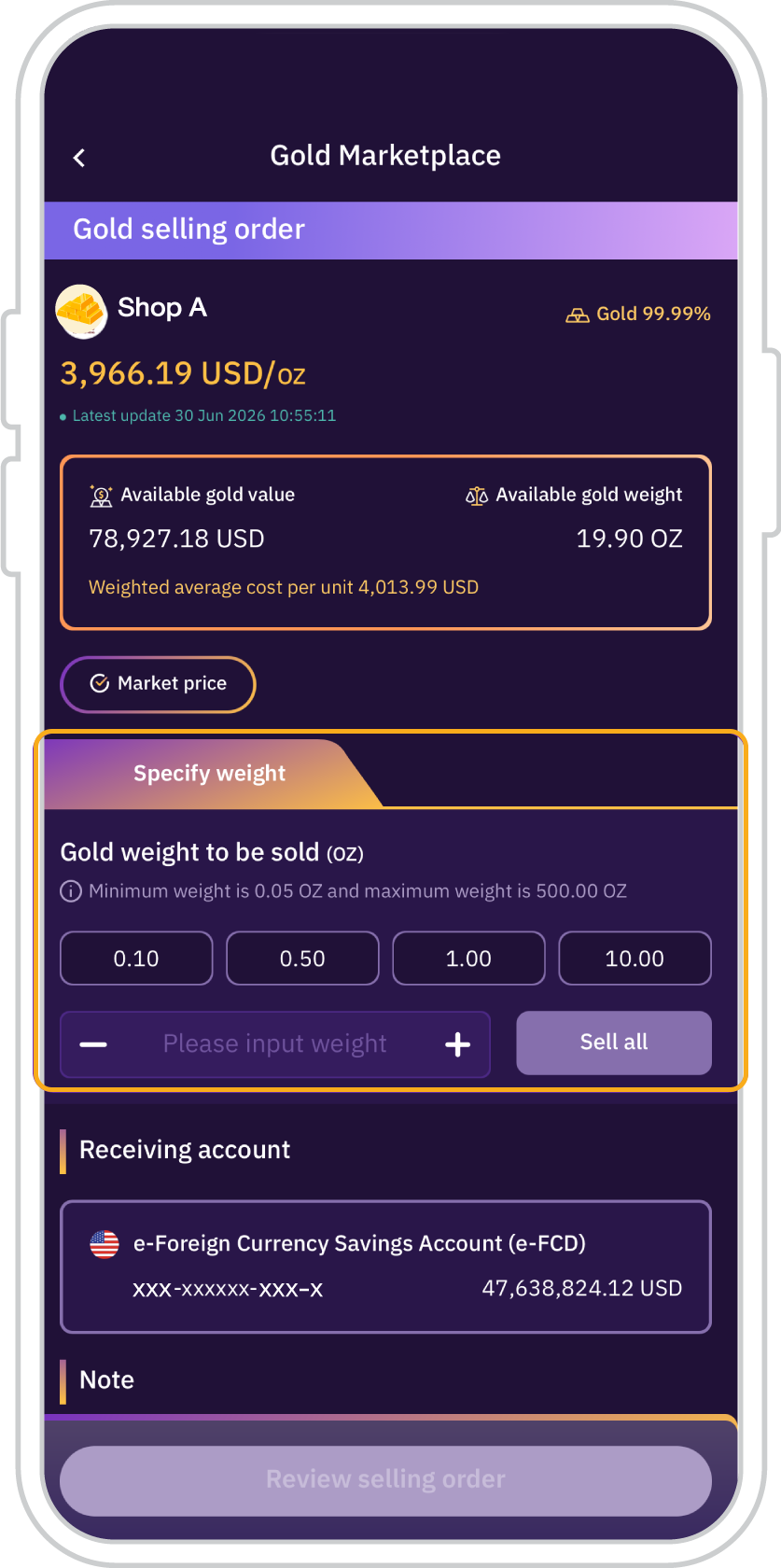
3. Specify the gold weight to
be sold in accordance with
the on-screen conditions
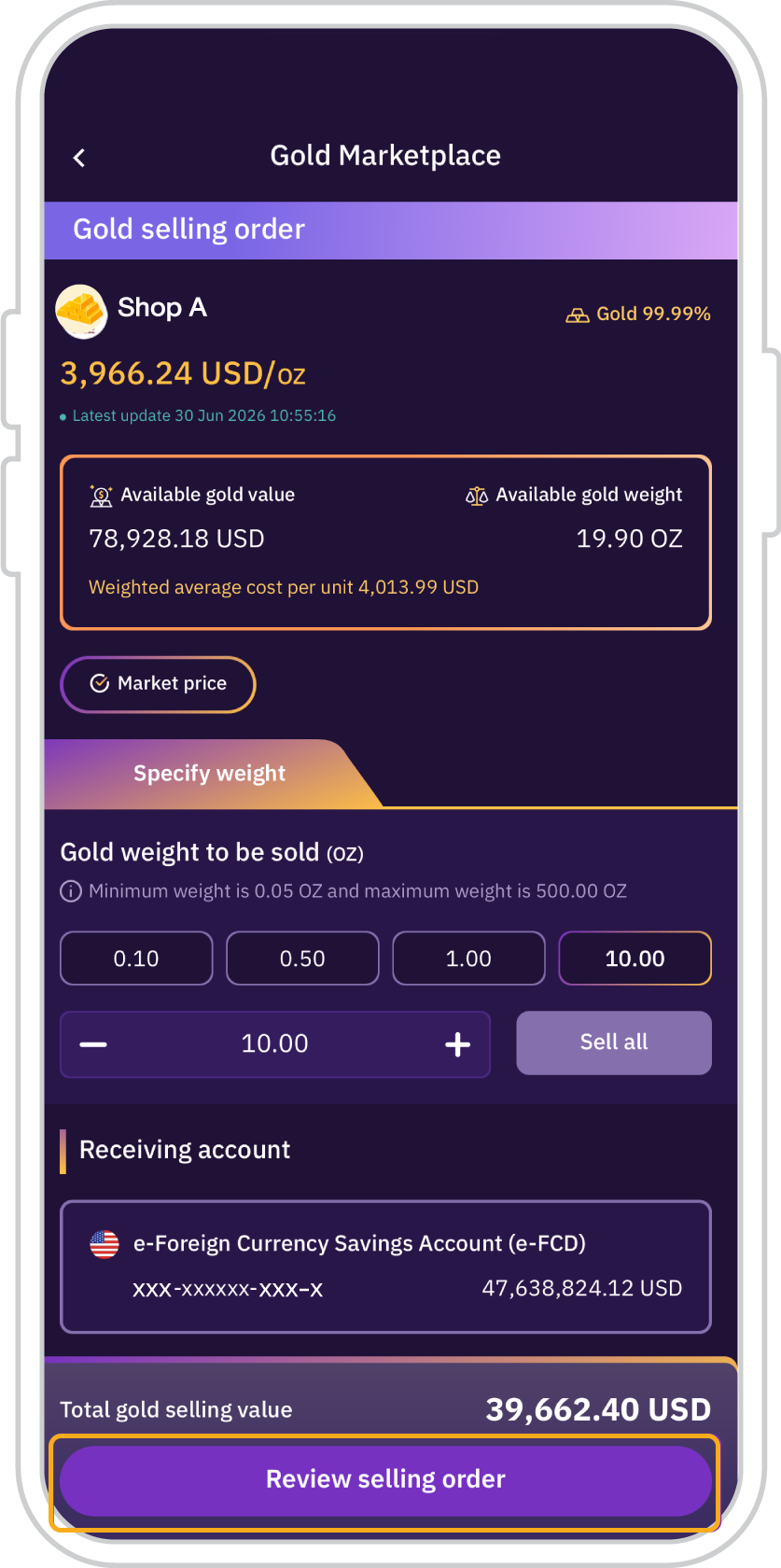
4. Press “Review selling order”
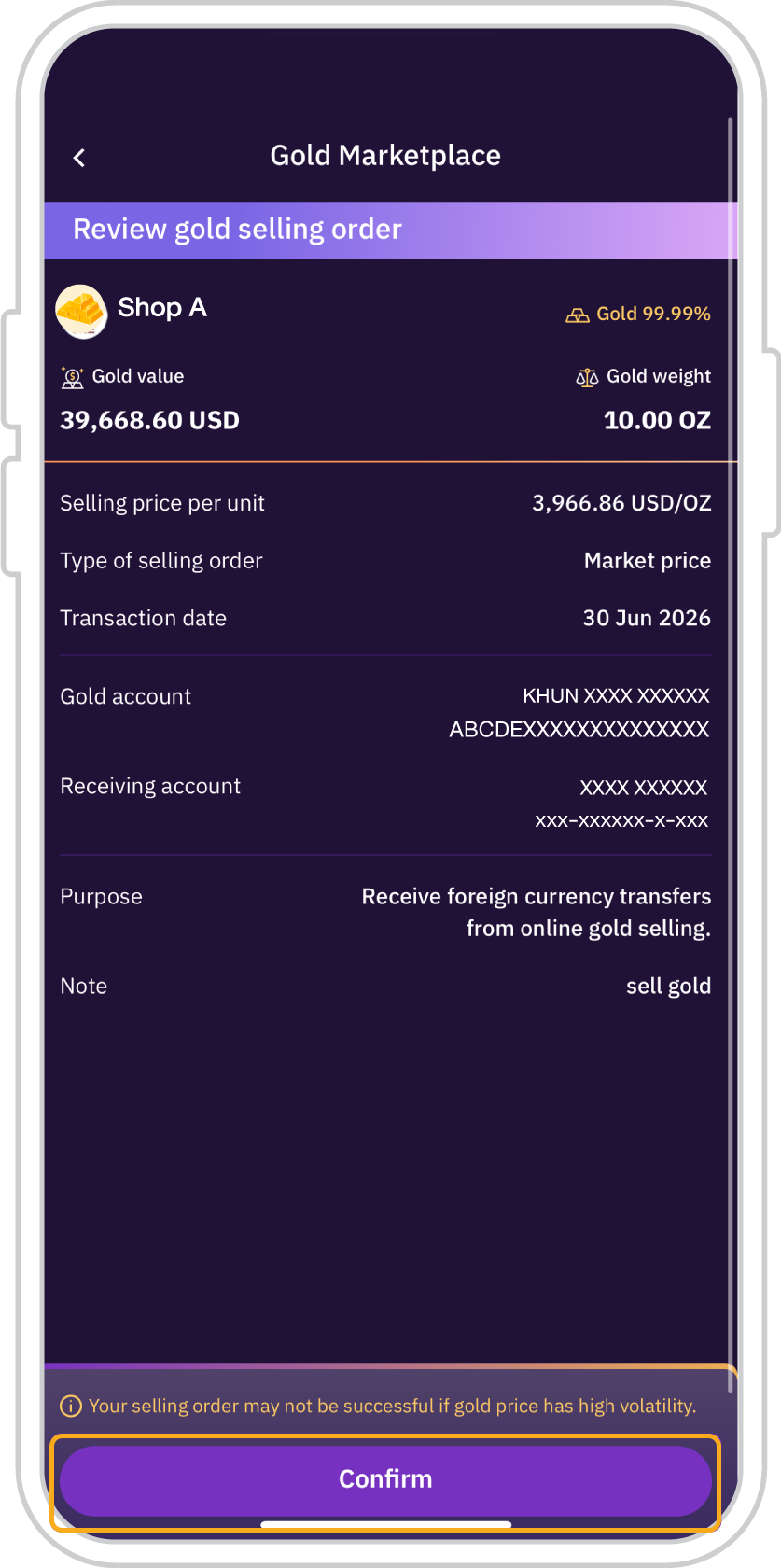
5. Press “Confirm” the gold
selling order within 10 seconds
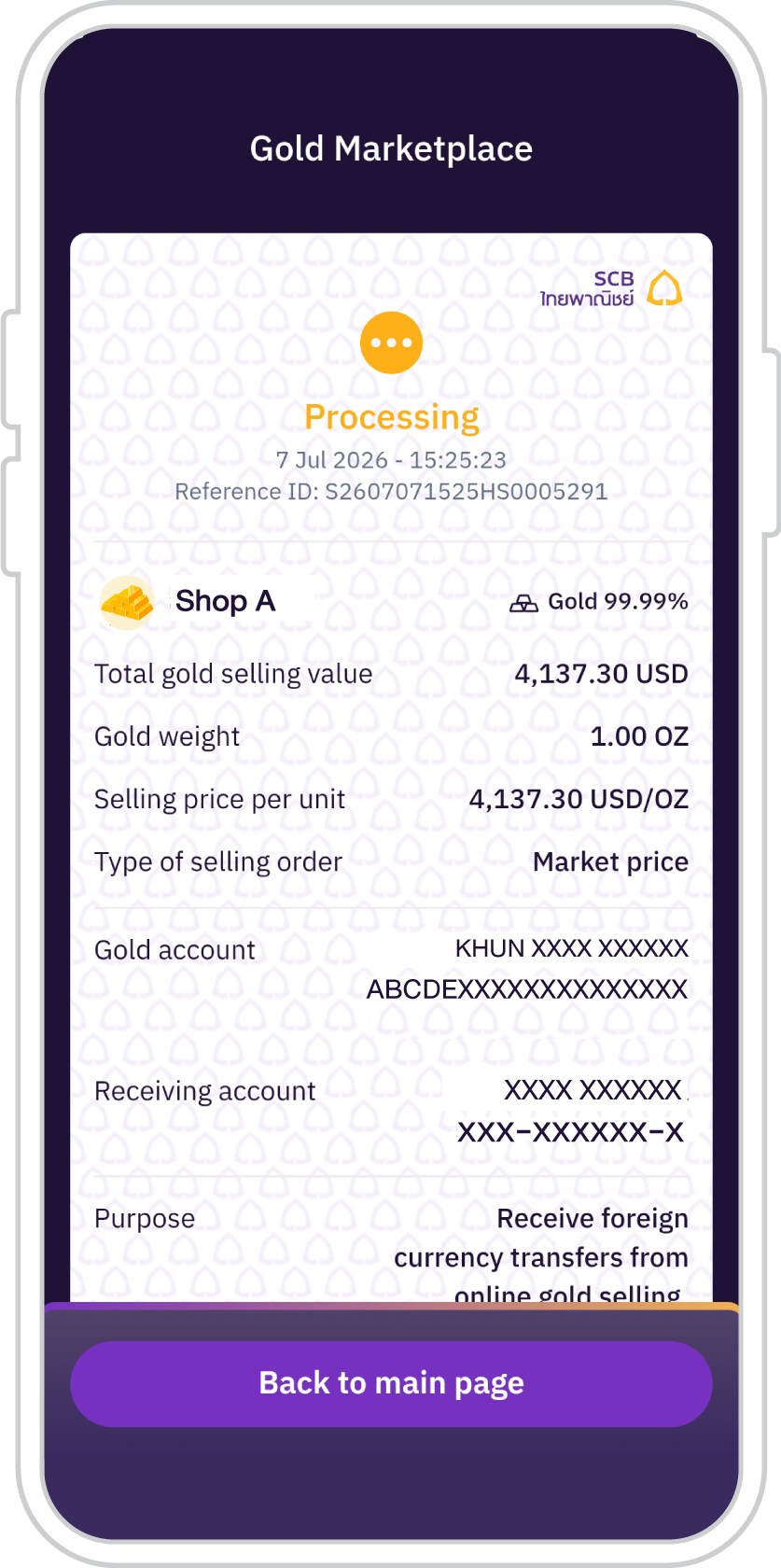
6. The system will display a
“Processing” status and will
update to “Gold selling
successful” upon completion
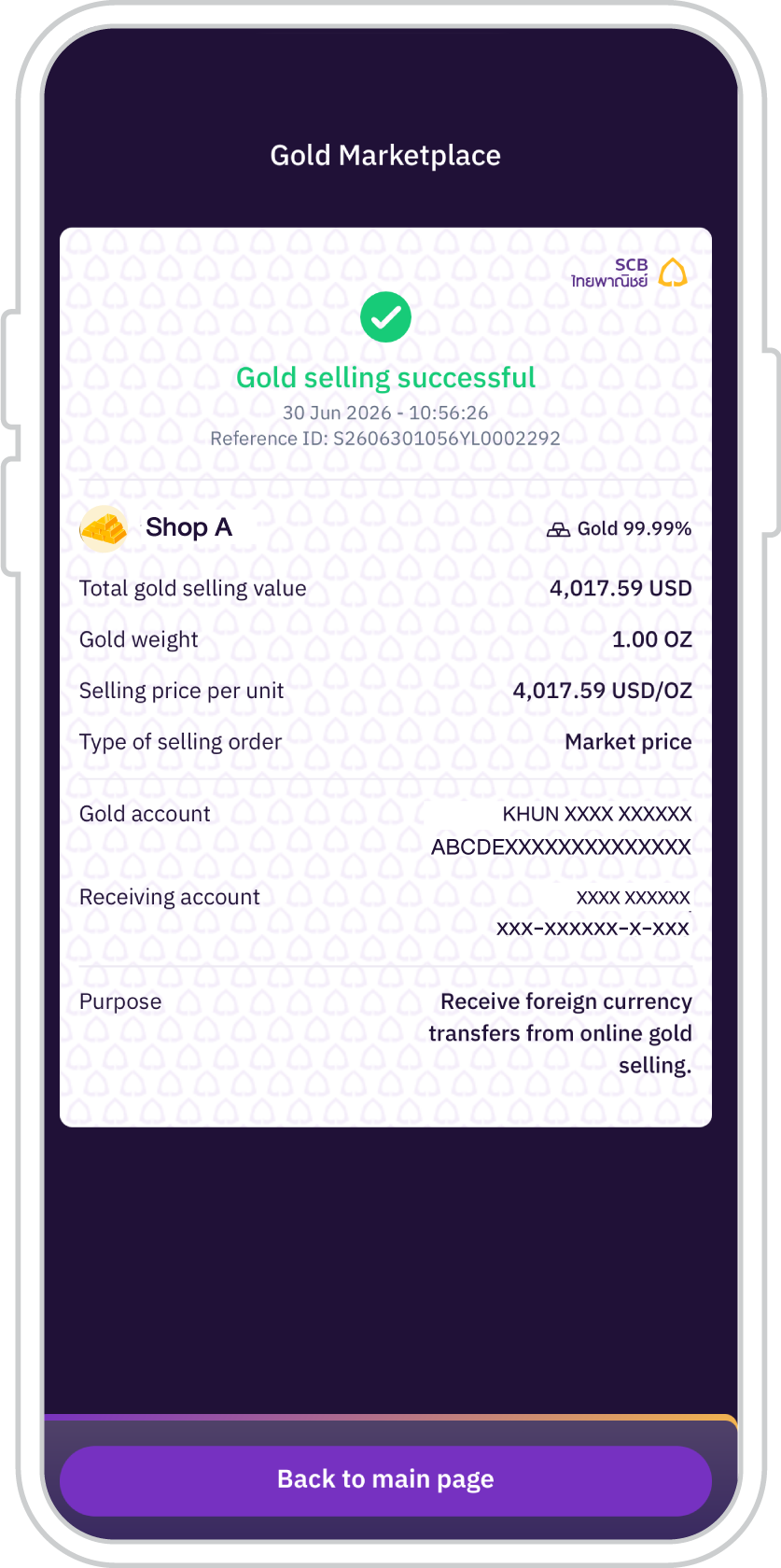
7. Gold sold successfully.







Get started
You can register for the SCB EASY app through any of the following options