


RELATED LINKS
RELATED LINKS
RELATES LINKS
RELATES LINKS
Services
Related Links

Use and Management of Cookies
We use cookies and other similar technologies on our website to enhance your browsing experience. For more information, please visit our Cookies Notice.
- Personal Banking
- Digital Banking
- SCB Easy App
- How to
- How to check transaction history in SCB Gold Marketplace
- Personal Banking
- ...
- How to check transaction history in SCB Gold Marketplace

How to check transaction history in SCB Gold Marketplace
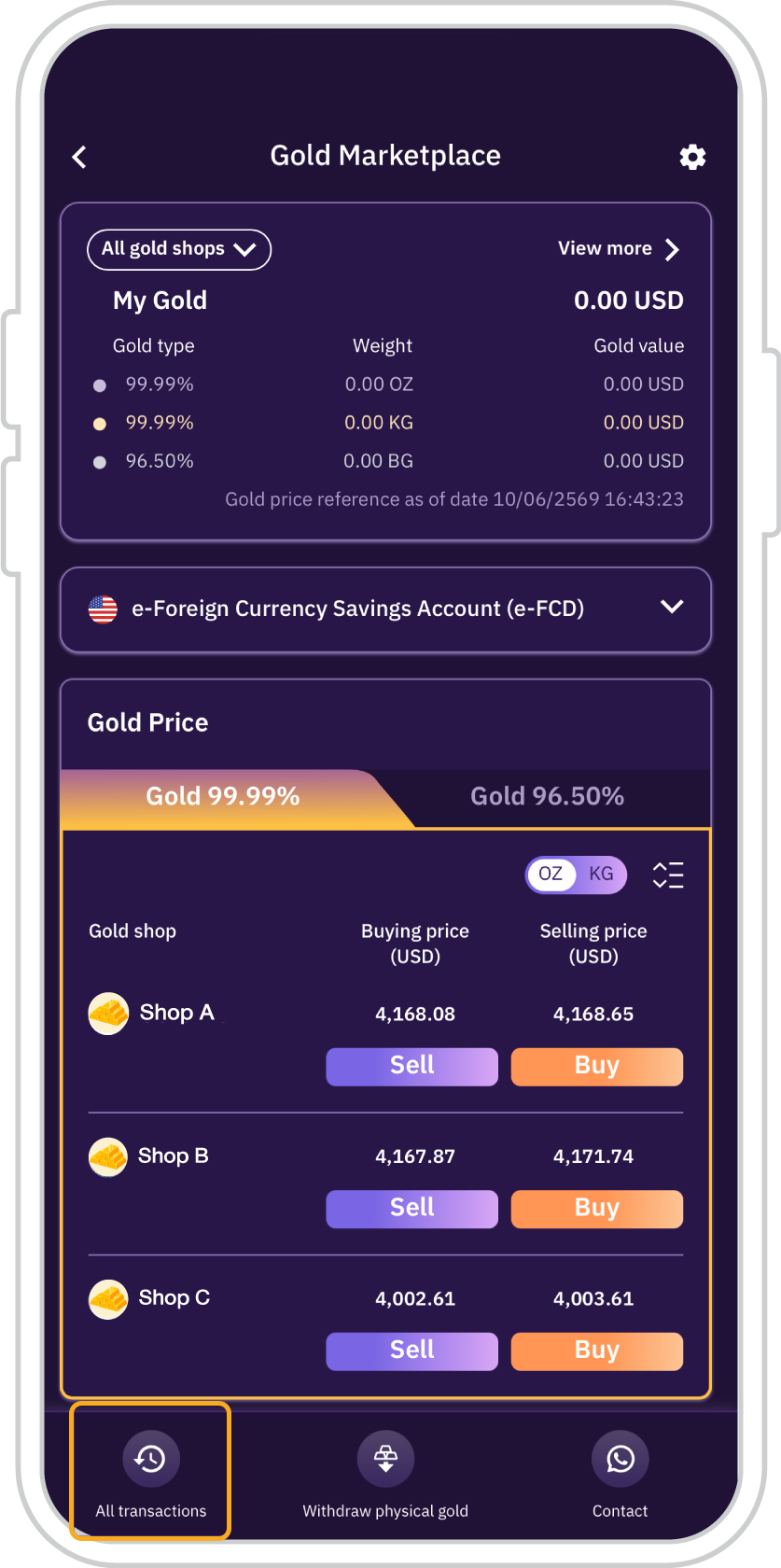
1. On the main page,
press “All transactions”
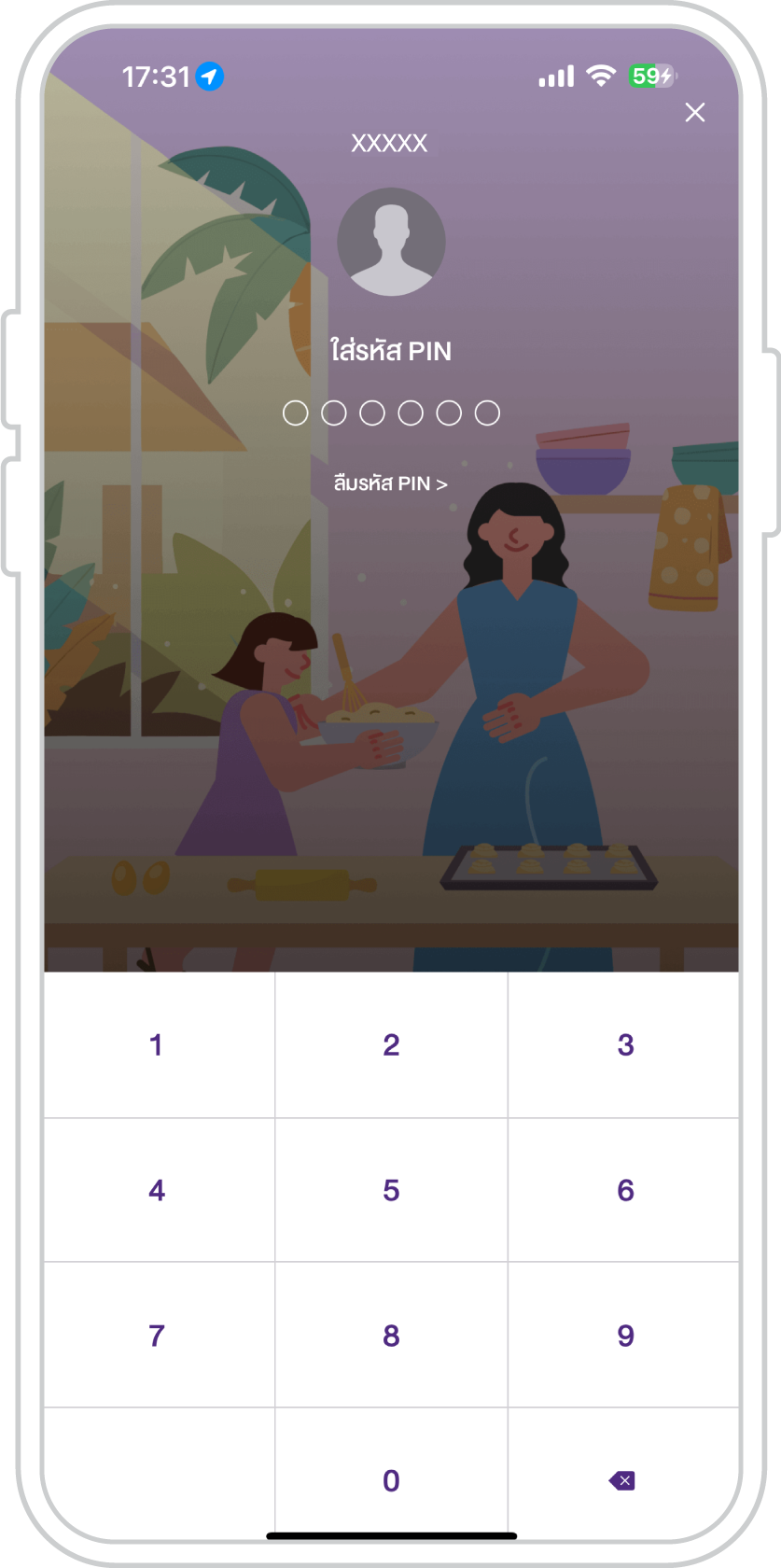
2. Enter your PIN for the SCB EASY app.
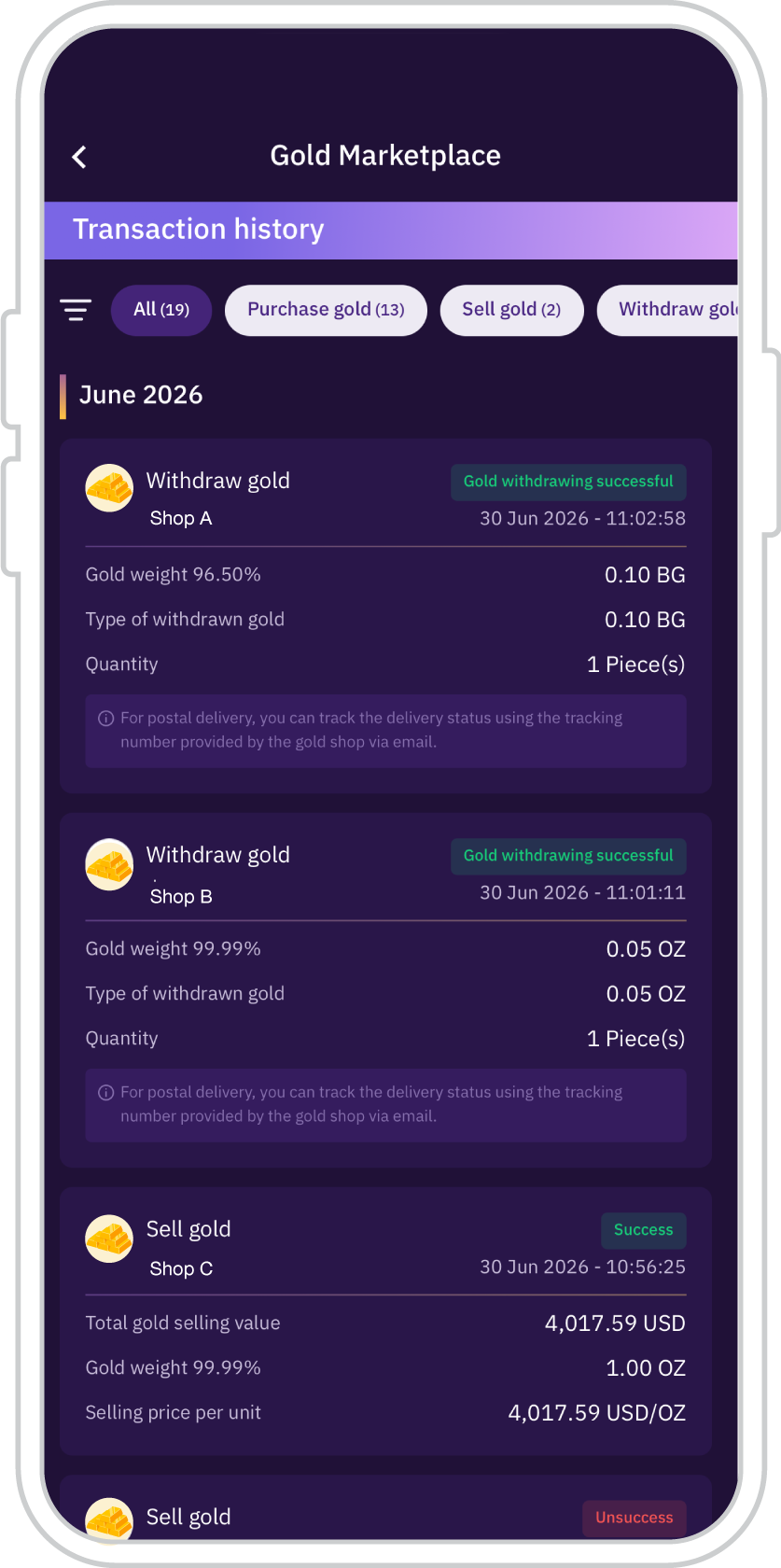
3. The Transaction History is displayed.
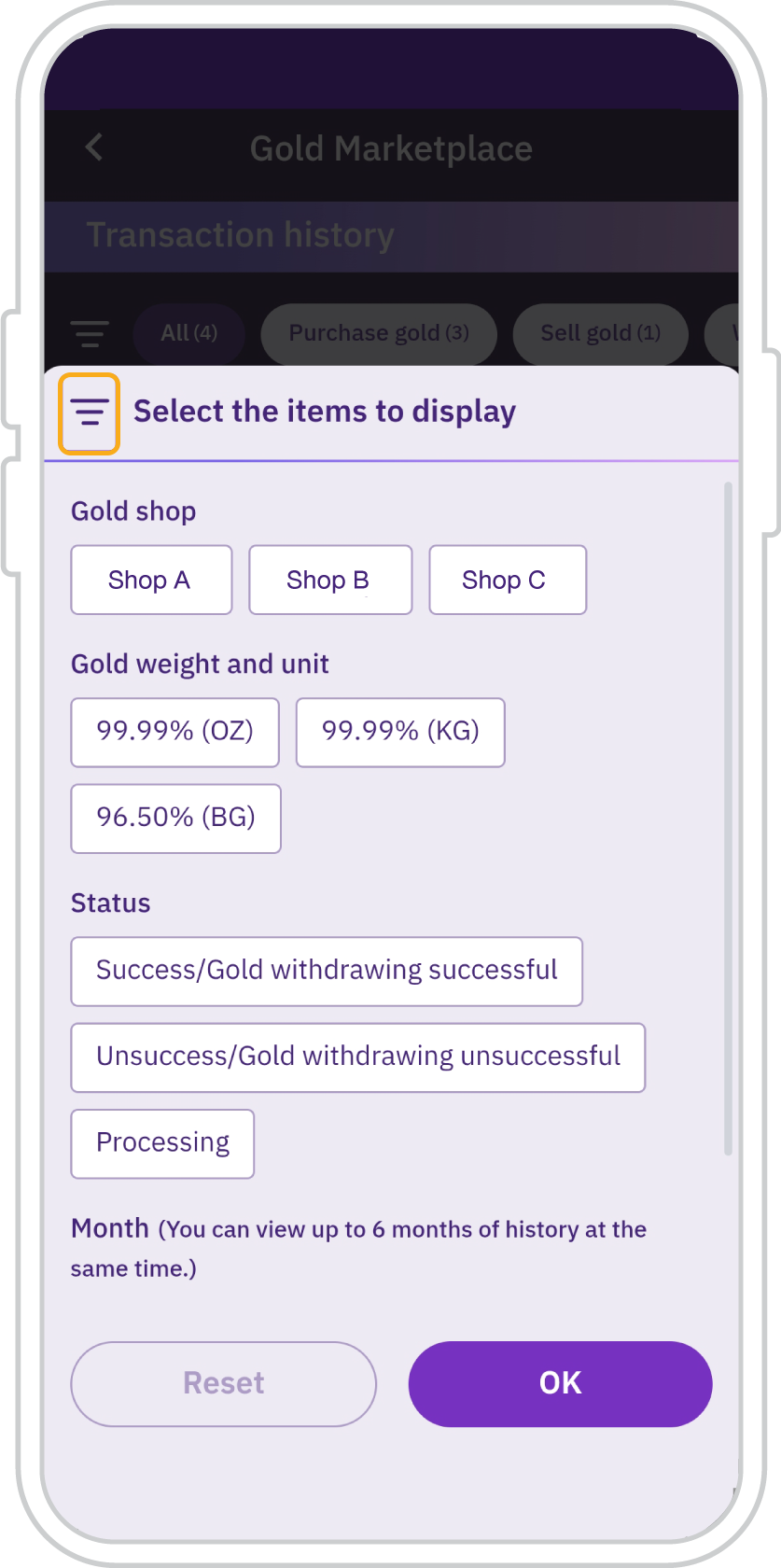
4. Tap the filter icon to select the transaction details you would like to view, then tap “OK”.
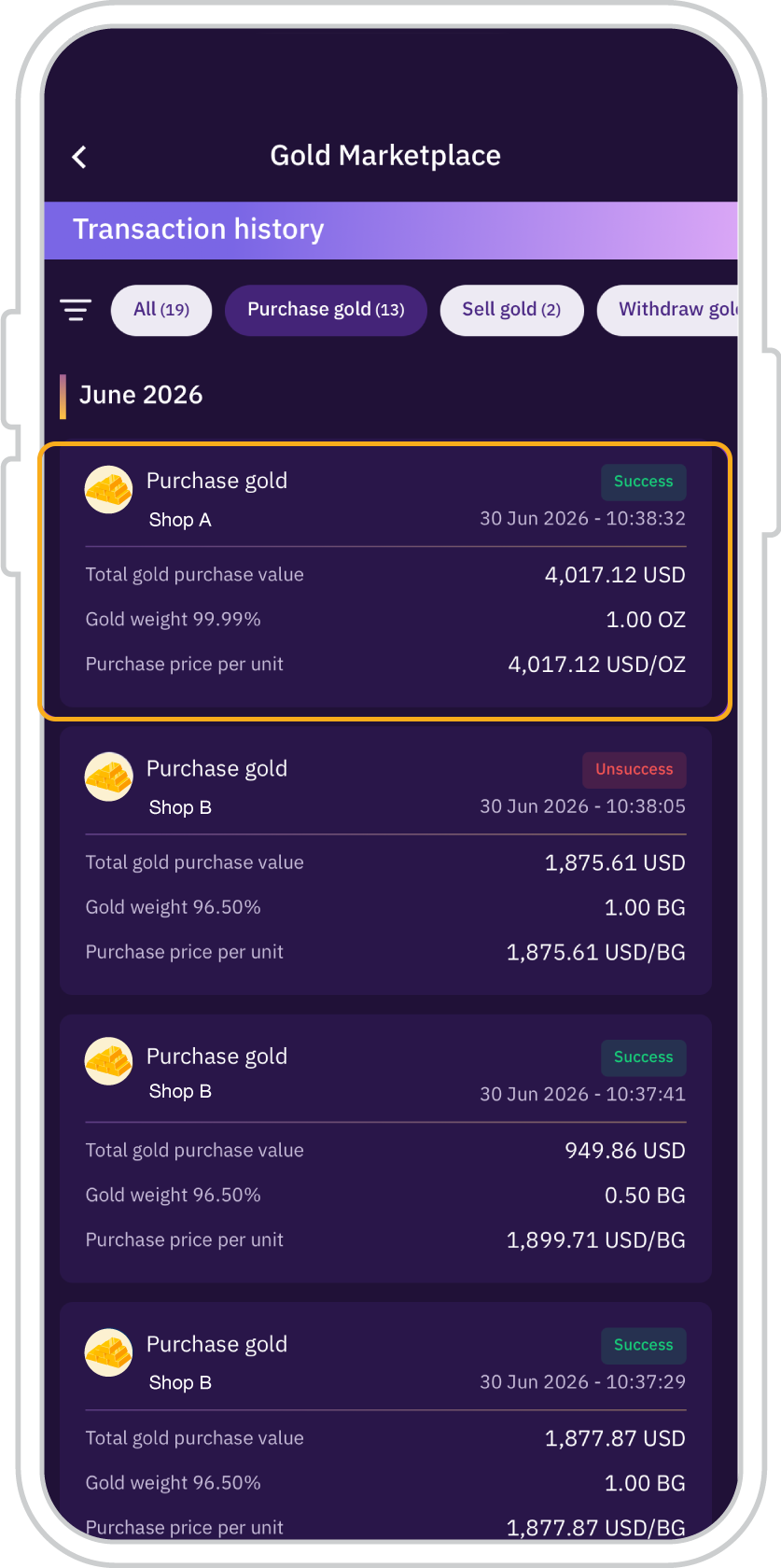
5. For transactions with a “Successful” status, you can tap the transaction to view the details and save the transaction slip to your mobile device.
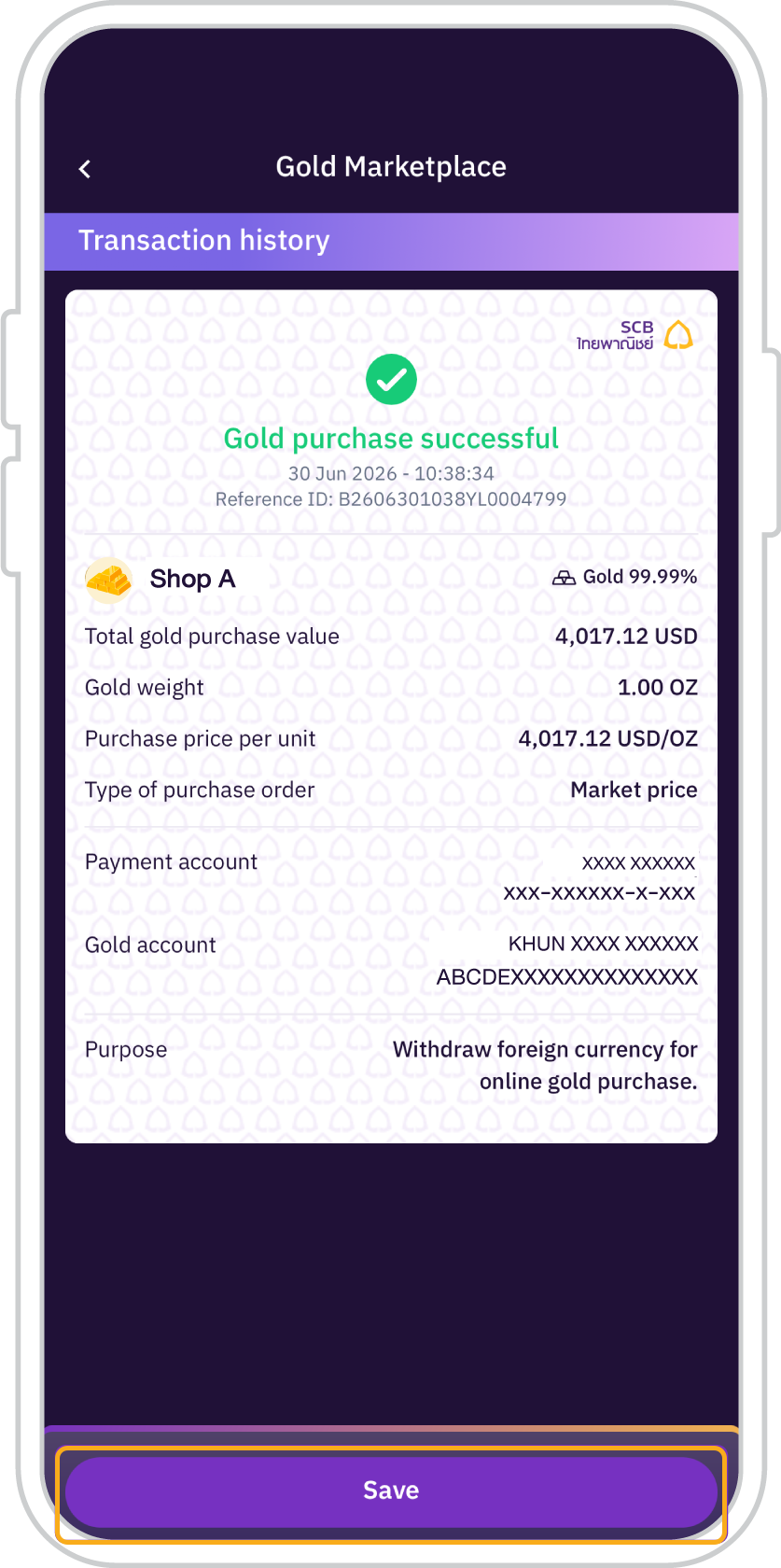
6. Tap “Save” to save the transaction slip to your mobile device.








Get started
You can register for the SCB EASY app through any of the following options