


RELATED LINKS
RELATED LINKS
RELATES LINKS
RELATES LINKS
Services
Related Links

Use and Management of Cookies
We use cookies and other similar technologies on our website to enhance your browsing experience. For more information, please visit our Cookies Notice.

How to setting in SCB Gold Marketplace
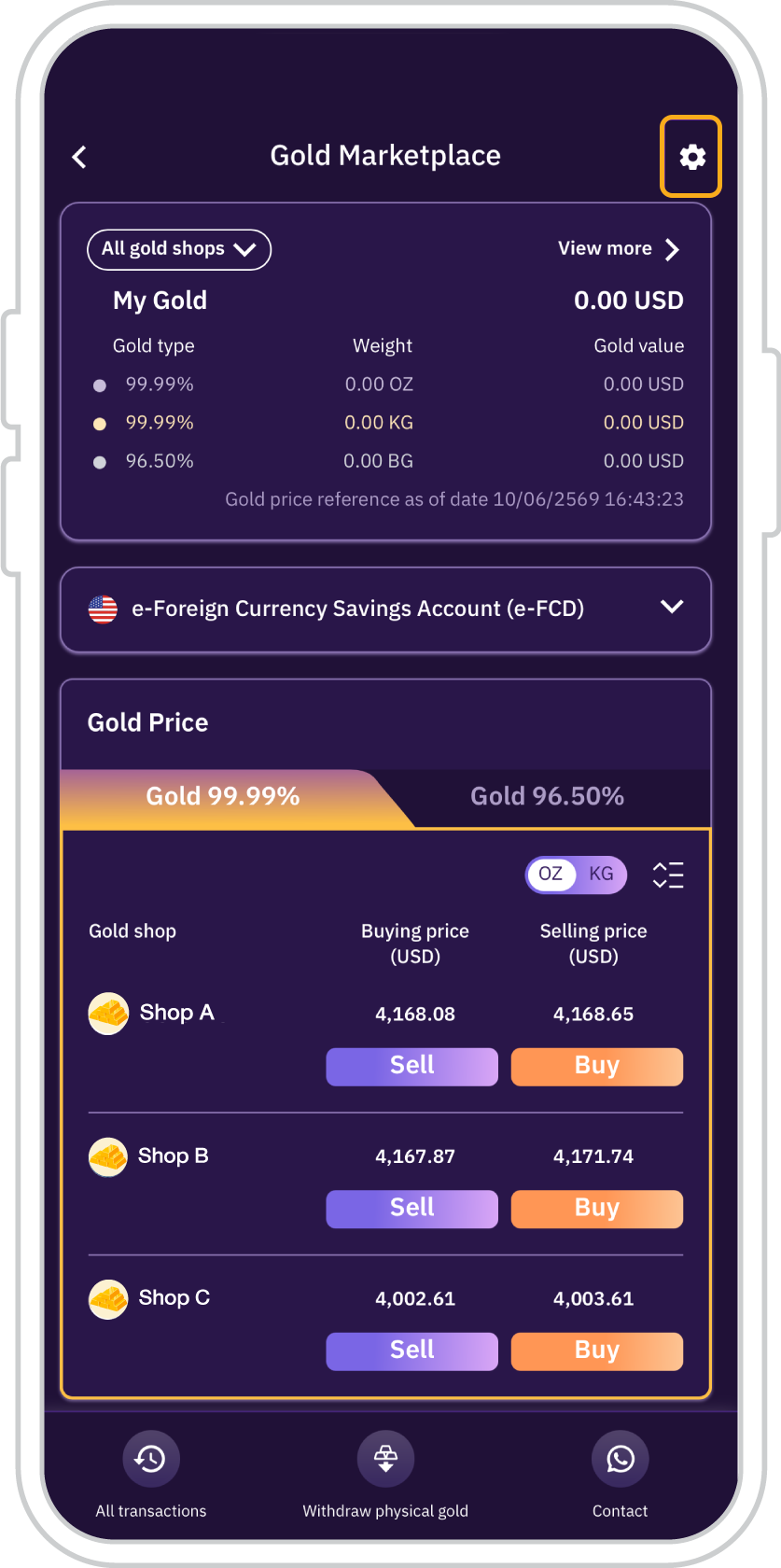
1. On the SCB Gold Marketplace Main Page, tap the “Settings” menu (gear icon).
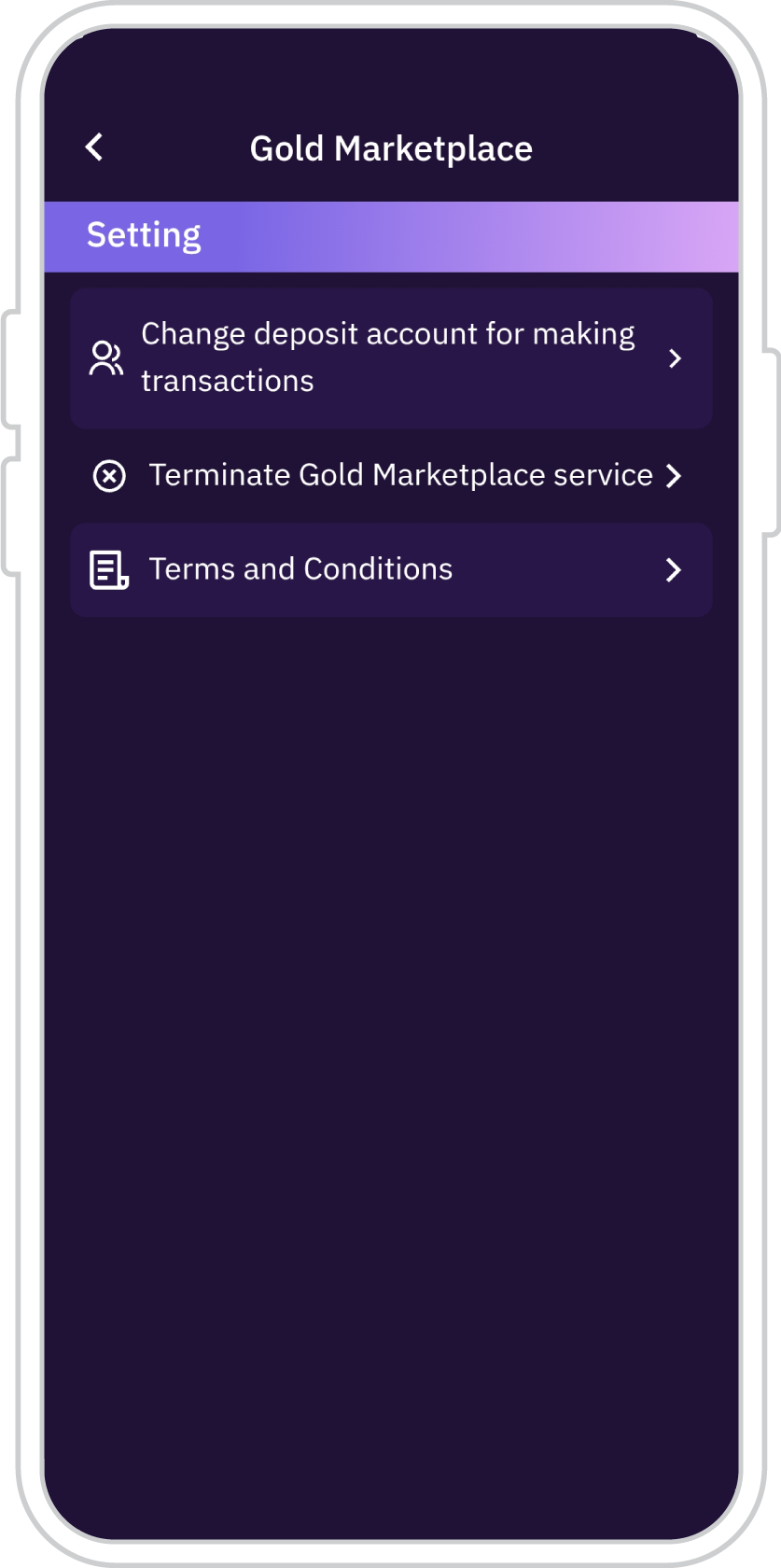
2. Select the submenu you wish to access.
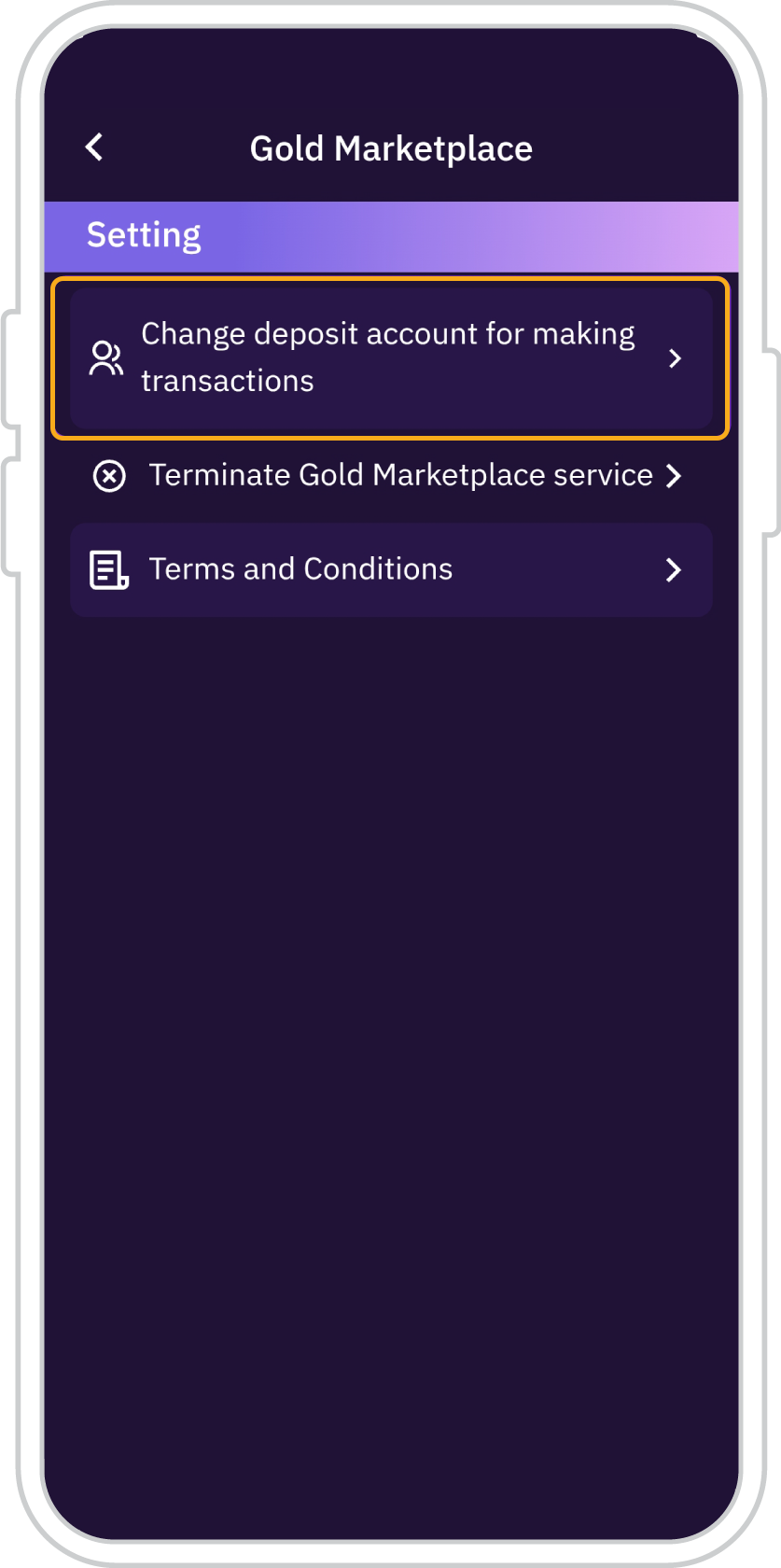
3. If “Change deposit account for transactions” is selected:
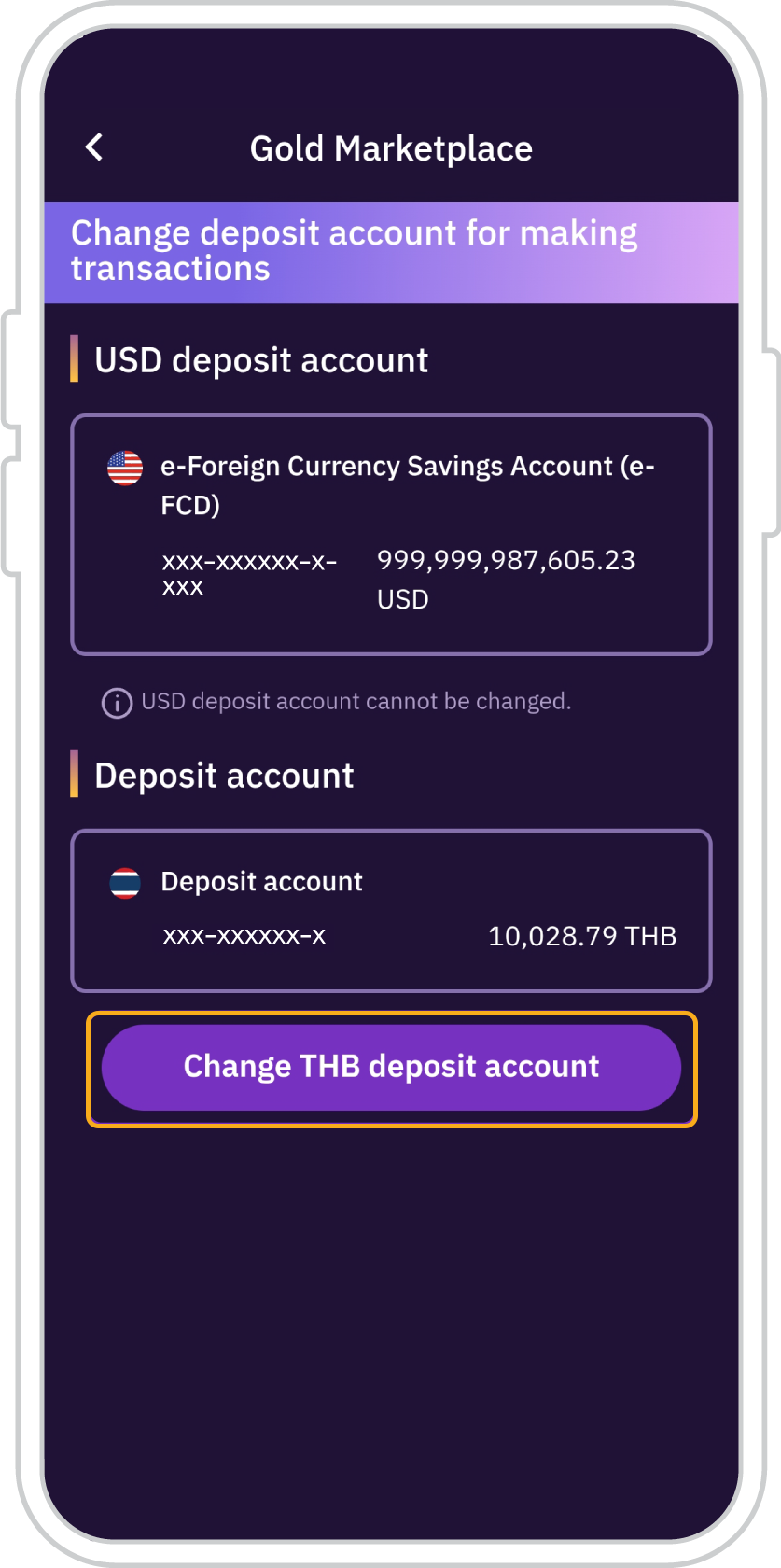
4. Tap “Change Thai Baht deposit account”. Only Thai Baht deposit accounts can be selected.
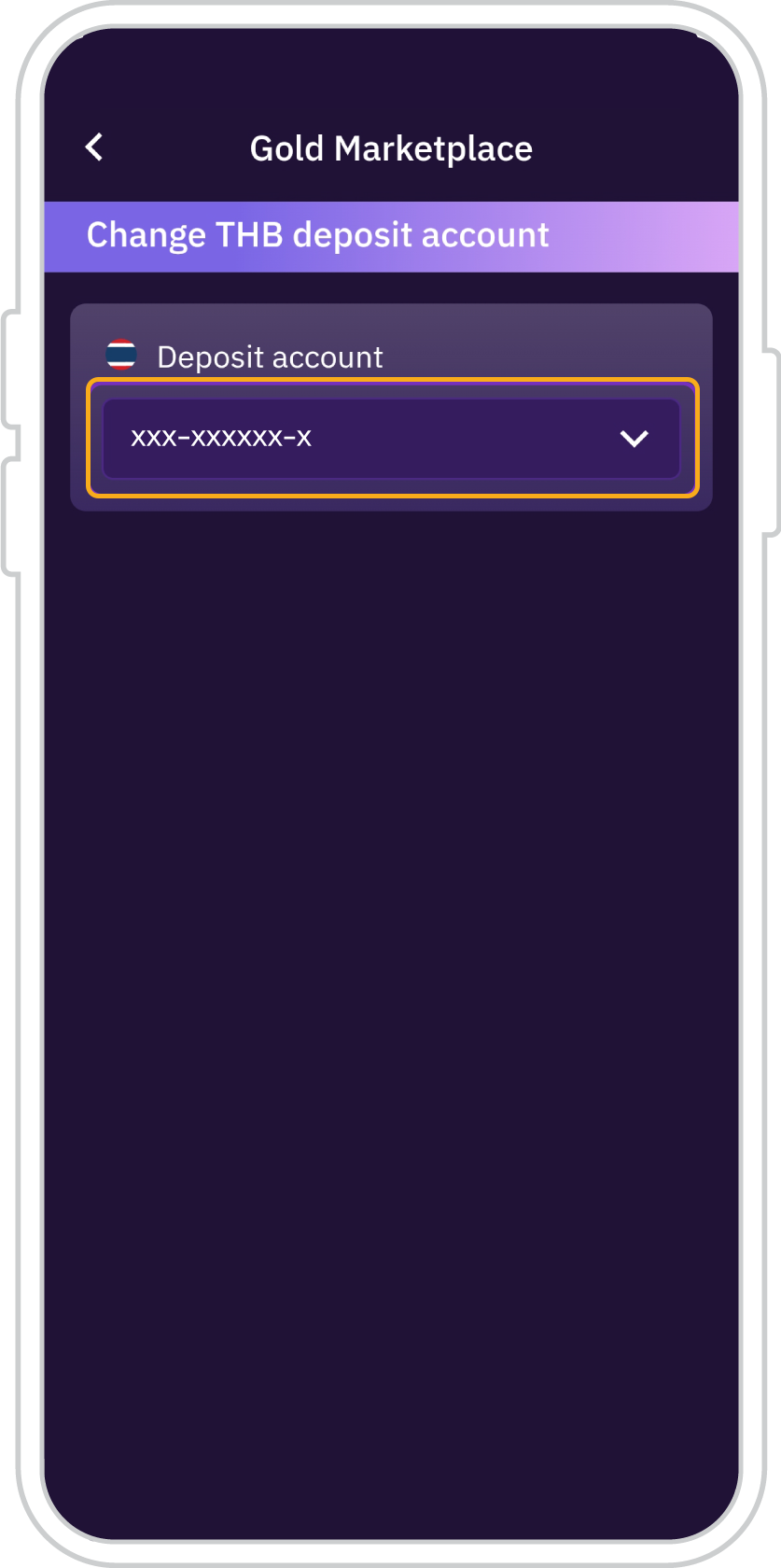
5. Select the deposit account to be used for the SCB Gold Marketplace service.
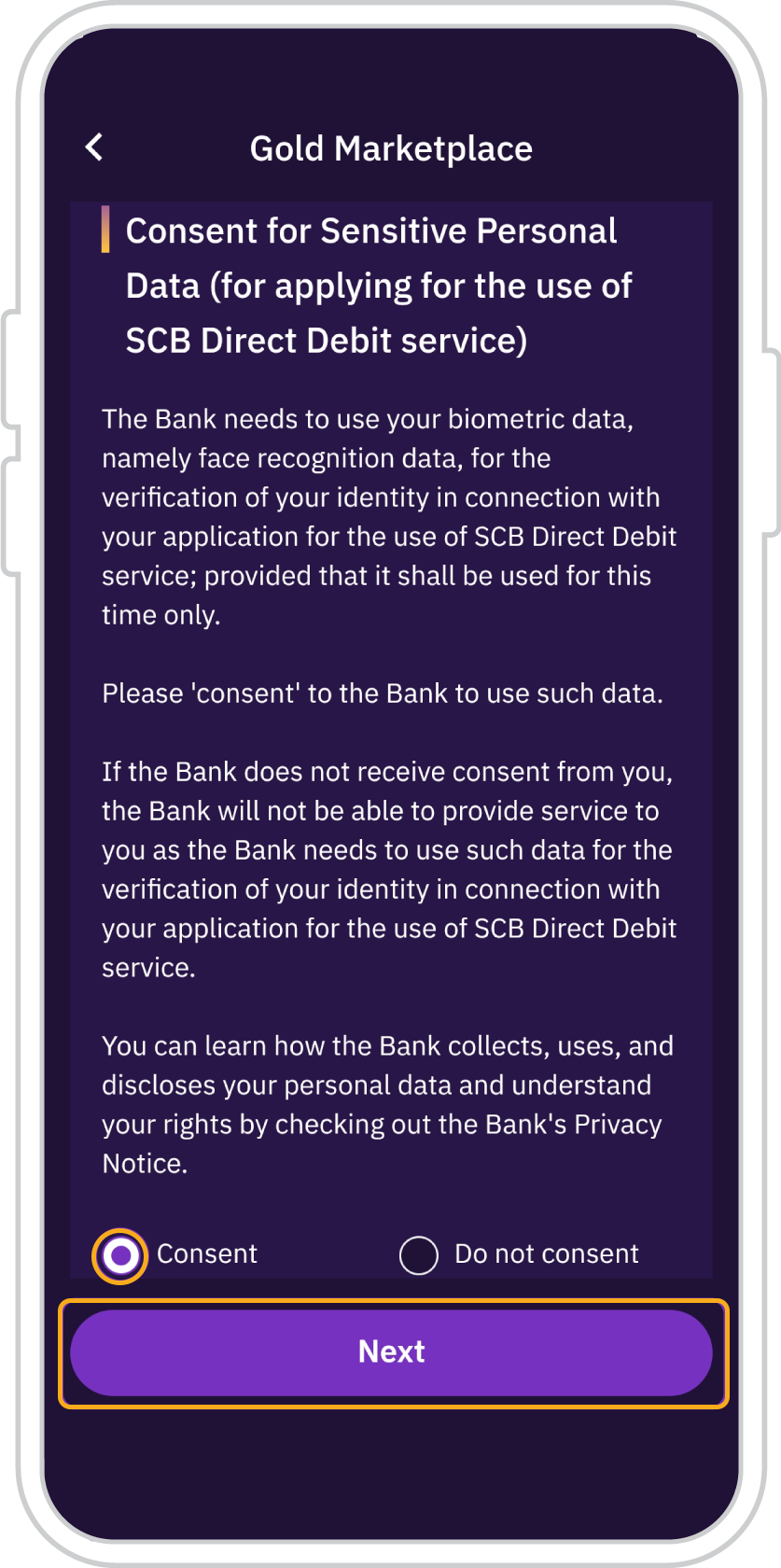
6. Select “Consent” to the use of your facial data for identity verification, then tap “Next” to proceed with facial verification.
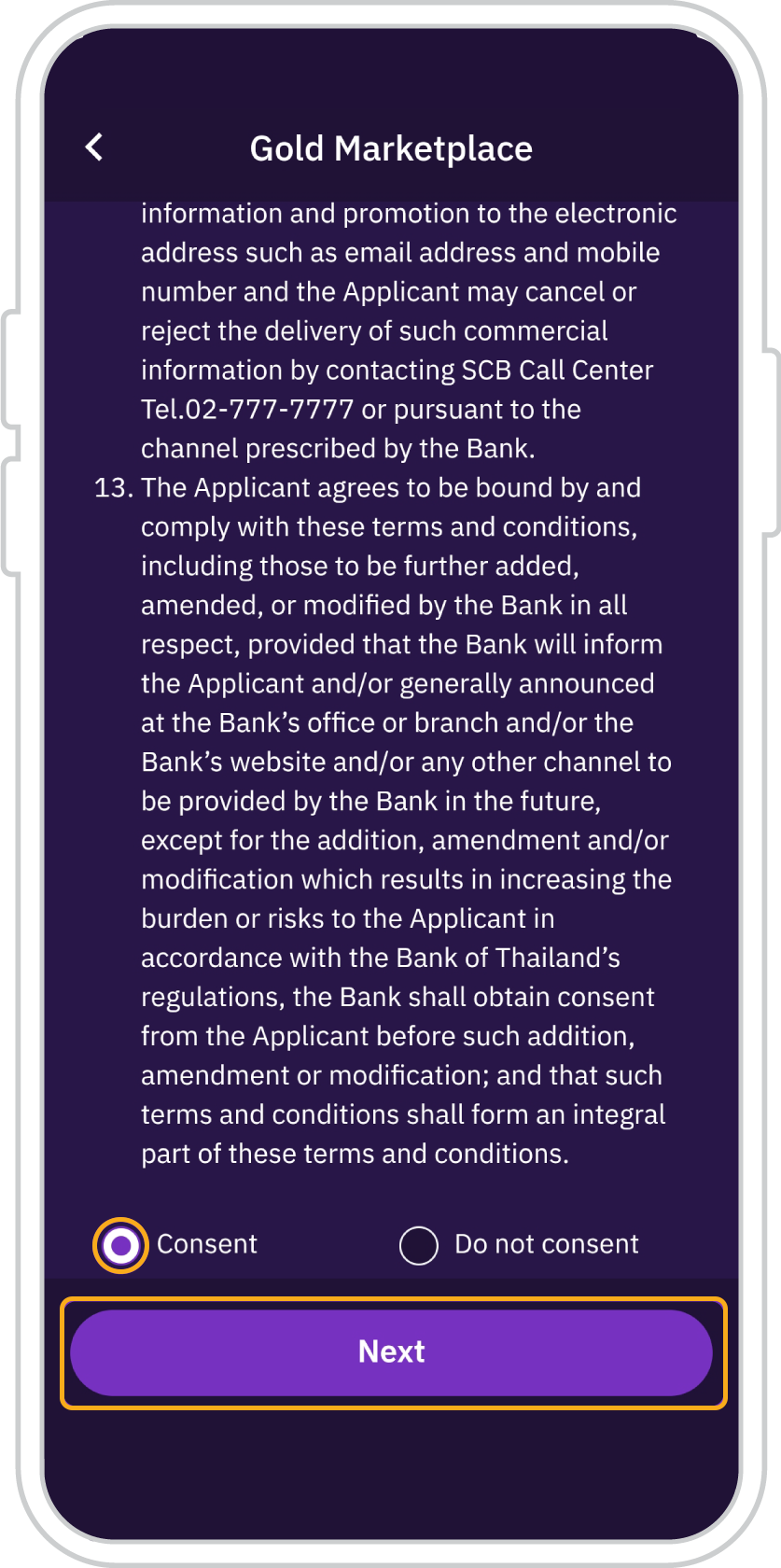
7. Review and accept the Terms and Conditions for the SCB Direct Debit service, then tap “Next”.
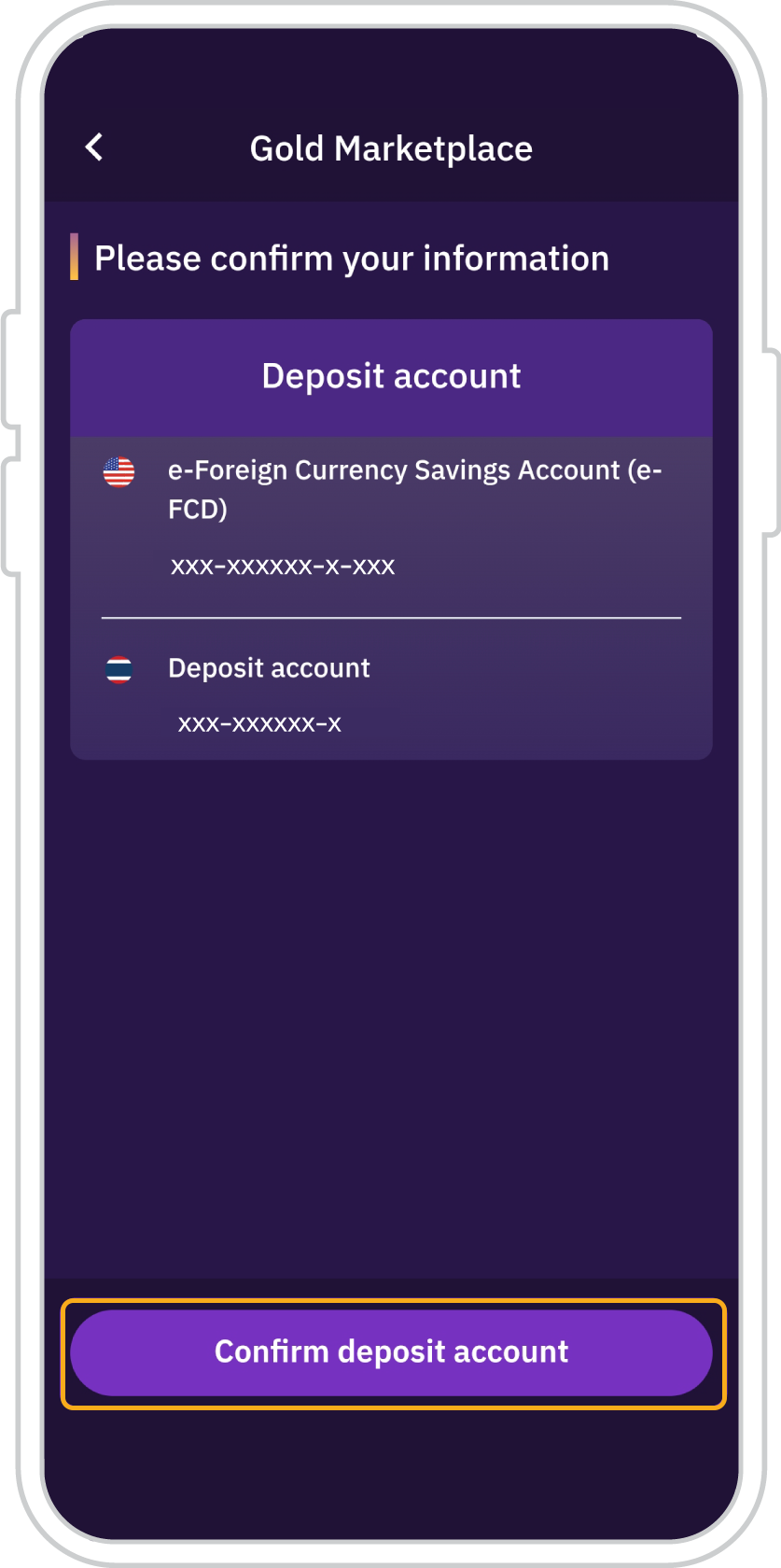
8. Tap “Confirm deposit account linking” and proceed with facial recognition for identity verification.
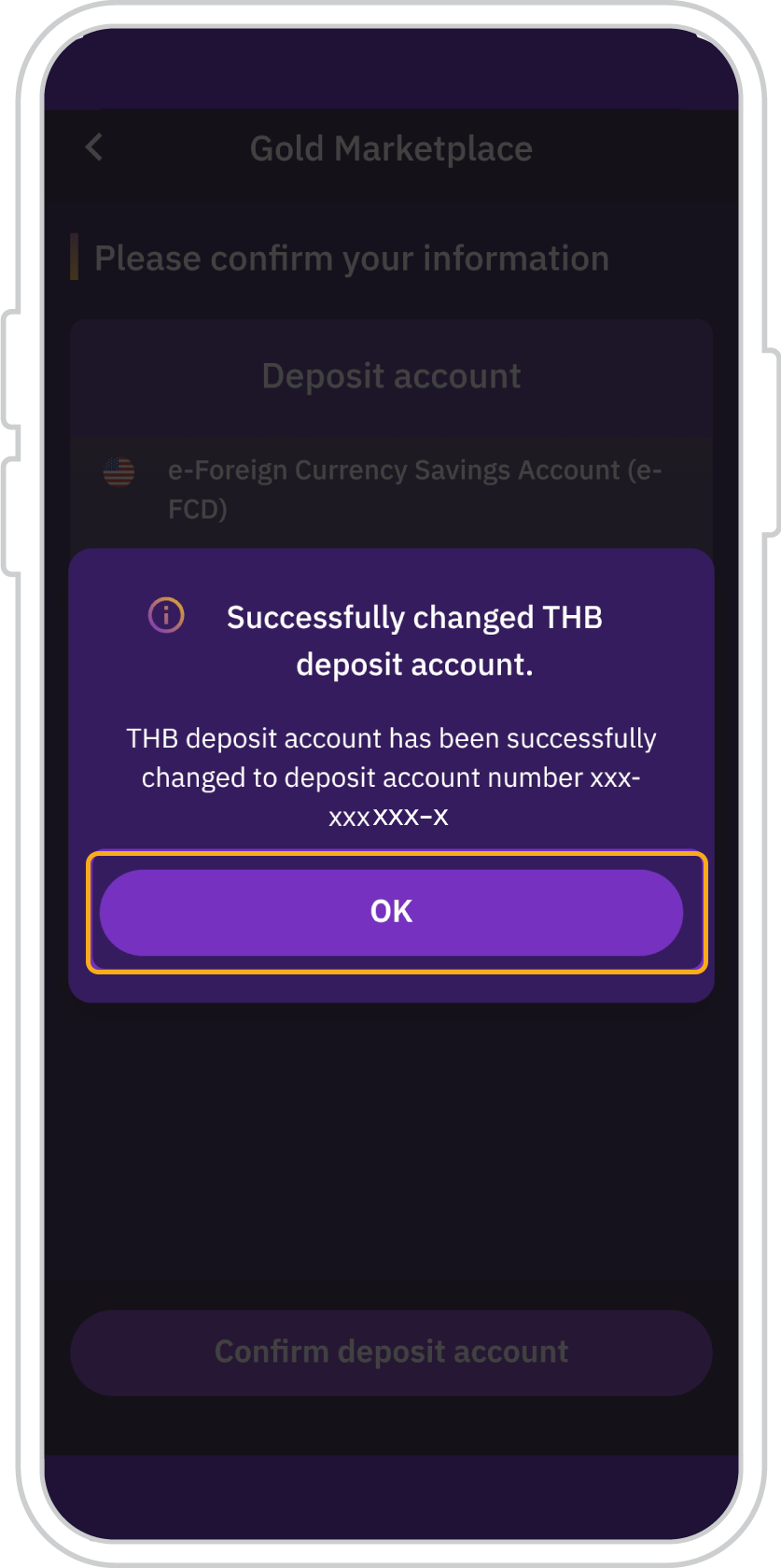
9. A notification will confirm that the Thai Baht deposit account has been successfully changed. Tap “OK”.
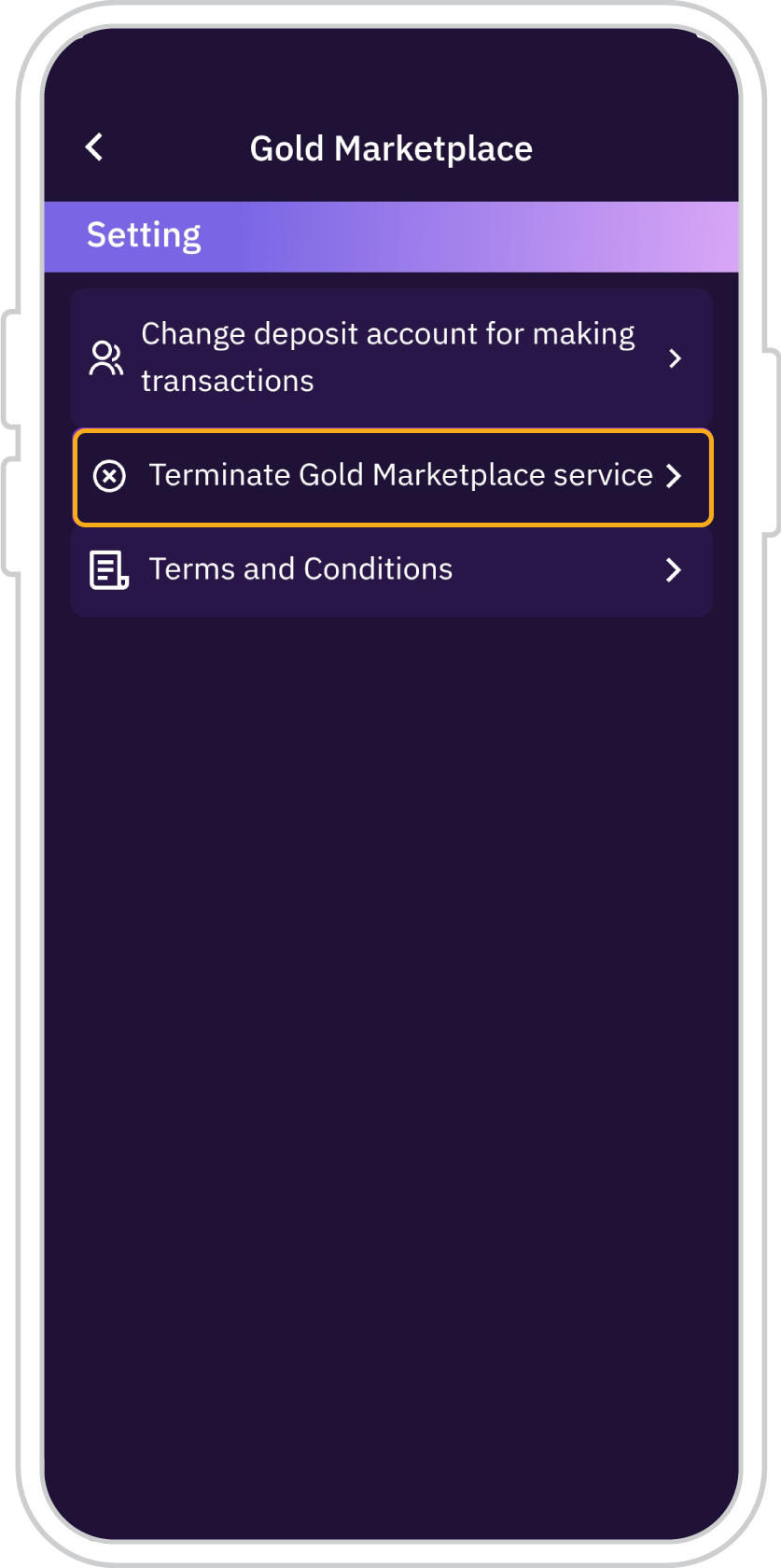
10. When selecting “Terminate
Gold Marketplace service”
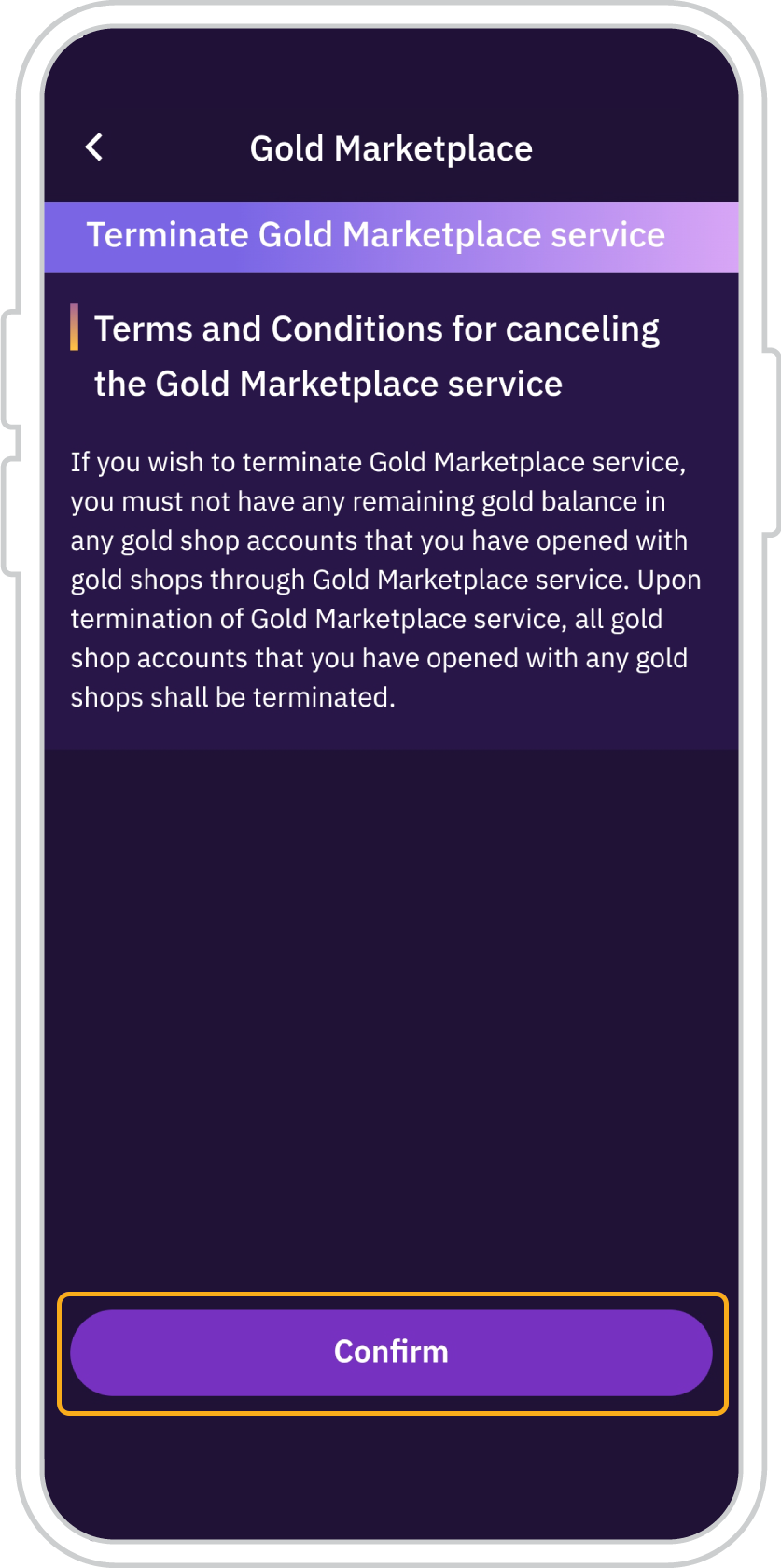
11. Review the Terms and Conditions for cancelling the SCB Gold Marketplace service, then tap “Confirm”.
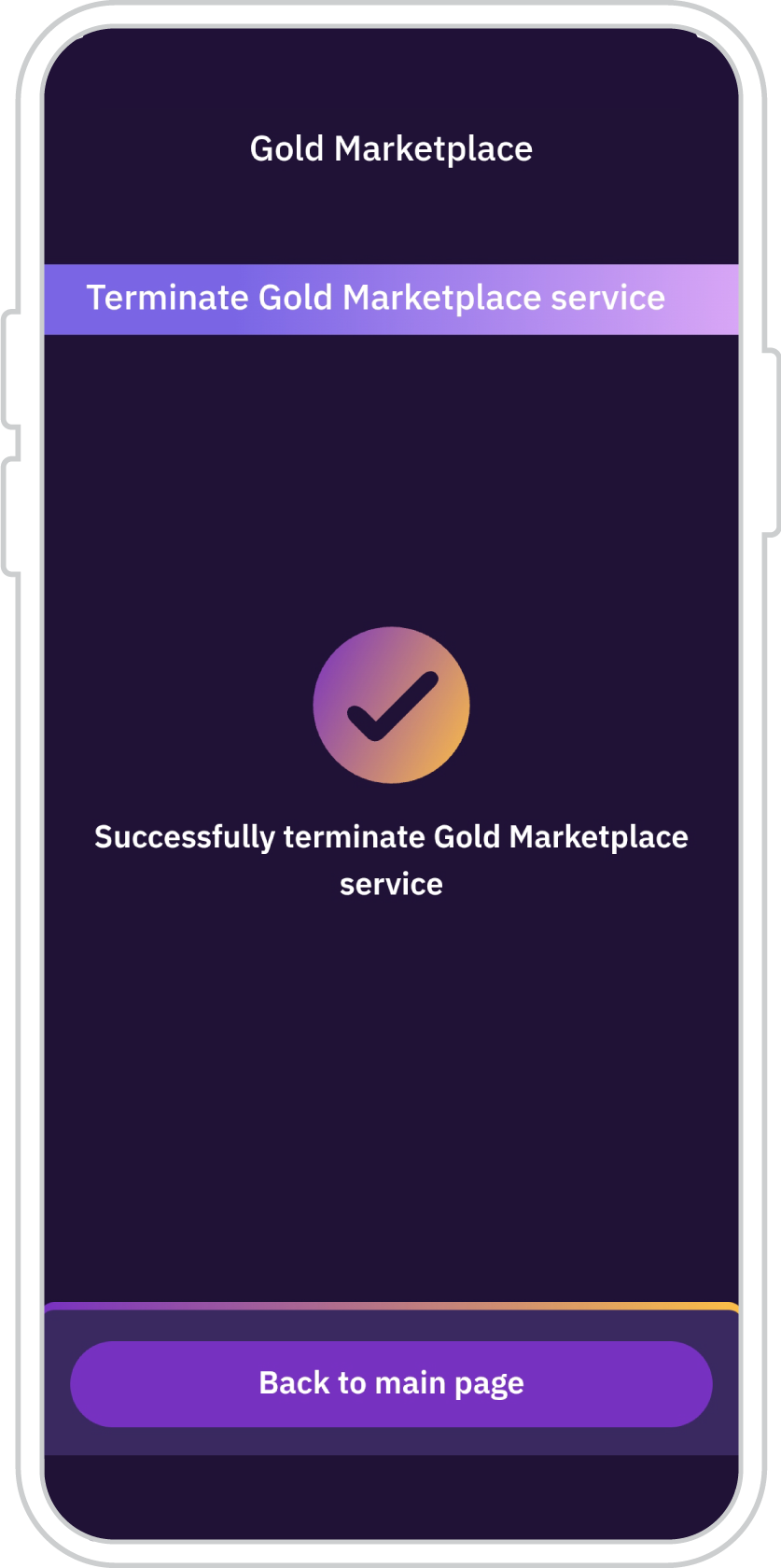
12. Successfully terminate
Gold Marketplace service
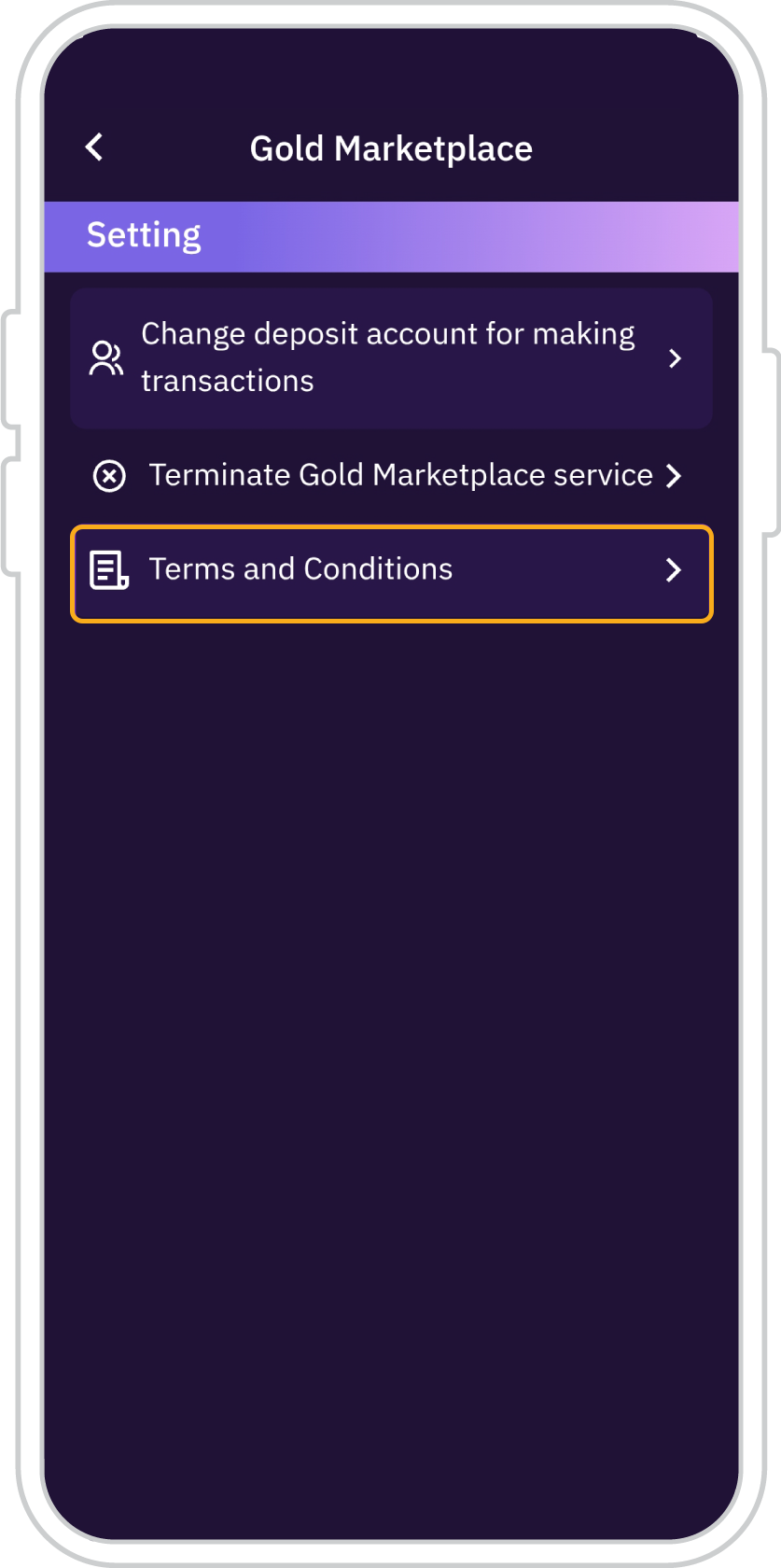
13. When selecting
“Terms and Conditions”
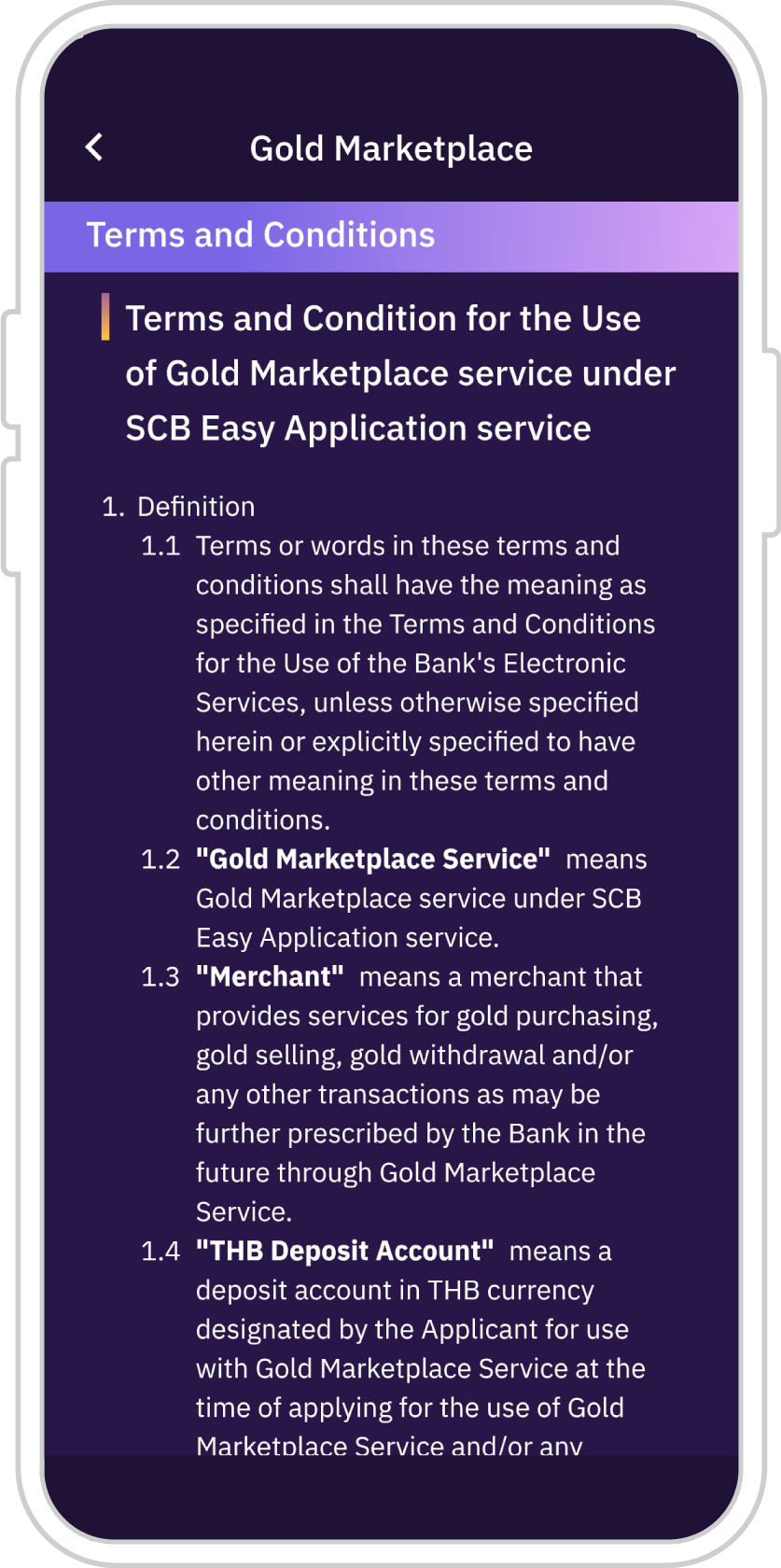
14. The Terms and Conditions of the SCB Gold Marketplace service on the SCB EASY app are displayed.


Get started
You can register for the SCB EASY app through any of the following options