


RELATED LINKS
RELATED LINKS
RELATES LINKS
RELATES LINKS
Services
Related Links

Use and Management of Cookies
We use cookies and other similar technologies on our website to enhance your browsing experience. For more information, please visit our Cookies Notice.
- Personal Banking
- Digital Banking
- SCB Easy App
- How to
- How to registration in SCB Gold Marketplace
- Personal Banking
- ...
- How to registration in SCB Gold Marketplace
How to registration in SCB Gold Marketplace
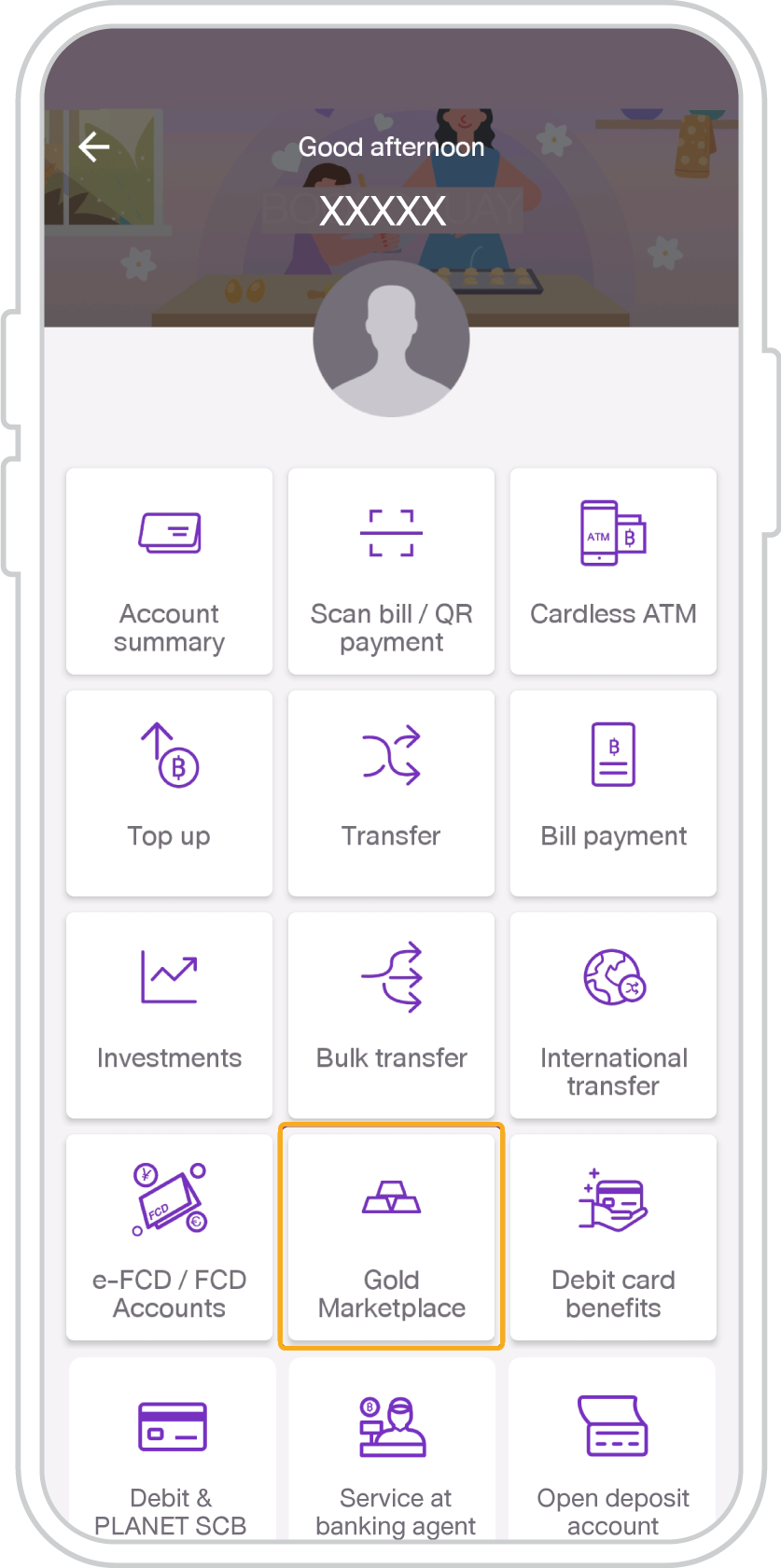
1. Select the menu “Gold Marketplace”.
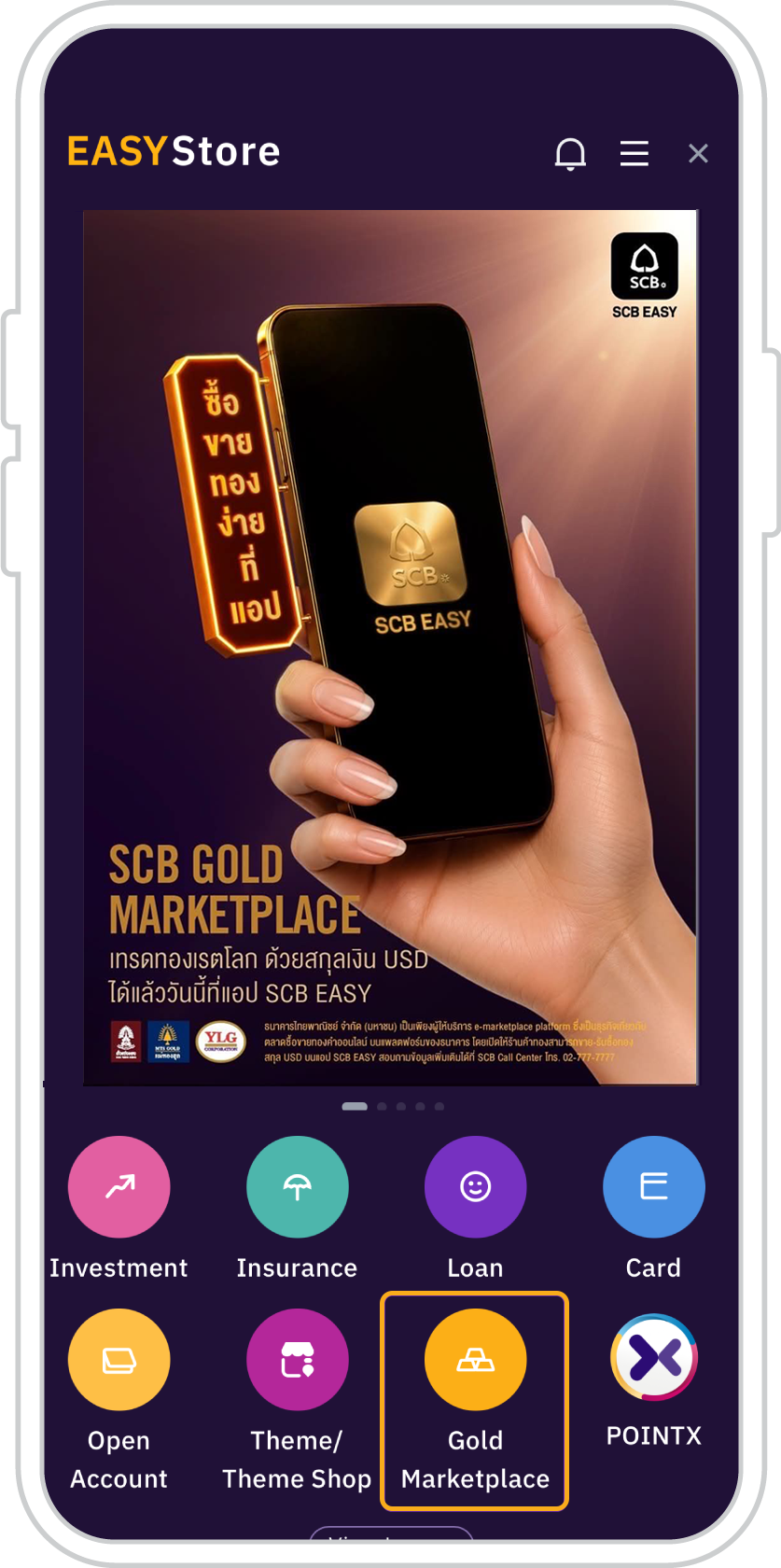
Or Select the menu “Gold Marketplace”on EASY Store
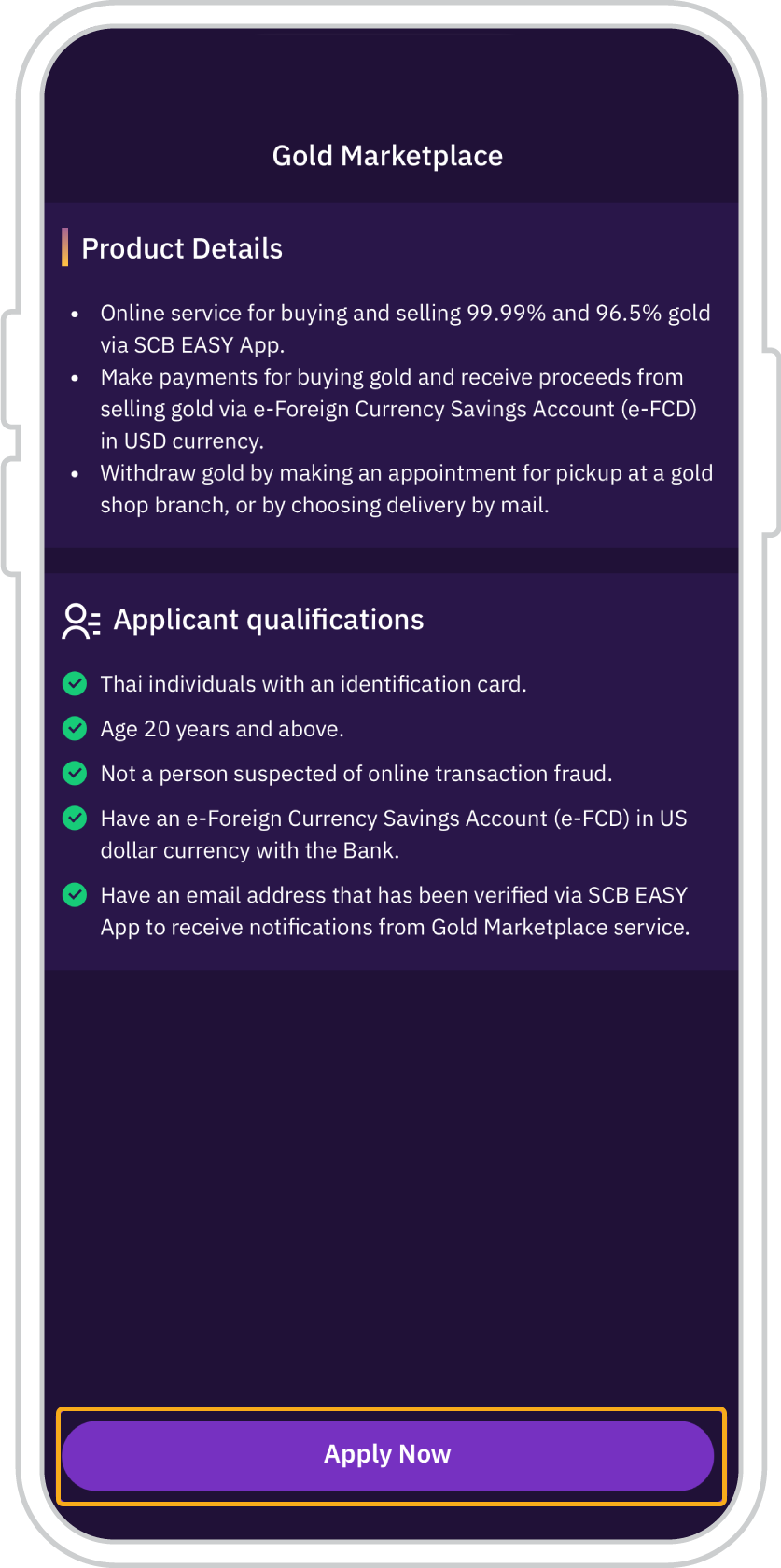
2. Tap “Apply Now”.
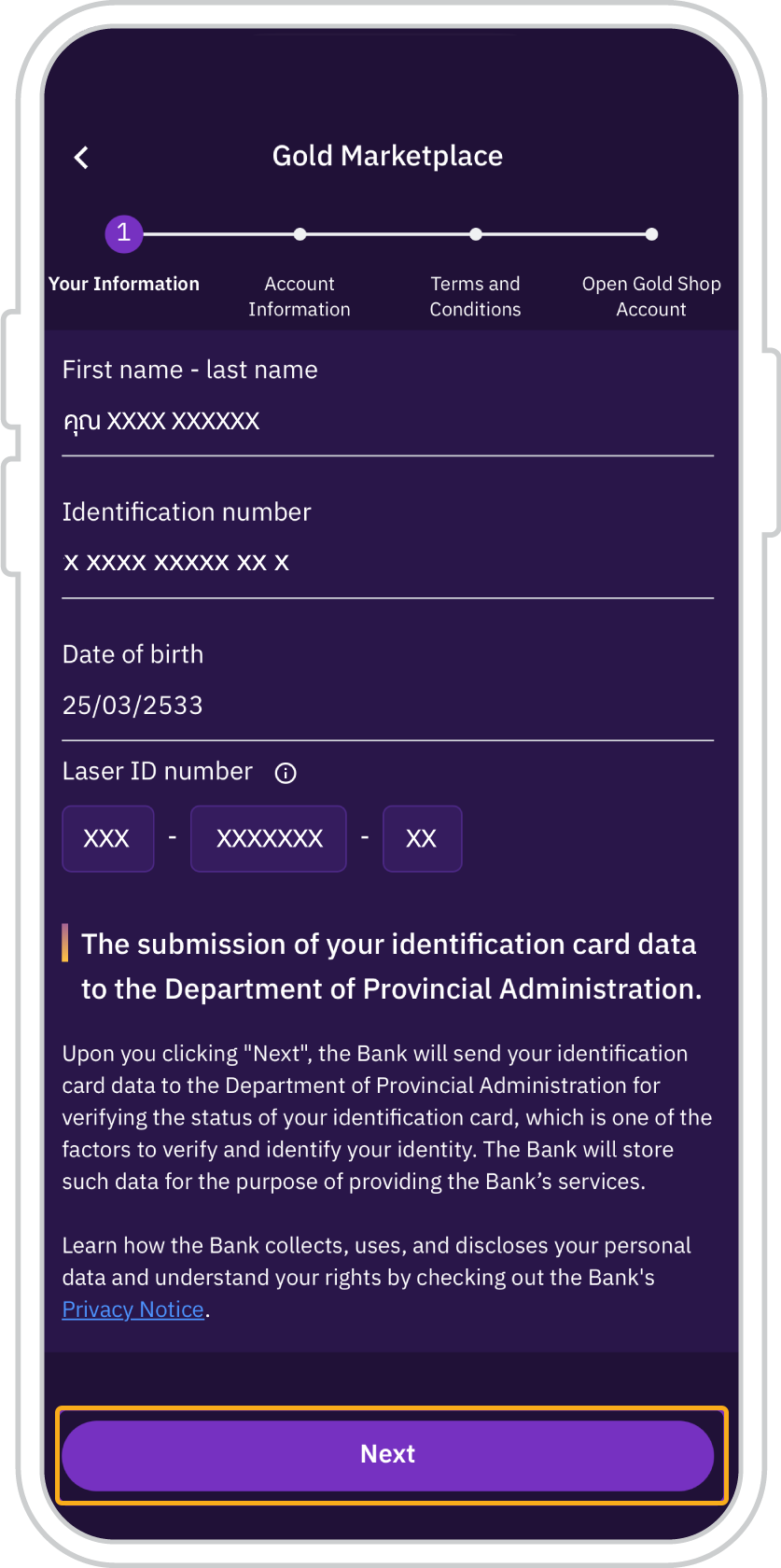
3.Enter the laser ID number
and tap “Next”.
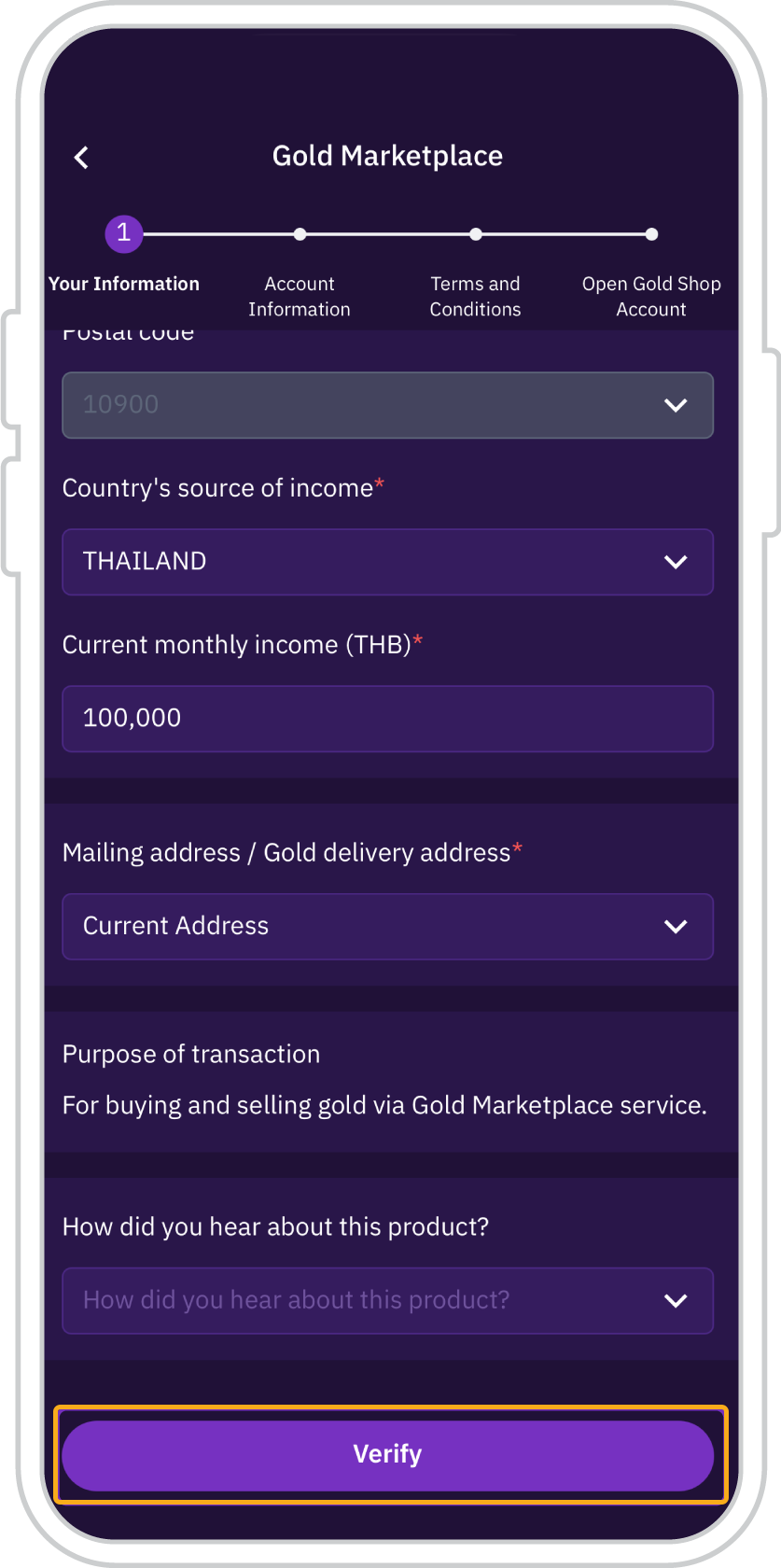
4. Review and complete your personal information, then tap “Review”.”
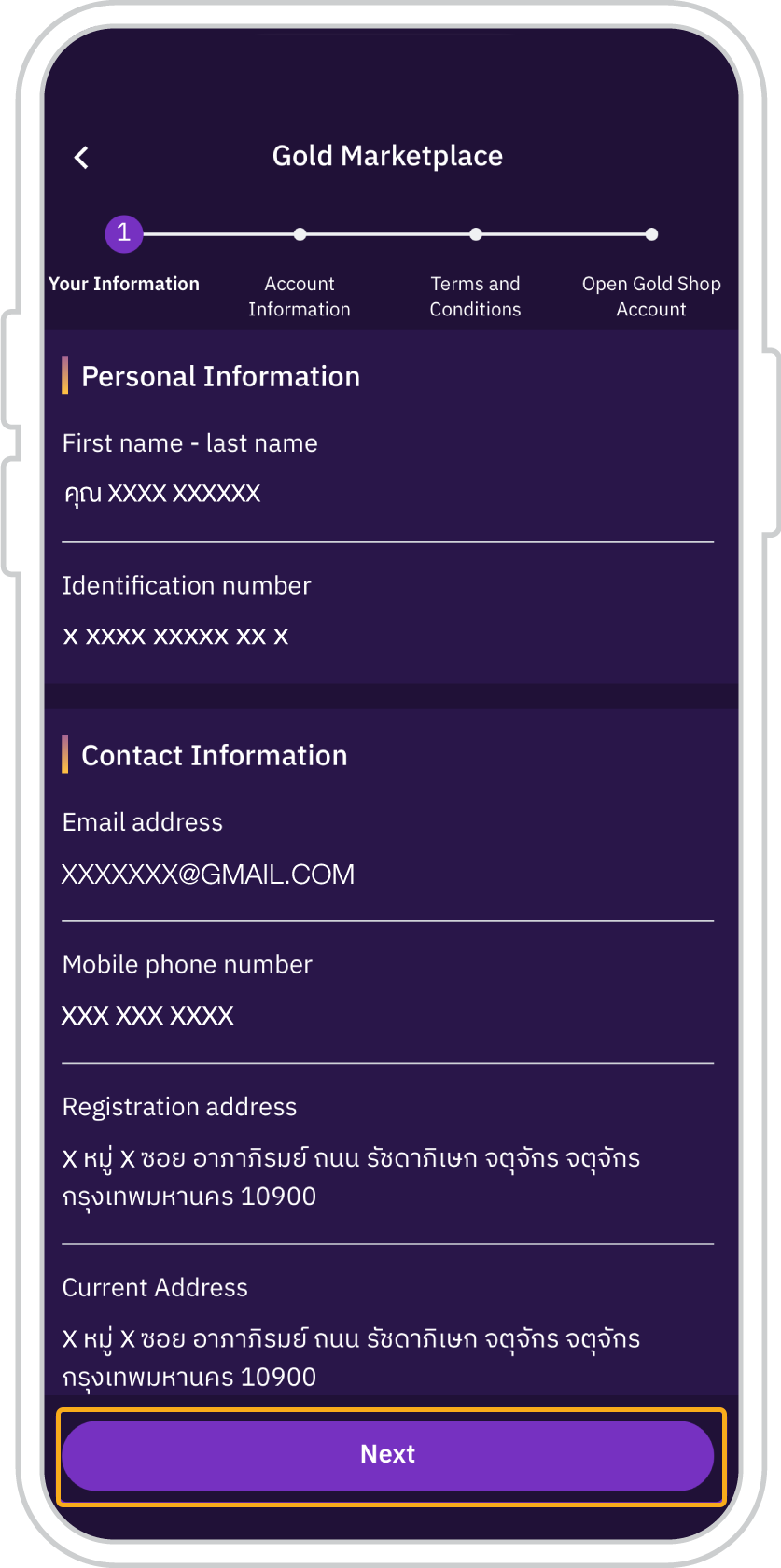
5. Review information and
press “Next”
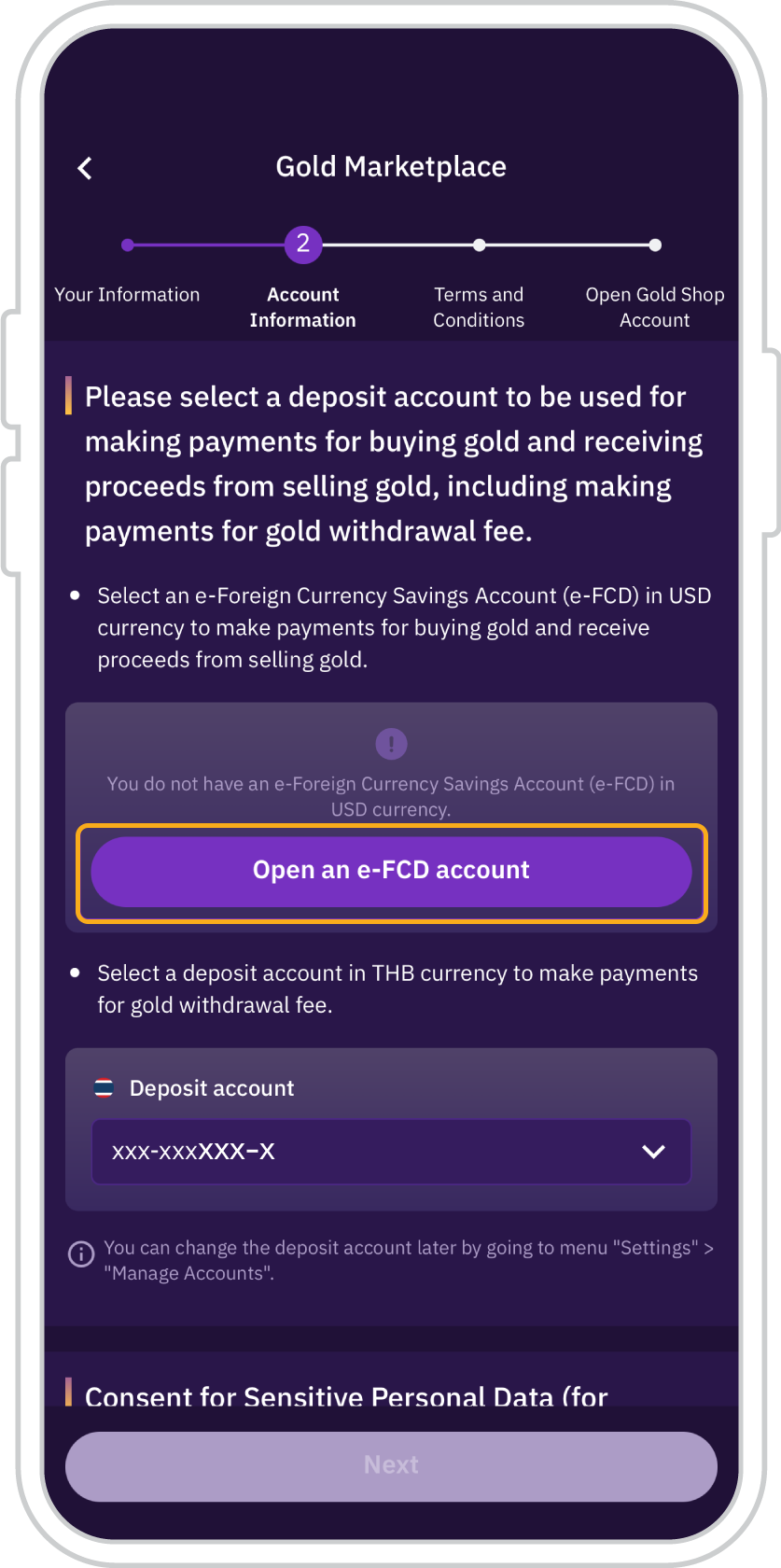
6. If you do not have a USD e-FCD account with SCB, tap “Open e-FCD Account”.
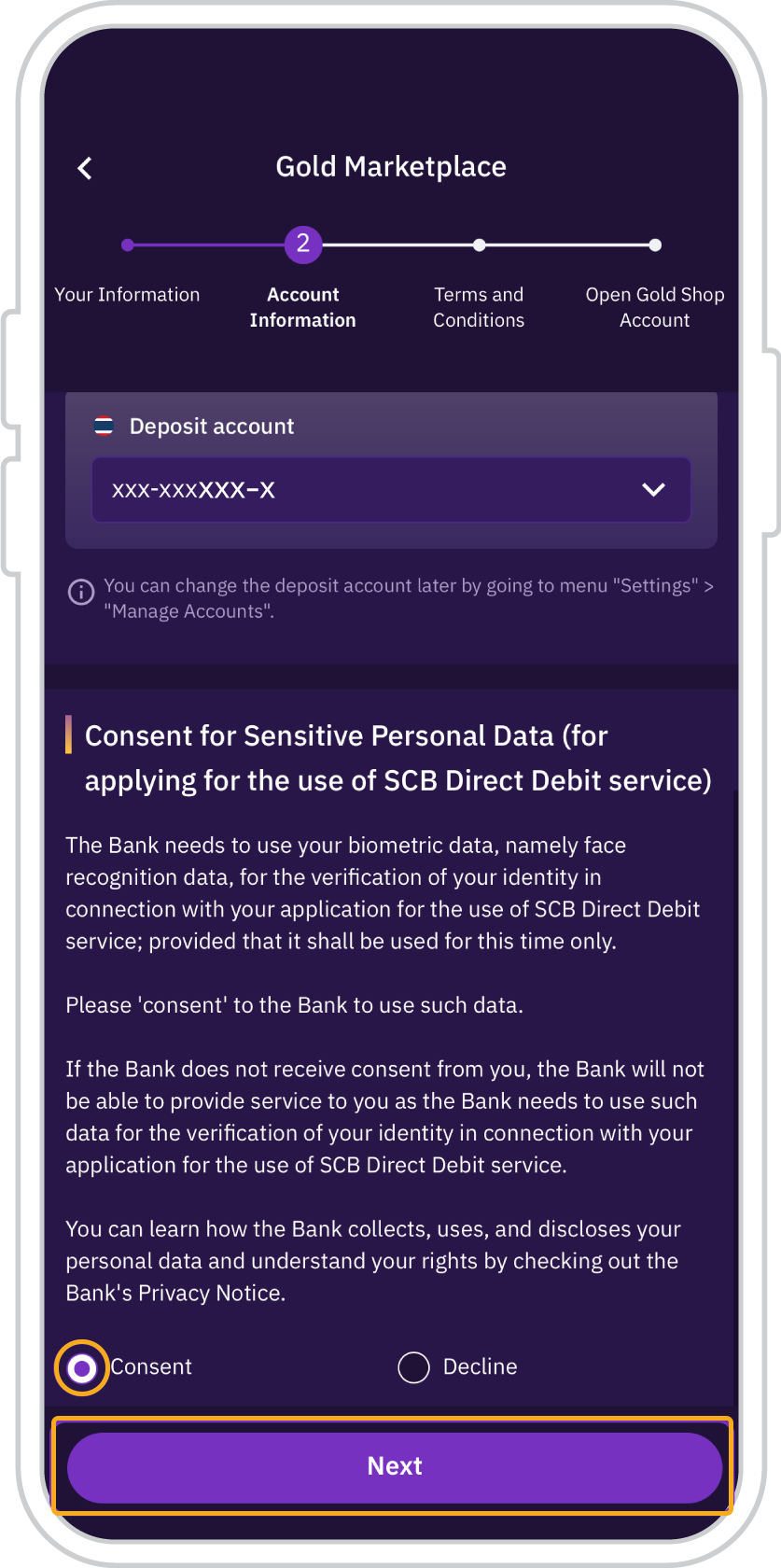
7. Select an applicable THB
Deposit account, select
“Consent” and press “Next”
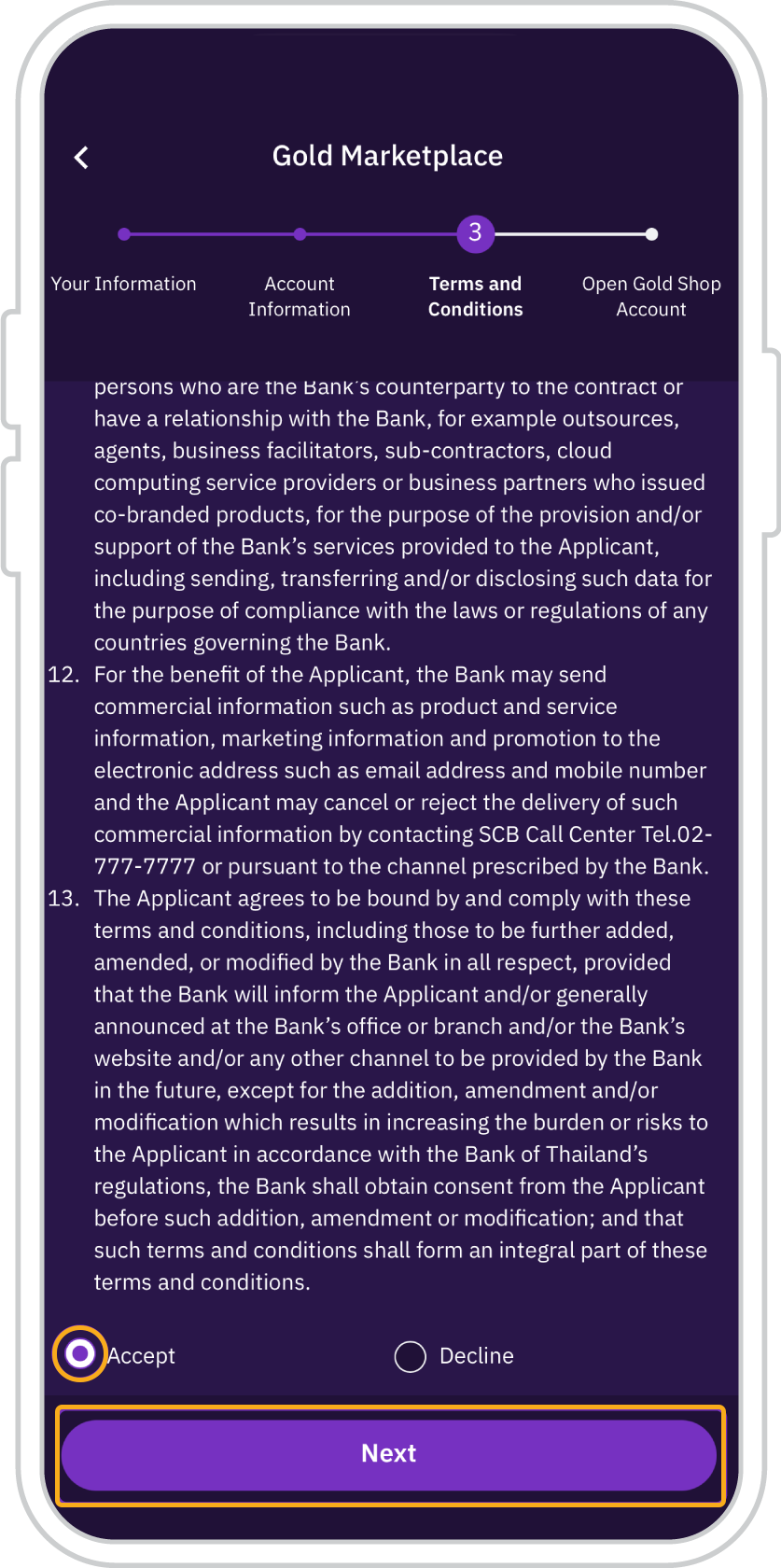
8. Review and accept the Terms and Conditions for the SCB Direct Debit service, then tap “Next”.
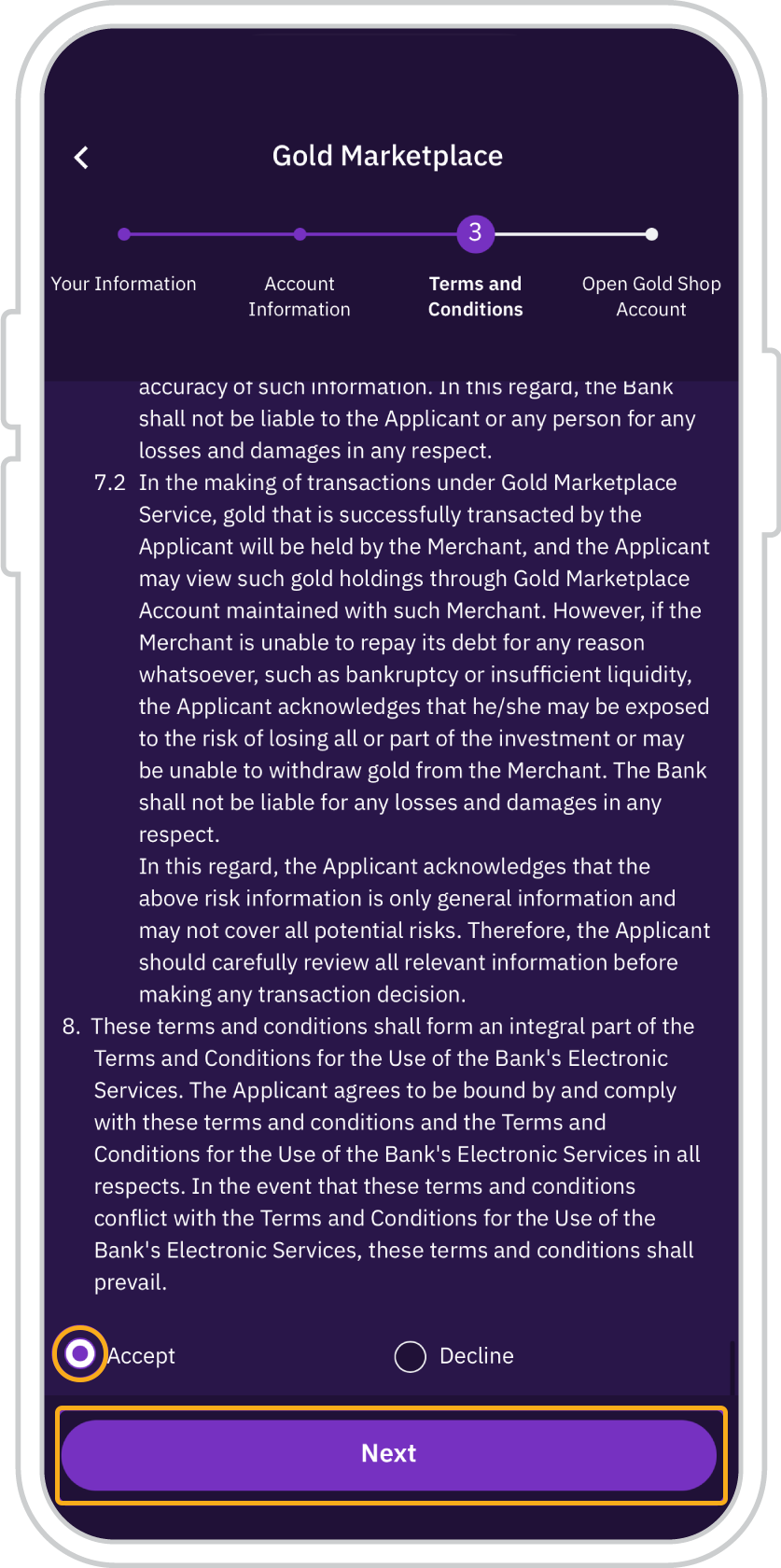
9. Review and accept the Terms and Conditions of the SCB Gold Marketplace service on the SCB EASY app, then tap “Next”.
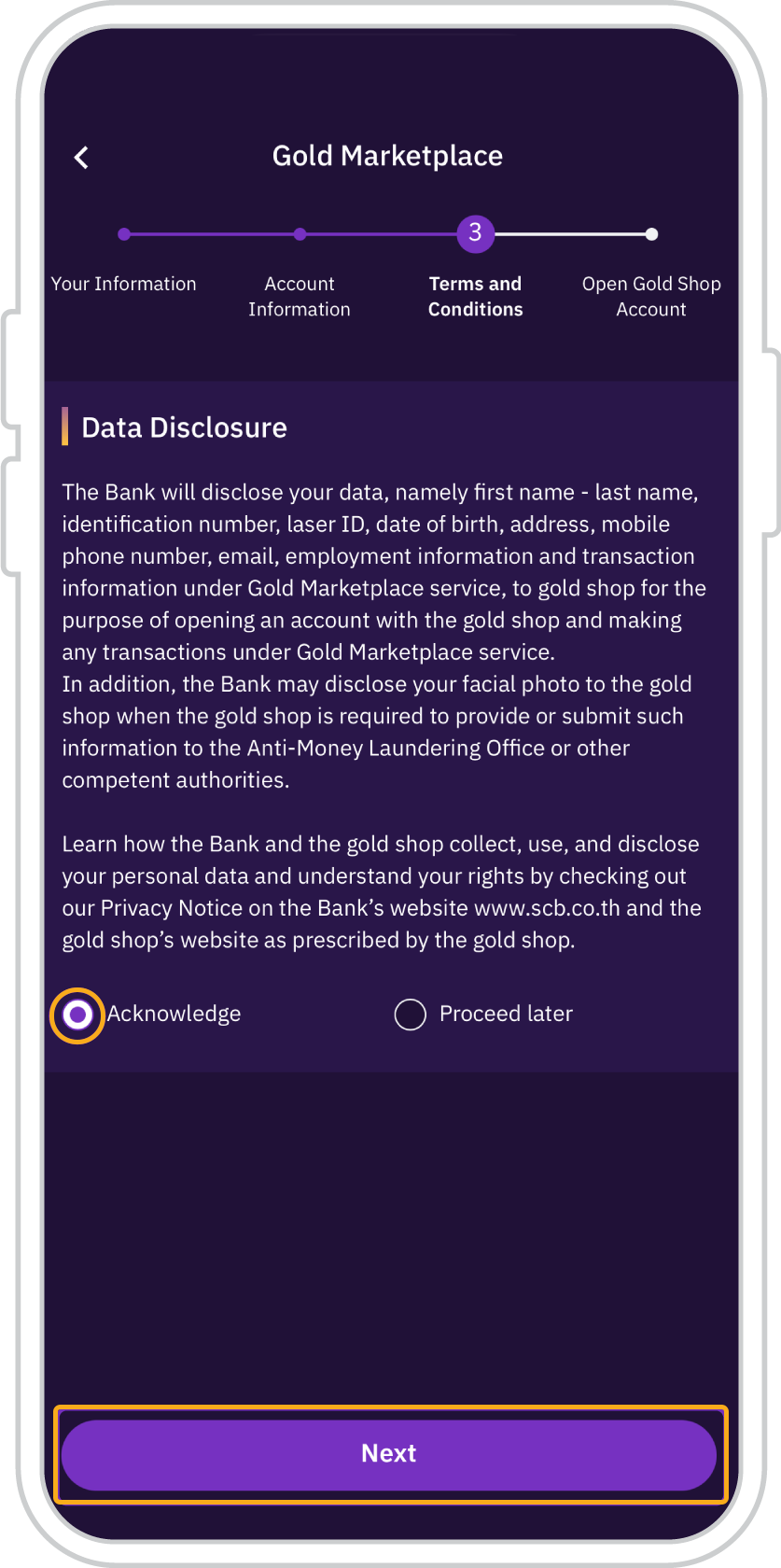
10. Review and acknowledge the disclosure of your personal data to participating gold merchants for account opening and transaction purposes, then tap “Next”.
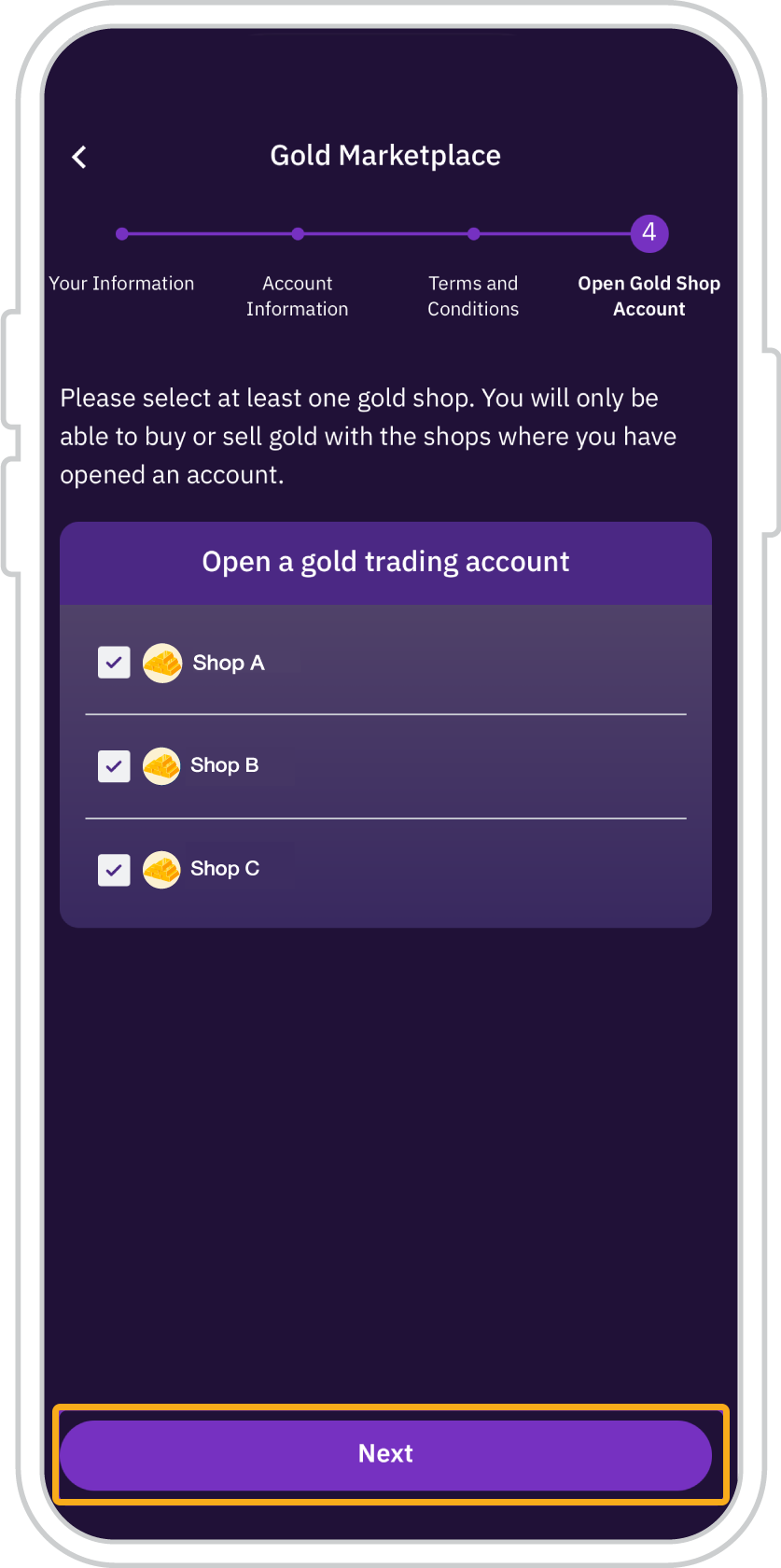
11. Select at least one gold merchant to open an account for gold trading, then tap “Next”.
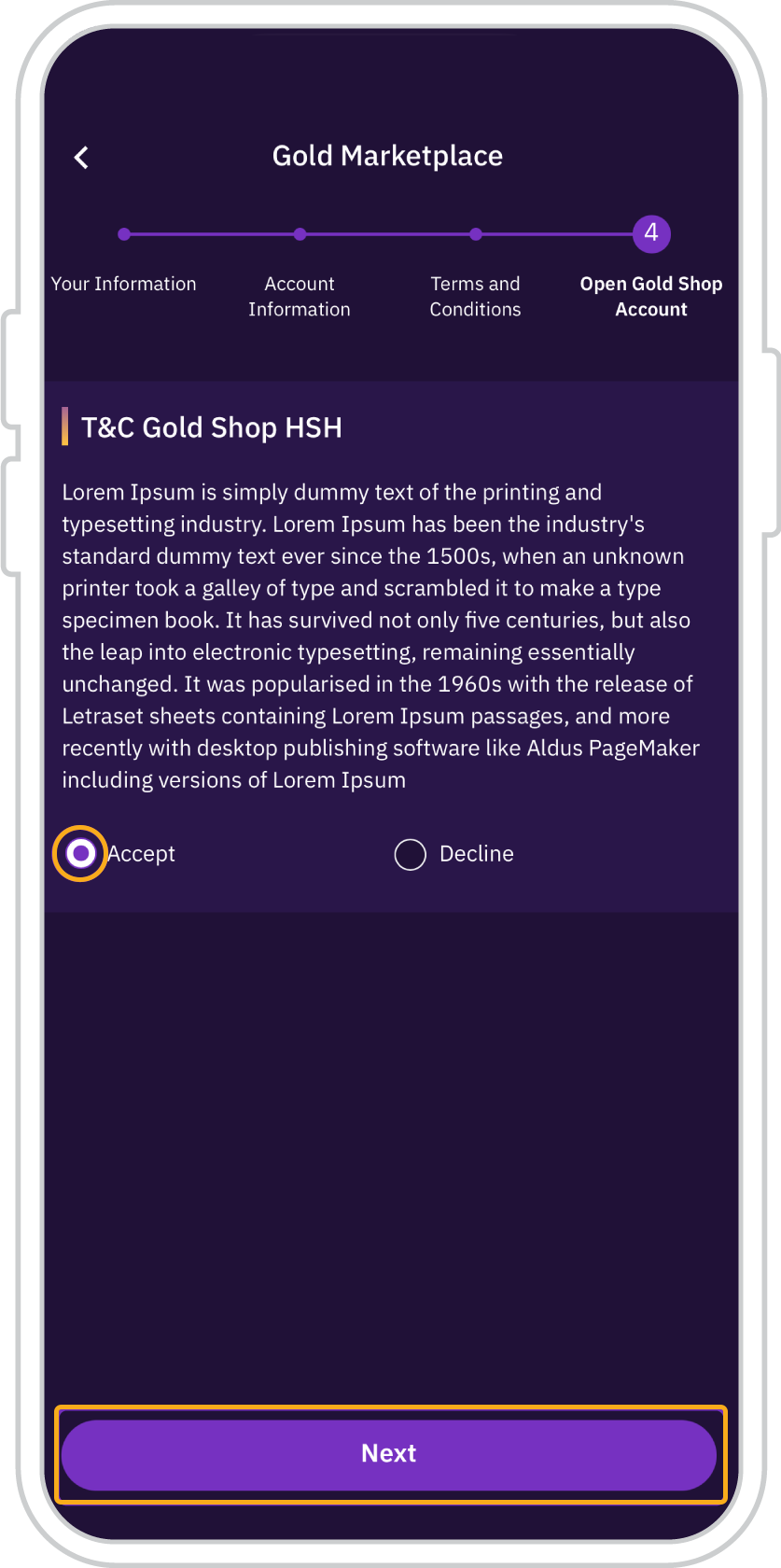
12. Review and accept the Terms and Conditions of each selected gold merchant, then tap “Next”.
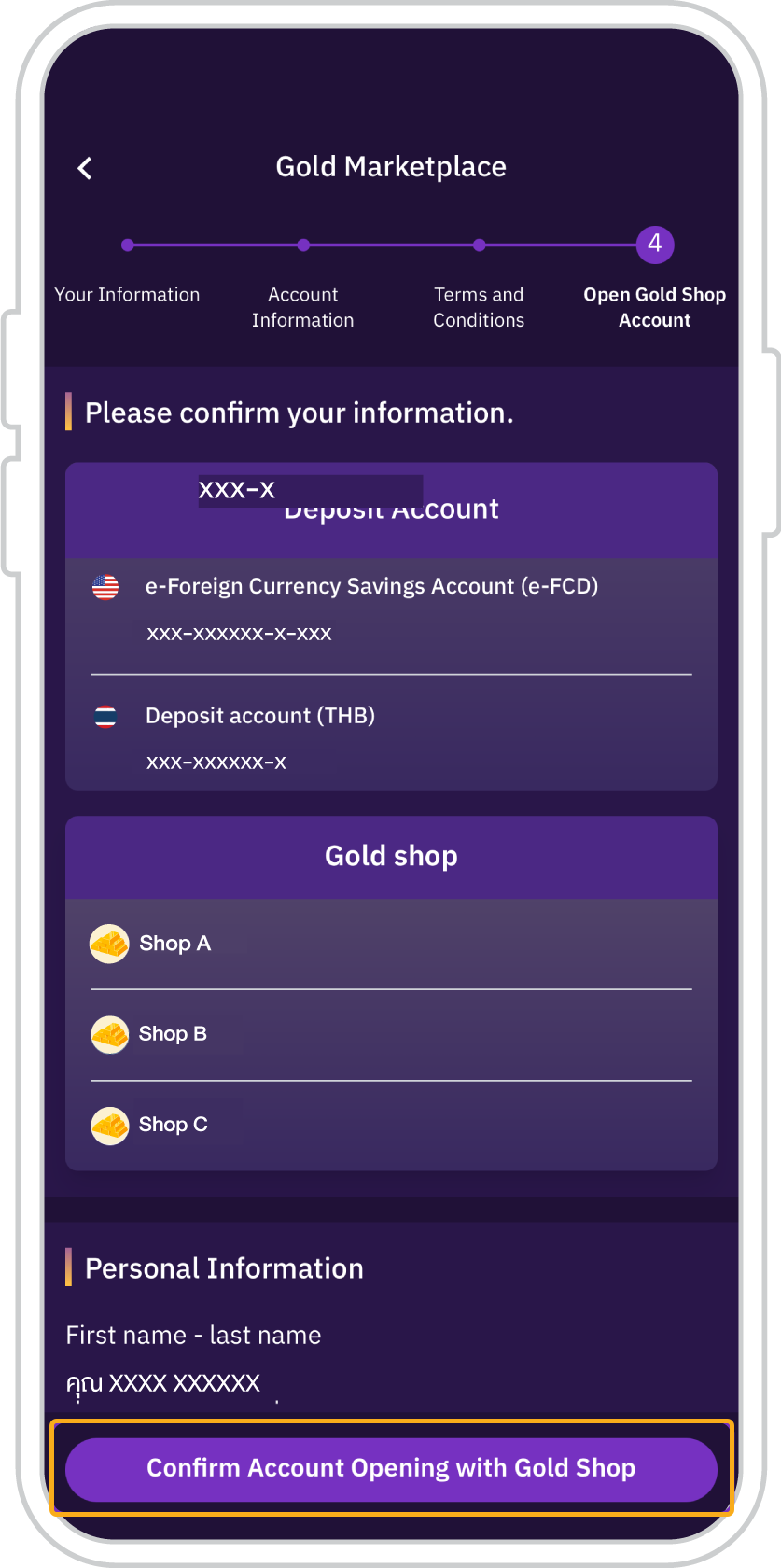
13. Review all account opening details, then tap “Confirm account opening with gold merchant”.
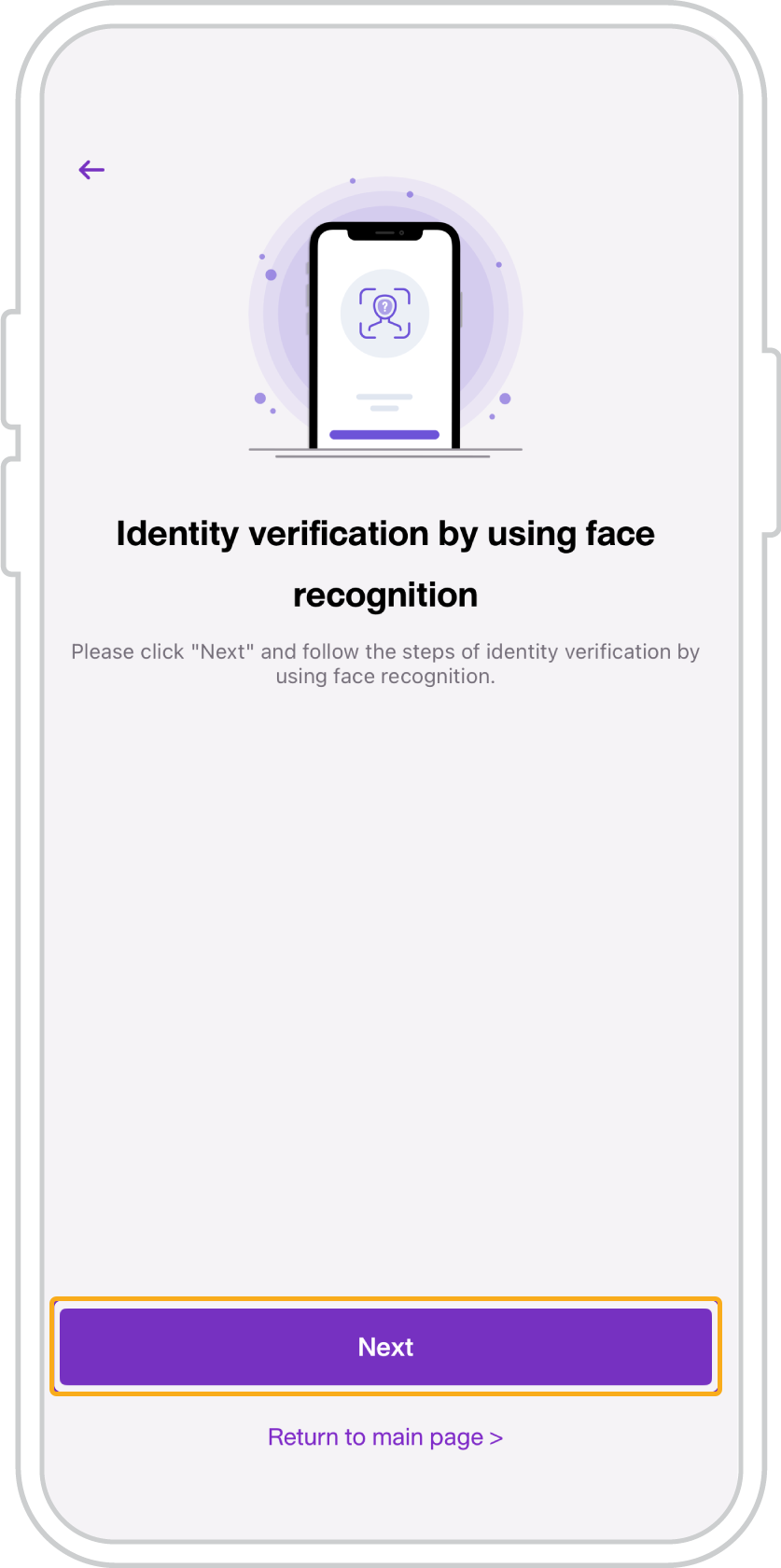
14. Verify your identity via facial recognition, then tap “Next”.
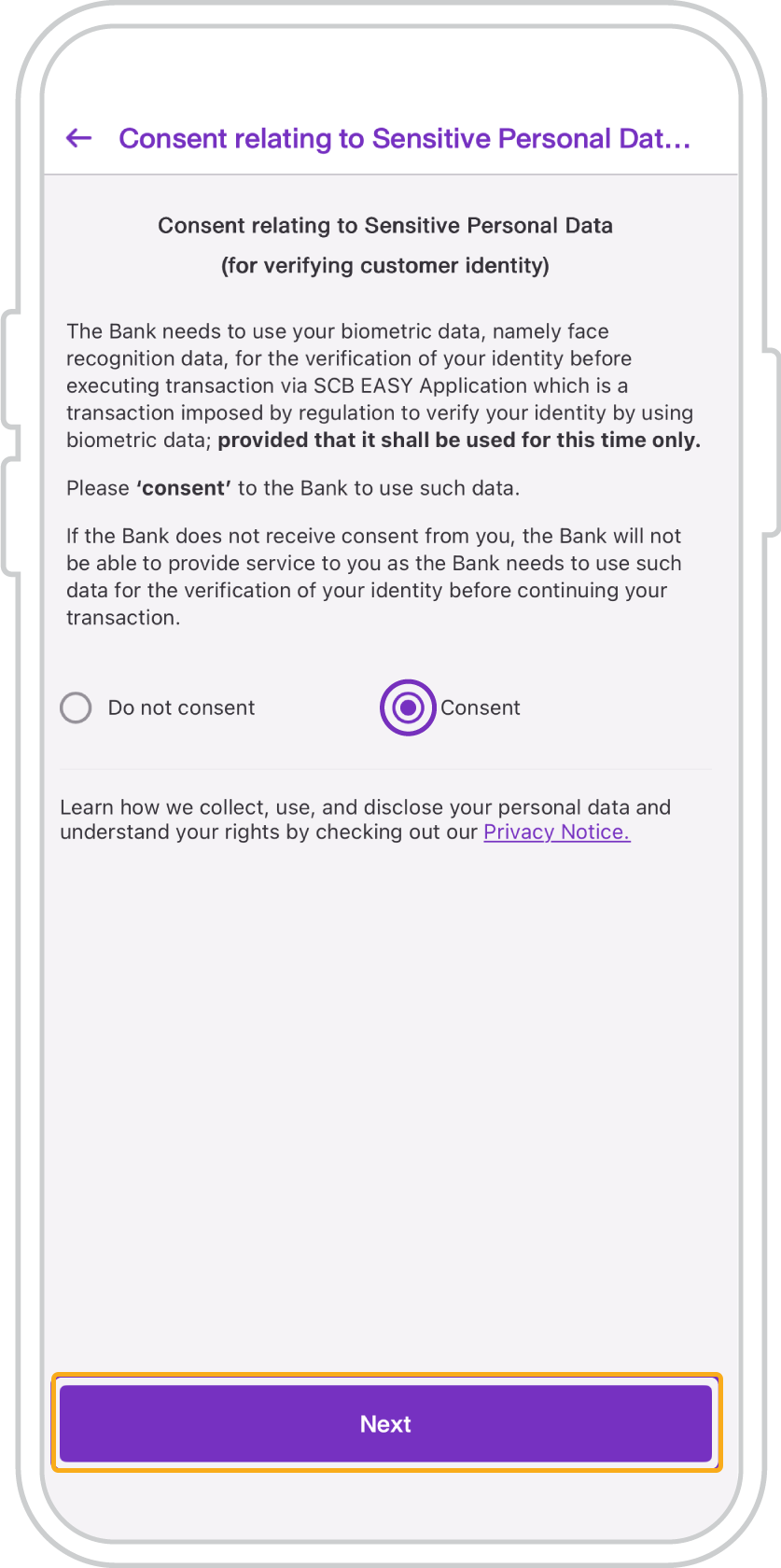
15. Select “Consent” to the use of your facial data for identity verification, then tap “Next” to proceed with facial verification.
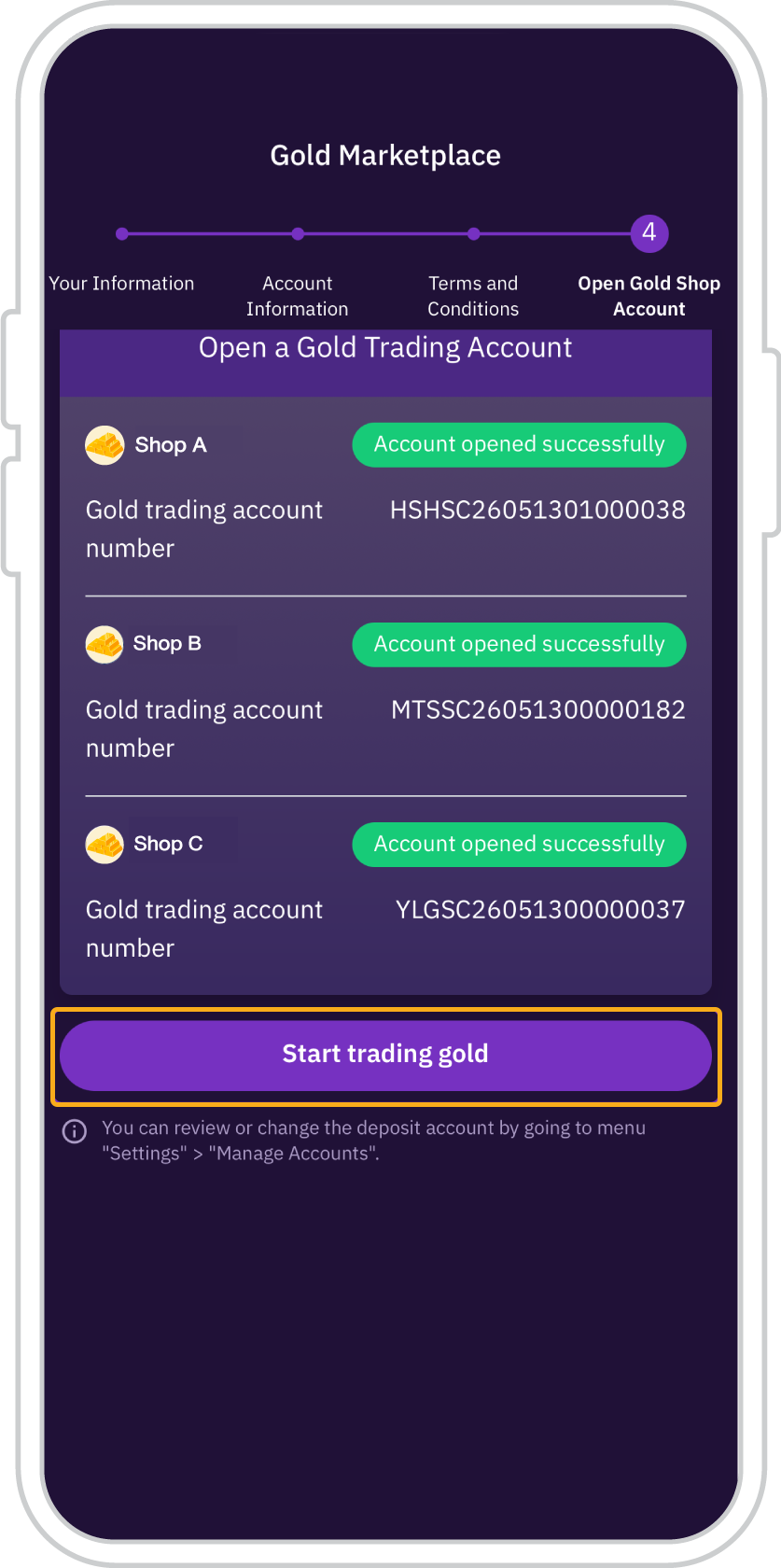
16. Once facial verification is completed, the account opening status will be displayed as successful. You can then start trading by tapping “Start Gold Trading”.
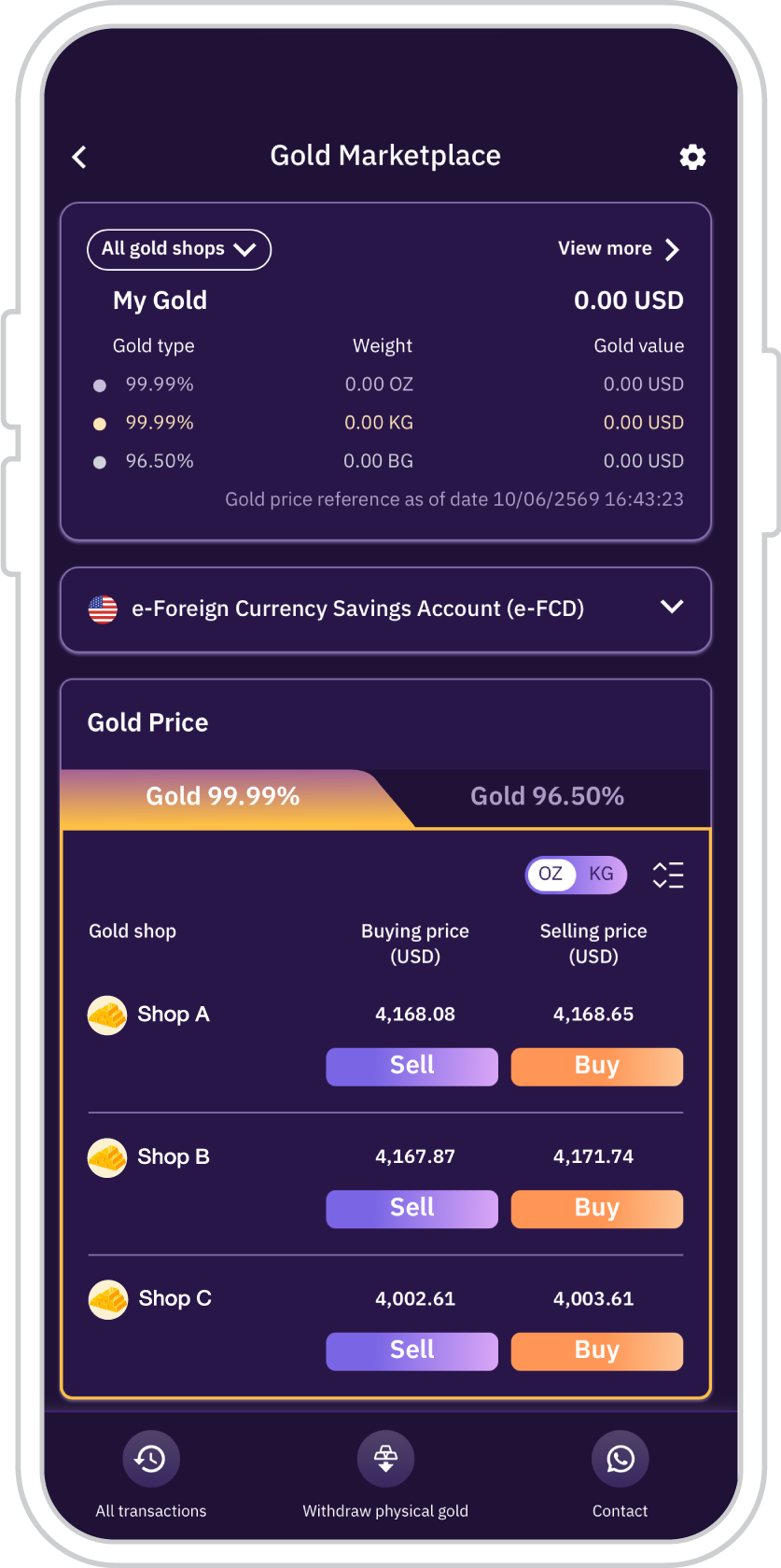
17. You will be directed to the SCB Gold Marketplace Main Page.
User eligibility requirements for SCB Gold Marketplace
- Must be a Thai national holding a valid Thai National ID Card.
- Must be 20 years of age or above.
- Must not be classified as a suspicious individual for online transactions.
- Must have an SCB USD e-FCD (Electronic Foreign Currency Deposit) Savings Account.
- Must have a verified email address registered via the SCB EASY app to receive information and notifications from the SCB Gold Marketplace service.

Get started
You can register for the SCB EASY app through any of the following options