


RELATED LINKS
RELATED LINKS
RELATES LINKS
RELATES LINKS
Services
Related Links

Use and Management of Cookies
We use cookies and other similar technologies on our website to enhance your browsing experience. For more information, please visit our Cookies Notice.
- Personal Banking
- Digital Banking
- SCB Easy App
- How to register
- Personal Banking
- ...
- How to register
 share
share-
How to register |...
- Download SCB EASY



Register for the SCB EASY app with face recognition
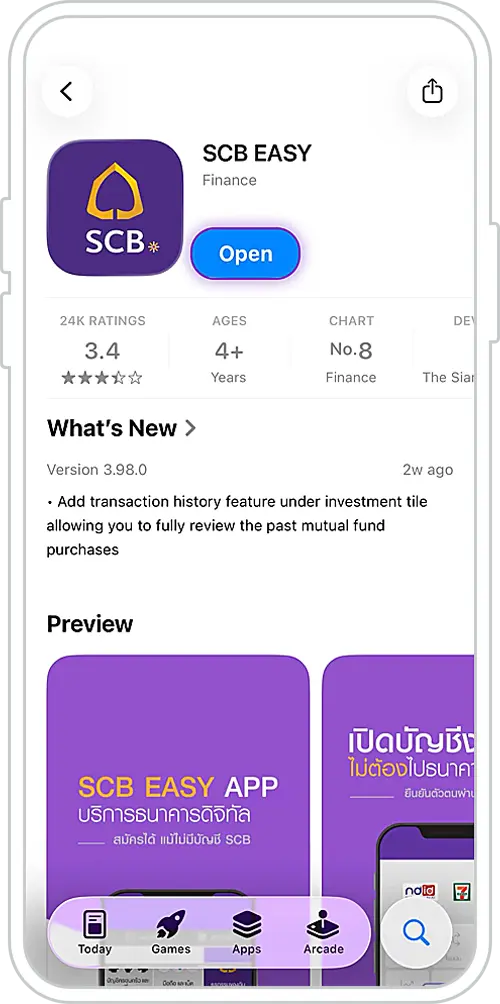
1. Download the SCB EASY App
via the App Store or Play Store.
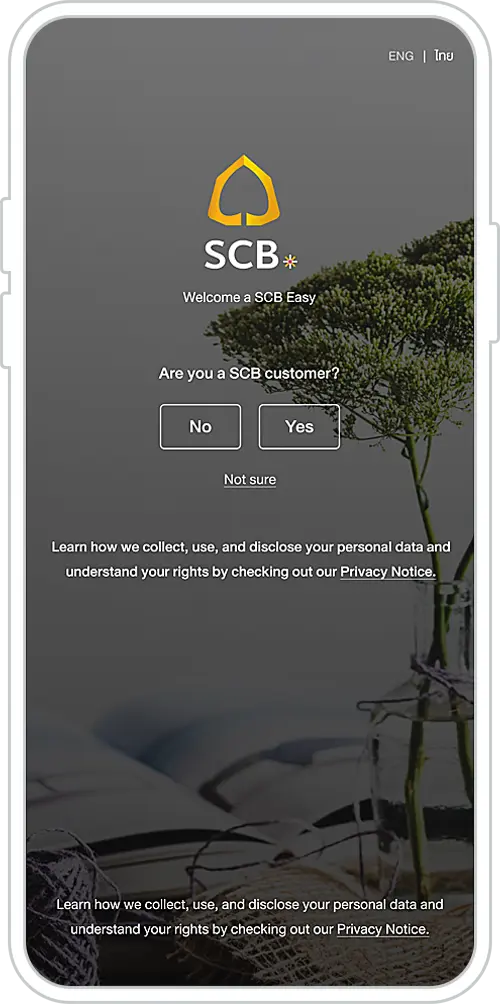
2. Select “Yes” if you are
already an SCB customer.
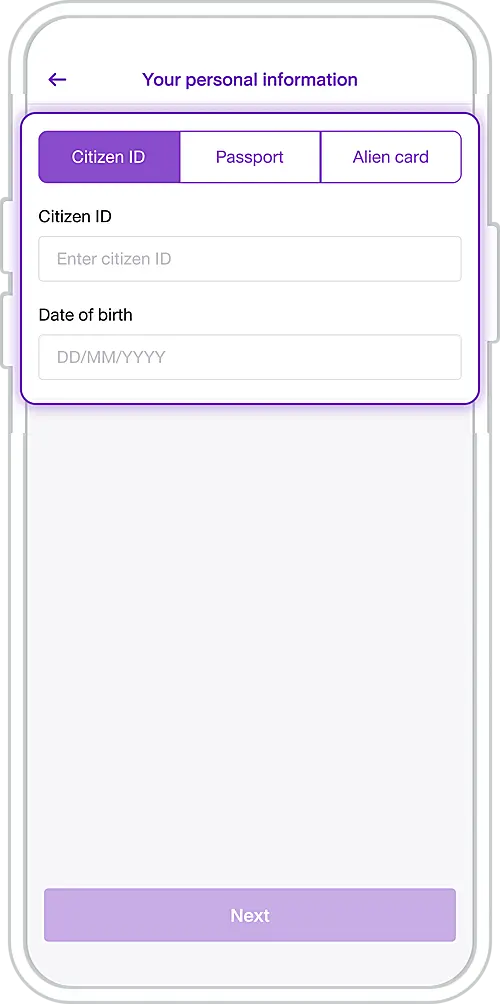
3. Enter your ID, passport,
or alien card number and
date of birth. Tap “Next”.
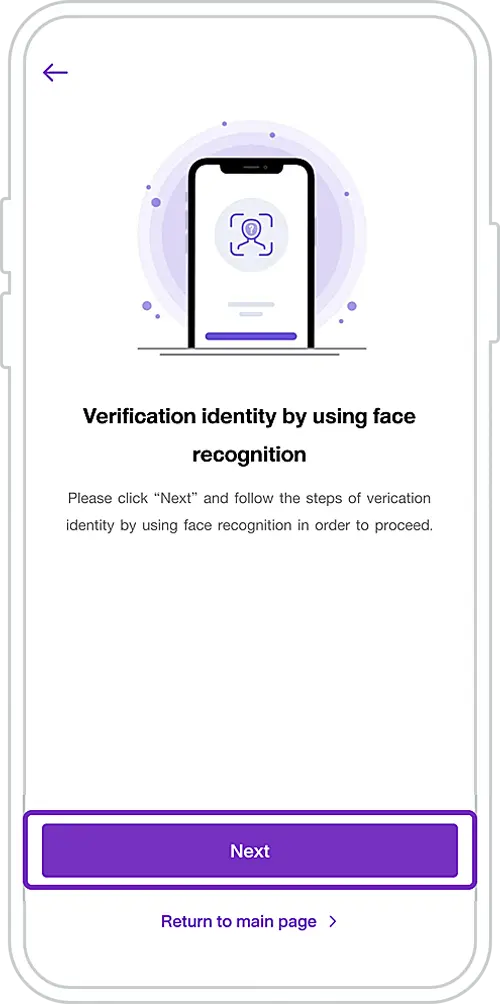
4. Verify your identity with
face scan, please tap “Next”.
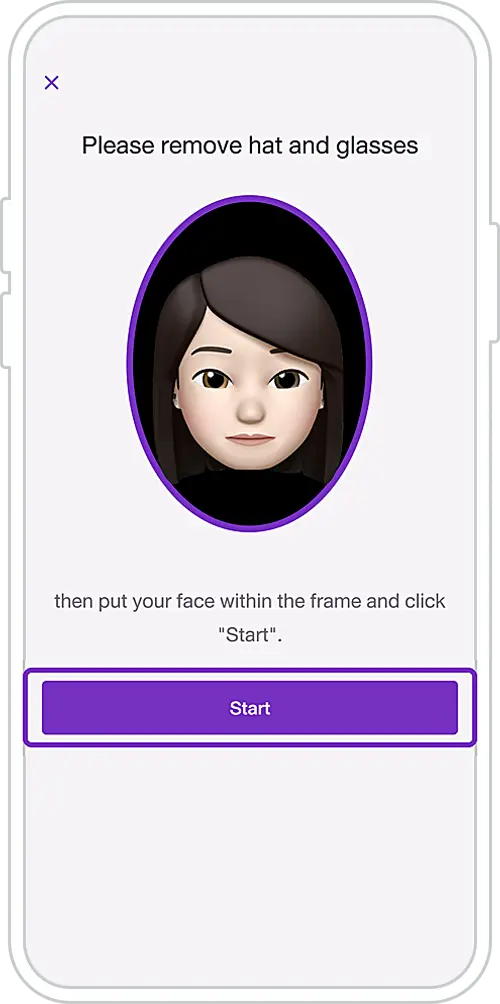
5. If you are wearing a hat and/or glasses, remove them and keep your face within the frame.
Tap “Start” to proceed with face authentication.
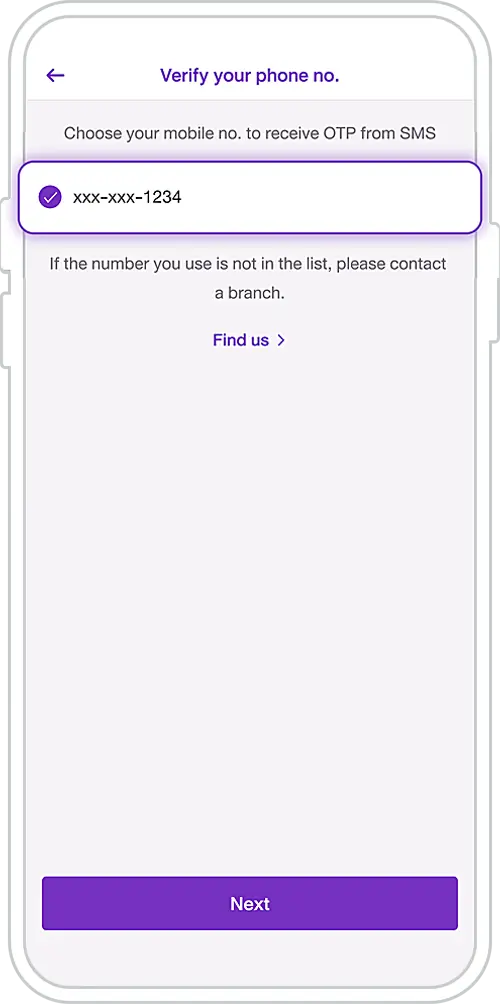
6. Enter your mobile phone number to receive a one-time password (OTP). Tap “Next” and enter the OTP.
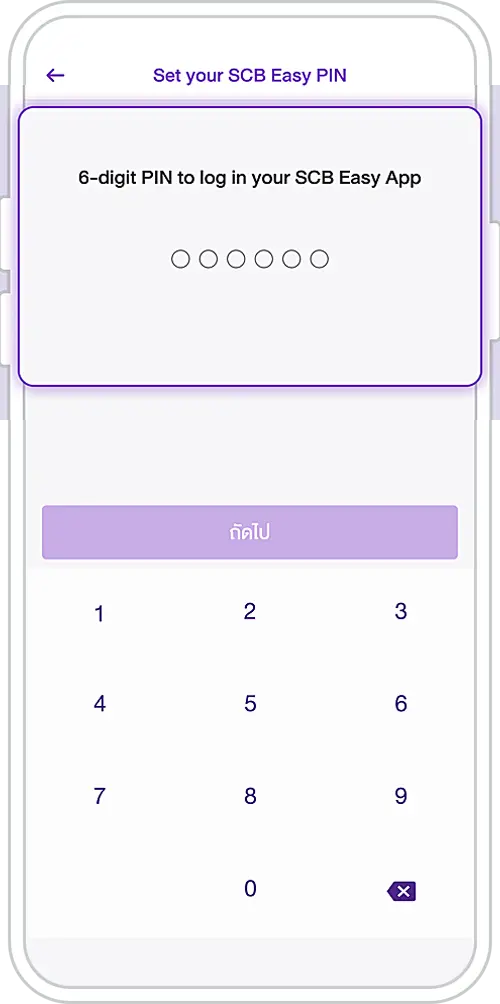
7. Enter a 6-digit PIN for the SCB EASY App and tap “Next”.
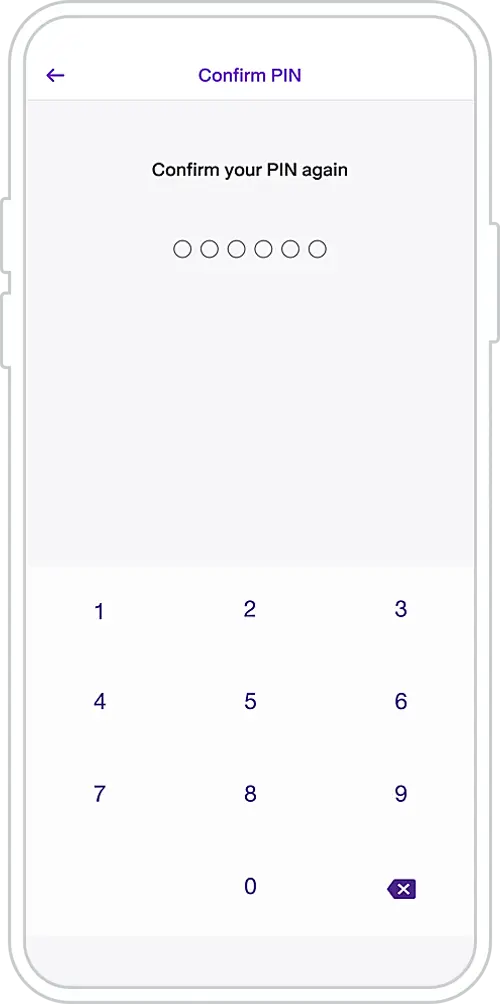
8. Confirm your PIN again.
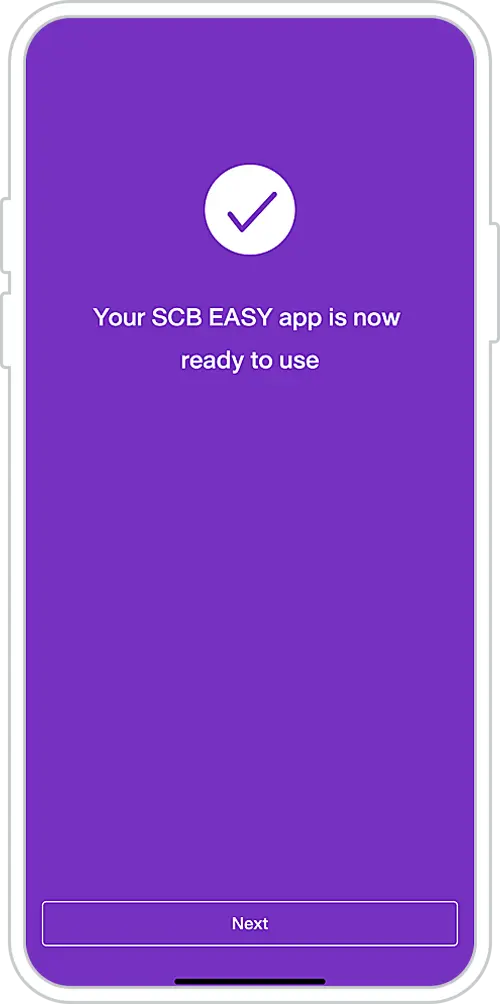
9. Registration successful.
Tap “Next” to start using the
SCB EASY App.
Get started
You can register for the SCB EASY app through any of the following options