


RELATED LINKS
RELATED LINKS
RELATES LINKS
RELATES LINKS
Services
Related Links

Use and Management of Cookies
We use cookies and other similar technologies on our website to enhance your browsing experience. For more information, please visit our Cookies Notice.
- Personal Banking
- Digital Banking
- SCB Easy App
- How to
- Request a passbook cover
- Personal Banking
- ...
- Request a passbook cover

Request a passbook cover
Request a copy of your account information page for transactions that require account confirmation,
such as visa applications, job applications, or other official purposes.
Just a few simple steps to get it done.
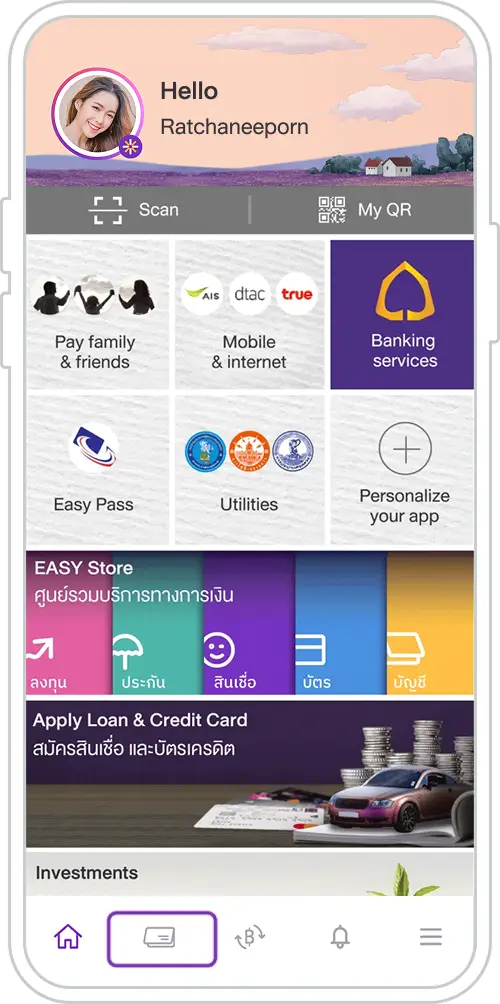
1. Select “My Accounts”.
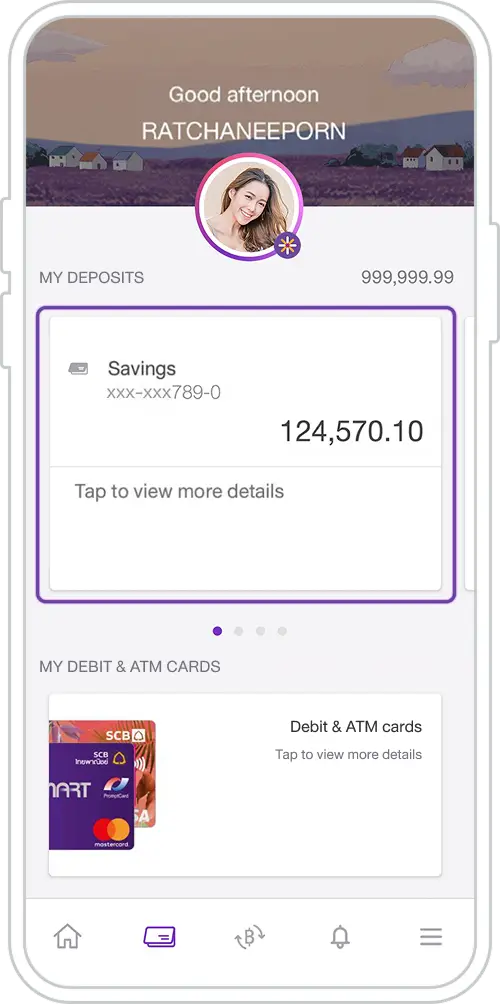
2. Select an account for which you want to request a passbook cover.
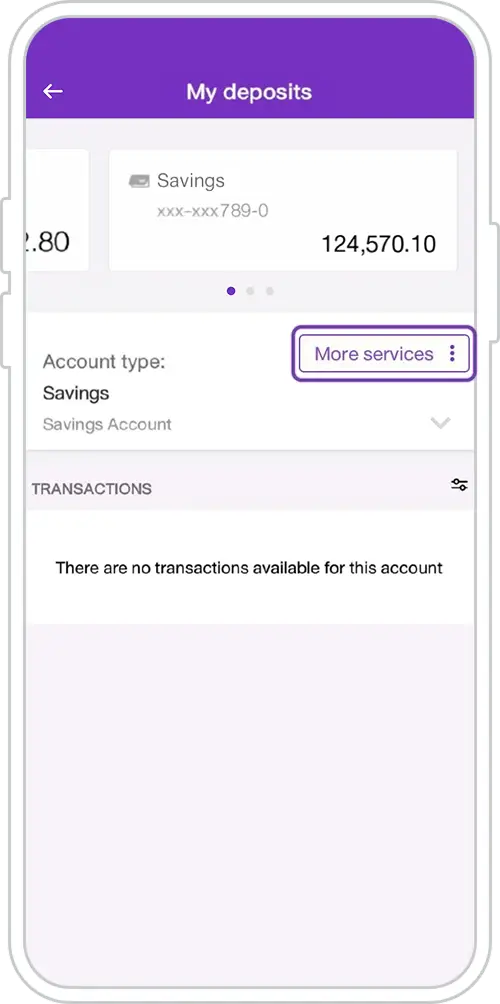
3. Select “Other Services”.
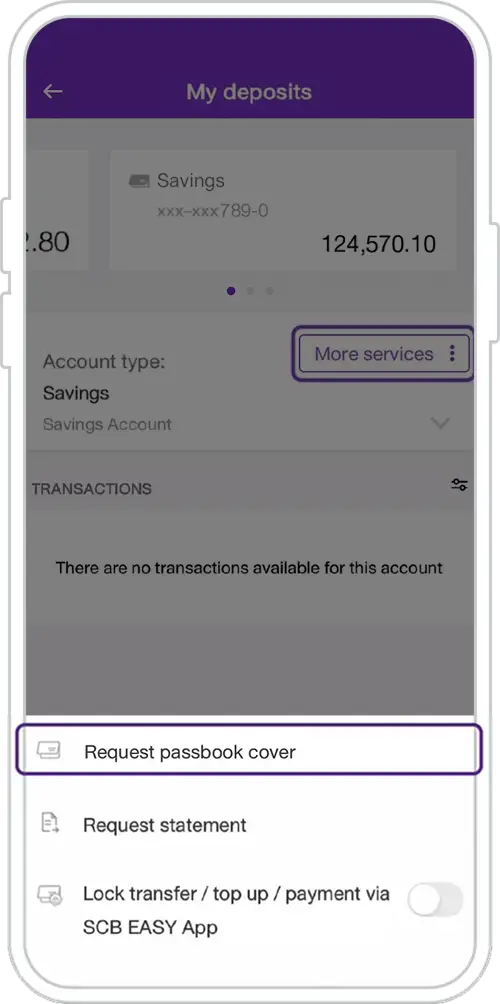
4. Select “Request passbook cover”.
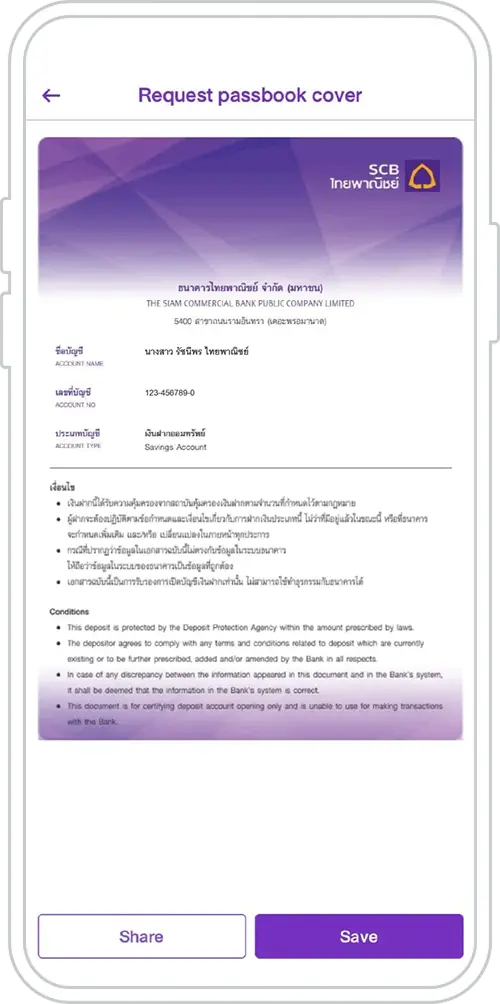
5. Choose to save as image or share to other channels.
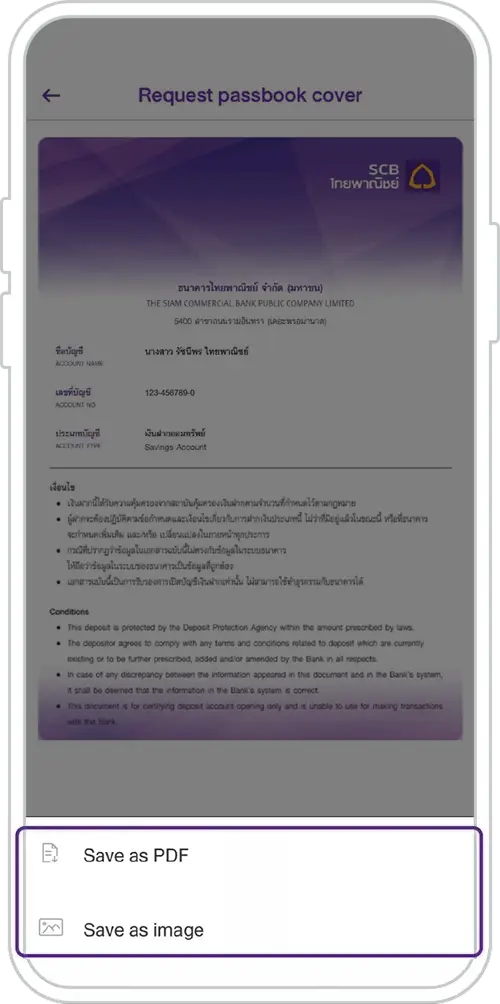
6. Choose “Save as PDF” or “Save as image” as desired.
Get started
You can register for the SCB EASY app through any of the following options