


RELATED LINKS
RELATED LINKS
RELATES LINKS
RELATES LINKS
Services
Related Links

Use and Management of Cookies
We use cookies and other similar technologies on our website to enhance your browsing experience. For more information, please visit our Cookies Notice.
- Personal Banking
- Digital Banking
- SCB Easy App
- How to register
- Register for the SCB EASY app at an SCB ATM
- Personal Banking
- ...
- Register for the SCB EASY app at an SCB ATM

Register for the SCB EASY app at an SCB ATM
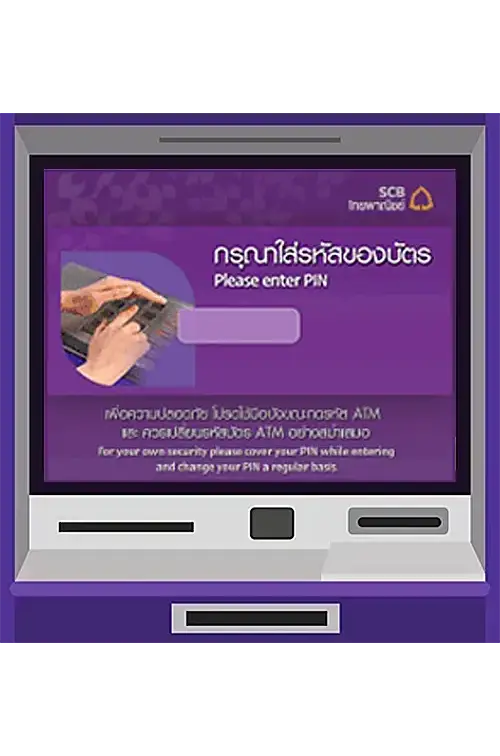
1. Enter your ATM PIN.
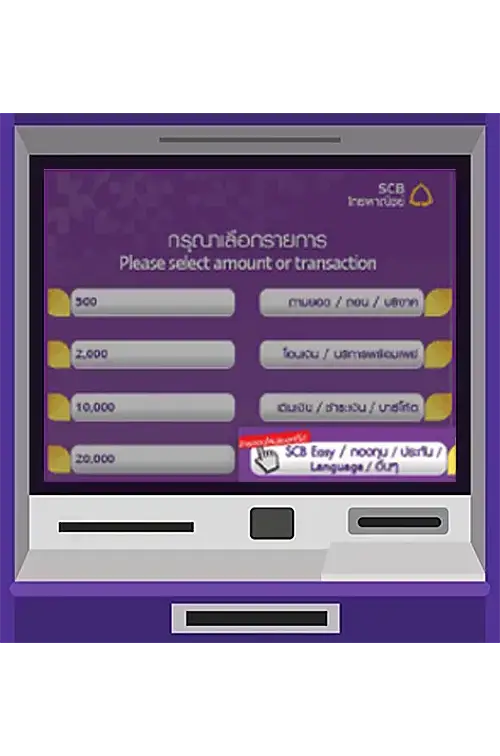
2. Select SCB EASY from
the menu SCB EASY / Mutual
Funds /Insurance / Others.
Select "Register for SCB EASY
mobile banking.”
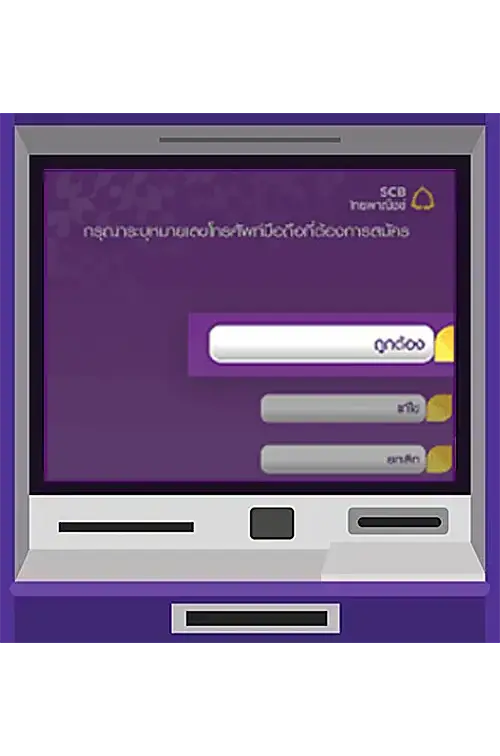
3. Enter your mobile phone
number for registration. Select
“OK.” Upon successful
registration, you need to
continue the transaction by
selecting “Yes.”
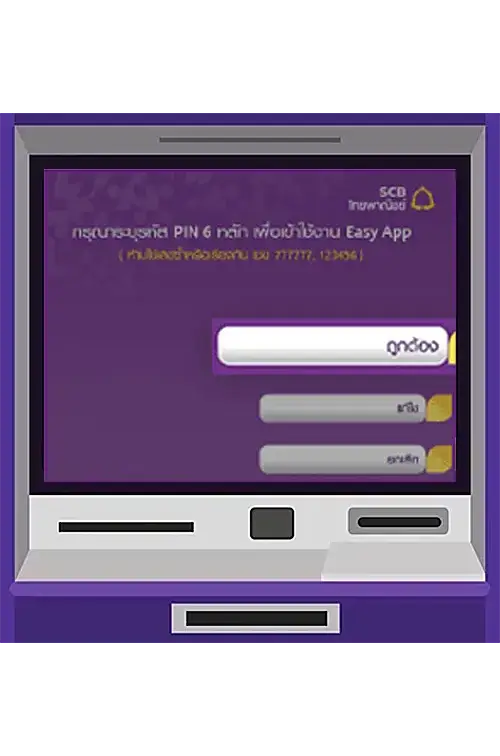
4. Enter a 6-digit PIN for the
SCB EASY app (identical
numbers or sequential numbers
such as 777777 or 123456 are
prohibited). Select “OK.”
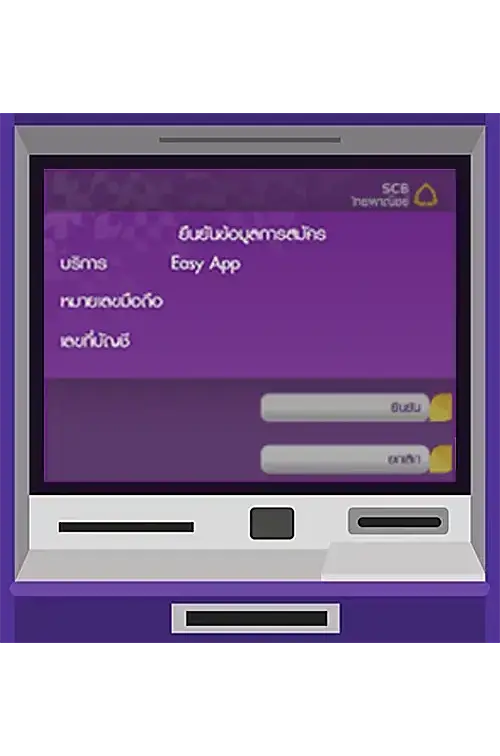
5. Check your registration
details. Select “Confirm.”
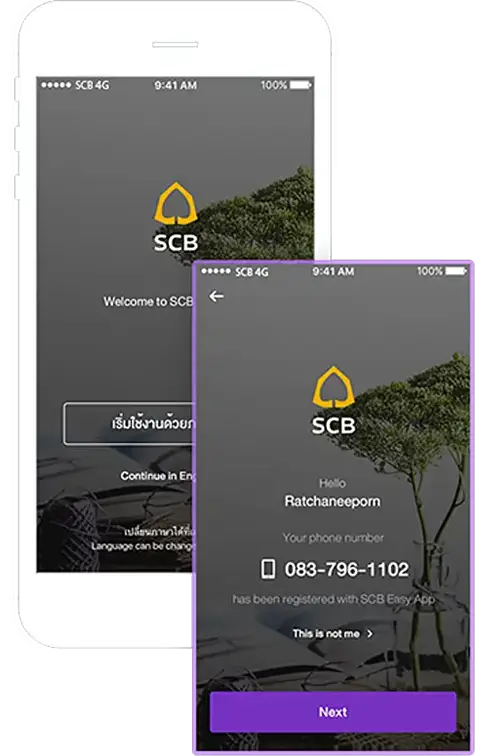
6. Download the SCB EASY app
via the App Store or Play Store
(your mobile phone must
support 3G/4G). Verify your
mobile phone number and
activate the SCB EASY app
with your 6-digit PIN within
7 days.
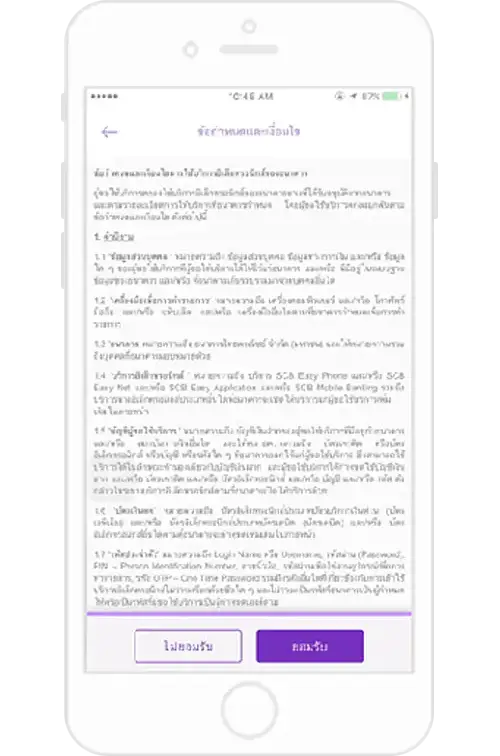
7. Select “Accept” to agree to
the terms and conditions, and
you can register to use the
SCB EASY app on 1 device per
person. Once registration
is complete, select “Next”.
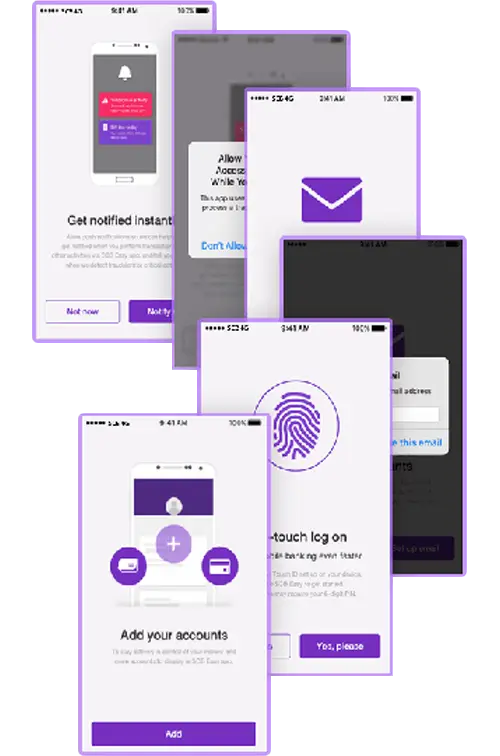
8. To start using the SCB EASY
app, you can customize settings
as follows:
• Activate push notifications to enhance transaction security.
• Set up an e-mail address to enhance your account security.
• Set up a fingerprint scanning feature to access the app instead of using a 6-digit PIN (only for mobile phones with Touch ID feature).
• Add your SCB accounts (this feature will show for users having more than 1 SCB account).
Register for the SCB EASY app
You can register for the SCB EASY app through any of the following options