




Subordinated Perpetual
Debenture Subscription and
Deposit
in the EASY-D
Debenture Account
Once investors pass the Subordinated Perpetual Debenture Knowledge Test and complete
the Knowledge Assessment according to
the termsand condition of service,
investor can begin the subscription process via SCB EASY Application
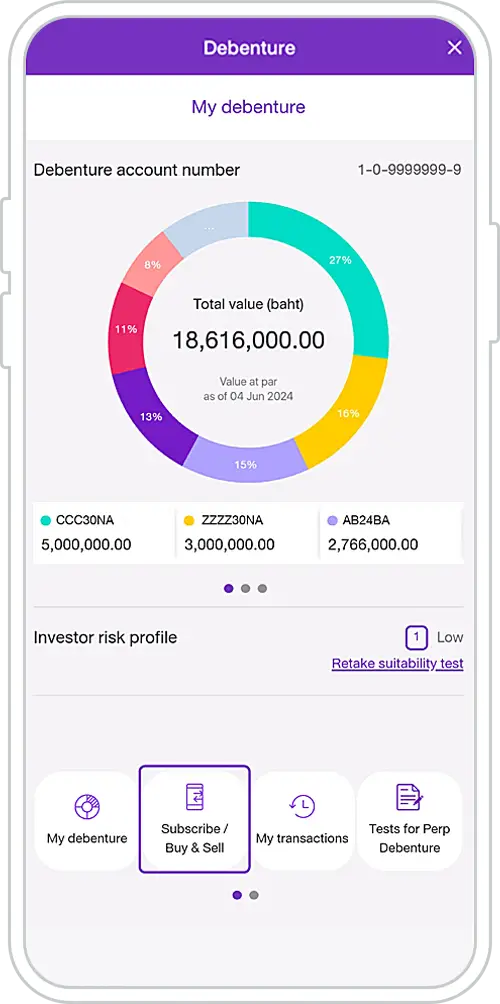
1. Select the menu “Subscribe & Sell”
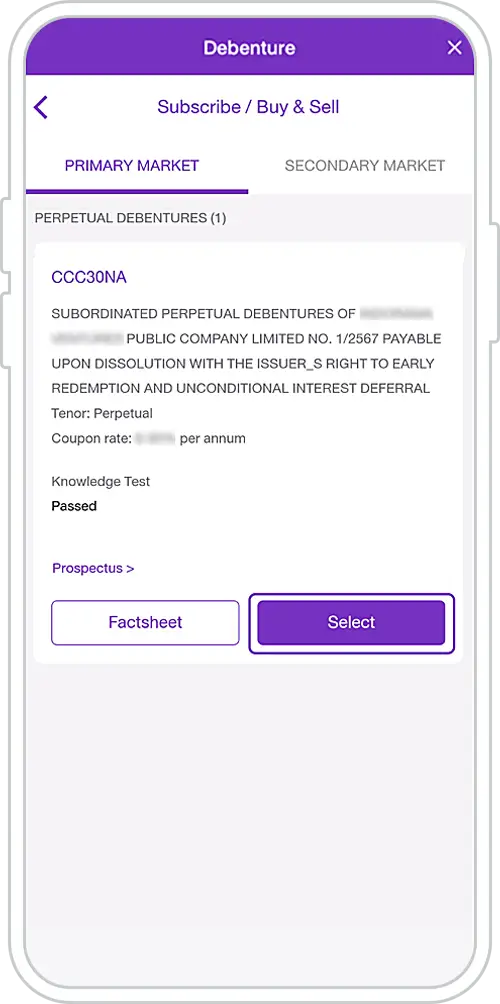
2. Select a perpetual debenture to Subscribe* / Study Factsheet and Prospectus
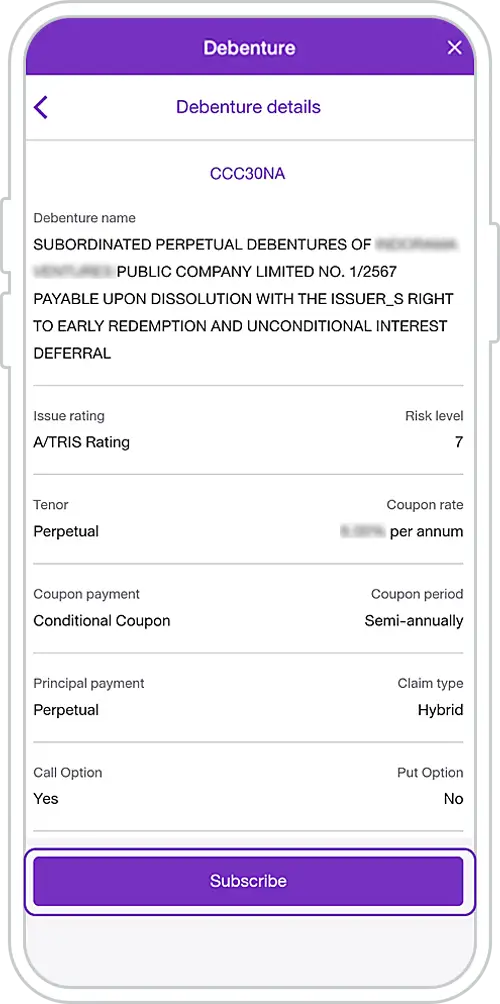
3. Press “Subscribe”
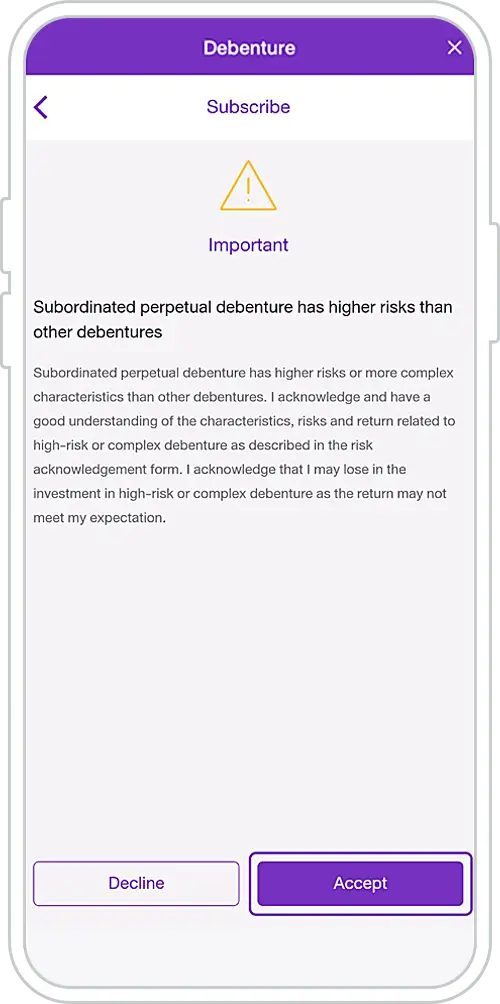
4. Acknowledge perpetual debenture risks and press “Accept”
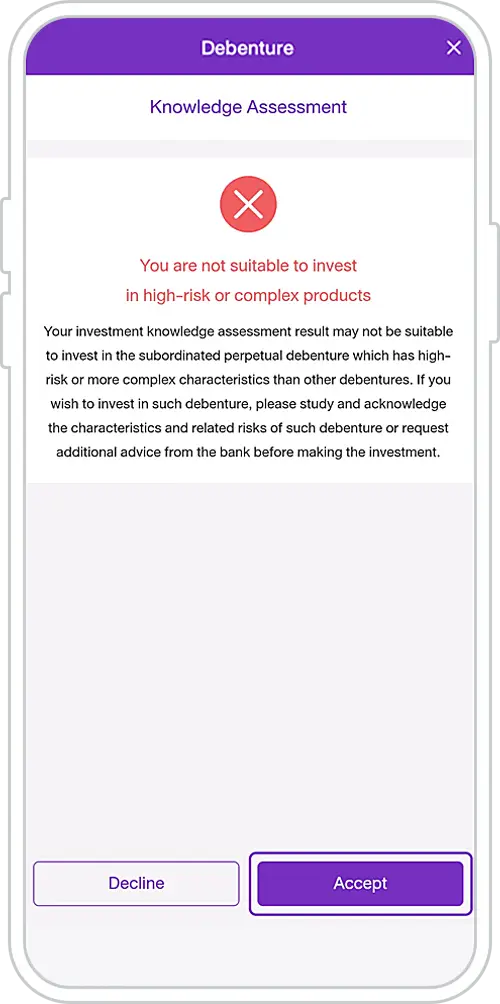
5. In case of the Knowledge Assessment result “Not Suitable”,
the system will display “You are not suitable to invest in products with high-risk or complex characteristics”.
Investor can select “Accept” to proceed for subscription.
Please learn more about the characteristics and risks of the investment before proceeding
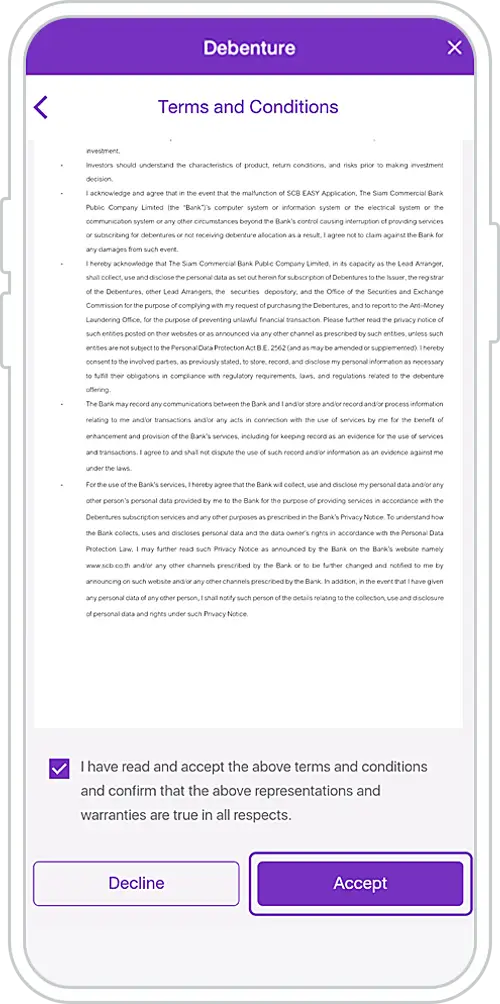
6. Study the terms and conditions of the Perpetual Debenture subscription and press “Accept”
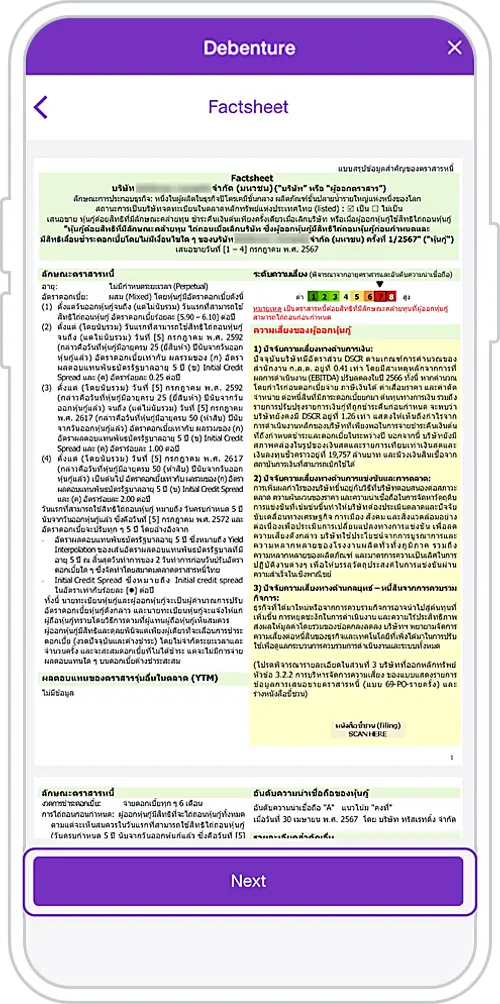
7. Study Factsheet, check the box and press “Next.”
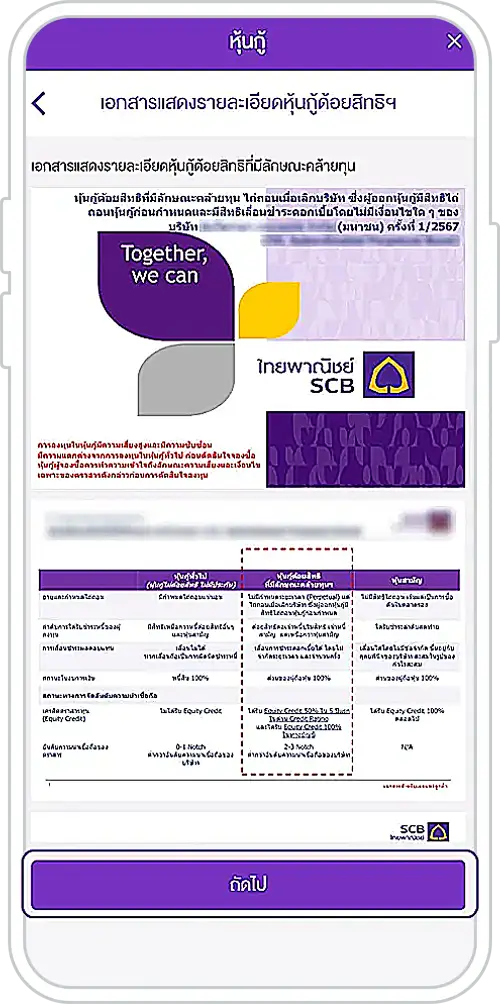
8. Study the Subordinated Perpetual Debenture presentation and press “Next”
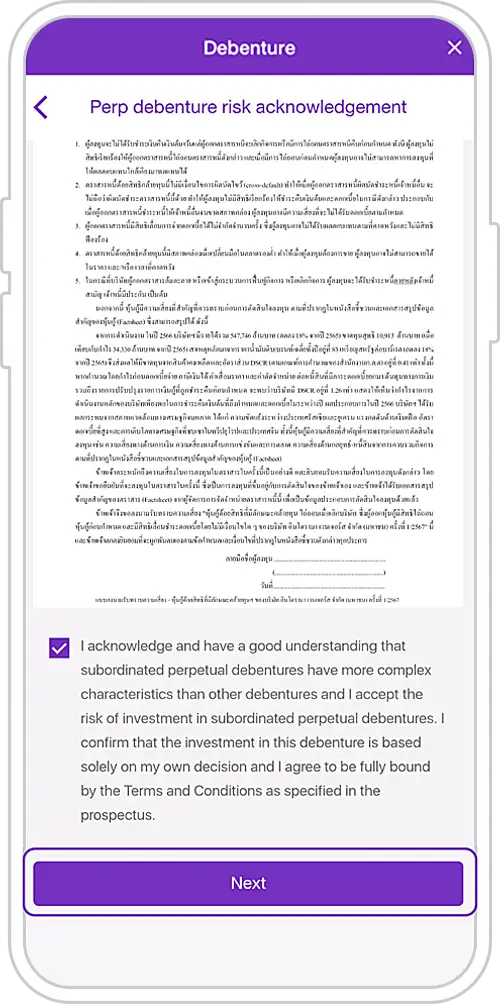
9. Study and accept the Perpetual Debenture Risk Acknowledgement Form and press “Next”
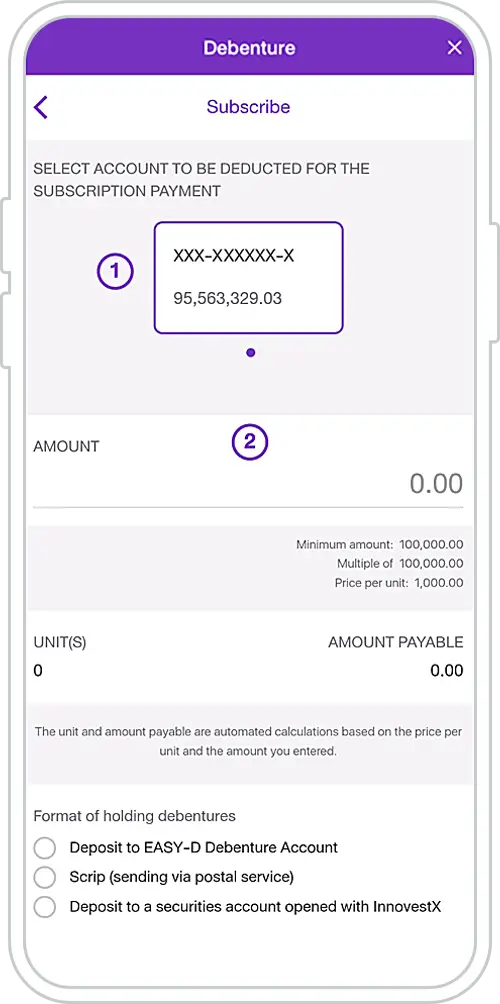
10. Choose an account to pay for subscription, specify the subscription amount
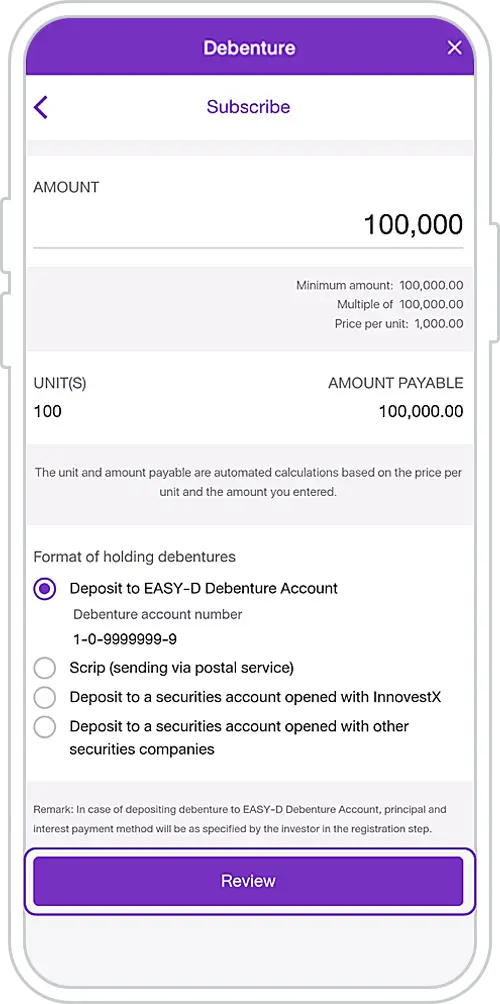
11. Choose format of holding debentures: If investor selects deposit debentures with SCB in the “EASY-D Debenture Account”, the system will automatically display debenture account number
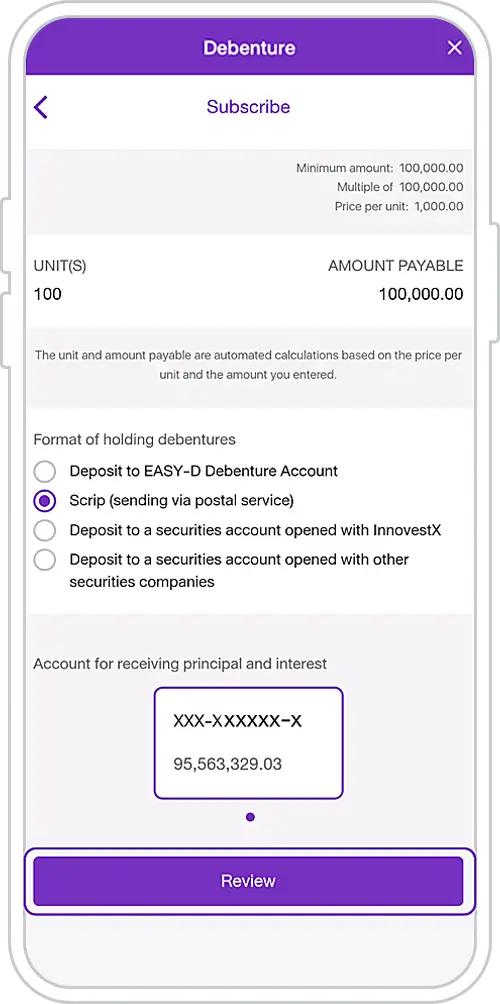
12. If investor selects “Scrip (sending via postal service)”, then customer choose a deposit account to receive the principal and interest for the debenture subscribed”
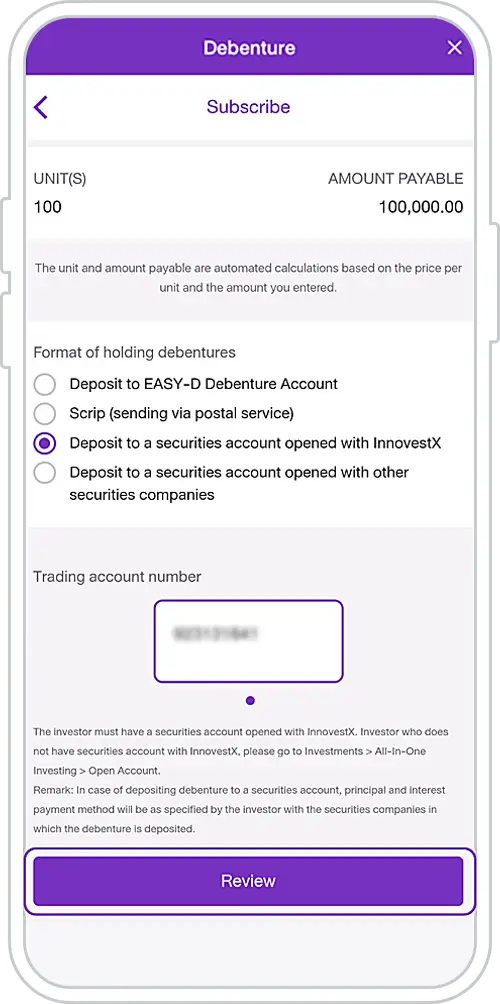
13. If investor selects “Deposit to a securities account opened with InnovestX”, then investor choose a securities account
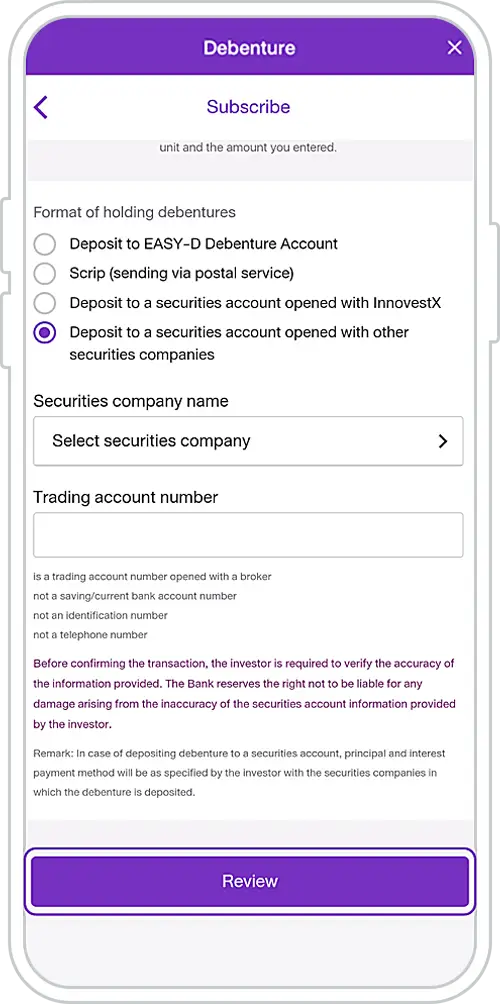
14. If investor selects “Deposit to a securities account opened with other securities companies”, then investor select securities company name and fill in trading account number
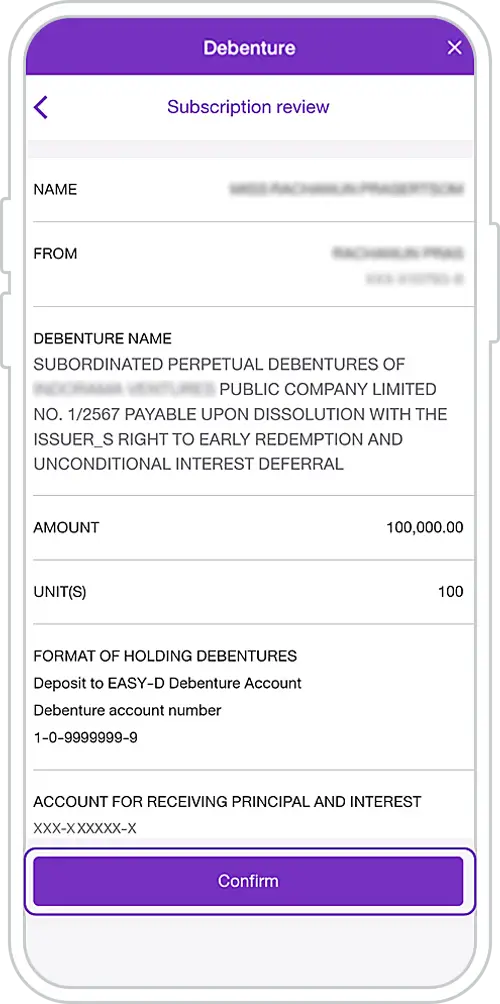
15. Review Subscription Information and Press “Confirm”
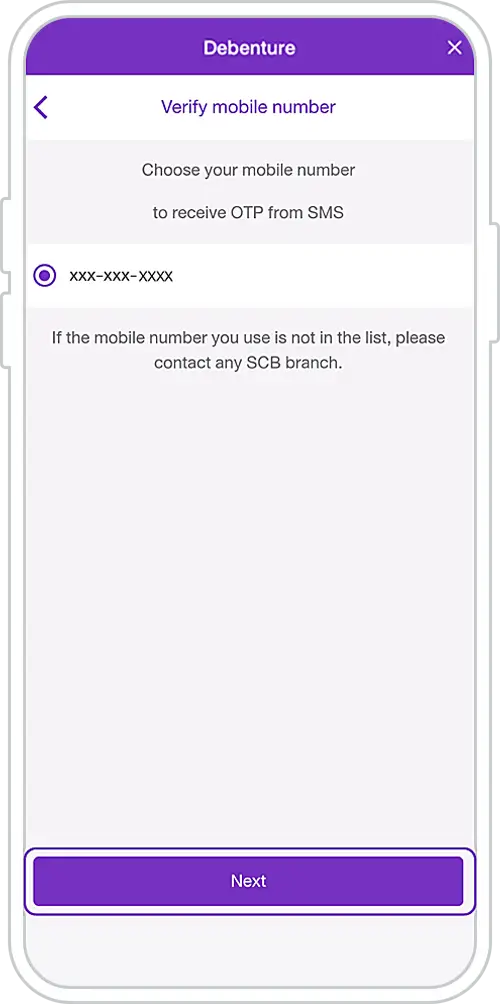
16. Choose mobile number to receive OTP (One Time Password)
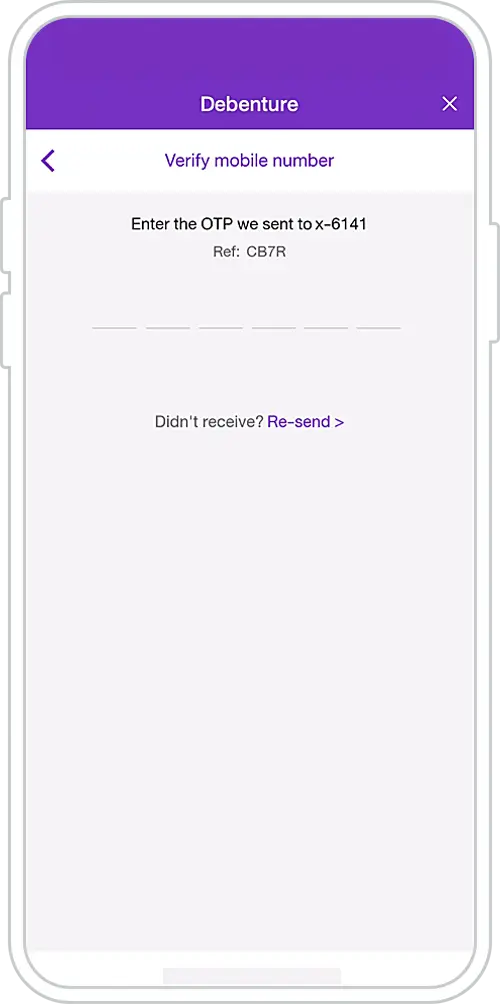
17. Enter OTP
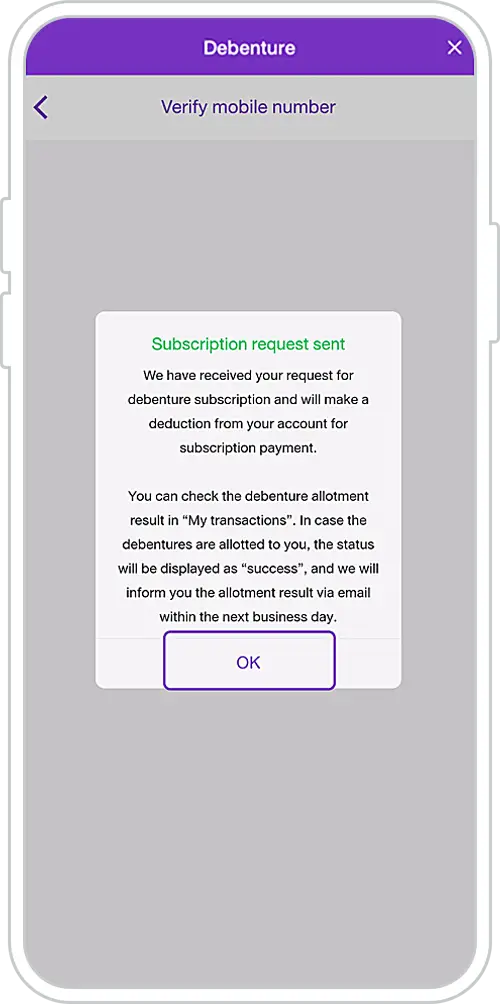
18. Subscription request sent successfully
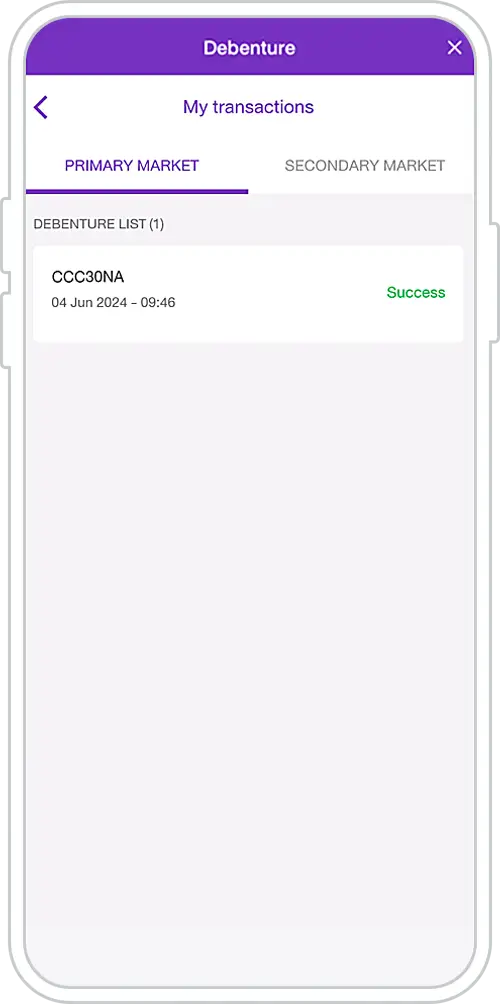
19. Check transaction status**
in “My Transaction”
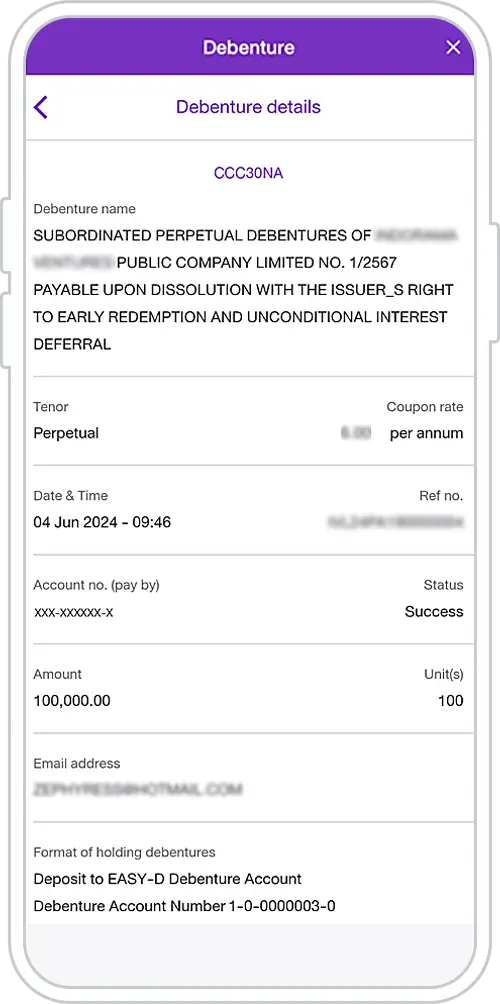
20. Select a Perpetual Debenture transaction to see transaction details
Remark:
*For debentures offered to High Net Worth Investors, a customer who wishes to subscribe for such debentures via the SCB EASY must be PRIVATE BANKING or FIRST customer, or may be considered as PRIVATE BANKING customer or FIRST customer by the Bank, and such customer must be qualified as High Net Worth Investor in accordance with the relevant Notifications of the Capital Market Supervisory Board and the Securities and Exchange Commission, including the criteria prescribed by SCB.
**When SCB has successfully deducted money to pay for your debenture subscription, the transaction status will be displayed as “Success”. Customer will receive a confirmation email within the next business day.
หมายเหตุ:
*เมื่อธนาคารหักเงินเพื่อชำระค่าจองซื้อสำเร็จจะแสดงสถานะรายการว่า “สำเร็จ” และผู้ลงทุนจะได้รับอีเมลยืนยันรายการภายในวันทำการถัดไป
Other Instructions
Get started
You can register for the SCB EASY app through any of the following options