


RELATED LINKS
RELATED LINKS
RELATES LINKS
RELATES LINKS
Services
Related Links

Use and Management of Cookies
We use cookies and other similar technologies on our website to enhance your browsing experience. For more information, please visit our Cookies Notice.
- Personal Banking
- Digital Banking
- SCB Easy App
- How to
- Add an account on SCB EASY App
- Personal Banking
- ...
- Add an account on SCB EASY App

How to add an account on SCB EASY
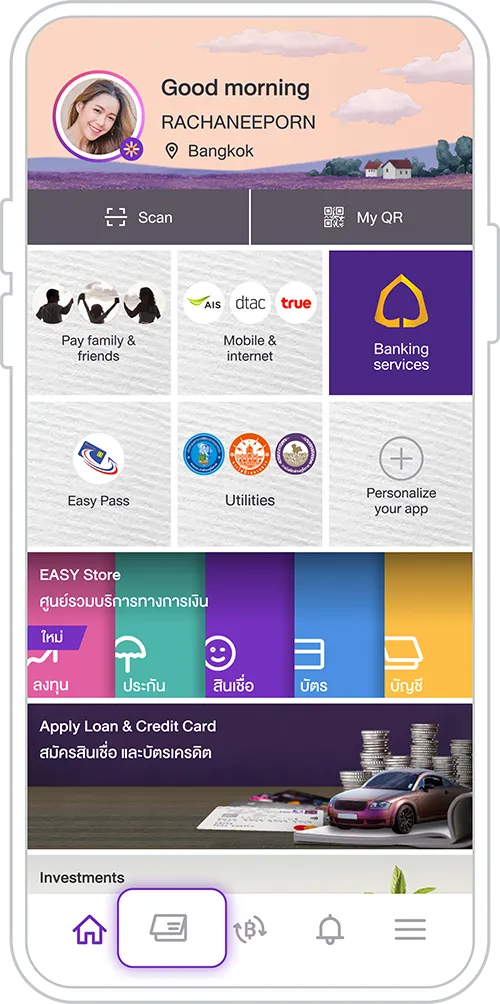
1. Tap “Account Summary”
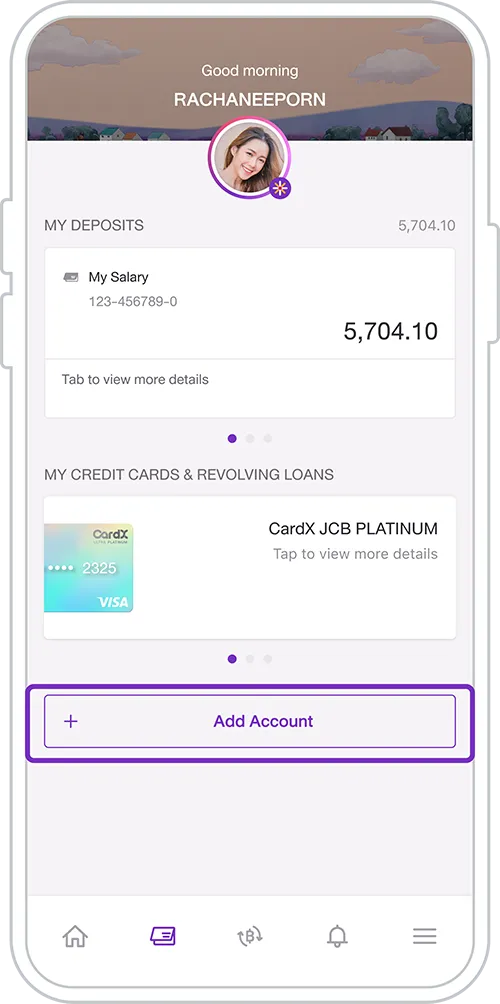
2. Select “Add Account”
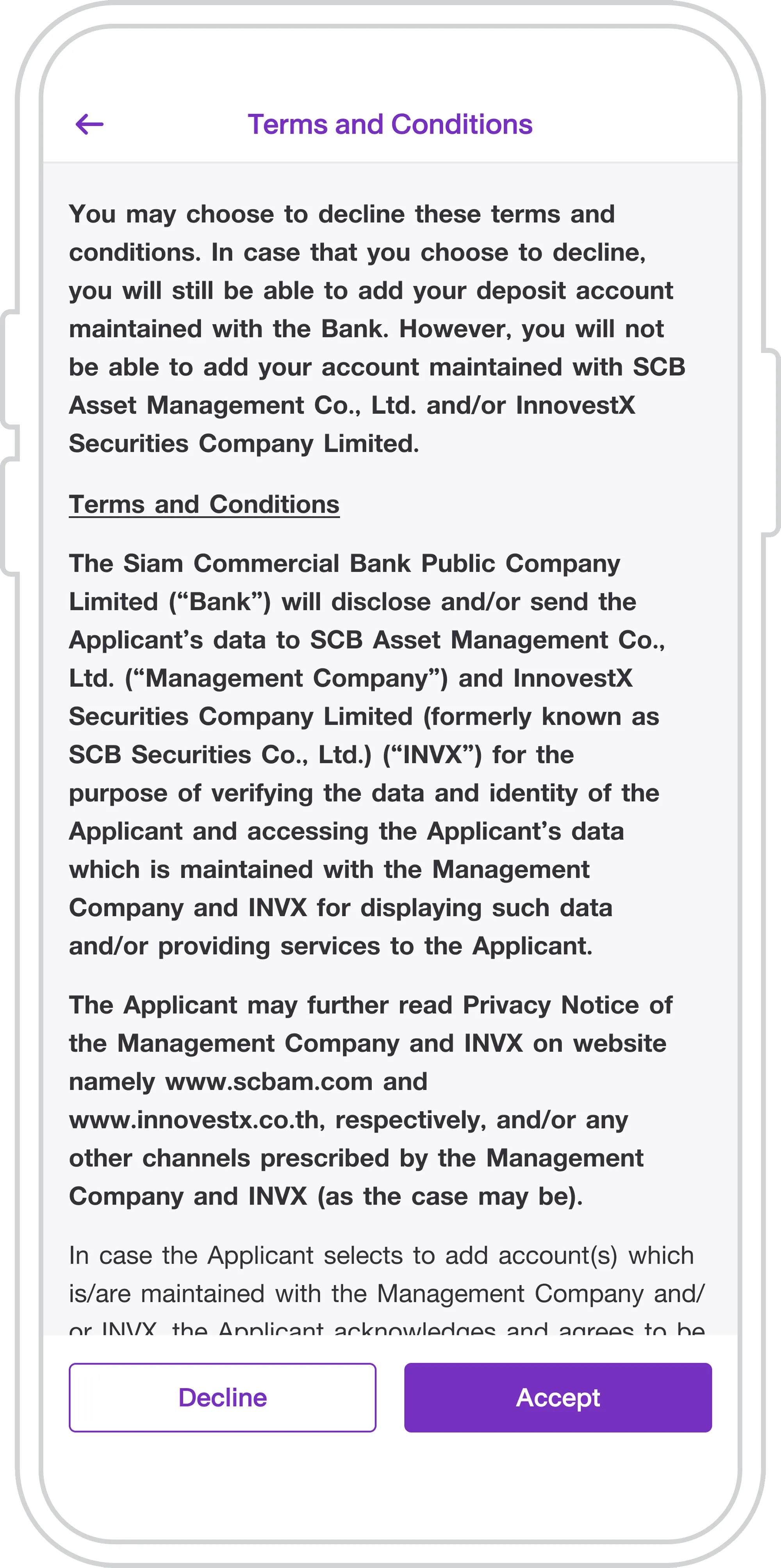
3. Review the details and
tap “Accept”
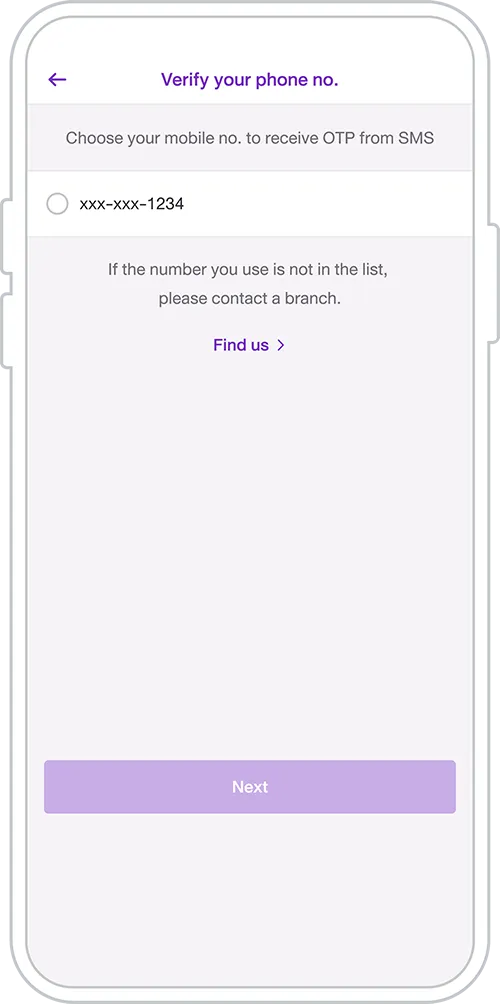
4. Choose the mobile number
for OTP and enter the OTP received
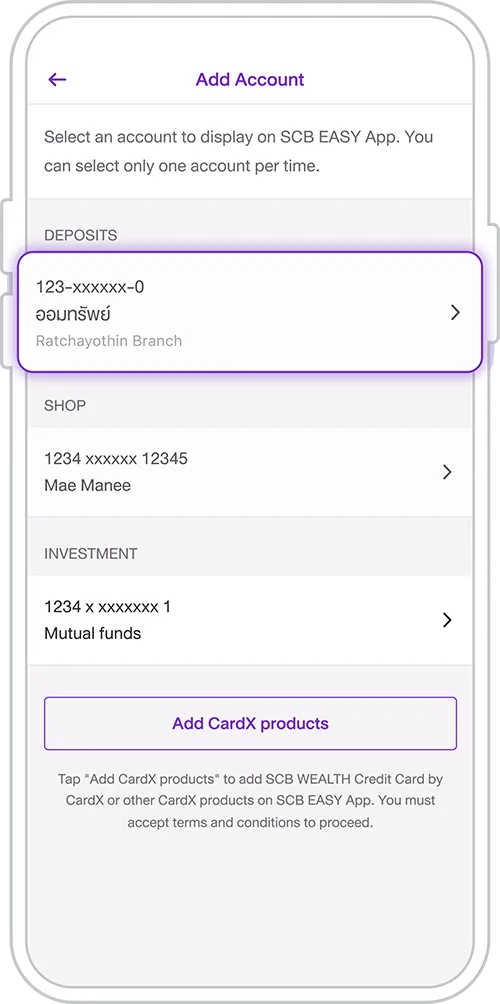
5. Existing accounts will appear.
Select the account to add
to SCB EASY
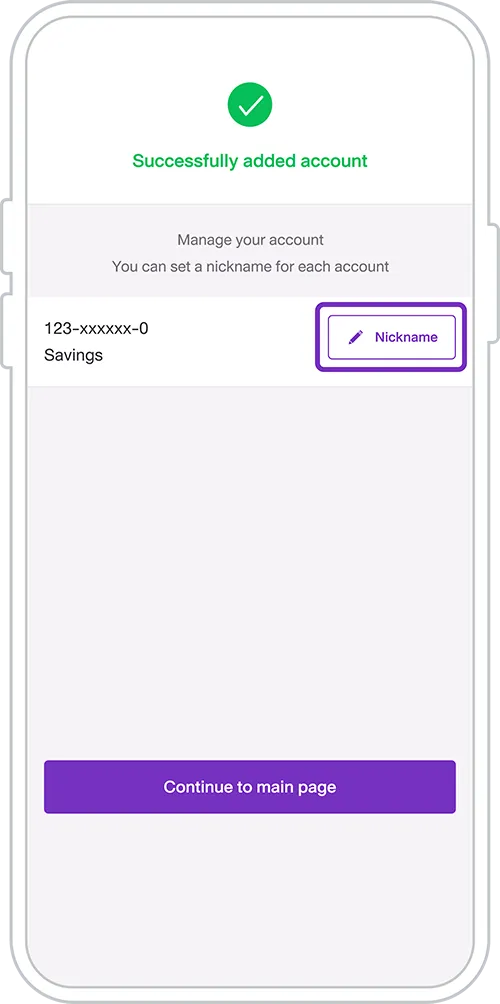
6. Account added successfully. Tap “Account Nickname” to name it, or tap “Back to Home” to return
Other Instructions
Get started
You can register for the SCB EASY app through any of the following options