


RELATED LINKS
RELATED LINKS
RELATES LINKS
RELATES LINKS
Services
Related Links

Use and Management of Cookies
We use cookies and other similar technologies on our website to enhance your browsing experience. For more information, please visit our Cookies Notice.
- Personal Banking
- Digital Banking
- SCB Easy App
- News about the SCB EASY App.
- Please update Android operating system
- OPPO / REALME
- Personal Banking
- ...
- OPPO / REALME
OPPO / REALME
Check the Android operating system version and view the instructions for updating the operating system
Check Android Operating System Version
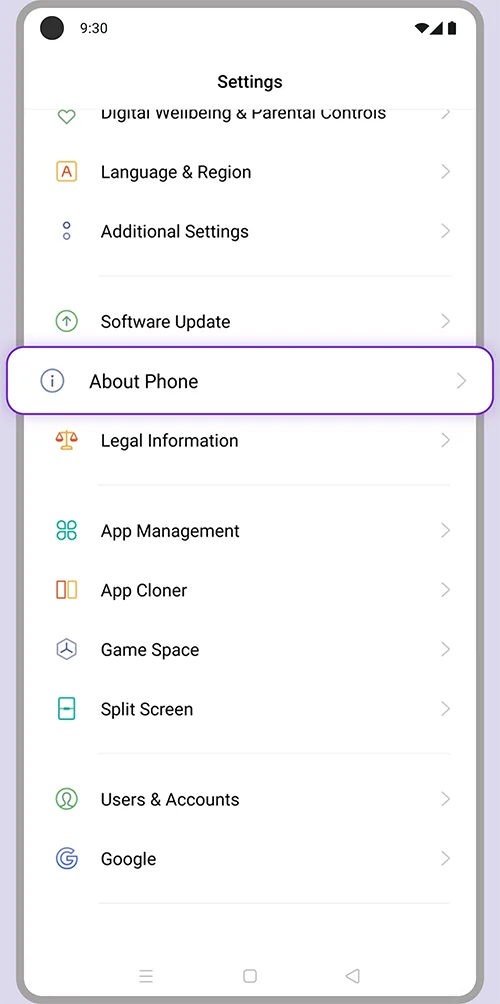
1. Go to Advanced Settings and select “About phone”.
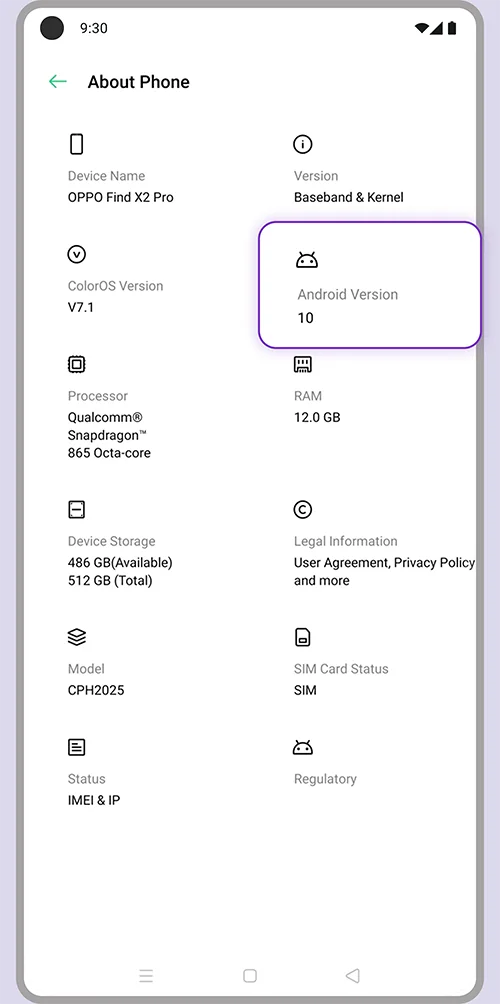
2. Check your Android version details.
Instructions for Updating the Operating System
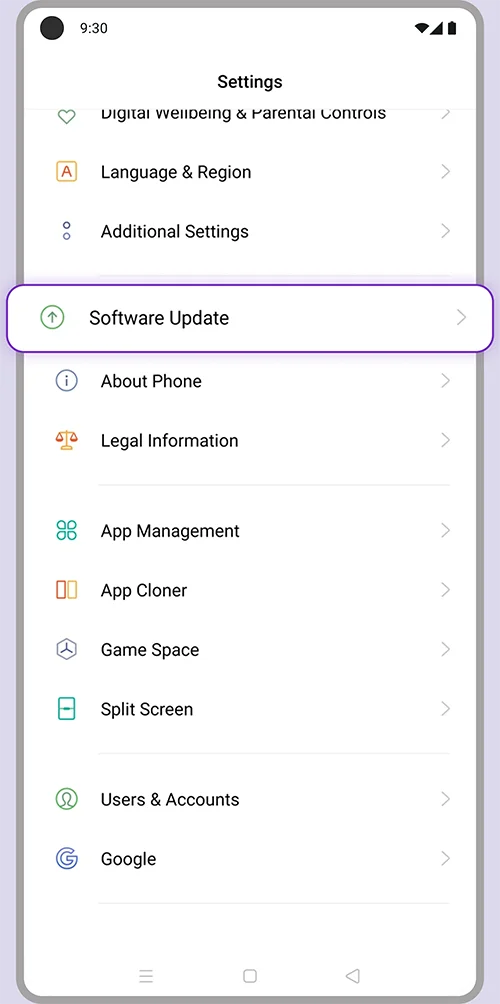
1. Go to Advanced Settings and select “Software update”.
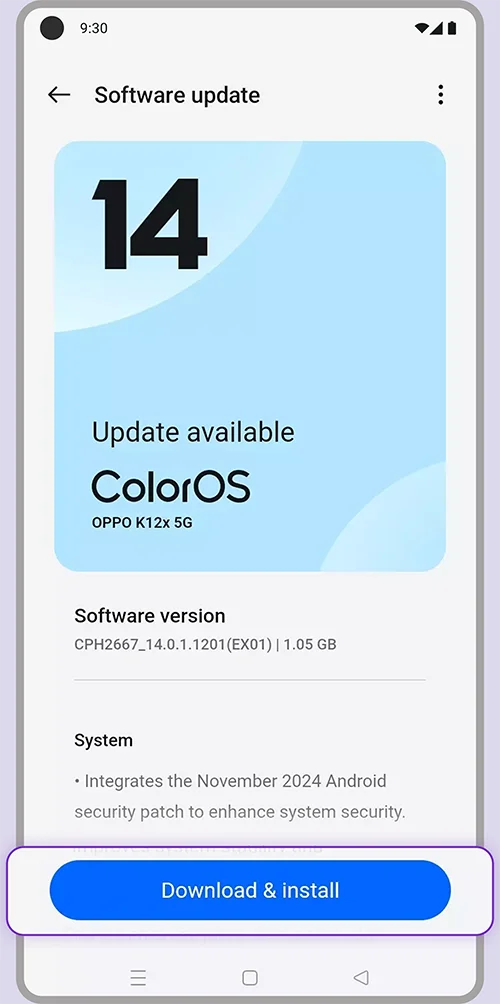
2. Press “Download & install”.