


RELATED LINKS
RELATED LINKS
RELATES LINKS
RELATES LINKS
Services
Related Links

Use and Management of Cookies
We use cookies and other similar technologies on our website to enhance your browsing experience. For more information, please visit our Cookies Notice.
- Personal Banking
- Digital Banking
- SCB Easy App
- How to
- How to Increase Your Daily Transaction Limit on the SCB EASY App
- Personal Banking
- ...
- How to Increase Your Daily Transaction Limit on the SCB EASY App

How to Increase Your Daily
Transaction Limit on the SCB EASY App
Choose the most suitable limit increase request for your needs to perform transactions more conveniently and without disruption.
Temporarily increase your transaction limit for urgent transactions | Temporarily increase your transaction limit for seamless and continuous transactions | ||
| Contact SCB Call Center 02-777-7777 Request an emergency one-time limit increase with available once per month. When your request is approved, you can proceed with your transaction immediately. | Group 1 : Individuals with payroll income (under 65 years of age) Submit your limit increase request directly through the SCB EASY App | ||
| Group 2 : Self-employed / Freelance (under 65 years of age) Contact SCB Call Center 02-777-7777 Please prepare the required documents and submit them to the Bank via email. | |||
| Group 3 : Aged 65 years or above Contact SCB Call Center 02-777-7777 | |||
Review Period : The Bank will review your request and notify you of the result via the SCB EASY App (for requests submitted directly through the SCB EASY App) or via SMS sent to the mobile phone number registered with the Bank (for requests submitted through other channels) within 4 business days after all required information and supporting documents have been received in full.
How to Apply for a Permanent Transaction Limit Increase on the SCB EASY App
1. Select the “Others” menu.
2. Select the “Settings” menu.
3. Select “Change Transaction Limit”
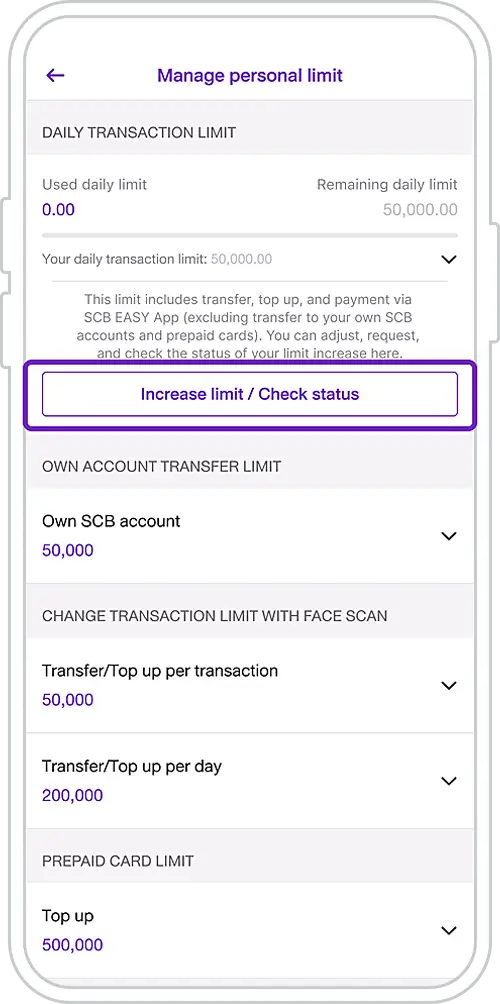
4. On the Change Transaction Limit screen, select “Increase Limit / Check Status”
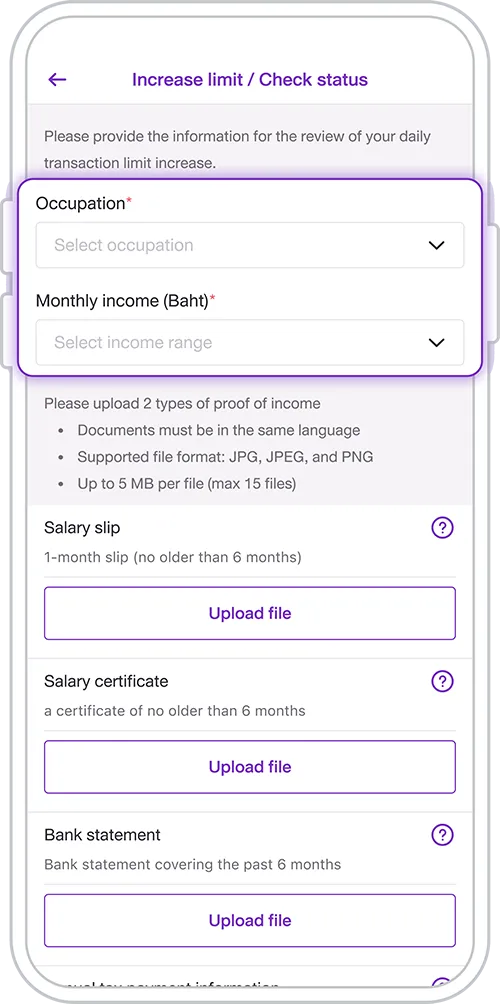
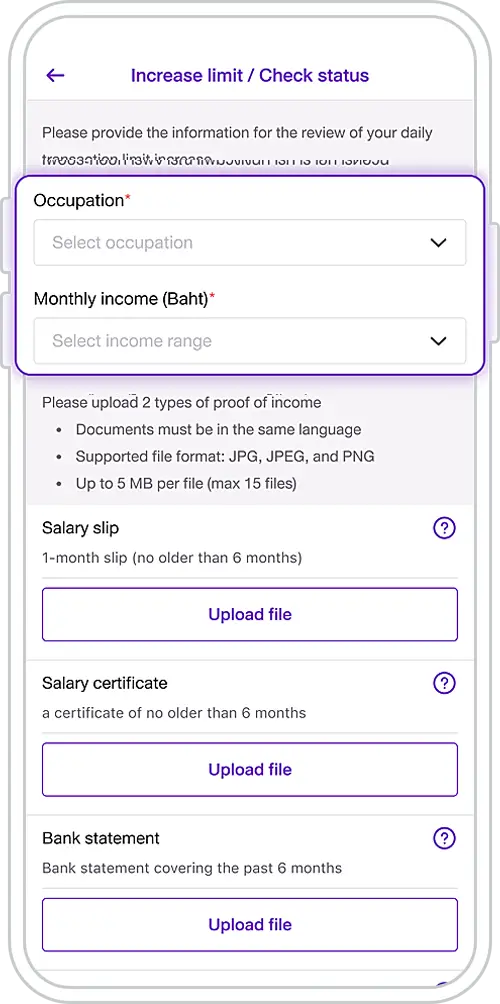
5. Specify your occupation and income range.
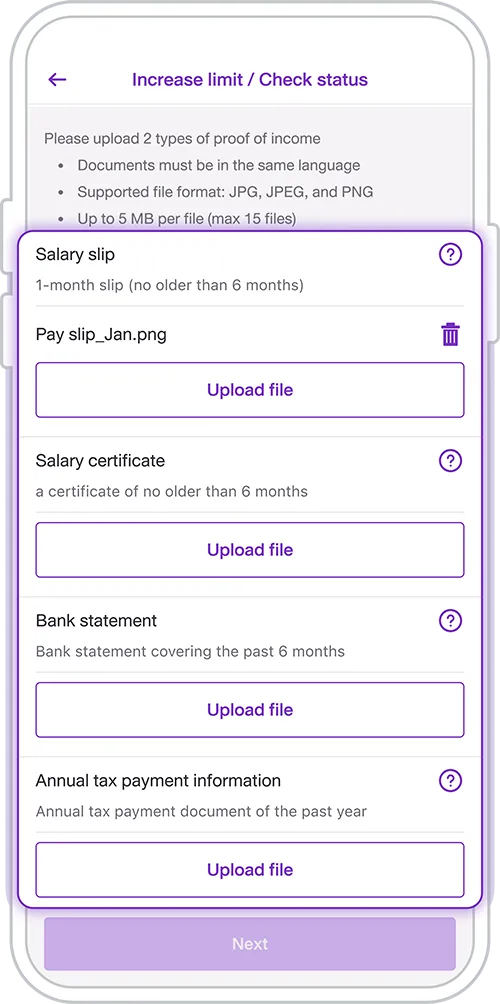
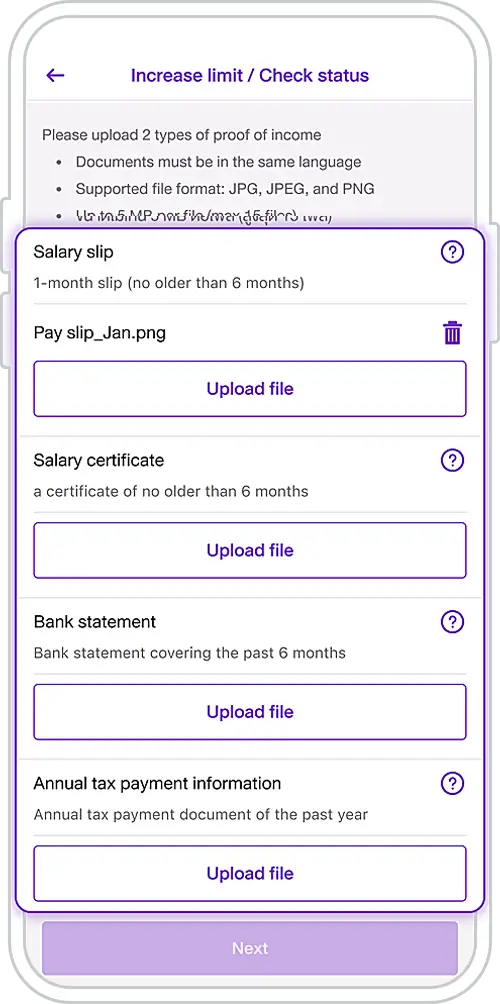
6. Upload the required income document(s) according to the selected document type, then tap “Next”
* Upload requirements are displayed above each document type. For more information, tap the question mark (?) icon.
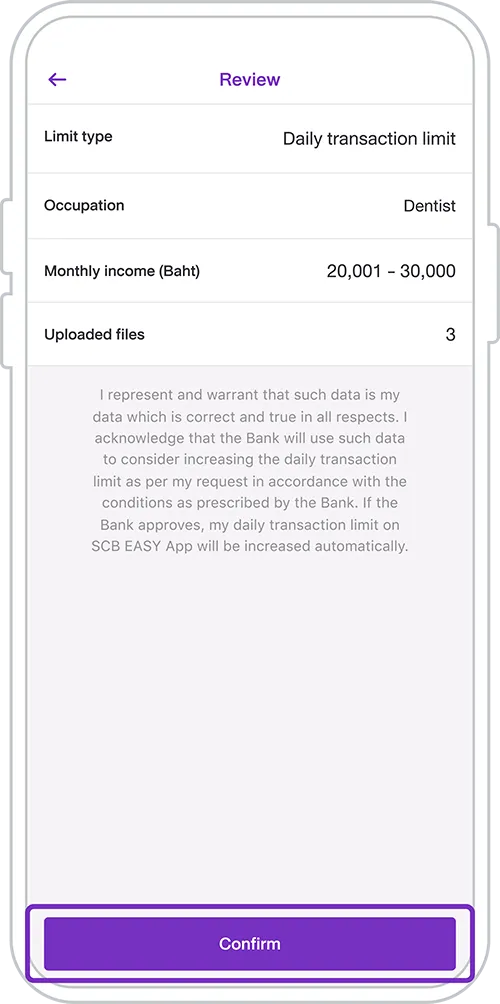
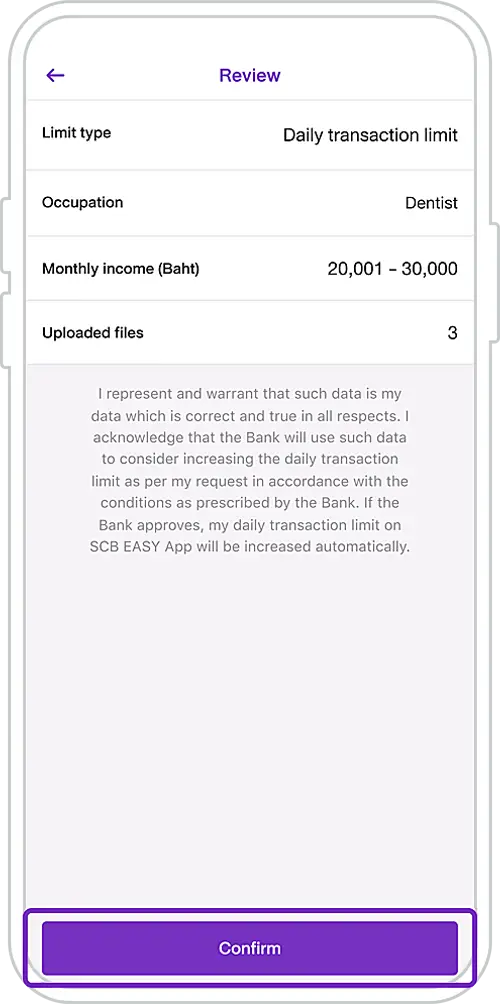
7. Review the information for accuracy, then tap “Confirm”
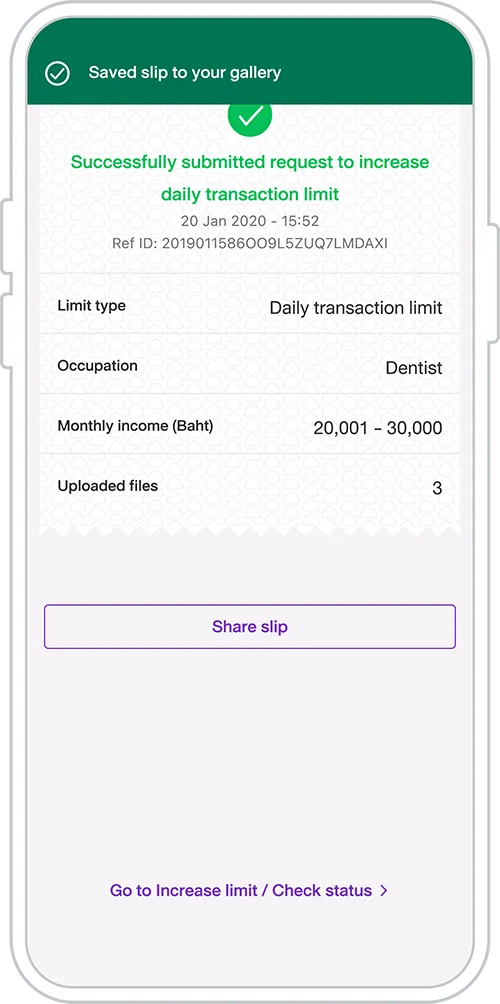
8. Transaction Confirmation Screen
Documents Required for Submission (minimum 2 documents)

Salary Slip
1 month (issued within the last 6 months)

Salary Certificate
1 month (issued within the last 6 months)

Bank Statement
1 month (issued within the last 6 months)

Annual Tax Filing Information
Latest Tax Year
Document Submission (for Self-Employed / Freelance Individuals)
Please submit the following documents, with each copy duly signed as a certified true copy:
- A copy of your National ID Card, Passport, or Non-Thai Identification Card
- Bank Statement: at least 1 month (issued within the last 6 months)
- Employment Contract or Merchant Payment QR Code (either one of the following):
- Employment Contract: the contract must have more than 5 business days remaining as of the document submission date.
- Merchant Payment QR Code: must clearly display your name, the merchant name, and the QR Code image.
Please send the documents Email : [email protected]
Get started
You can register for the SCB EASY app through any of the following options


Other Instructions
Get started
You can register for the SCB EASY app through any of the following options