


RELATED LINKS
RELATED LINKS
RELATES LINKS
RELATES LINKS
Services
Related Links

Use and Management of Cookies
We use cookies and other similar technologies on our website to enhance your browsing experience. For more information, please visit our Cookies Notice.
- Personal Banking
- Digital Banking
- SCB Easy App
- How to
- How to Increase Your Emergency Transaction Limit by Yourself on the SCB EASY App
- Personal Banking
- ...
- How to Increase Your Emergency Transaction Limit by Yourself on the SCB EASY App

How to Increase Your Emergency Transaction Limit by Yourself on the SCB EASY App
The Emergency Transaction Limit Increase feature enables customers to temporarily raise their daily transaction limit to support urgent transaction needs.
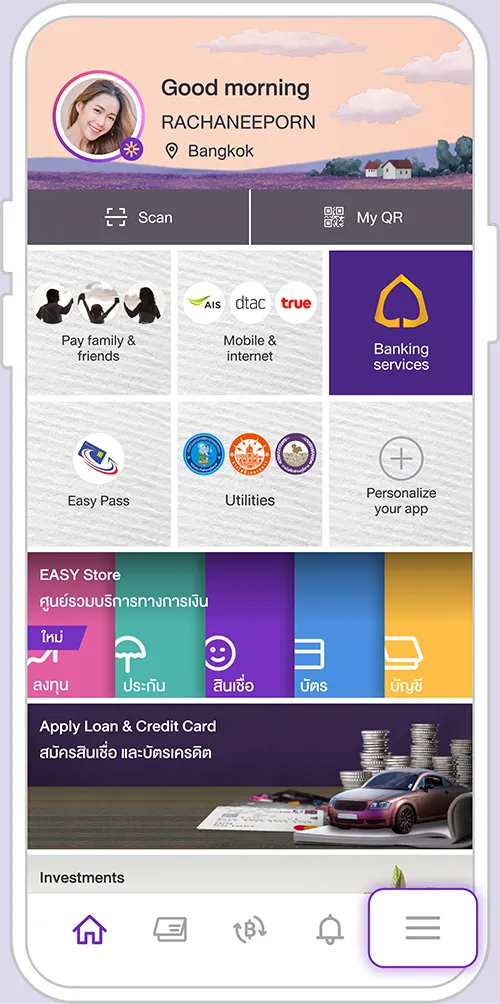
1. Select the “Others” menu.
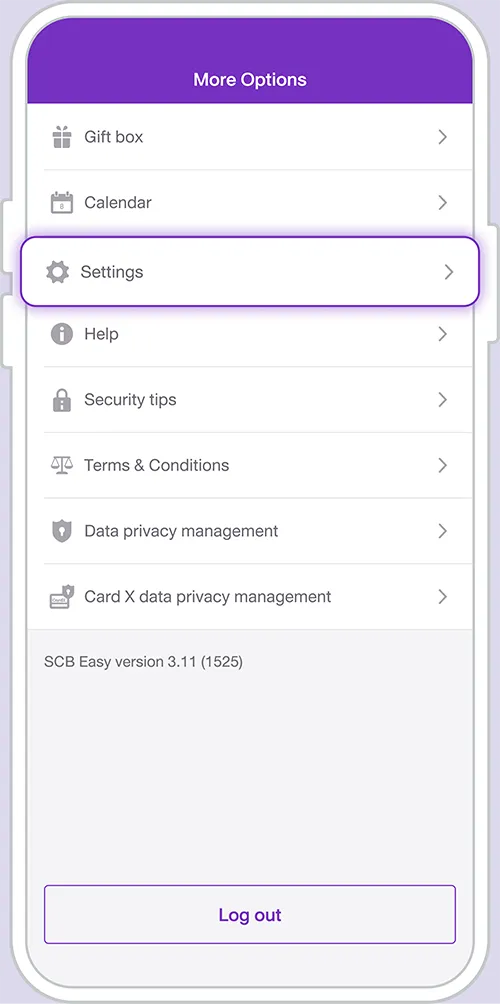
2. Select the “Settings” menu.
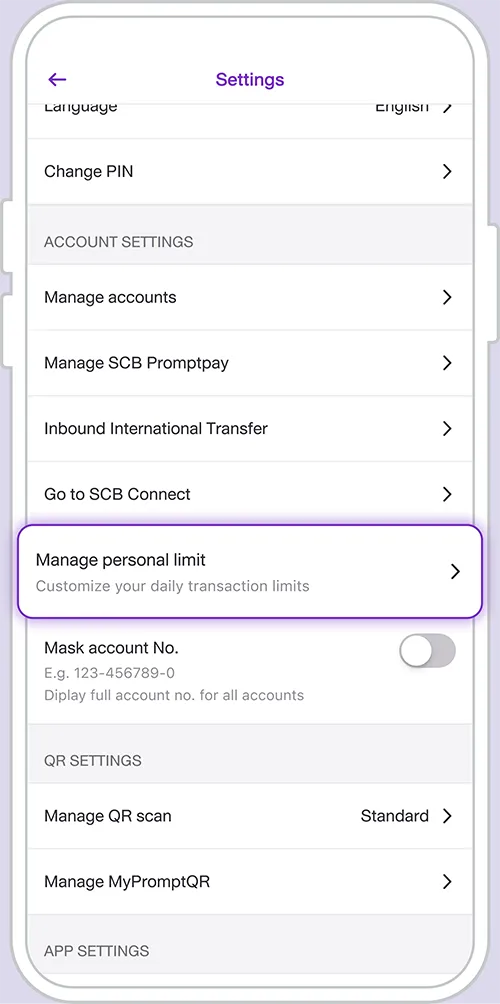
3. Select “Manage personal limit”
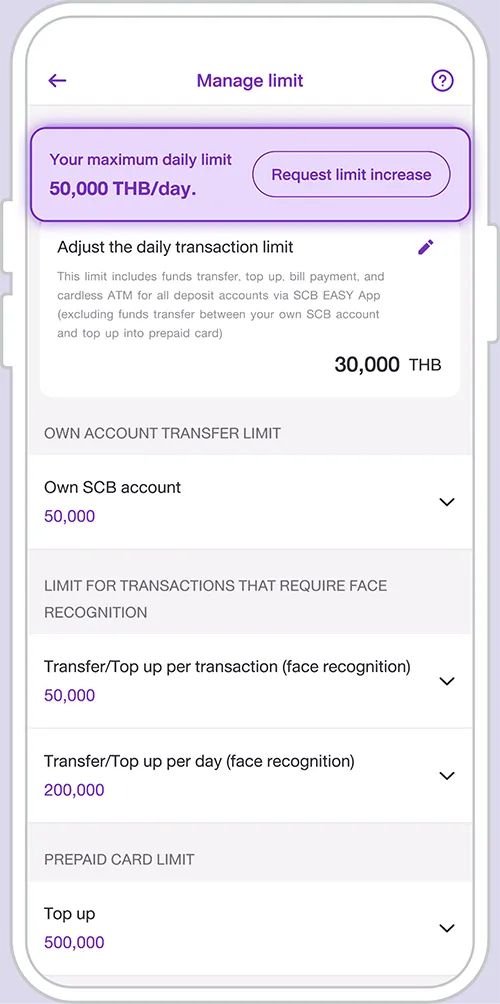
4. Select “Request limit increase”
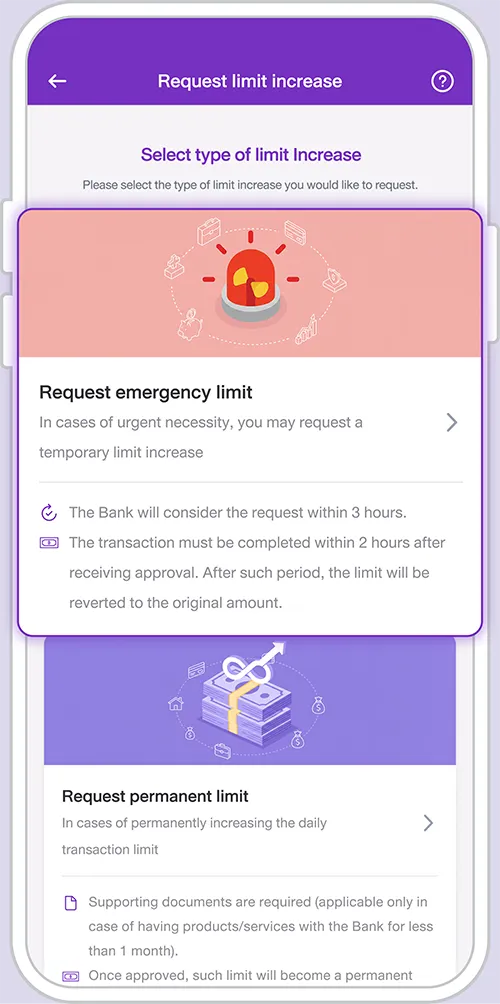
5. Select “Request emergency limit”
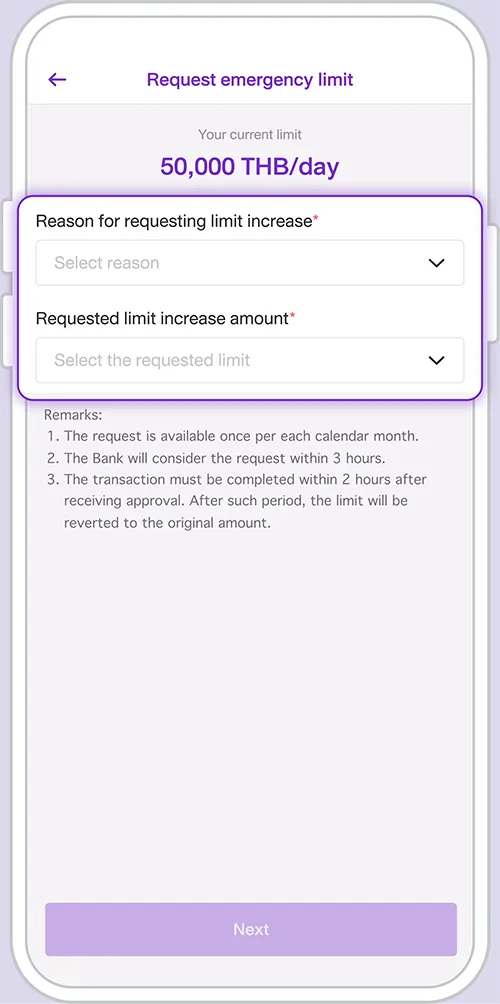
6. Select the reason for your transaction limit increase request and the desired transaction limit amount, then tap “Next”.
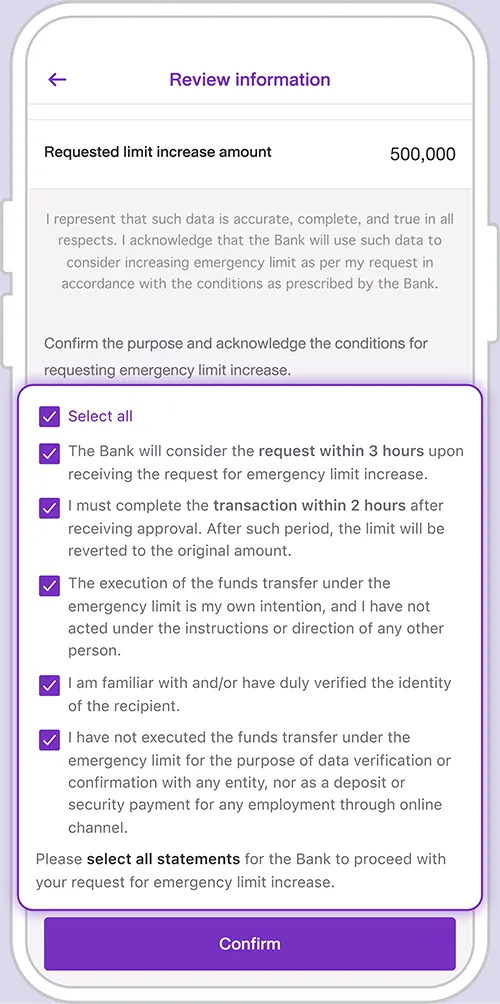
7. Confirm the purpose of your emergency transaction limit increase request and acknowledge the applicable terms and conditions, then tap “Confirm”.
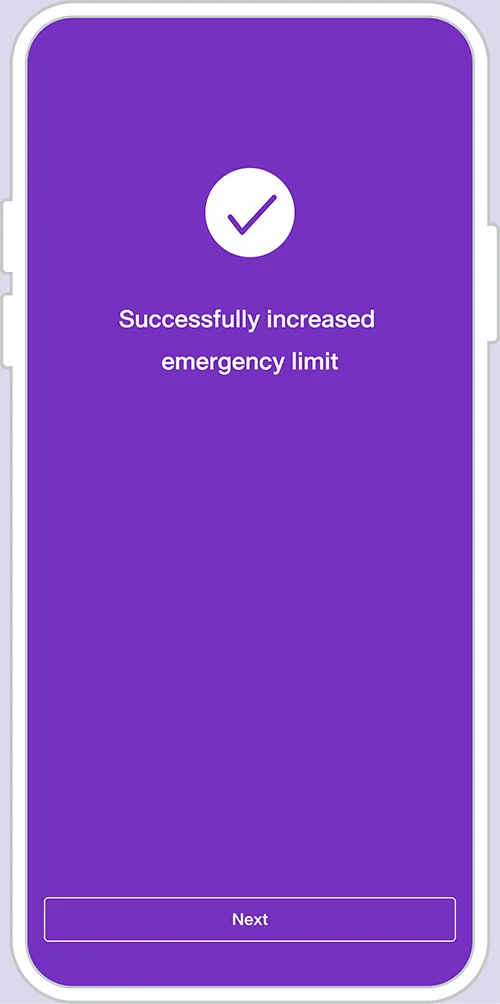
8. The screen confirms that your Emergency Transaction Limit Increase request has been successfully submitted. The Bank will notify you of the application result via the SCB EASY App.
Other Instructions
Get started
You can register for the SCB EASY app through any of the following options