


RELATED LINKS
RELATED LINKS
RELATES LINKS
RELATES LINKS
Services
Related Links

Use and Management of Cookies
We use cookies and other similar technologies on our website to enhance your browsing experience. For more information, please visit our Cookies Notice.
How to turn off permission for VIVO
1. Turn off Floating window
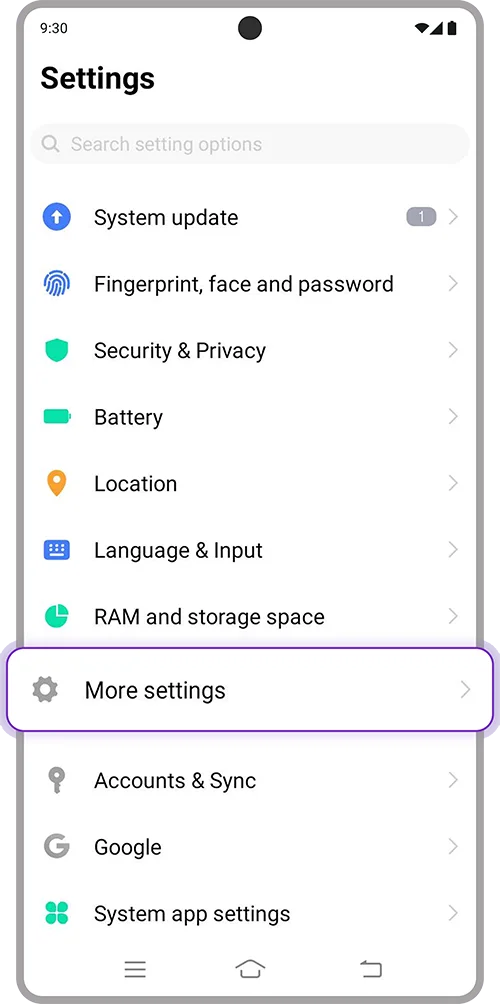
1. Open “Settings” on your device > Select “More settings”
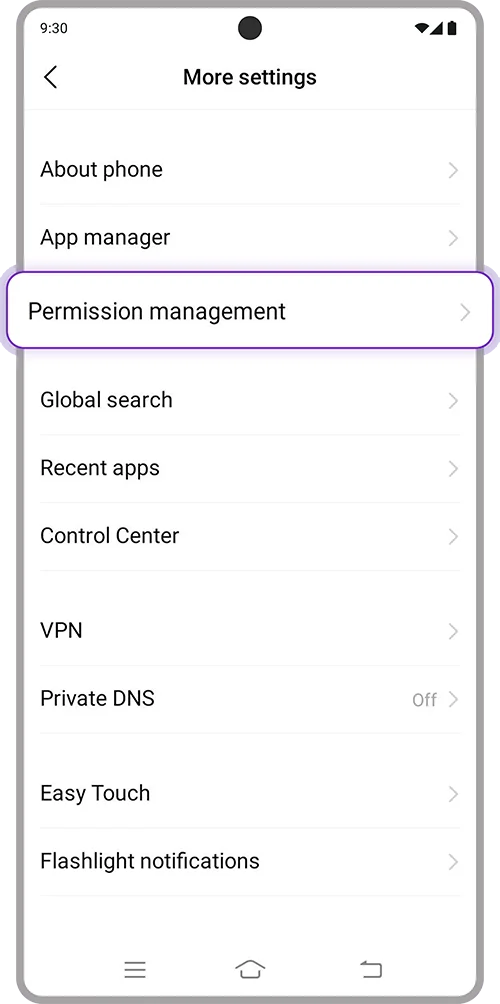
2. Search “Permission management”
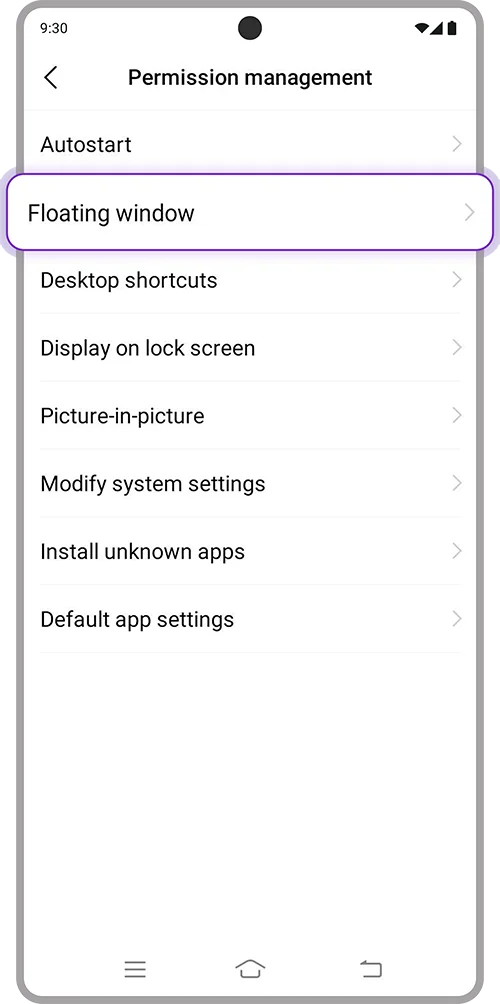
3. Select “Floating window”
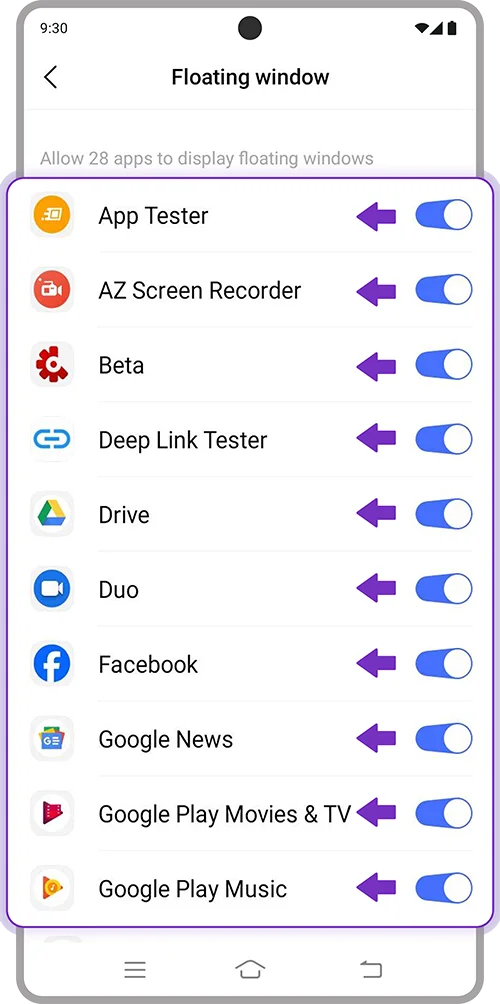
4. Select applications to turn off. Toggle off and open SCB EASY App again.
2. Turn off Picture-in-picture
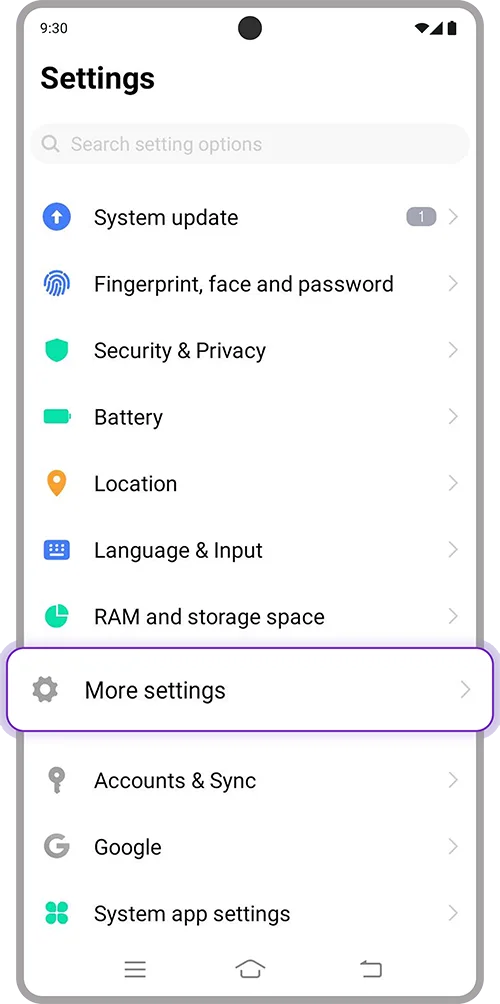
1. Open “Settings” on your device > Select “More settings”
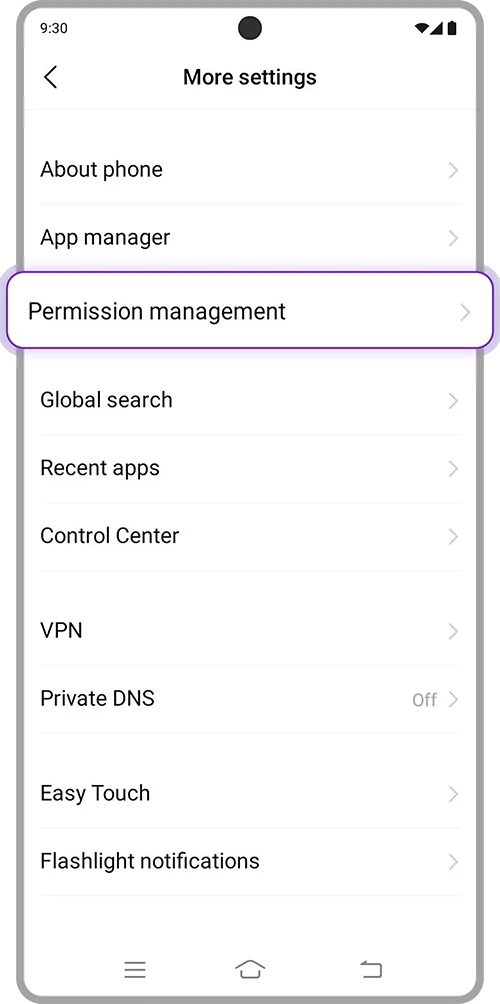
2. Search “Permission management”
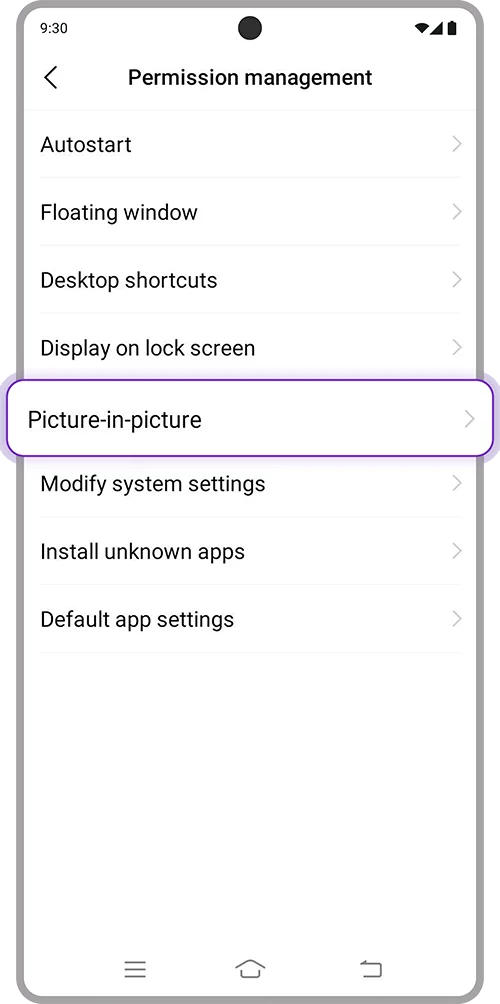
3. Select “Picture-in-picture”
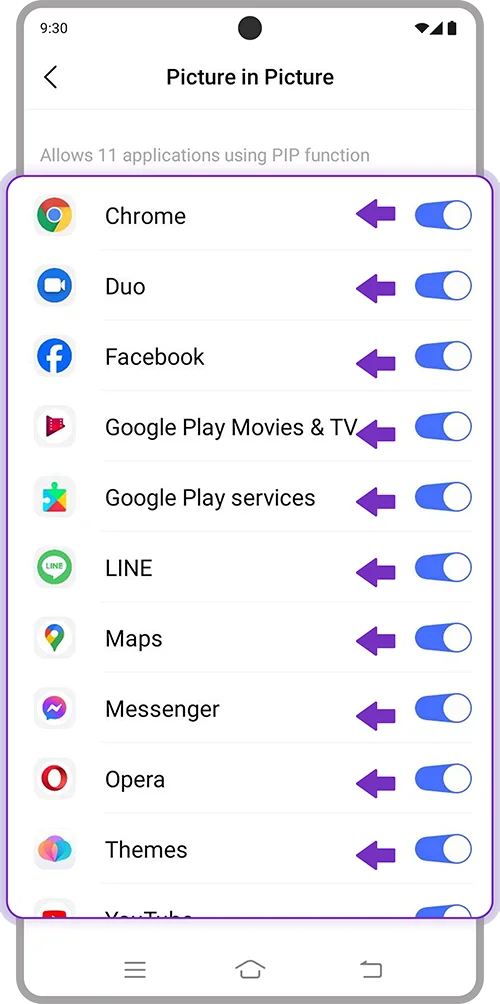
4. Select applications to turn off. Toggle off and open SCB EASY App again.
3. Turn off Easy Touch
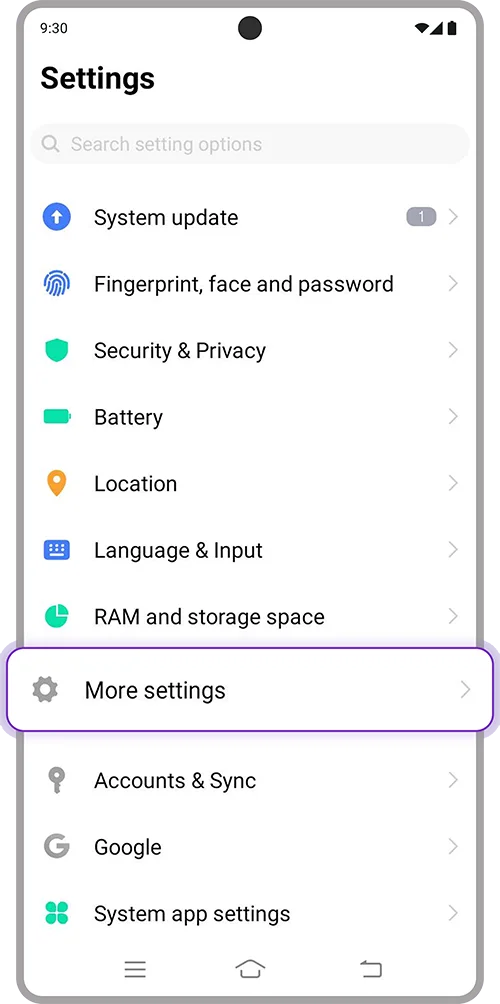
1. Open “Settings” on your device > Select “More settings”
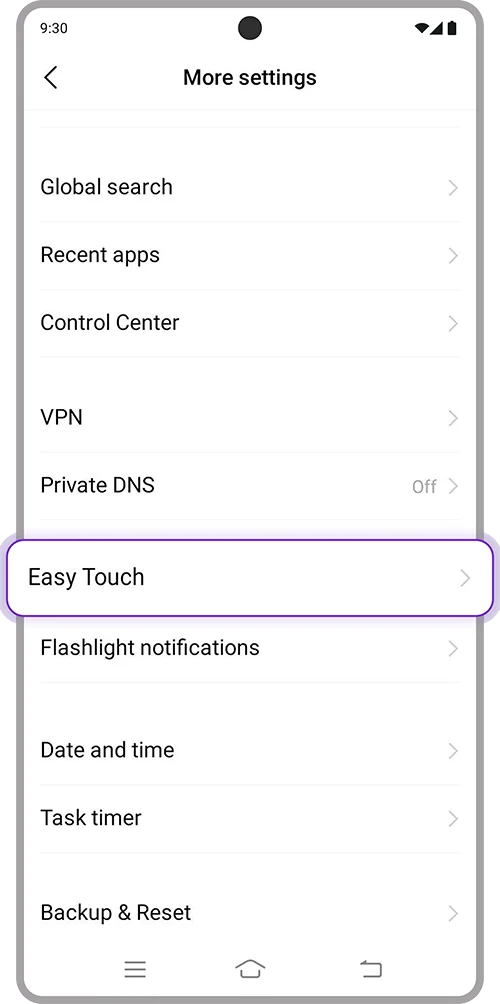
2. Select “Easy Touch”
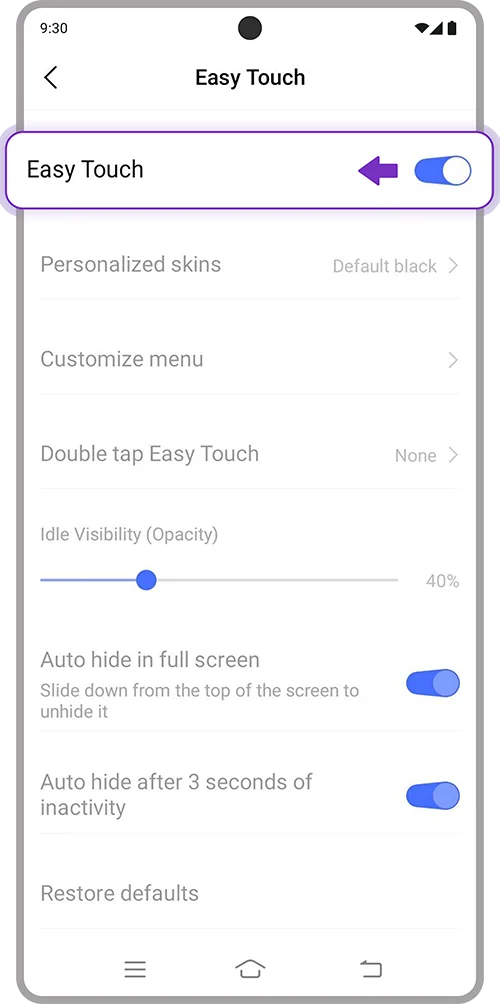
3. Toggle off “Easy Touch” and open SCB EASY App again
4. Turn off Eye Comfort Mode
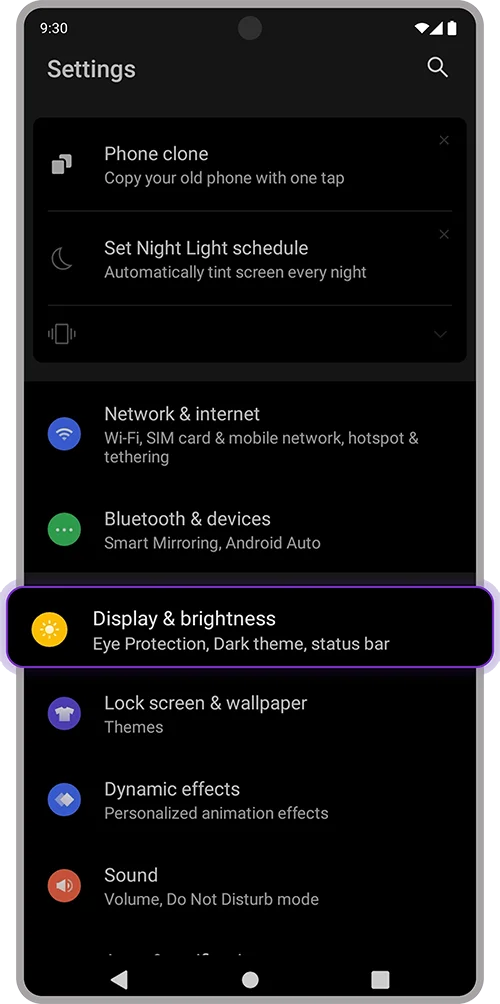
1. Open “Settings” on your device > Select “Display & brightness”
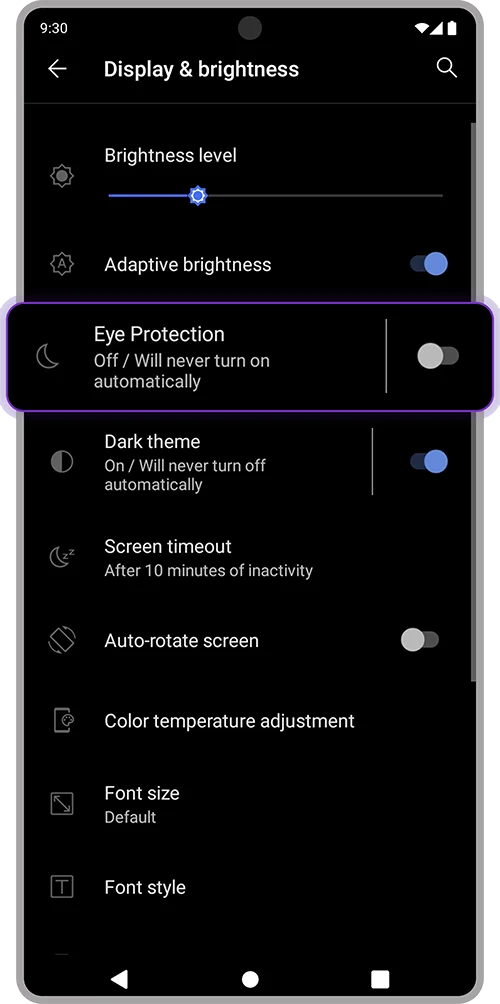
2. Select “Eye Protection”
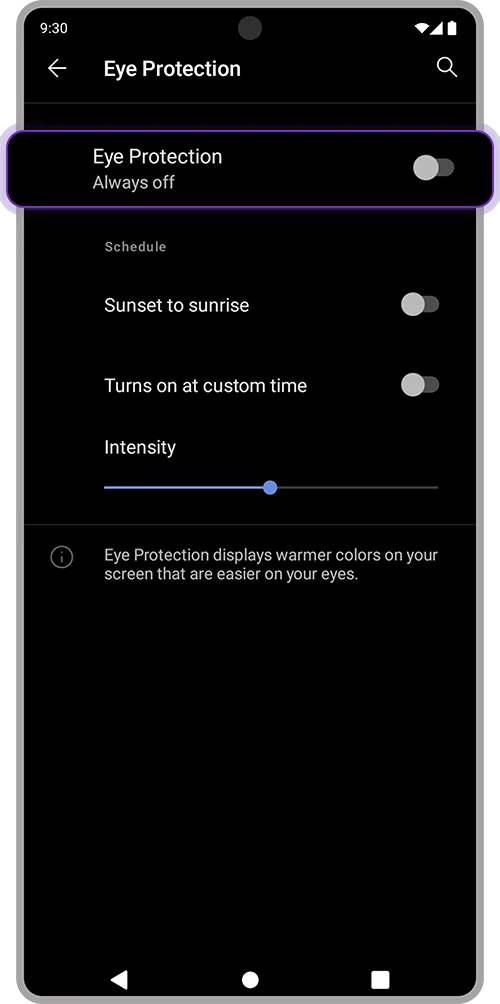
3. Toggle off “Eye Protection” and open SCB EASY App again