


RELATED LINKS
RELATED LINKS
RELATES LINKS
RELATES LINKS
Services
Related Links

Use and Management of Cookies
We use cookies and other similar technologies on our website to enhance your browsing experience. For more information, please visit our Cookies Notice.
- Personal Banking
- Digital Banking
- SCB Easy App
- Easy Security
- How to Prevent and Resolve Screen Overlay Issues.
- Mobile Huawei
- Personal Banking
- ...
- Mobile Huawei
How to turn off permission for Huawei
1. Turn off Display over other apps
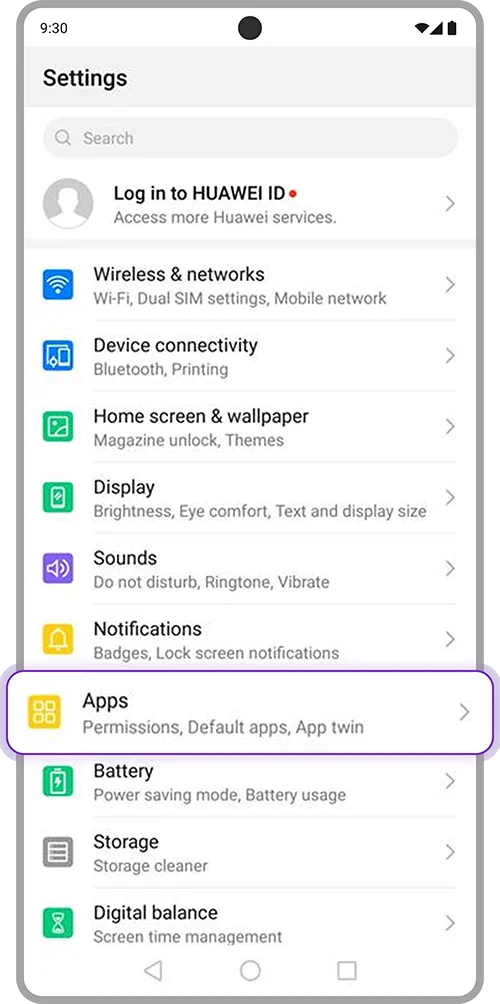
1. Open “Settings” on your device > Select “Apps”
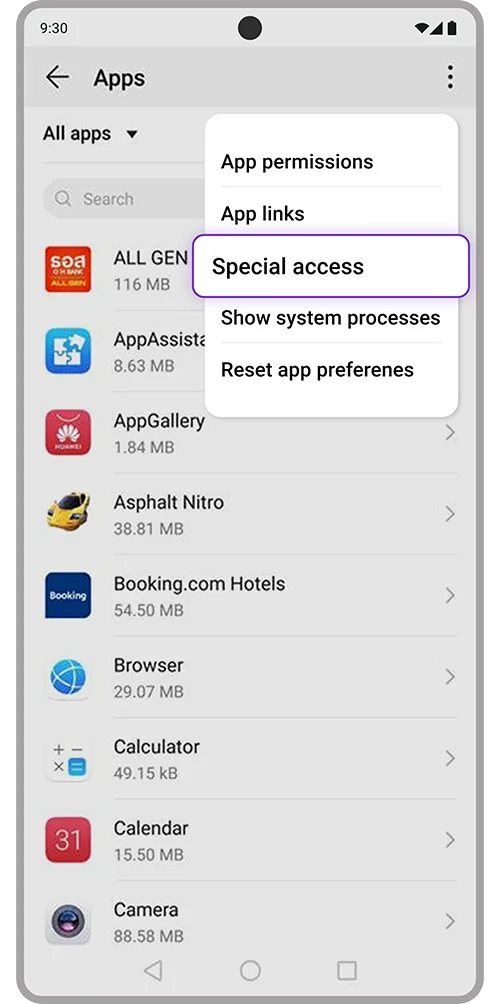
2. Select 3 dots icon on top right of screen > Select “Special access”
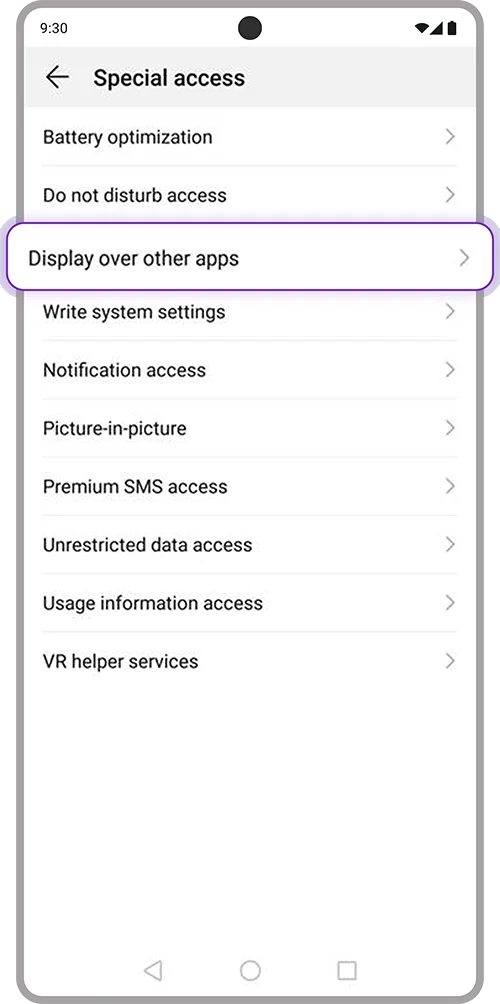
3. Select “Special access”
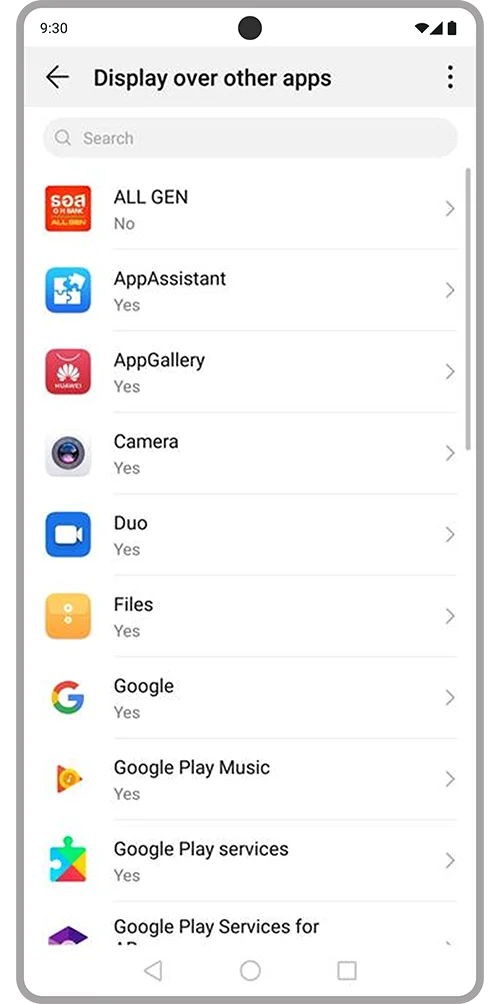
4. Select applications to turn off
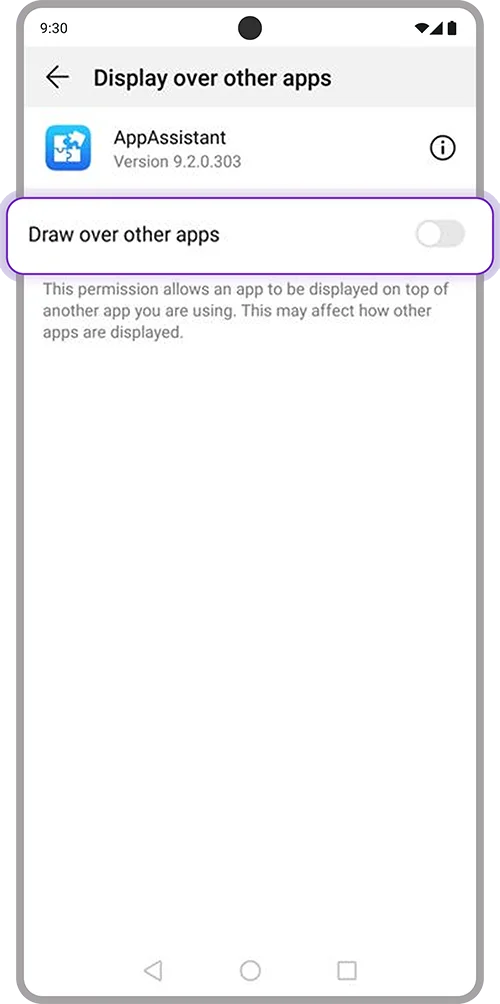
5. Toggle off “Draw over other apps” and open SCB EASY App again
2. Turn off Picture-in-picture
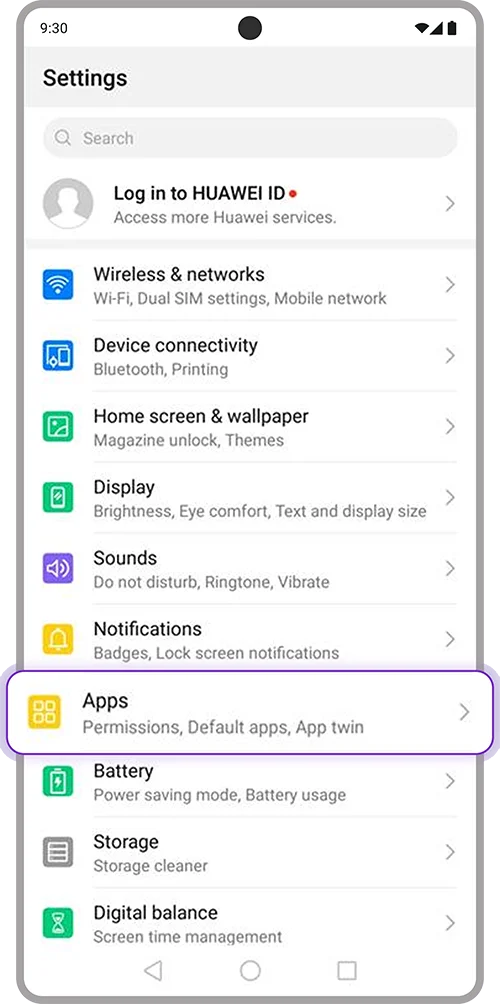
1. Open “Settings” on your device > Select “Apps”
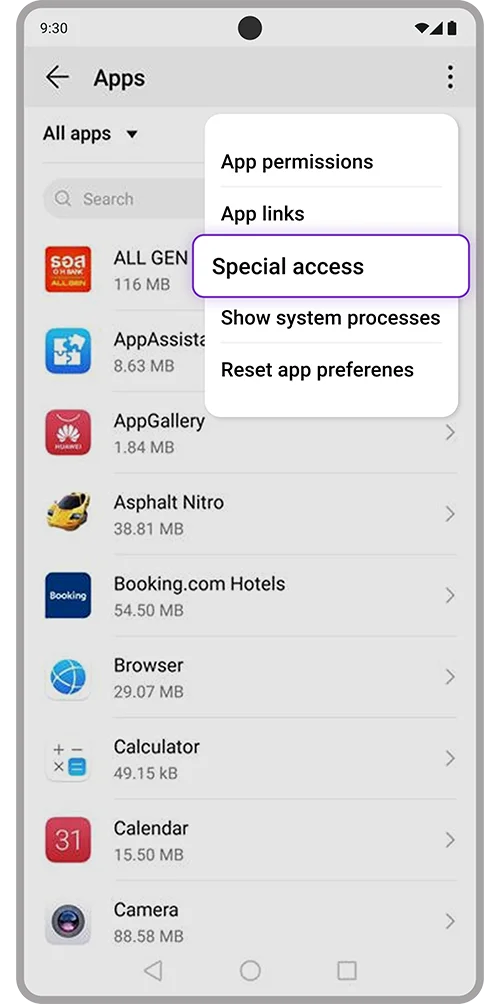
2. Select 3 dots icon on top right of screen > Select “Special access”
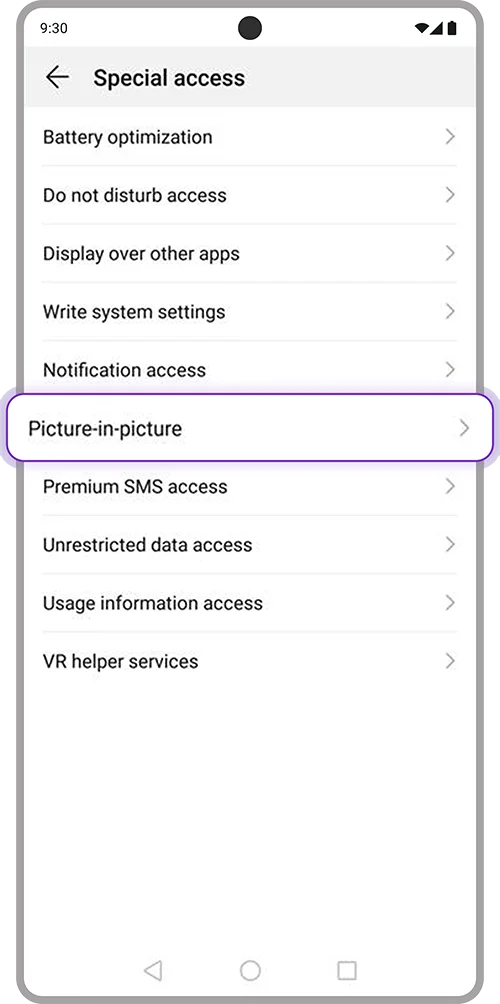
3. Select “Picture-in-picture”
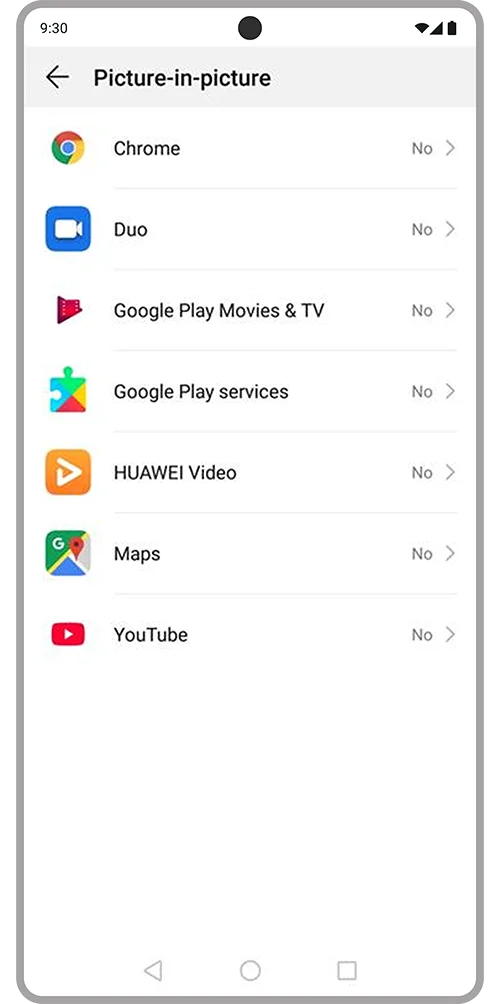
4. Select applications to turn off
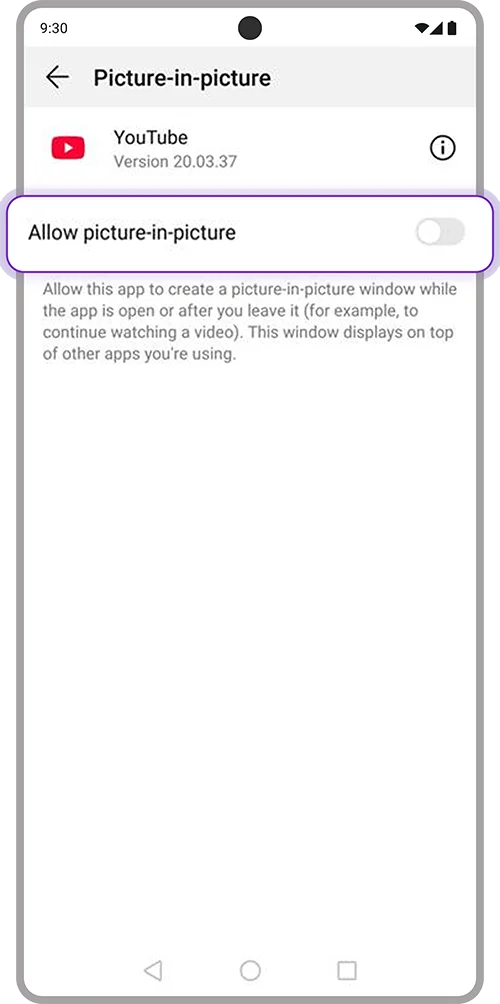
5. Toggle off “Allow Picture-in-picture” and open SCB EASY App again
3. Turn off Navigation dock
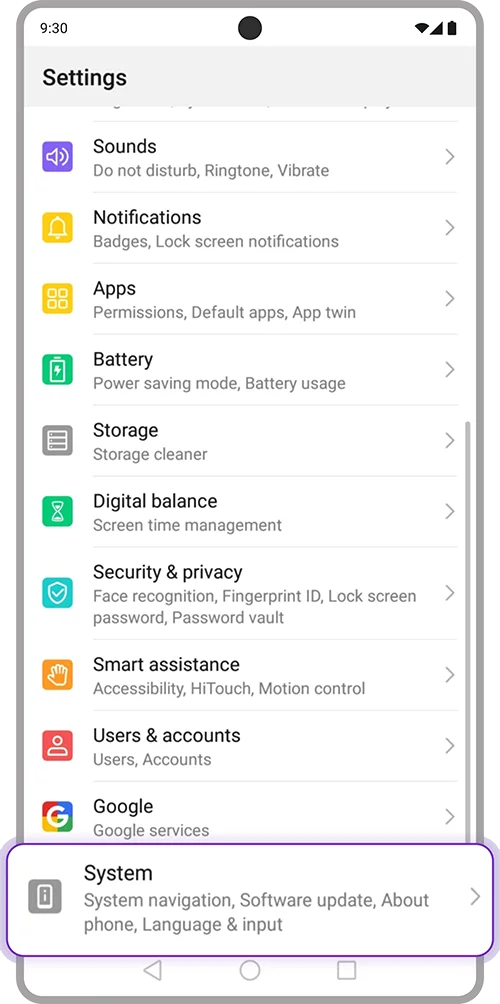
1. Open “Settings” on your device
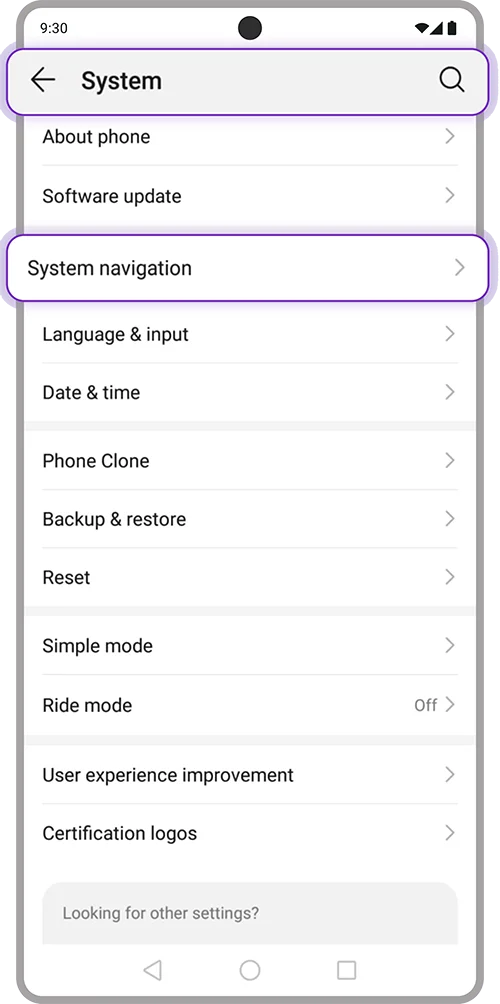
2. Search “System” > Select “System navigation”
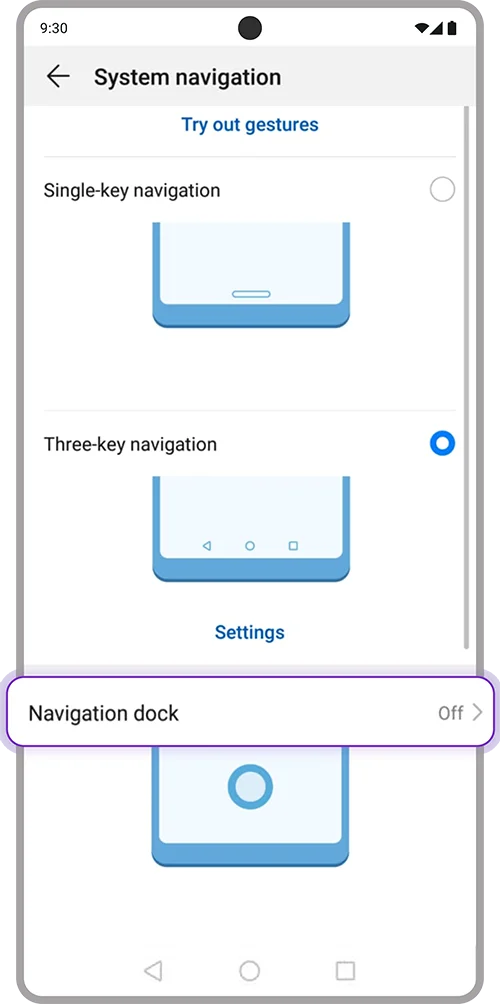
3. Select “Navigation dock”
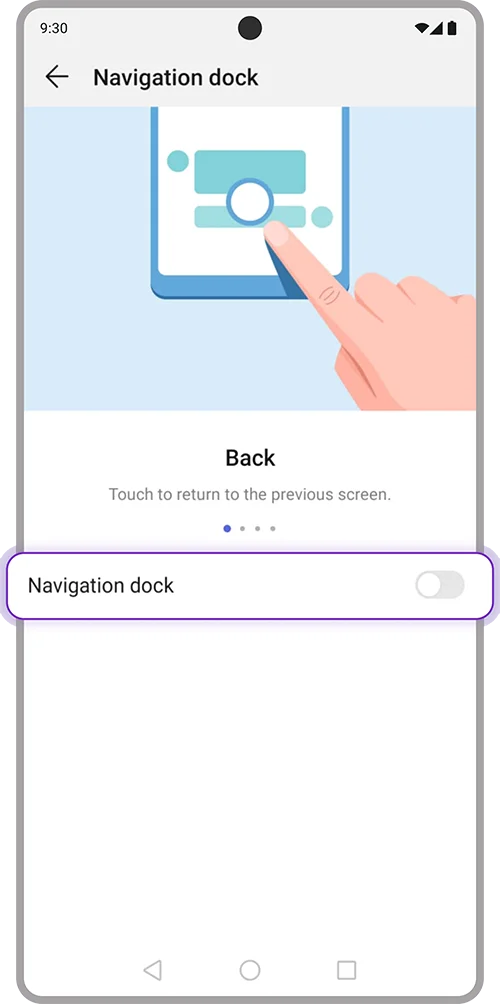
4. Toggle off “Navigation dock” and open SCB EASY App again
4. Turn off Smart assistance
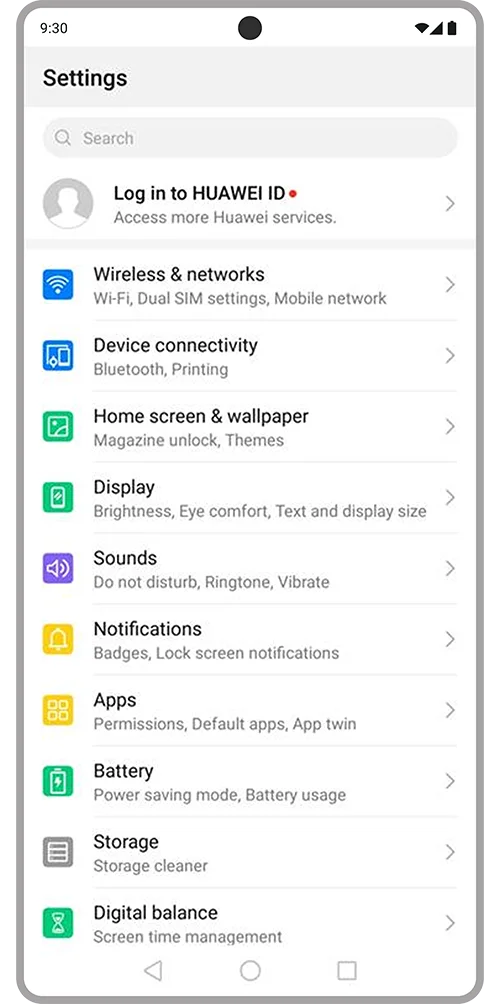
1. Open “Settings” on your device
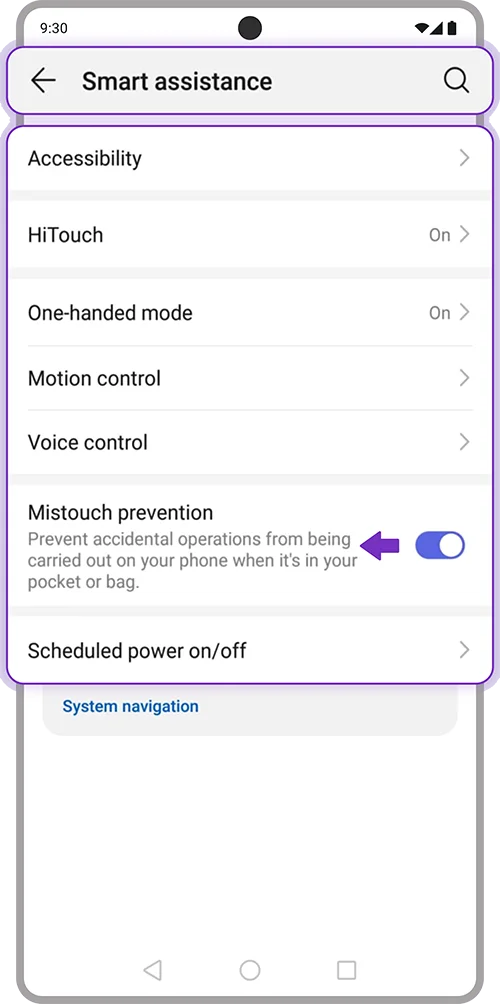
2. Select “Smart assistance”. Toggle off all menus and open SCB EASY App again
5. Turn off Eye comfort
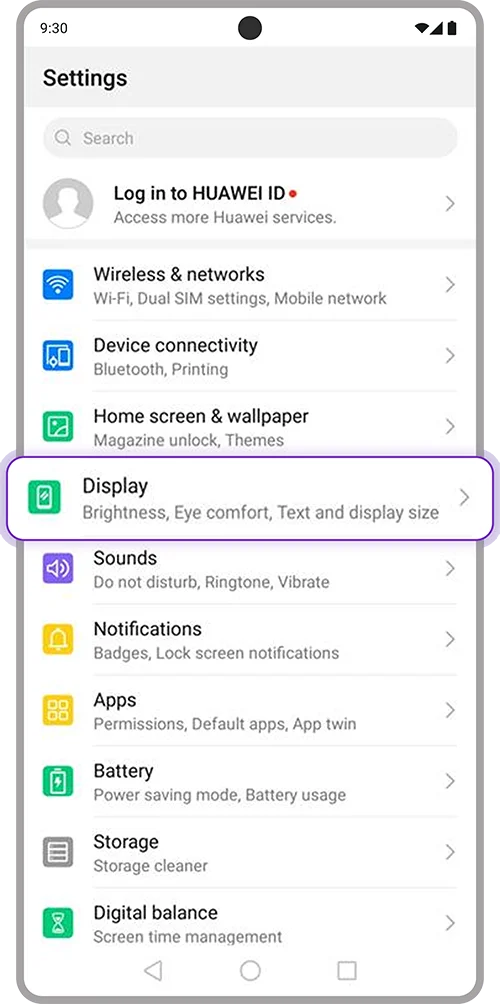
1. Open “Settings” on your device > Select “Display”
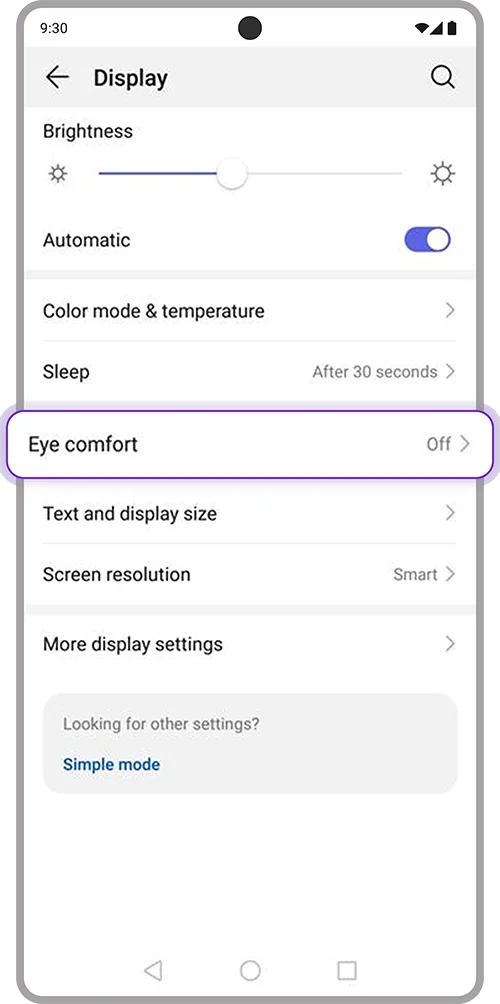
2. Select “Eye comfort”
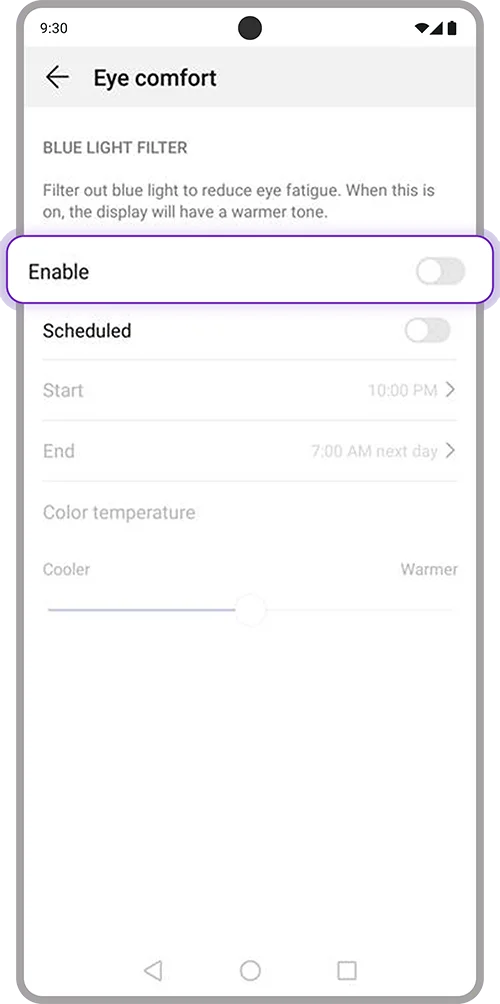
3. Toggle off “Enable” and open SCB EASY App again