


RELATED LINKS
RELATED LINKS
RELATES LINKS
RELATES LINKS
Services
Related Links

Use and Management of Cookies
We use cookies and other similar technologies on our website to enhance your browsing experience. For more information, please visit our Cookies Notice.
- Personal Banking
- Investment
- Other Investments
- Equity | SCB
- Subscription
- Personal Banking
- ...
- Subscription
 Share
ShareCommon stocks, REIT units, Infrastructure fund units
Subscription Service via SCB EASY app:
Convenient to subscribe Common stocks, REIT units or Infrastructure fund units via SCB EASY App:
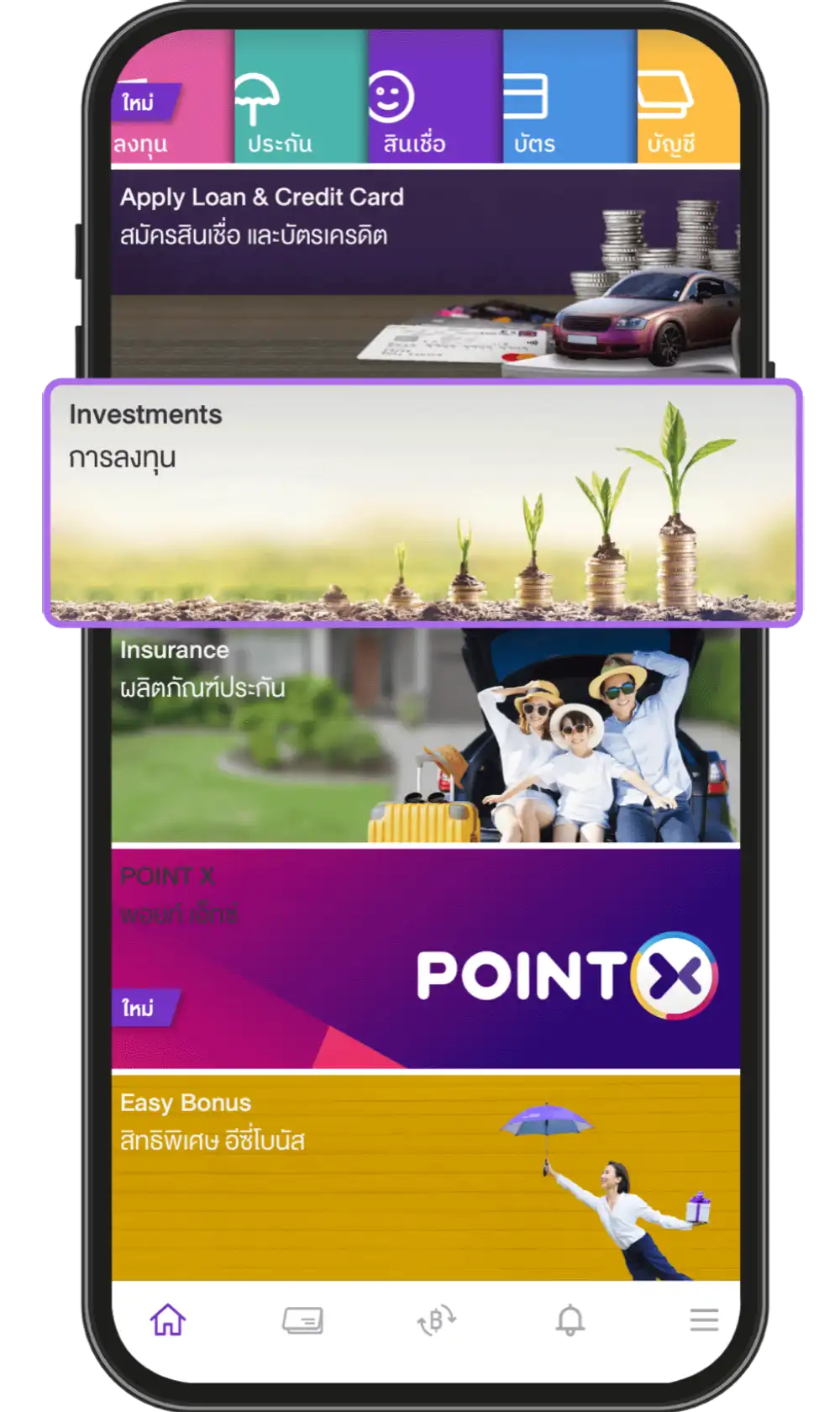
1. Select the menu “Investments”
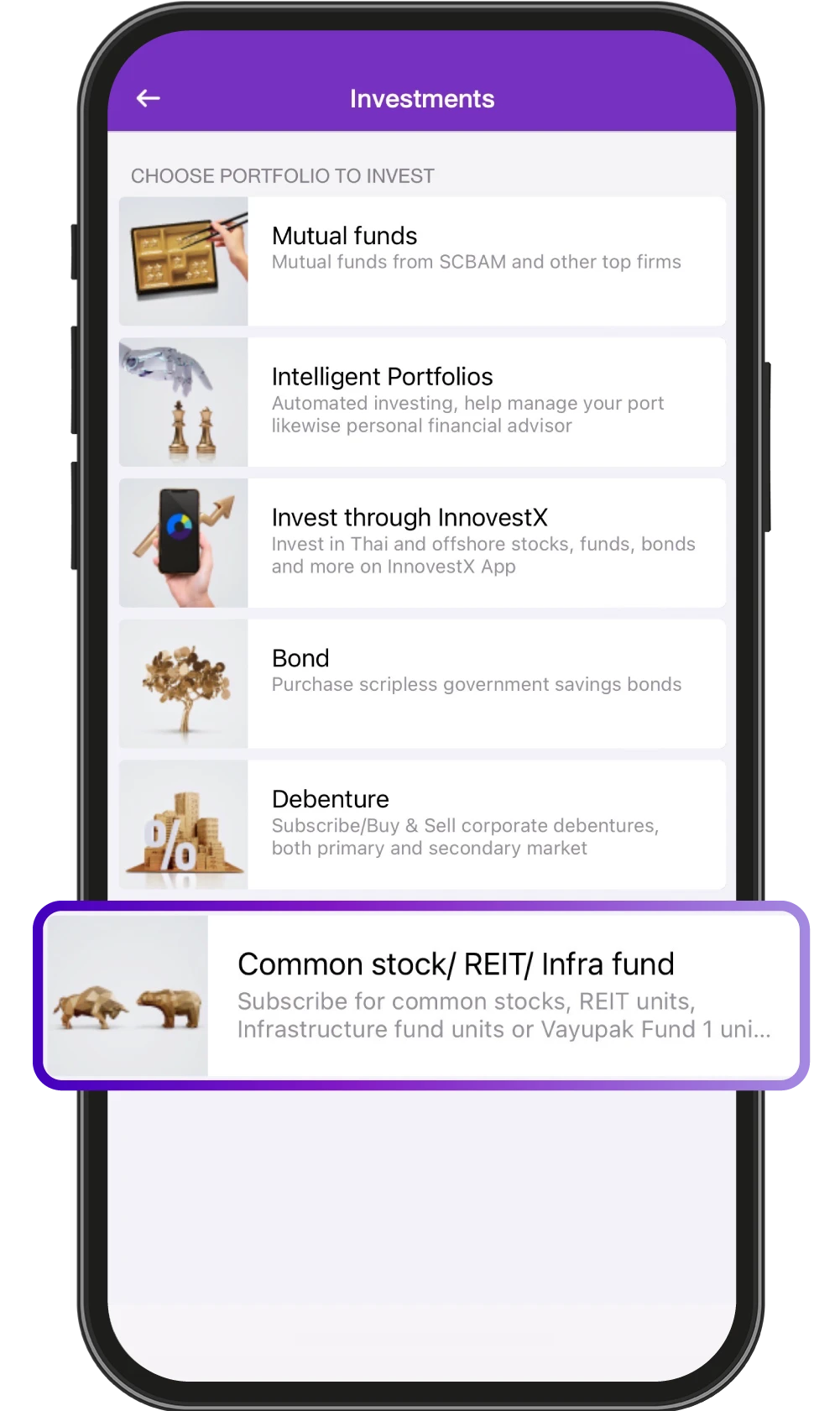
2. Select “Common stock/REIT/Infra fund"
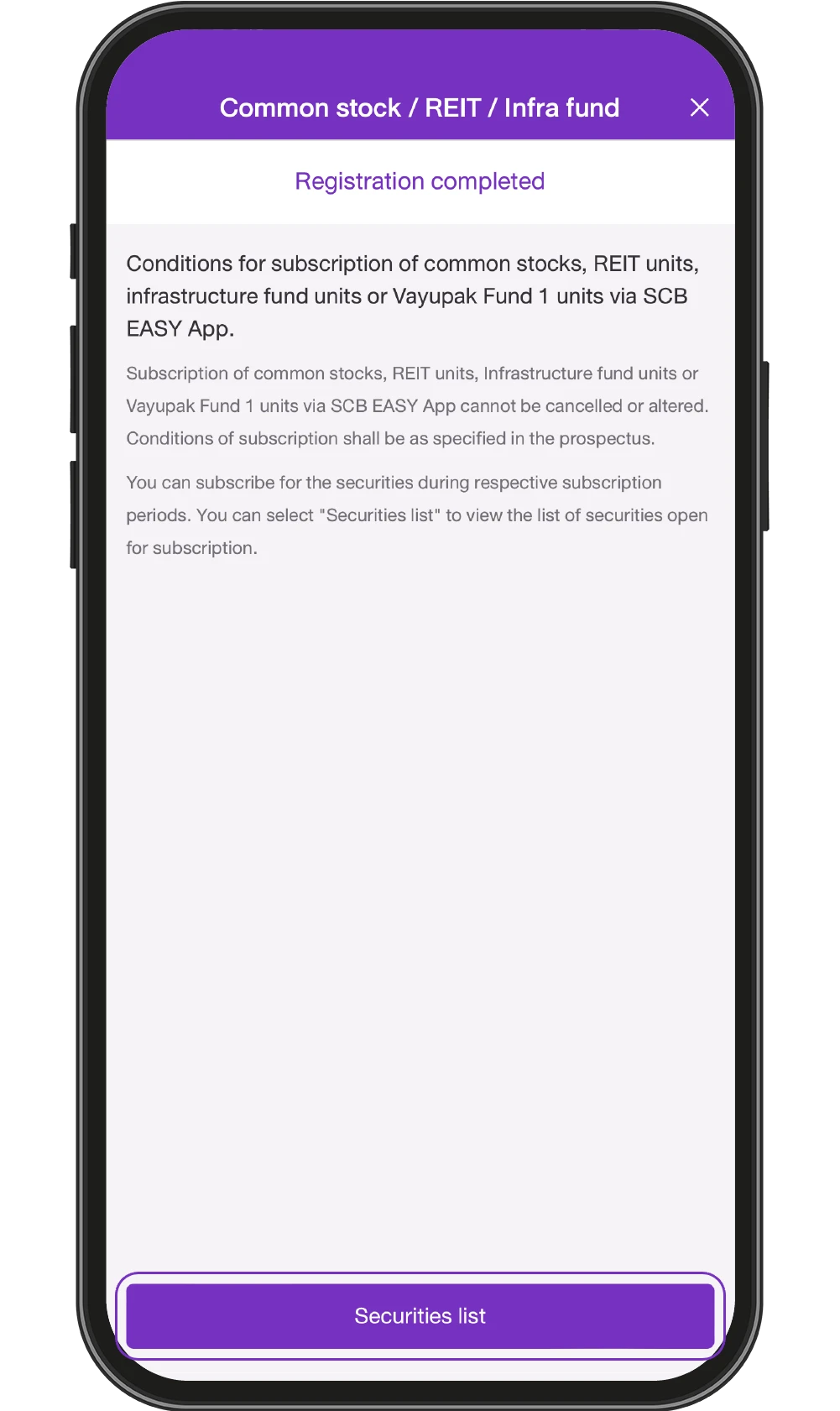
3. Study the Terms and Conditions of the service and Select “Securities list”
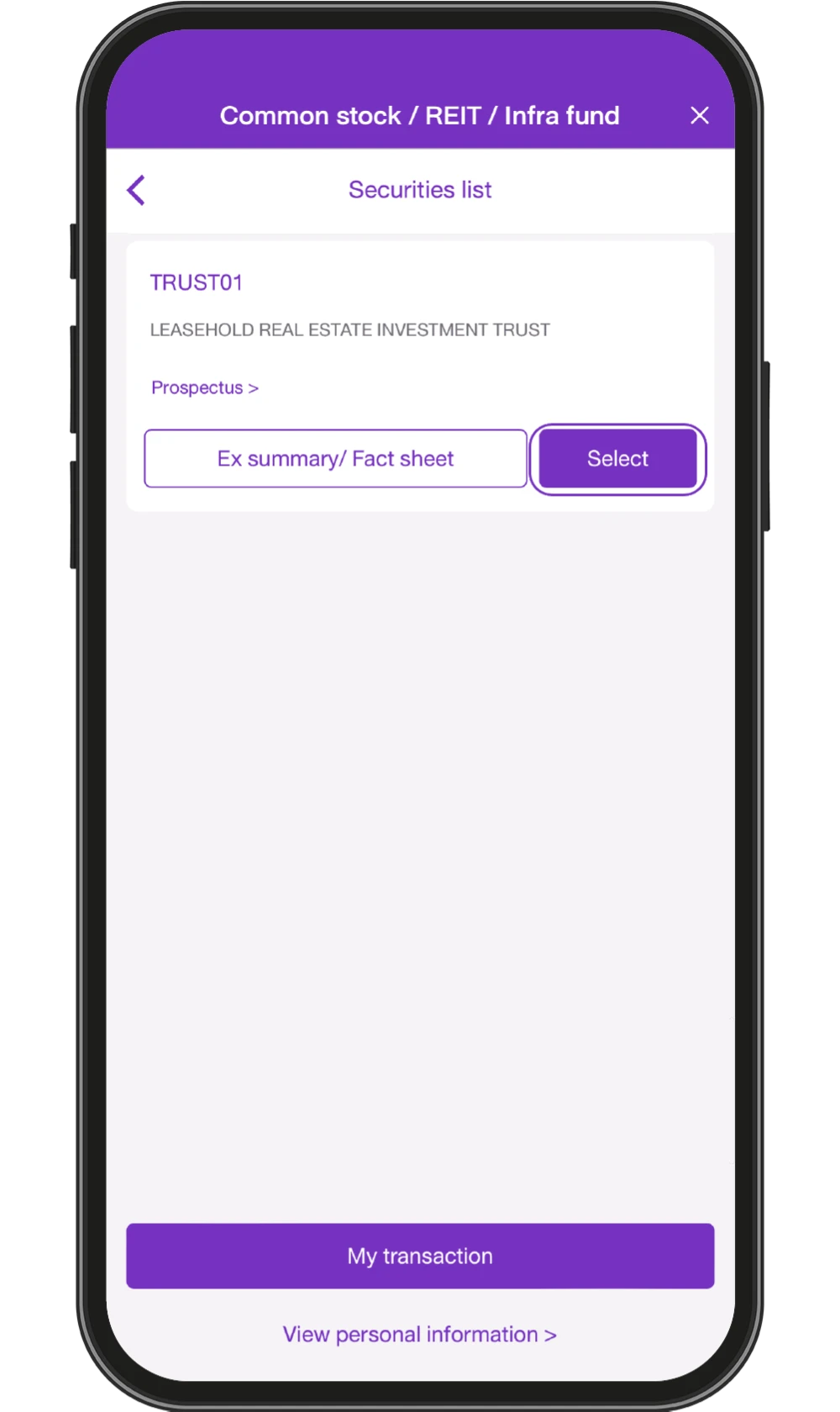
4. Choose a security to
Subscribe /
Study Ex Summary /
Factsheet and Prospectus
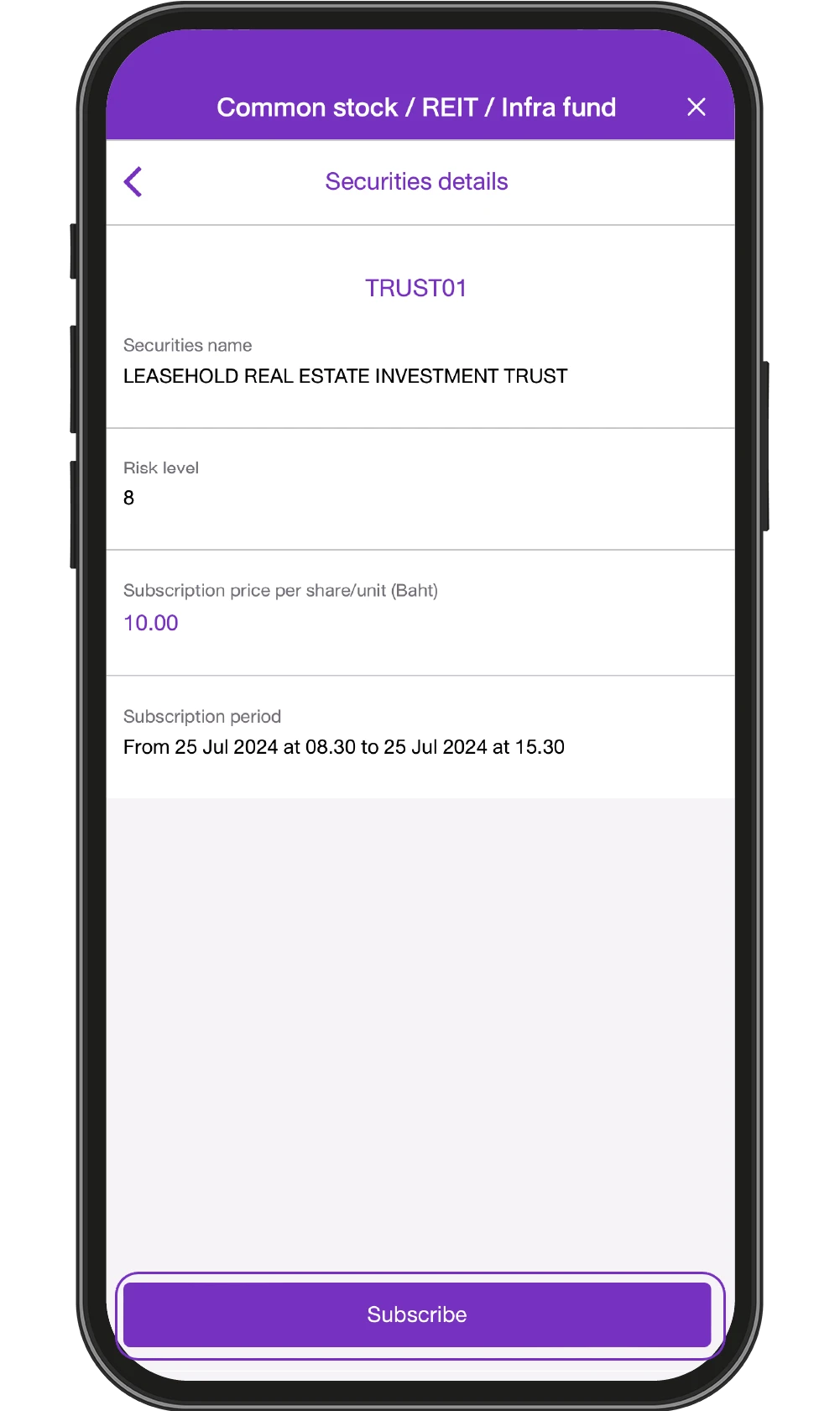
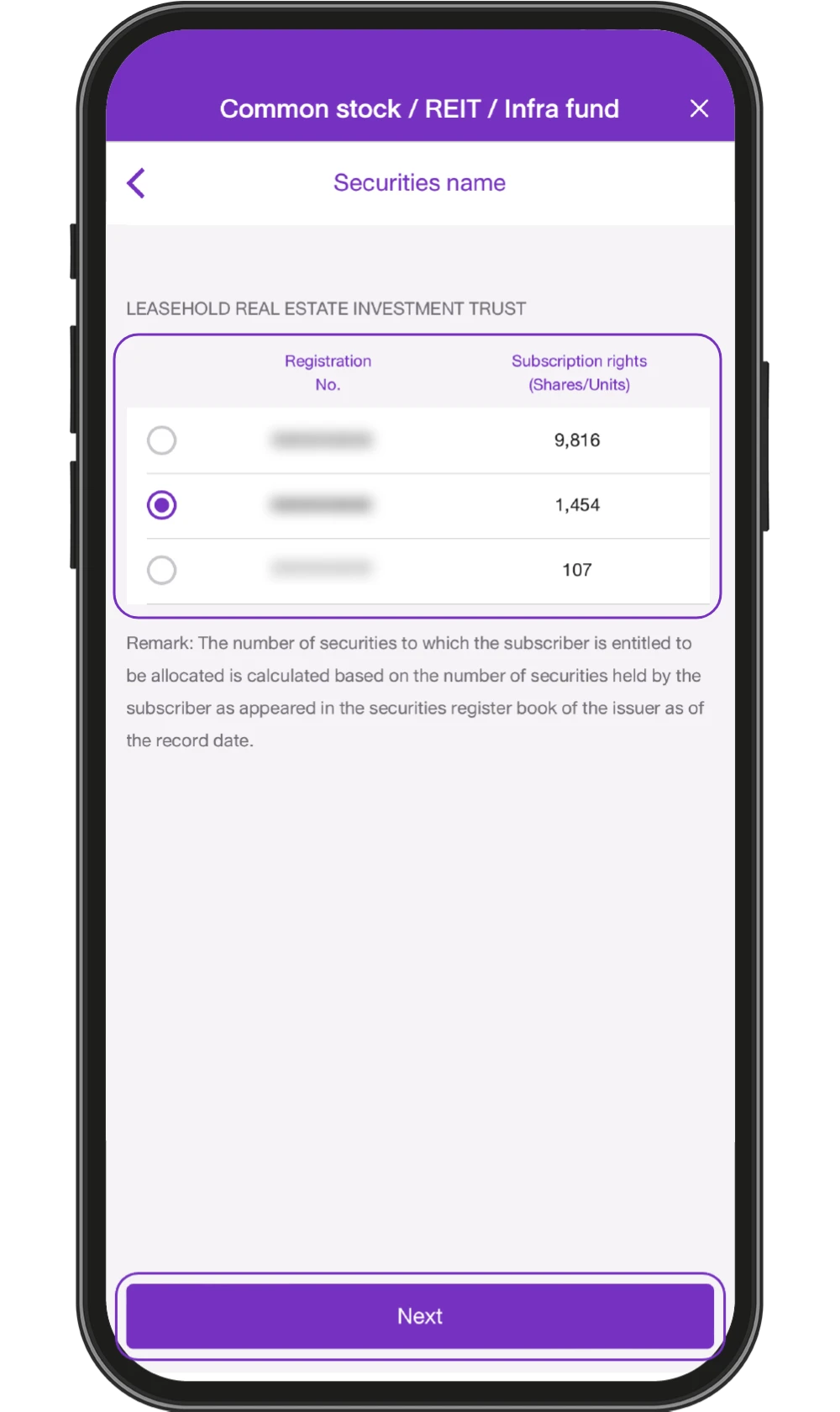
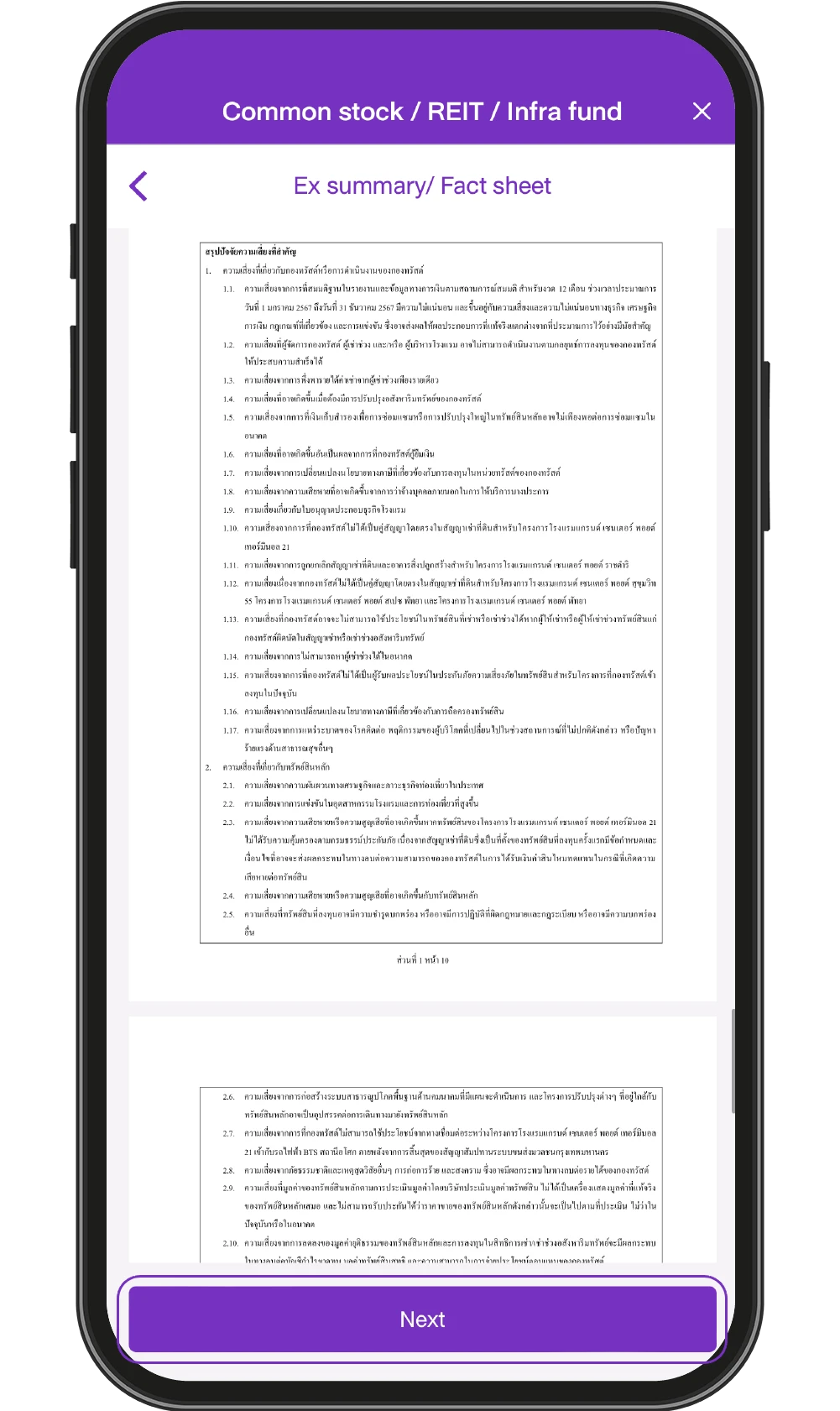
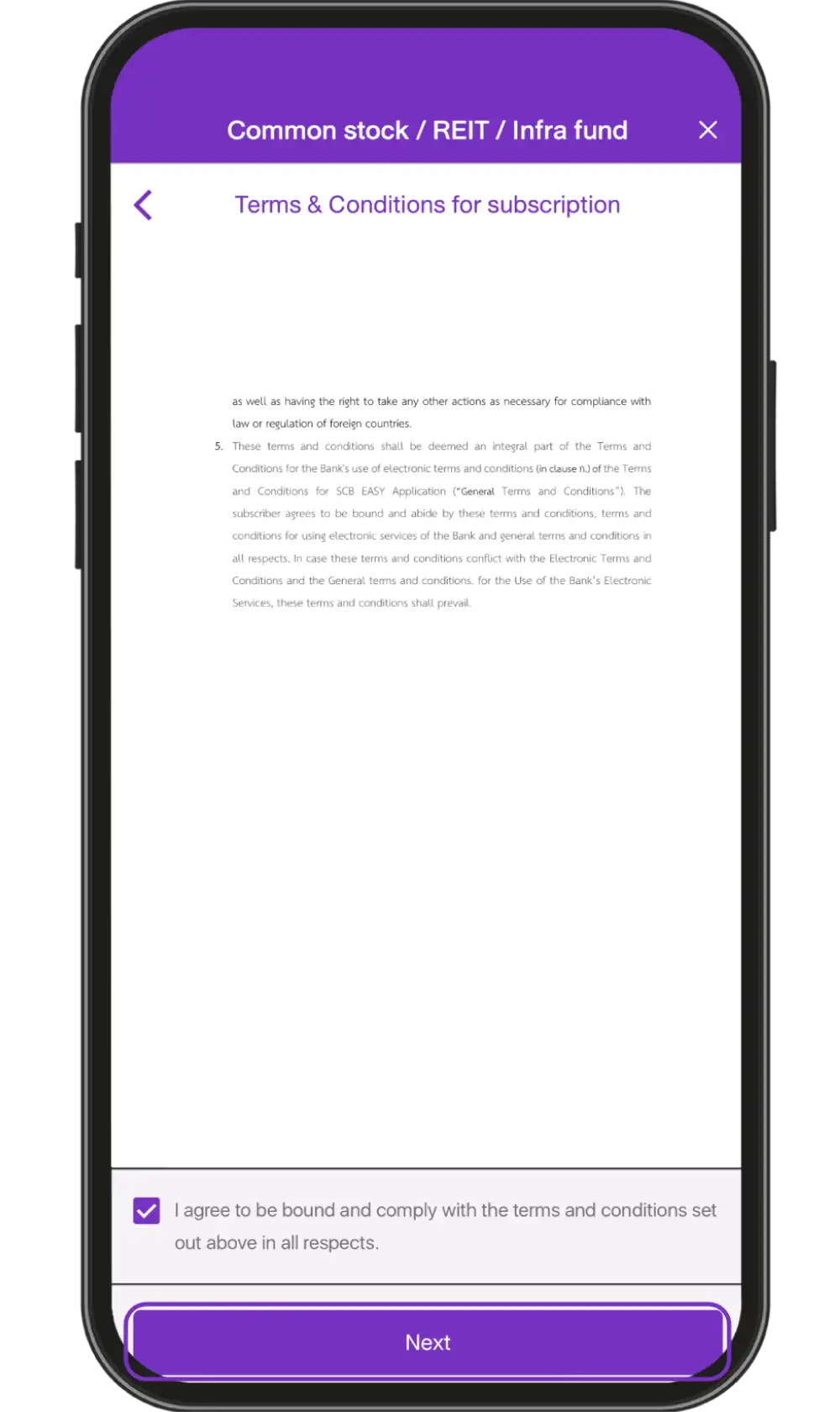
5. Press “Subscribe”
6. In the case of
a preferential public
offering or rights offering,
existing security holders
choose their registration
number and subscription
rights and press “Next”
7. Study Ex summary /
Factsheet and press “Next”
8. Study the Terms and Conditions for subscription and press “Next”
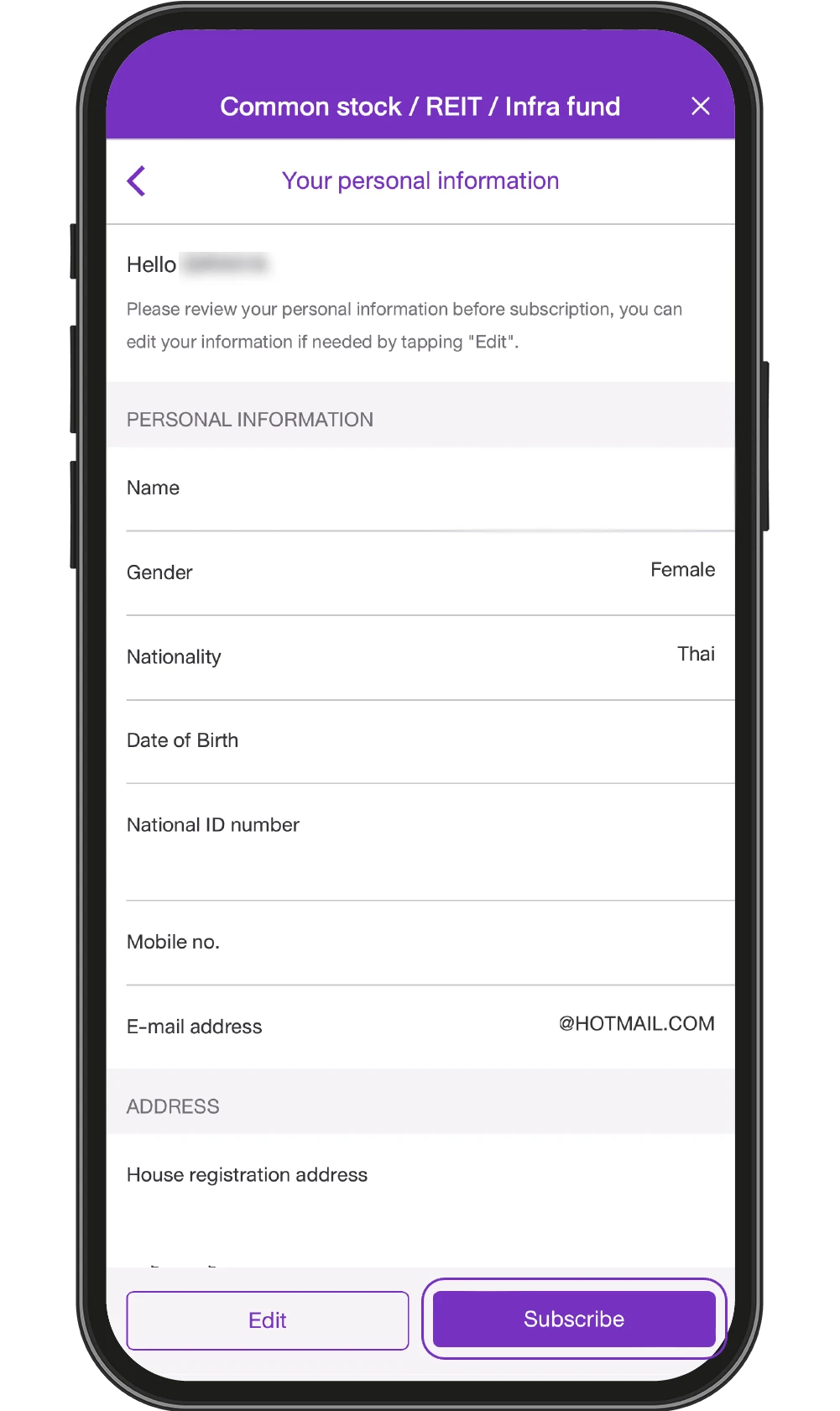
9.Verify your personal
information. If the
information is correct,
press “Subscribe”
(If you need to edit the
information, select “Edit”)
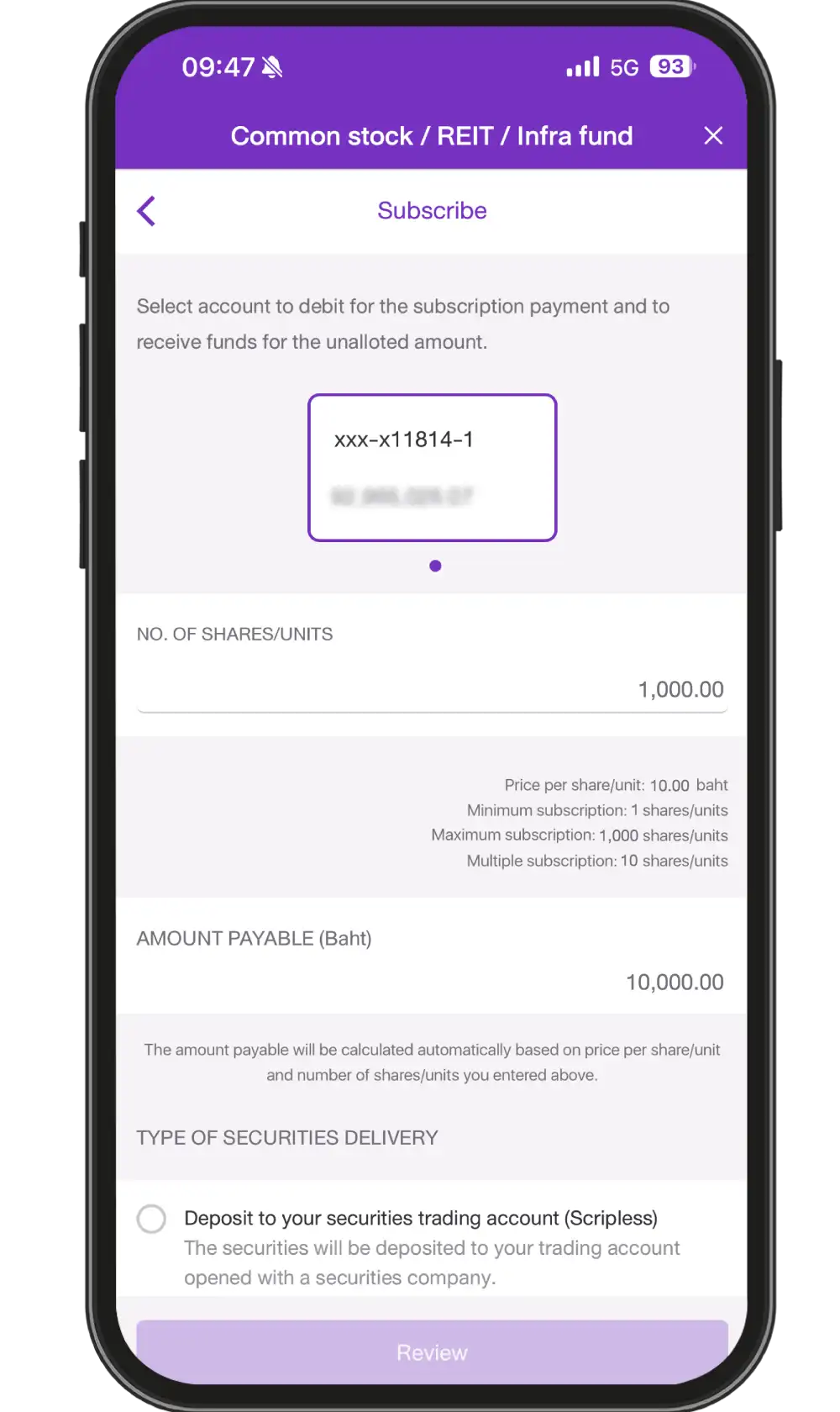
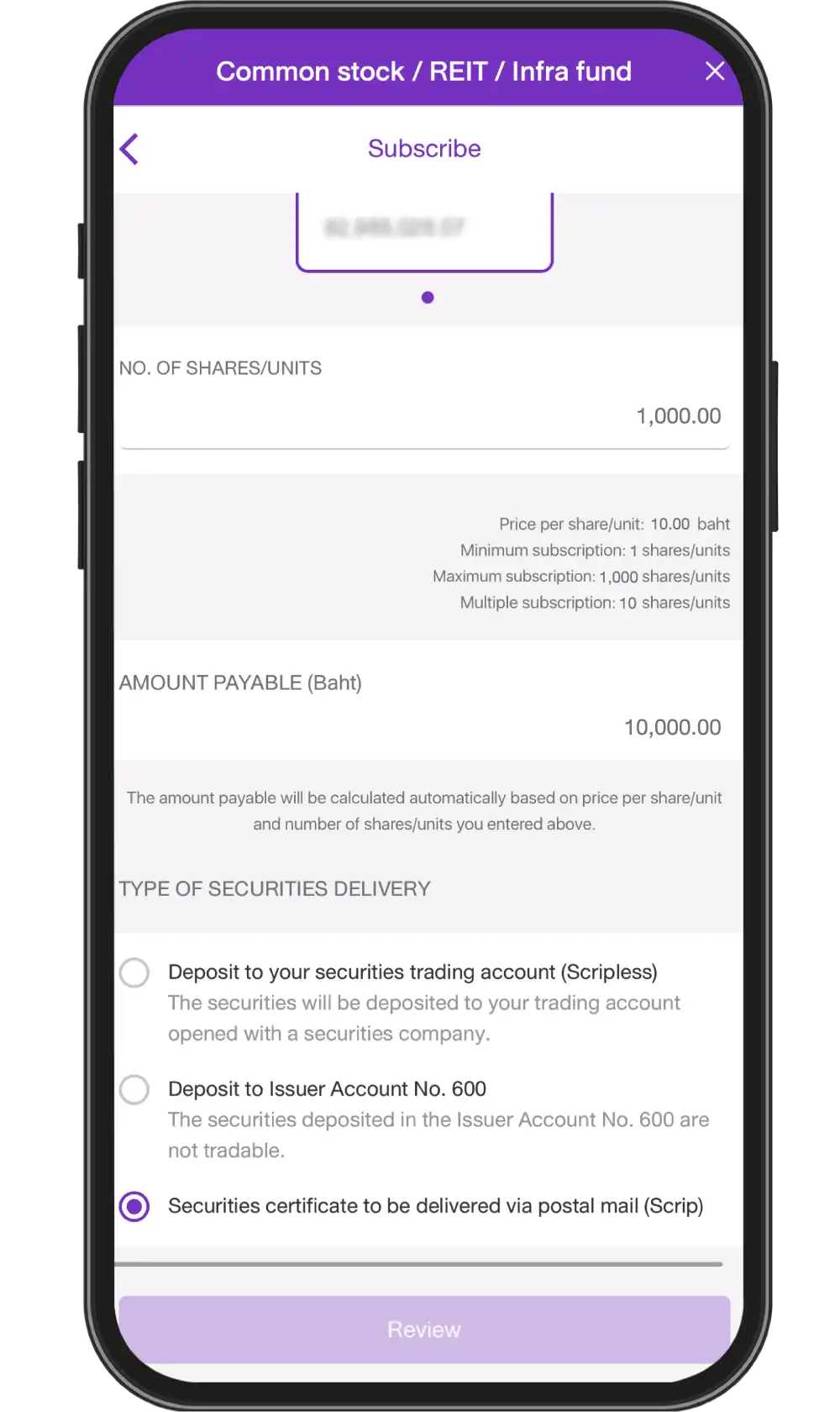
10. Choose an account to pay for subscription, specify number of subscription shares/units
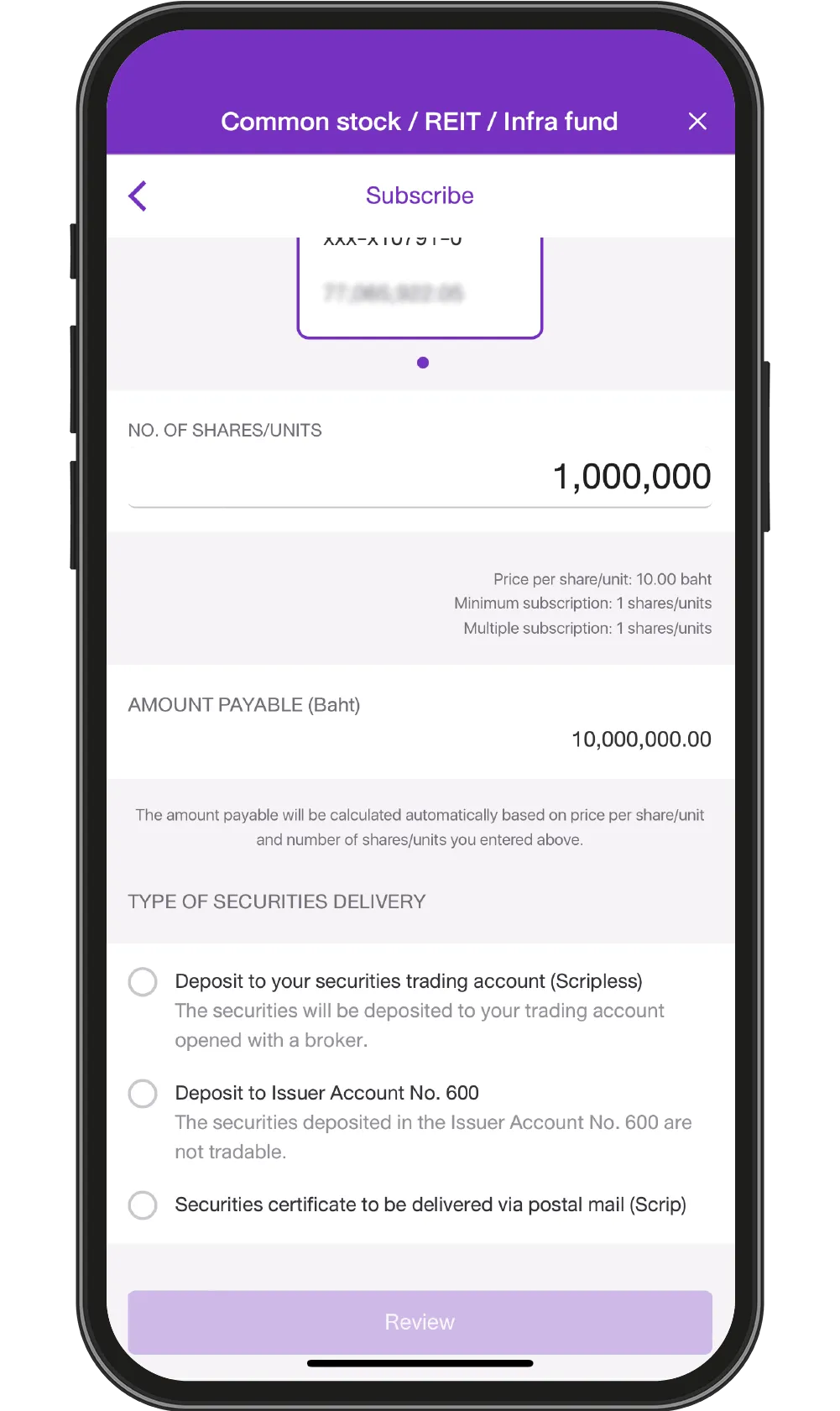
11. Choose format of securities delivery: If you choose to deposit the securities into your trading account (scripless), you must select securities company and enter your trading account number
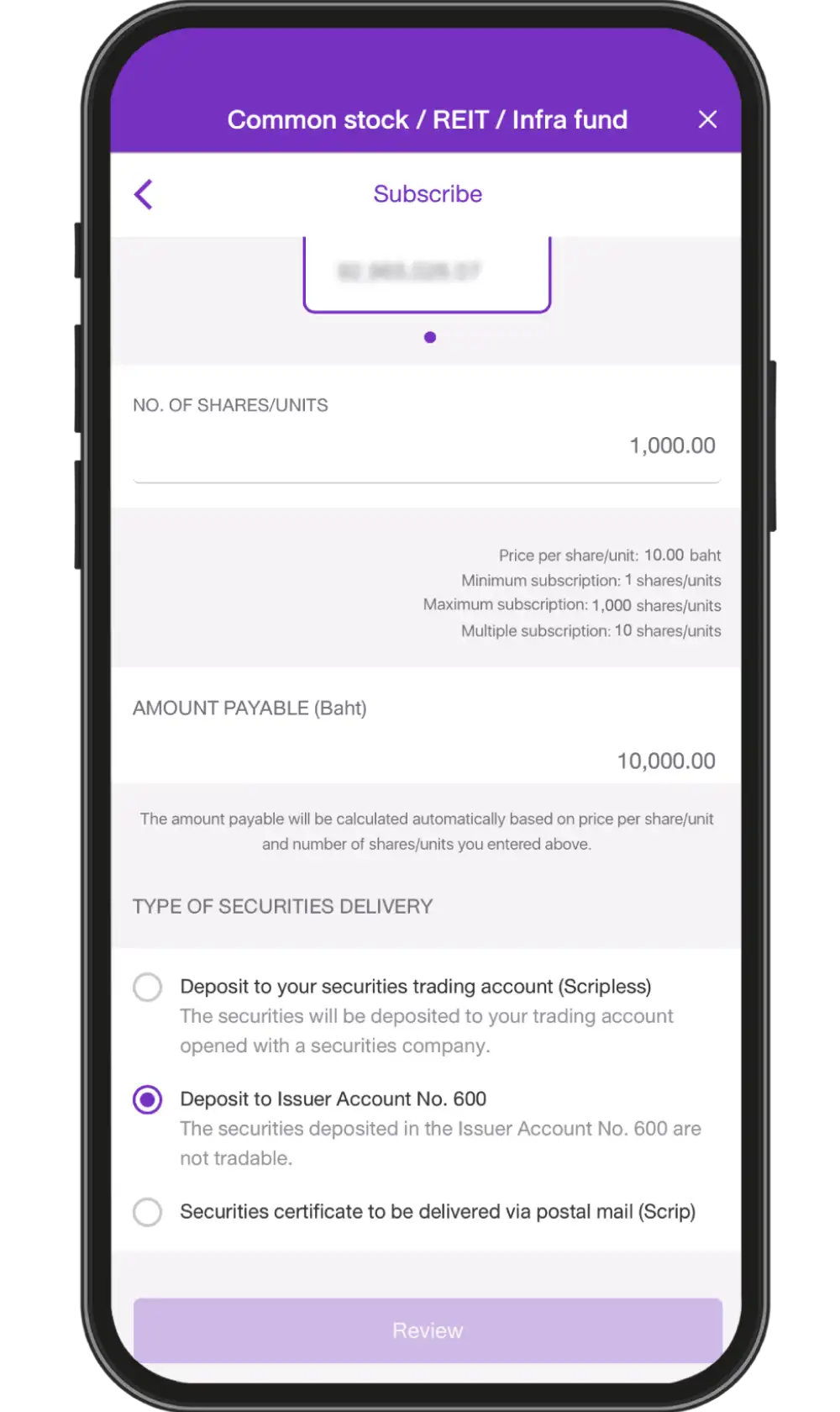
12. If you choose to
deposit the securities into
the issuer's account
No. 600, you must
complete the FATCA/CRS
form before confirming
the subscription
13. If you choose to receive the securities certificate via postal mail (for trust unit subscribers only)
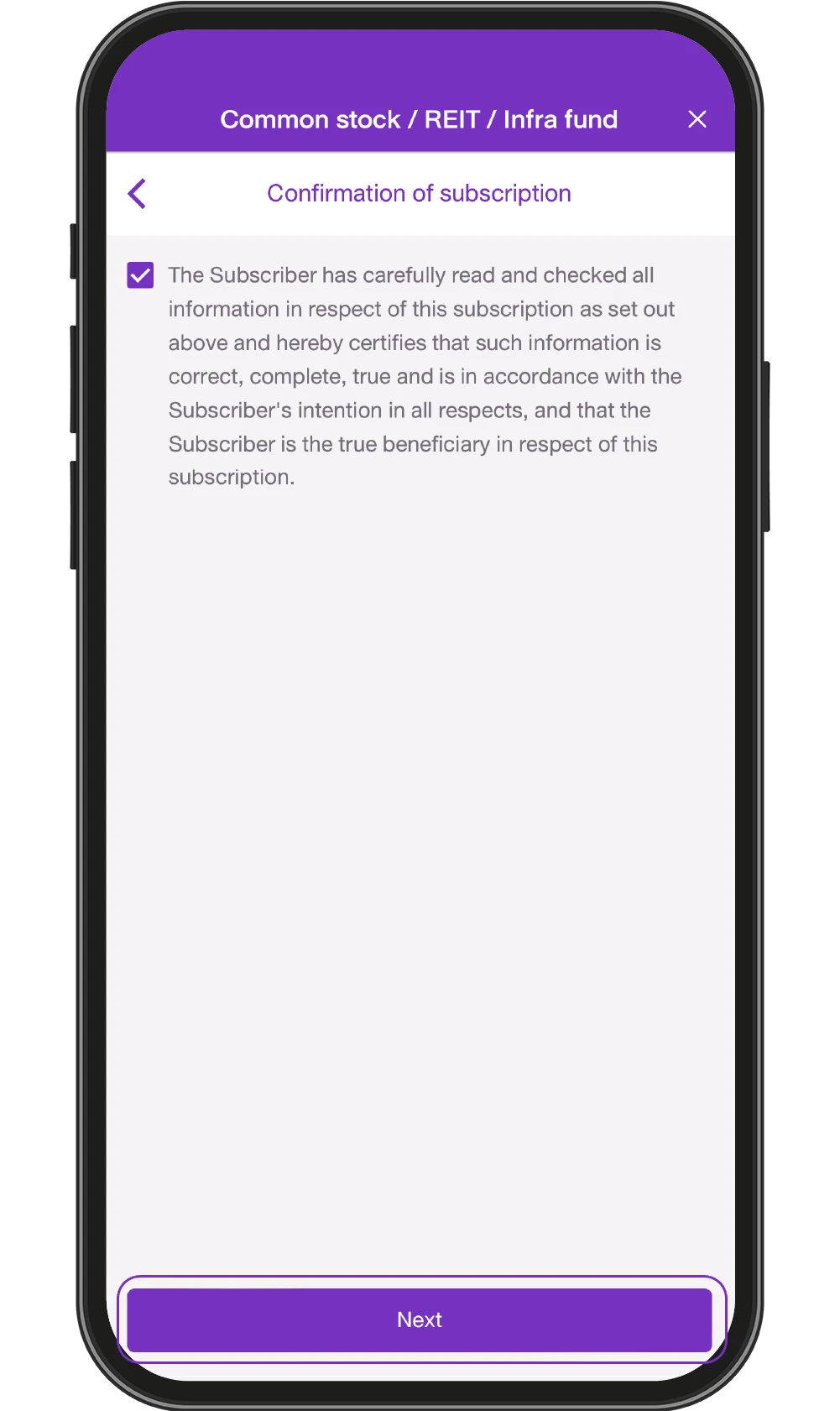
14. Confirm subscription by checking the box and press “Next”
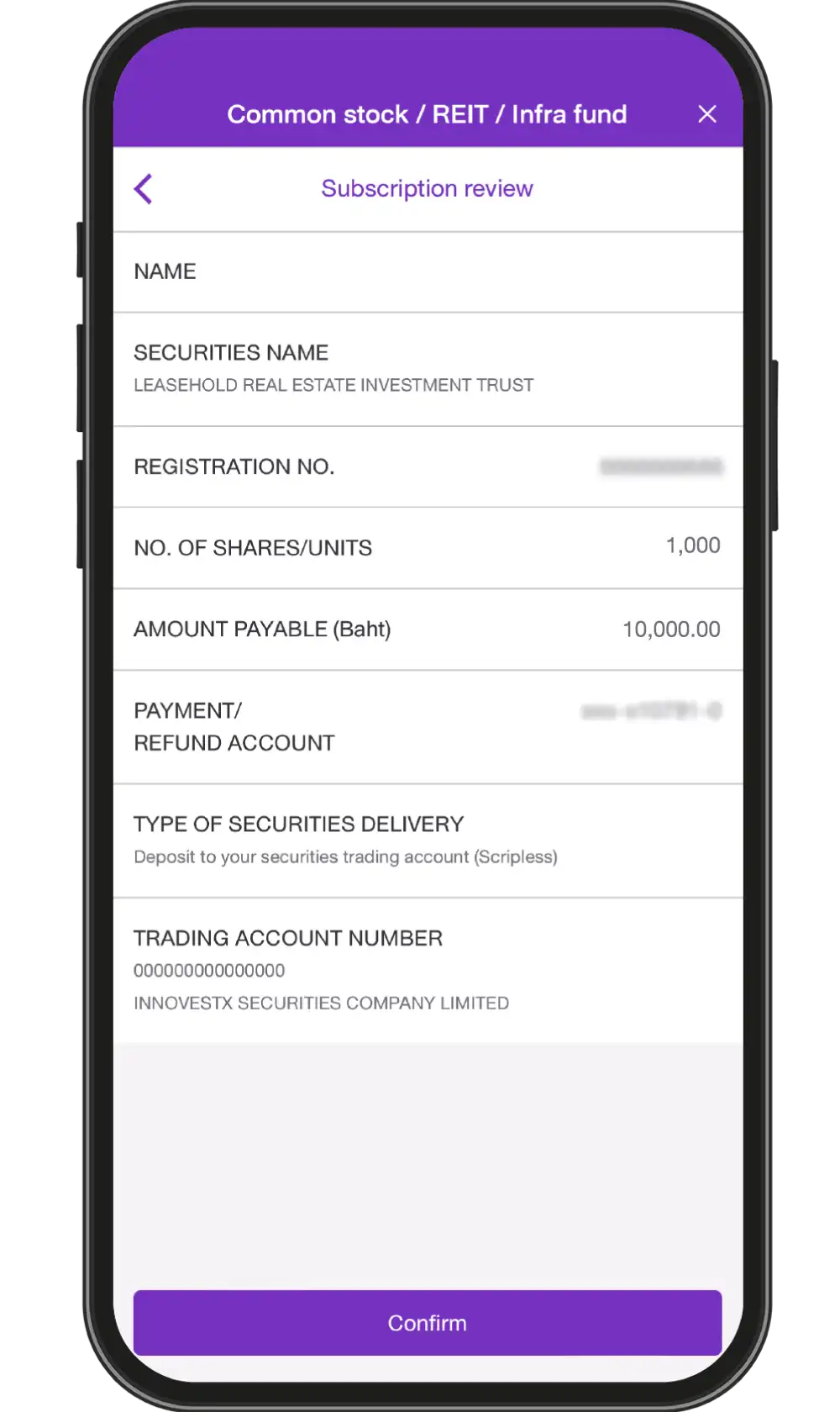
15. Review subscription information and press “Confirm”
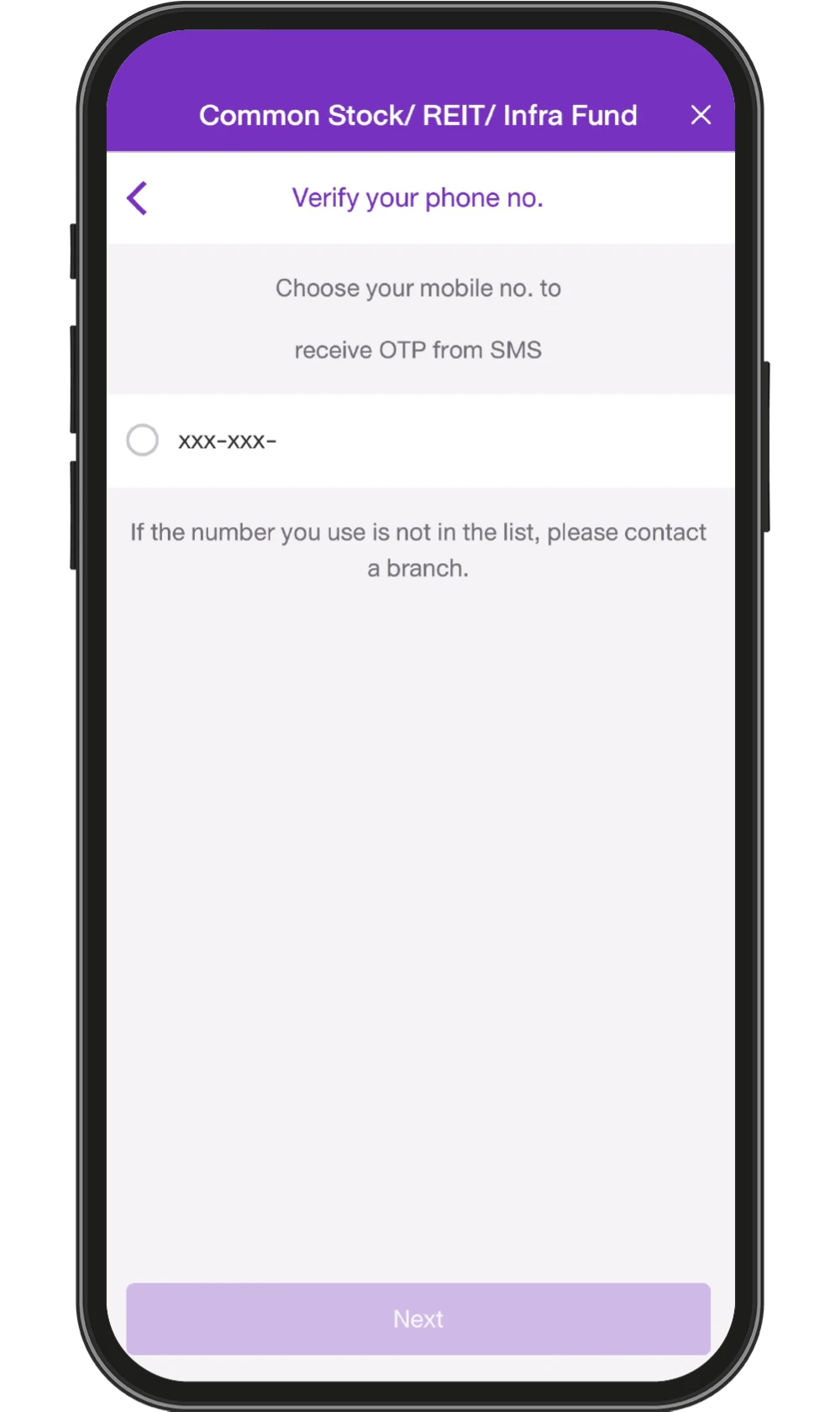
16. Choose mobile number to receive OTP
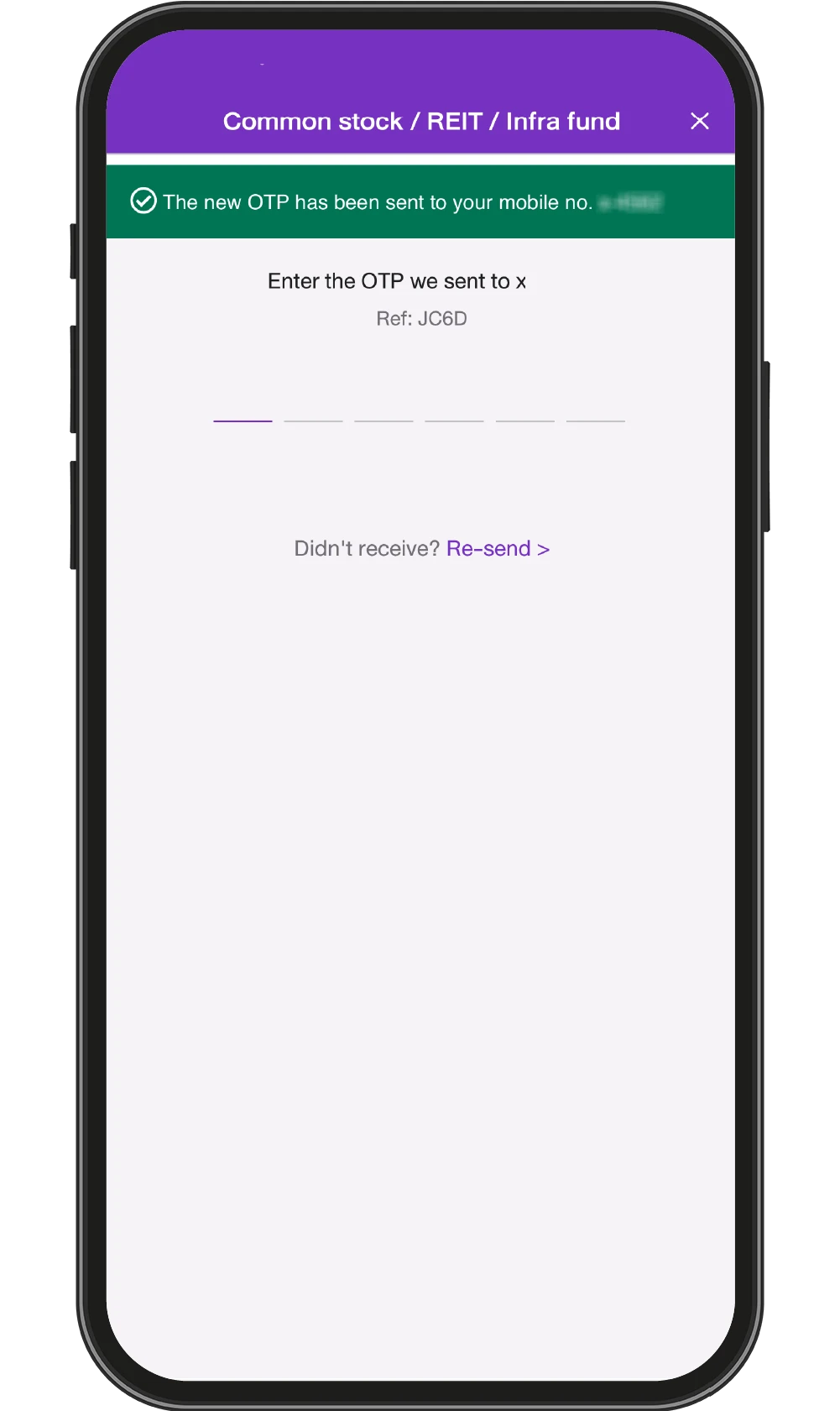
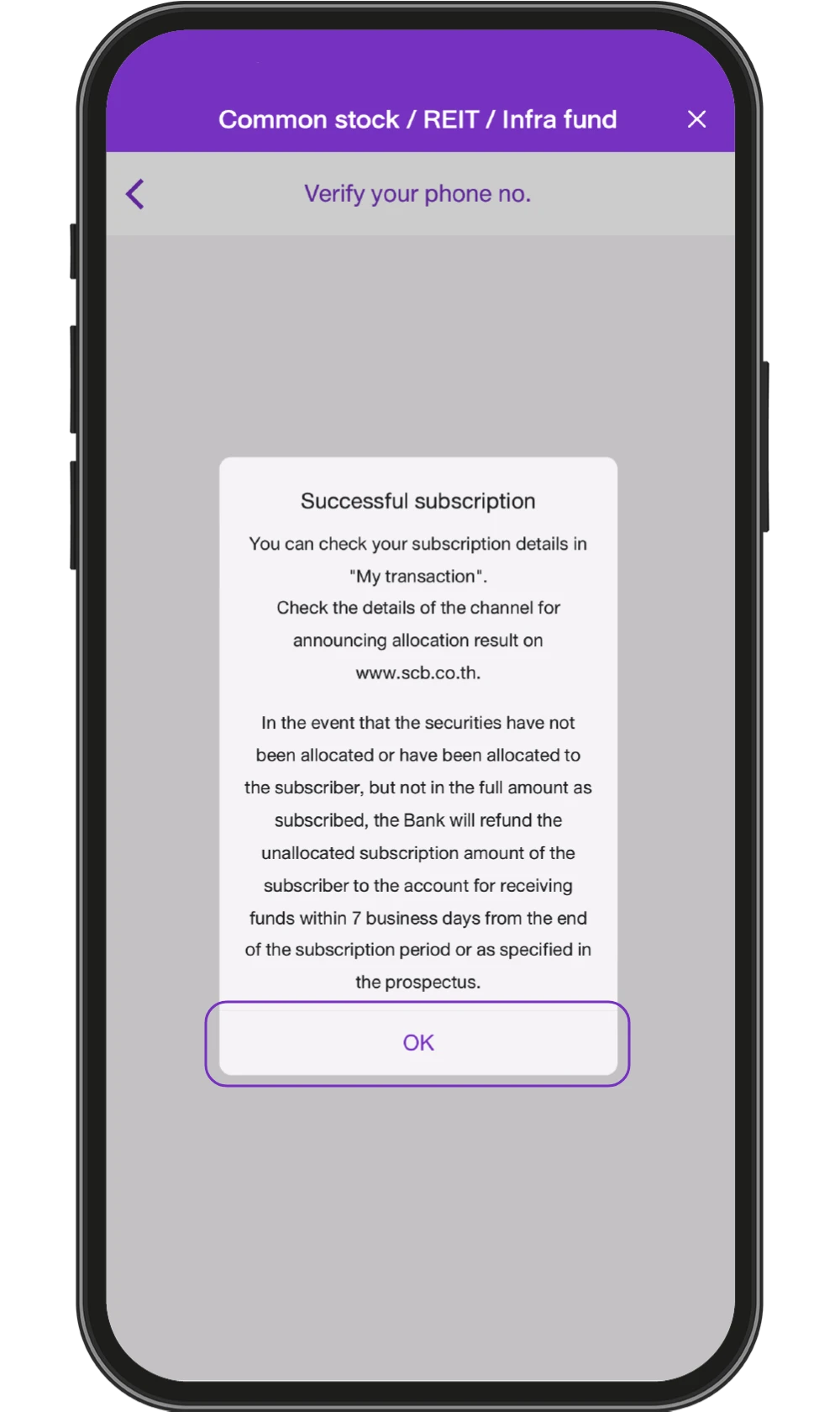
17. Enter OTP
18. Subscription request sent successfully and press “OK”
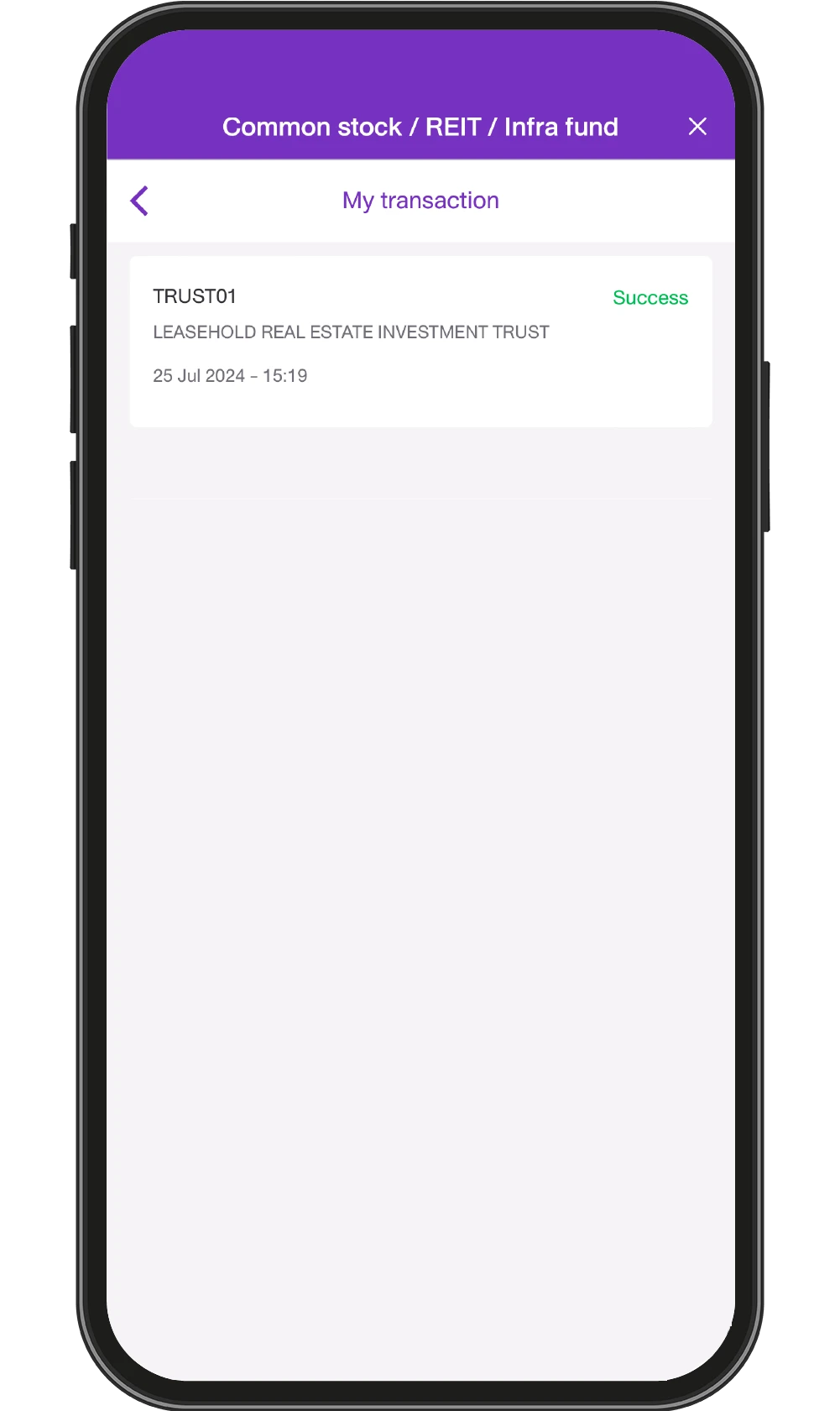
19. Check subscription status* in “My transactions”
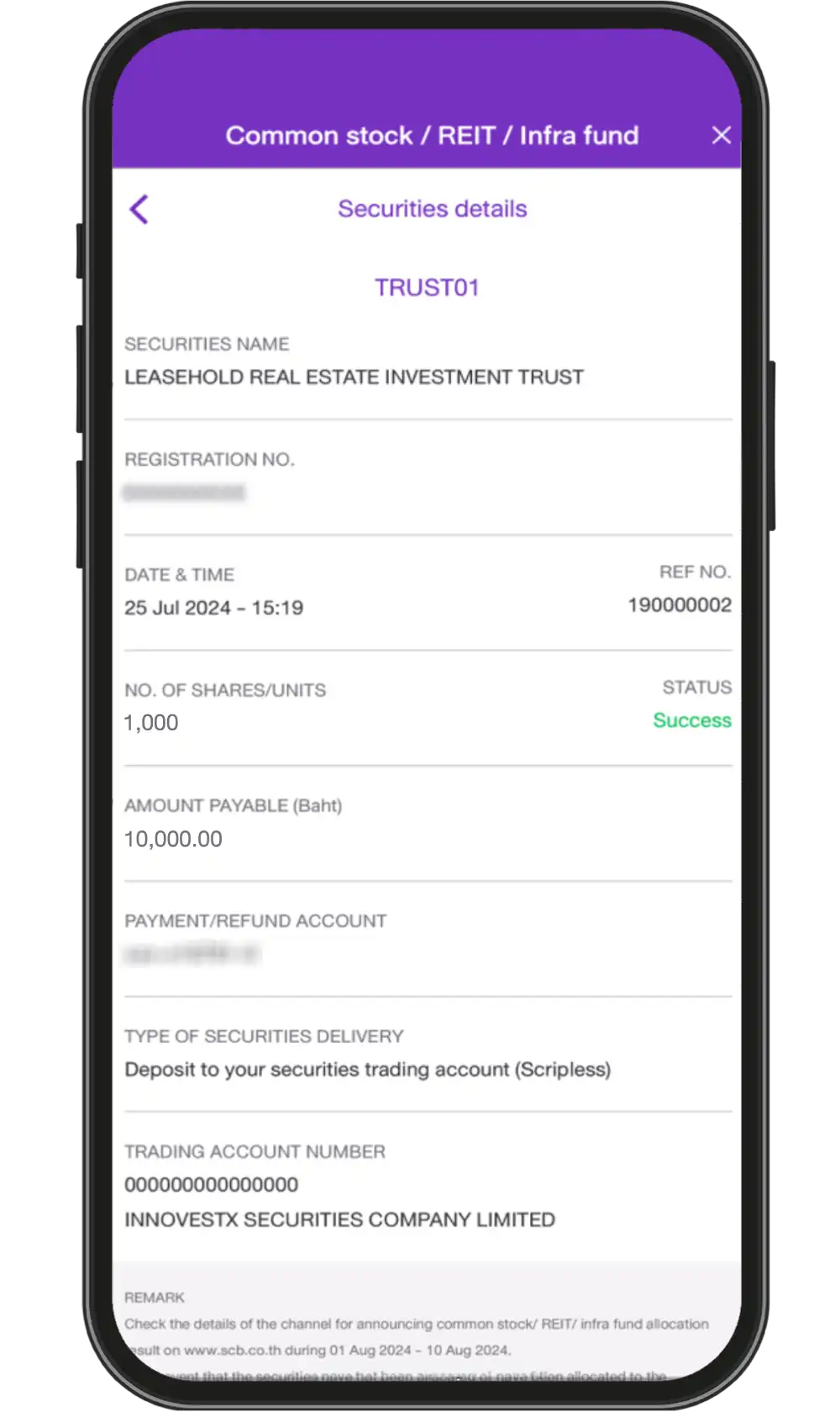
20. Select a transaction to see transaction details
1. Select the menu “Investments”
2. Select “Common stock/REIT/Infra fund"
3. Study the Terms and Conditions of the service and Select “Securities list”
4. Choose a security to subscribe / Study Ex Summary/Factsheet and Prospectus
5. Press “Subscribe”
6. In the case of a preferential public offering or rights offering, existing security holders choose their registration number and subscription rights and press “Next”
7. Study Ex summary/Fact sheet and press “Next”
8. Study the Terms and Conditions for subscription and press “Next”
9. Verify your personal information. If the information is correct, press “Subscribe” (If you need to edit the information, select “Edit”)
10. Choose an account to pay for subscription, specify number of subscription shares/units
11. Choose format of securities delivery: If you choose to deposit the securities into your trading account (scripless), you must select securities company and enter your trading account number
12. If you choose to deposit the securities into the issuer's account No. 600, you must complete the FATCA/CRS form before confirming the subscription
13. If you choose to receive the securities certificate via postal mail (for trust unit subscribers only)
14. Confirm subscription by checking the box and press “Next”
15. Review subscription information and press “Confirm”
16. Choose mobile number to receive OTP
17. Enter OTP
18. Subscription request sent successfully and press “OK”
19. Check subscription status* in “My transactions”
20. Select a transaction to see transaction details
Remark:
- *When SCB has successfully deducted money to pay for your securities subscription, the status of the transaction will be displayed as "Success”.
- Check the details of the channel for announcing allocation result on www.scb.co.th.
- In the event that the securities have not been allocated or have been allocated to the subscriber, but not in the full amount as subscribed, the Bank will refund the unallocated subscription amount of the subscriber to the account for receiving funds within 7 business days from the end of the subscription period or as specified in the prospectus.